How to Manage Multiple Companies in One ERP System with iDempiere
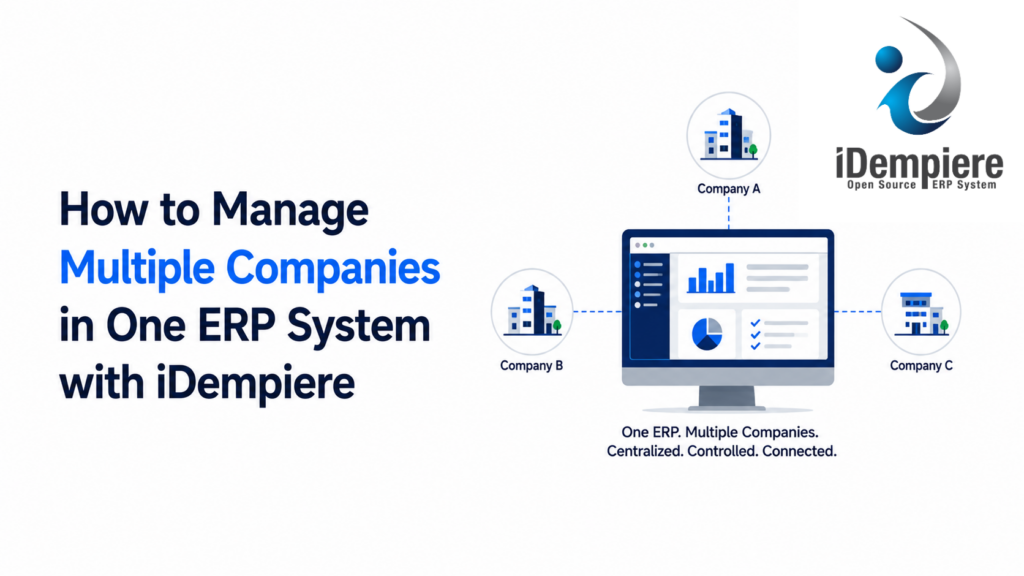
Consolidate multi-company operations cleanly. See how iDempiere ERP runs independent international organizations on one secure system.
Managing multiple companies in a single ERP system can be challenging.
Each company may have its own legal identity, accounting requirements, customers, suppliers, warehouses, transactions, users, and reporting requirements. At the same time, a business group may want to manage all of these companies through a common ERP platform instead of maintaining a completely separate ERP system for every company.
This creates a common ERP challenge:
How can multiple companies operate independently while still being managed through one ERP system?
iDempiere addresses this requirement through its Tenant, Organization, accounting, and Role-based access architecture. Multiple Organizations can operate within a common ERP environment, while access to those Organizations can be controlled through user Roles and Organization Access.
The result is a model that can provide both centralized ERP management and controlled organizational access.
The Challenge of Managing Multiple Companies
Consider a business group with three companies:
- Company A operates in India.
- Company B operates in the United States.
- Company C operates in Europe.
Each company may need its own:
- Accounting configuration
- Legal and tax information
- Currency requirements
- Warehouses
- Customers and suppliers
- Document sequences
However, the group may still want to manage these companies from one ERP environment.
Maintaining a completely separate ERP installation for every company can increase administrative overhead and make centralized reporting, maintenance, integrations, and system management more complicated.
A multi-company ERP approach provides another option:
One ERP environment with multiple Organizations and controlled access to organizational data.
How iDempiere Manages Multiple Companies
iDempiere provides several concepts that can be used together to structure a multi-company environment:
- Tenant
- Organization
- Warehouse
- Accounting Schema
- Role
- Organization Access
These concepts serve different purposes.
The Organization identifies the organizational context to which business data belongs, while Role and Organization Access determine which Organizations a user is permitted to access.
This distinction is important when designing a multi-company ERP system.
Represent Companies Using Organizations
A company can be represented by a separate Organization in iDempiere.
Transactions are created within an organizational context. This allows iDempiere to identify the Organization associated with a document or transaction.
For example:
- A Sales Order can be associated with Company A.
- A Purchase Order can be associated with Company B.
- A warehouse transaction can be associated with Company C.
This organizational assignment allows the system to distinguish transactions belonging to different Organizations.
Control Multi-Company Access with Roles
Once multiple companies are configured as Organizations, the next question is:
Who should be allowed to access each company’s data?
iDempiere uses Roles and Organization Access to control this.
For example, consider three users.
Company A Accountant
The user’s Role may provide access to:
- Company A accounting transactions
- Company A invoices
- Company A payments
- Company A financial information
Company B Accountant
The user’s Role may provide access to:
- Company B accounting transactions
- Company B invoices
- Company B payments
- Company B financial information
Group Finance Manager
The user’s Role may provide access to:
- Company A
- Company B
- Company C
This allows the ERP to support both company-level users and group-level users.
A user working with Company B may therefore still be able to view a document belonging to Company A if the user’s Role has Organization Access to Company A.
This is why the correct model is not:
“Company B users can only see Company B data.”
Instead, it is:
“Users can access the Organizations permitted by their Role and Organization Access configuration.”
Maintain Company-Specific Accounting
Accounting is one of the most important requirements in a multi-company ERP environment.
Different companies may have different:
- Currencies
- Charts of accounts
- Accounting rules
- Accounting dimensions
- Reporting requirements
iDempiere provides an accounting framework that can be configured according to the organization’s requirements.
For example:
| Company | Currency | Accounting Requirement |
|---|---|---|
| Company A | INR | India-specific requirements |
| Company B | USD | US-specific requirements |
| Company C | EUR | European requirements |
The important point is that operating within one ERP environment does not necessarily mean that every company must have identical accounting requirements.
The accounting design should be configured according to the actual business structure and regulatory requirements.
Maintain Company-Specific Document Control
Different companies may also require different document sequences.
For example:
Company A Sales OrdersSO-A-00001SO-A-00002Company B Sales OrdersSO-B-00001SO-B-00002
Document sequences can be configured according to organizational requirements.
This can help companies maintain clear document identification and appropriate business controls while operating within the same ERP environment.
A Practical Example: Managing Three Companies in iDempiere
Consider a business group called ABC Group that operates three separate companies:
- ABC India Pvt Ltd
- ABC USA Inc
- ABC Germany GmbH
The group wants to manage all three companies using a single iDempiere ERP environment.
Each company has its own operations, but the group wants central management and the ability to give employees access only to the Organizations relevant to their responsibilities.
Step 1: Create the Organizations
The business can structure its iDempiere environment as follows:
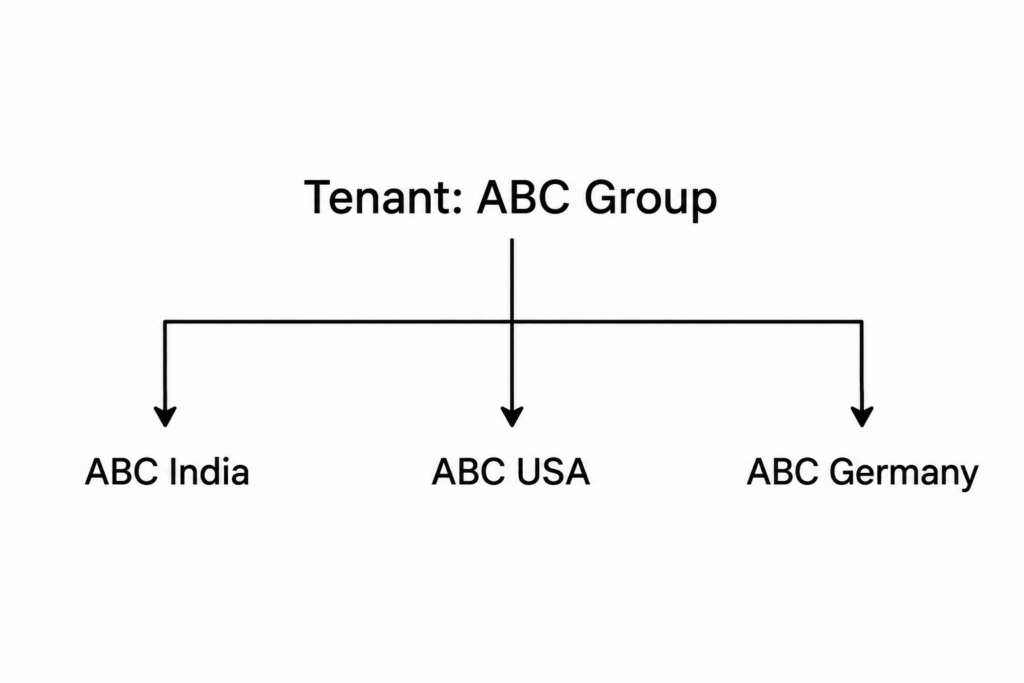
Here, each company is represented by an Organization.
The Organization provides the organizational context for the company’s business transactions.
For example:
Sales Order: SO-10001Organization: ABC India
This tells iDempiere that the Sales Order belongs to the ABC India Organization.
Similarly:
Purchase Order: PO-20001Organization: ABC USA
The Purchase Order belongs to ABC USA.
And:
Material Receipt: MR-30001Organization: ABC Germany
The Material Receipt belongs to ABC Germany.
The important point is that the transaction’s Organization identifies which Organization the transaction belongs to.
Step 2: Configure Organization Access for Users
Now consider the employees working in these companies.
ABC India Accountant
The accountant should normally work with ABC India’s data.
The Role can therefore provide Organization Access to:
ABC India ✓ABC USA ✗ABC Germany ✗
The user can work with the data belonging to ABC India.
ABC USA Accountant
The USA accountant can be configured with:
ABC India ✗ABC USA ✓ABC Germany ✗
The user can work with ABC USA data.
Group Finance Manager
The Group Finance Manager needs to review financial information across the entire business group.
The Role can therefore provide access to:
ABC India ✓ABC USA ✓ABC Germany ✓
The manager can access data from all three Organizations.
Conclusion
Managing multiple companies does not necessarily require a separate ERP system for every company.
The real requirement is to provide a structure that can distinguish different companies and their transactions while giving users the appropriate level of access.
iDempiere addresses this through a combination of Tenant, Organization, Role, Organization Access, accounting, and operational configuration.
The key concept is:
Organization identifies the organizational context of the data, while Role and Organization Access determine which organizational data the user can access.
This allows a business group to operate multiple companies within a common ERP environment while supporting different levels of user access and organizational responsibility.