
Odoo Studio vs Custom App: Compare No-Code vs Dev
What is Odoo Studio
Odoo Studio is a visual customization tool offered in Enterprise edition only. It avoids coding and allows to drag and drop elements directly within the interface.
Think of it as Excel-style customization for Odoo screens.
What Studio does well
- Adding a custom fields to forms
- Re-arrange any screens via drag & drop
- Rename labels and menus
- Add simple rules
- Example: make a field read-only after approval
Pros: Quick, DIY (no developer needed), changes happen in real-time.
Cons: It can get messy if too many changes done in any forms or pages. It doesn’t handle “complex brain logic” well (e.g., “If X happens in Sales, calculate Y in Manufacturing and send an SMS to Z”).
What is a Custom App?
Odoo custom app uses full backend development. It uses Python, XML, JavaScript, and OWL. It works in both Community edition and Enterprise edition.
Think of it as engineering the business logic itself.
What custom apps do well
- Build complex business workflows and logics
- Adding strict business rules
- Integrate with any 3rd party applications like banks, payroll, or government portals
- Handle large data volumes
- Create statutory and management reports
- Stay safe during Odoo upgrades
Best for: Complex business logic, integrating with external software (like a specialized shipping provider), or heavy automation that involves multiple departments.
Pros: Infinite flexibility, better performance for large data, and easier to “version control” (keep a history of changes).
Cons: Requires a developer, costs more upfront, and takes longer to build and test.
Comparison at a Glance
1. Overview
| Feature | Odoo Studio | Backend Development |
|---|---|---|
| Purpose | No-code / low-code tool for quick customization | Full-code customization using Python, XML, JS, OWL |
| Accessibility | Available only in Odoo Enterprise | Works in Community & Enterprise |
| Users | Best for functional users and consultants | Requires Developer Mode and coding skills |
| Use Case | Modify Odoo without programming | Advanced, scalable, long-term solutions |
2. App & Model Creation
| Feature | Odoo Studio | Backend Development |
|---|---|---|
| Model Creation | Create custom apps and models easily | Create models using Python classes |
| Database | Auto-create database table | Full control over database schema |
| Menus & Views | Auto-create menu and views | Inherit or override existing models and views |
| Relations | Link fields to other models | Create relations (Many2one, One2many, Many2many) |
| Flexibility | No technical setup required | Rename technical fields anytime, full control |

3. Screen & View Customization
| Feature | Odoo Studio | Backend Development |
|---|---|---|
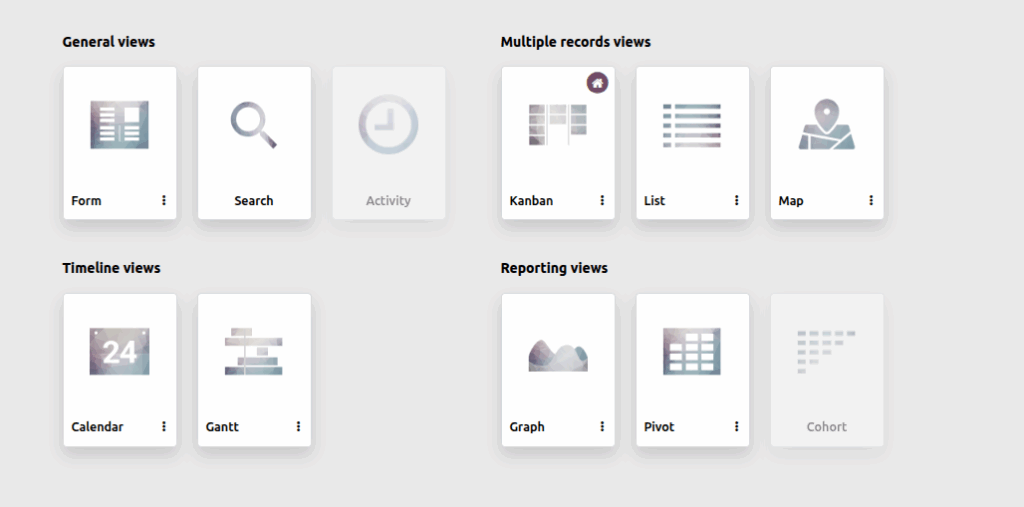
| Views | Customize Form, List, Kanban, Search | Form, Tree, Kanban, Search, Pivot, Graph |
| UI Editing | Drag & drop fields and sections | XML templates, QWeb, full UI control |
| Layout | Add tabs and groups, rearrange layout | Inherit and extend views, dynamic visibility |
| Labels | Rename field labels | Advanced labels, dynamic and computed content |
4. Field Management
| Feature | Odoo Studio | Backend Development |
|---|---|---|
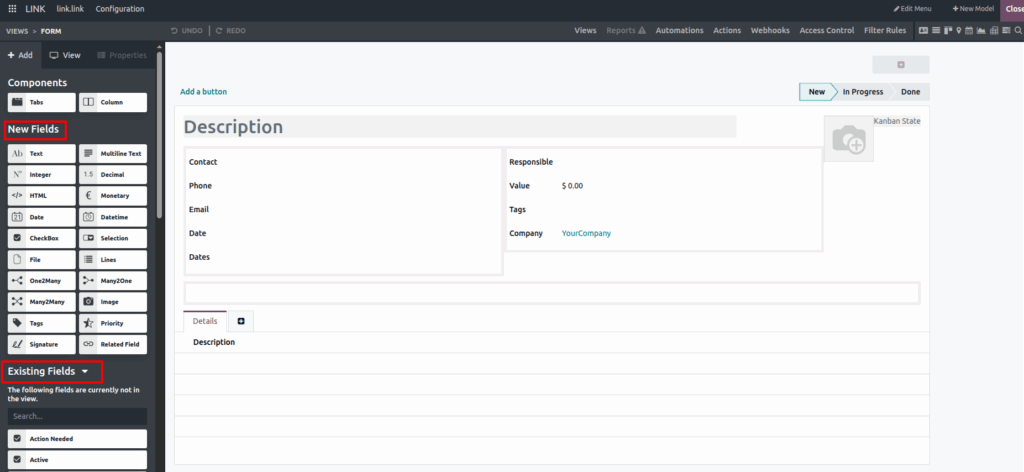
| Custom Fields | Add fields (x_studio prefix) | Full Python logic fields, computed, or stored |
| Field Types | Text, number, date, selection, image | Any type, custom data validation |
| Rules | Required, readonly, hidden, default values | Full validation, constraints, Python logic |
| Relations | Link to other models | Many2one, One2many, Many2many with full control |
5. Conditional Logic
| Feature | Odoo Studio | Backend Development |
|---|---|---|
| Logic | Show/hide fields, simple if-condition | Complex Python logic, cross-model rules |
| Field Behavior | Read-only after stage change | Fully dynamic conditions, event-driven |
| Workflow | Simple linear automation | Multi-step, conditional workflows |

6. Workflow & Automation
| Feature | Odoo Studio | Backend Development |
|---|---|---|
| Workflow | Add/rename stages, auto-move records | Custom state machines, parallel and conditional workflows |
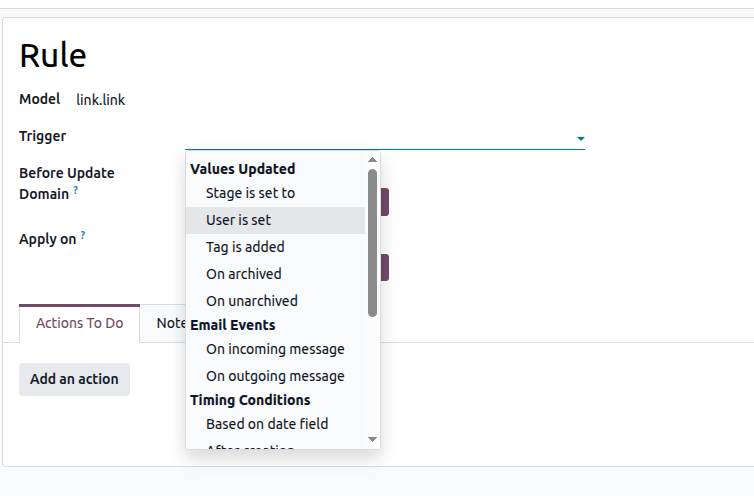
| Automation | Trigger on create, update, field change, time-based actions | Advanced server actions, cron jobs, multi-model triggers |
| Actions | Update fields, assign users, send emails, notifications, reminders | Complex logic, multi-step automation, integration with external systems |
7. Search, Reporting & Dashboards
| Feature | Odoo Studio | Backend Development |
|---|---|---|
| Search | Add search fields, create and save filters | Full domain-based search, custom queries |
| Reporting | Charts, pivot views, dashboards | Advanced QWeb reports, custom PDF/Excel, large data handling |
| Computed Fields | Basic computed fields | Full Python logic, cross-model computations |
8. Menu & Navigation
| Feature | Odoo Studio | Backend Development |
|---|---|---|
| Menus | Rename, hide, reorder | Full menu customization via code |
| Navigation | Simplify for users | Fully dynamic menus, conditional access |
9. Access & Security
| Feature | Odoo Studio | Backend Development |
|---|---|---|
| Access Control | Show/hide fields, readonly by role | Full access rights, record rules, field-level security |
| User Roles | Basic role visibility | Multi-company, multi-role rules, full backend security |
10. Integration & API
| Feature | Odoo Studio | Backend Development |
|---|---|---|
| Integrations | Simple webhooks, limited connectors | REST/SOAP APIs, external system sync, OAuth authentication |
| Automation | Basic notifications | Event-driven triggers, async jobs, background processing |
11. Performance & Scalability
| Feature | Odoo Studio | Backend Development |
|---|---|---|
| Optimization | Cannot optimize queries | Query profiling, indexing, caching |
| Scalability | Limited for large datasets | Handle large datasets, optimized for performance |
12. UI & Web Customization
| Feature | Odoo Studio | Backend Development |
|---|---|---|
| Widgets | Standard drag & drop fields | Custom JS widgets, OWL components |
| Client Behavior | Limited UI control | Override web client behavior, custom mobile UI |
13. Deployment & Maintenance
| Feature | Odoo Studio | Backend Development |
|---|---|---|
| Deployment | Changes applied live on database | Deployment via modules, migrations, version control |
| Maintenance | Harder to maintain at scale | Upgrade-safe development, reusable code, team collaboration |
| Testing & Debugging | Limited or no testing/logging | Unit tests, integration tests, automated regression, full logging |
14. Best Use Cases
| Feature | Odoo Studio | Backend Development |
|---|---|---|
| Use Case | Quick business changes, screen tweaks, small automation | Complex workflows, integrations, advanced reporting, high-performance systems |
| Users | Functional users, consultants | Developers, technical teams |
