Branch master in iDempiere Retail Lifestyle POS
This is the menu used to update and manage multi-outlet/branch details and configuration.
Update branch’s data
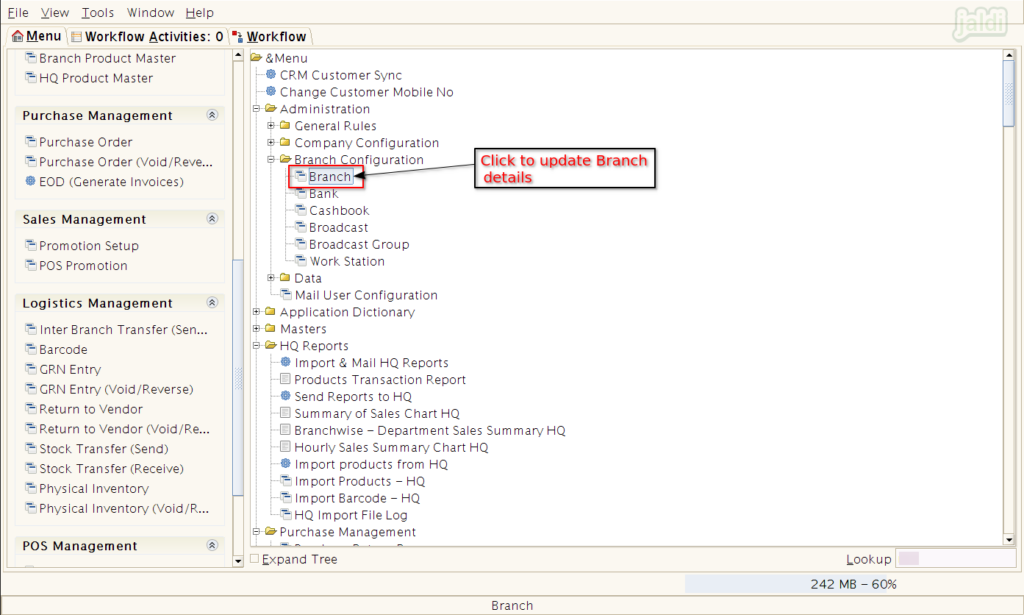
Click on “Branch” menu in Application like shown in image.
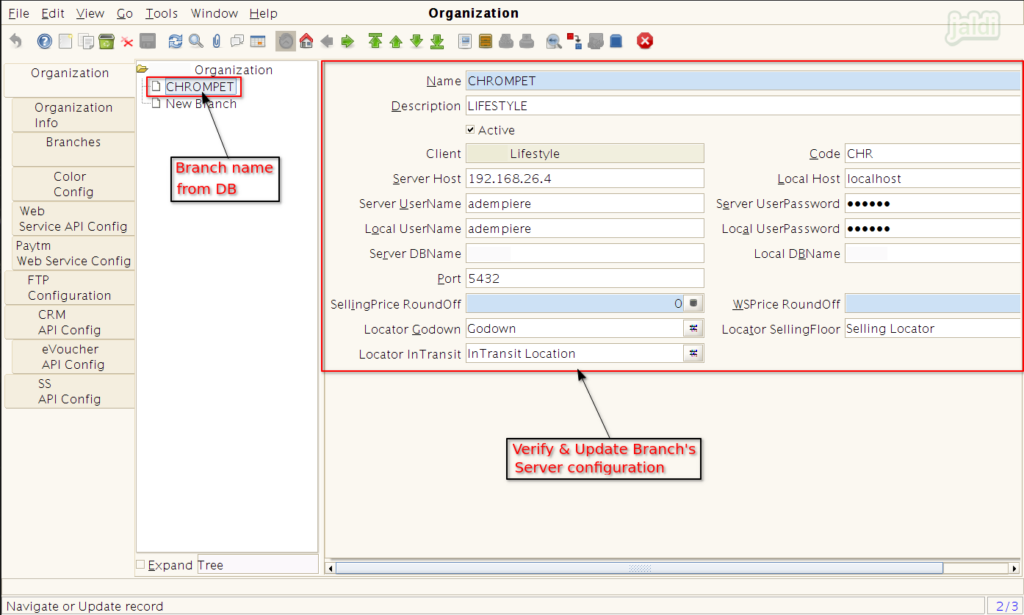
In organization, Update required input details which is marked in below image.
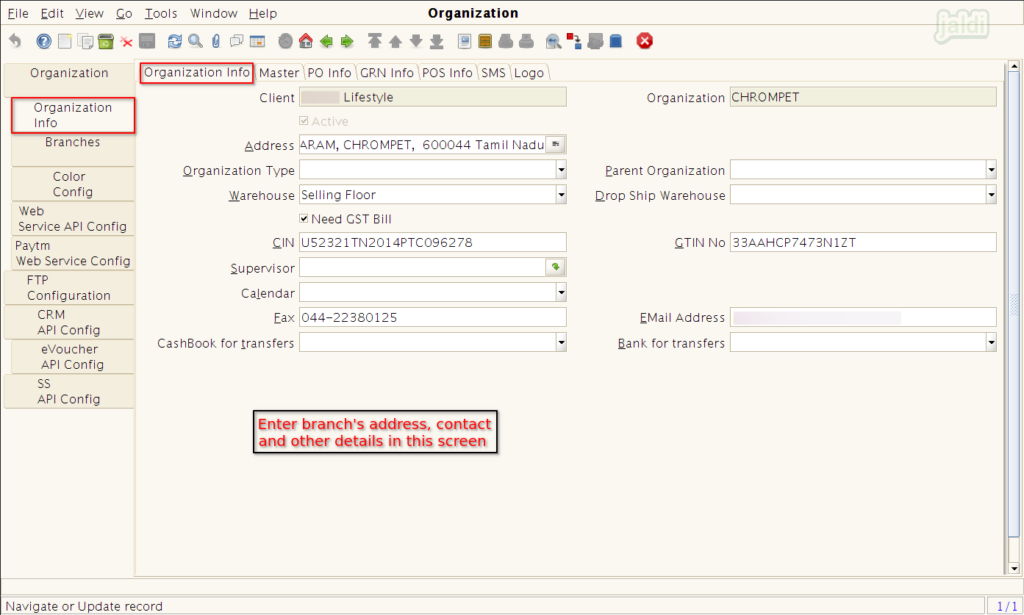
In “organization Info” screen update the required details of branch and save.
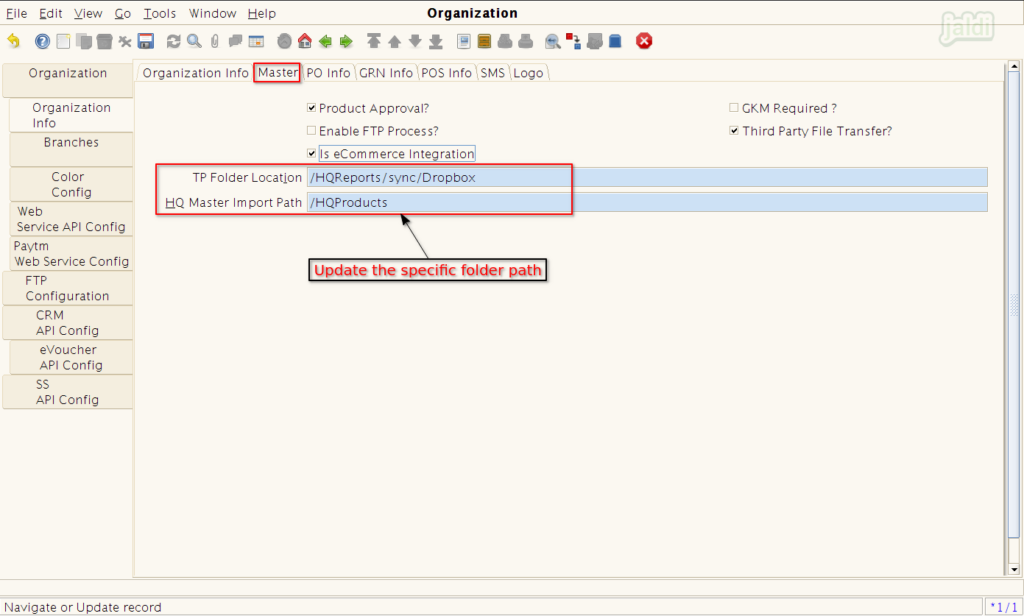
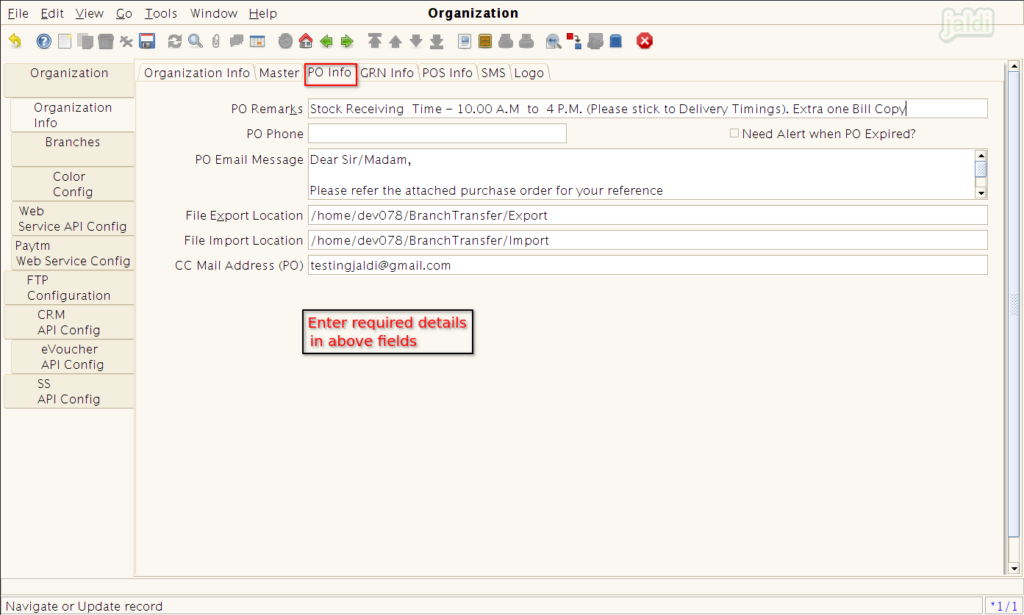
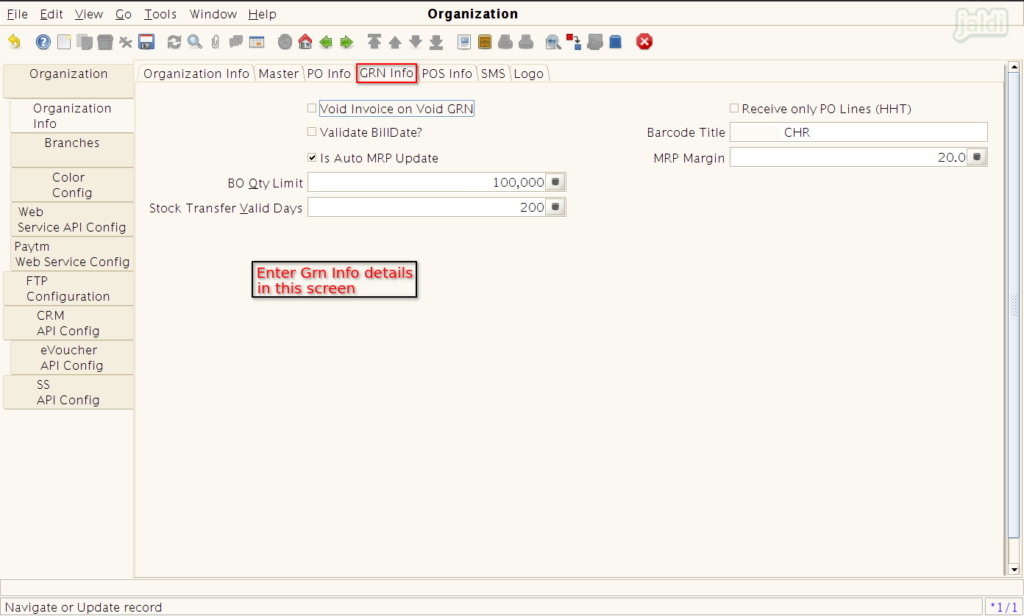
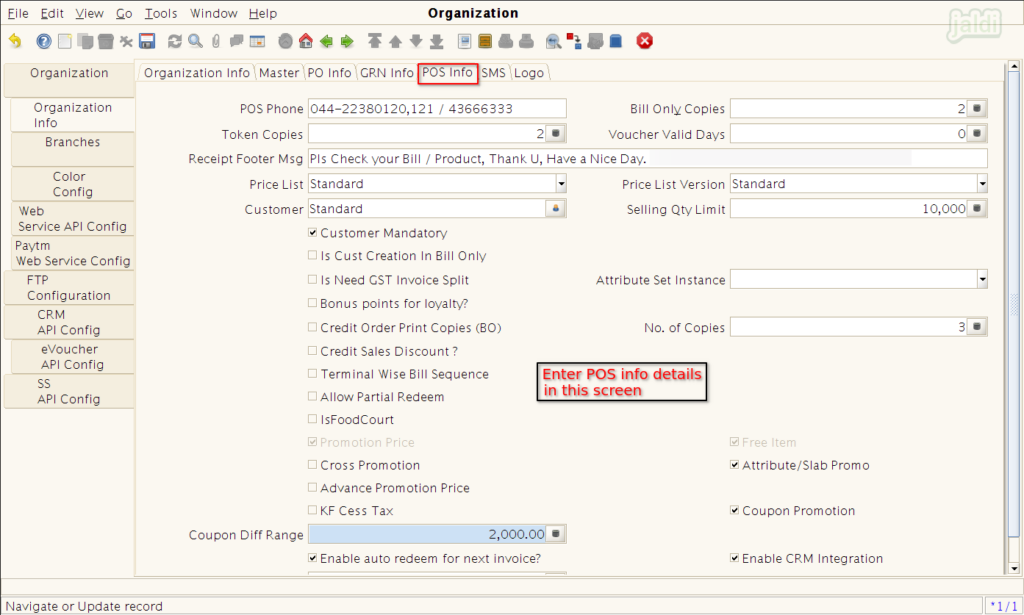
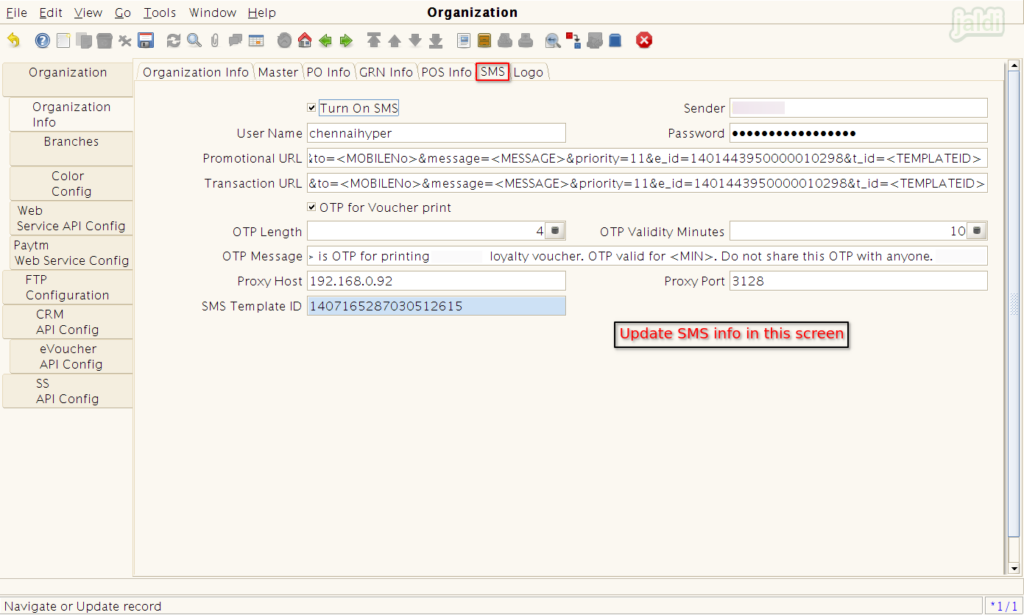
- Follow the instruction which is updated in following images in each tab screen like Master, PO info, GRN info, POS info, SMS and logo and save branch.
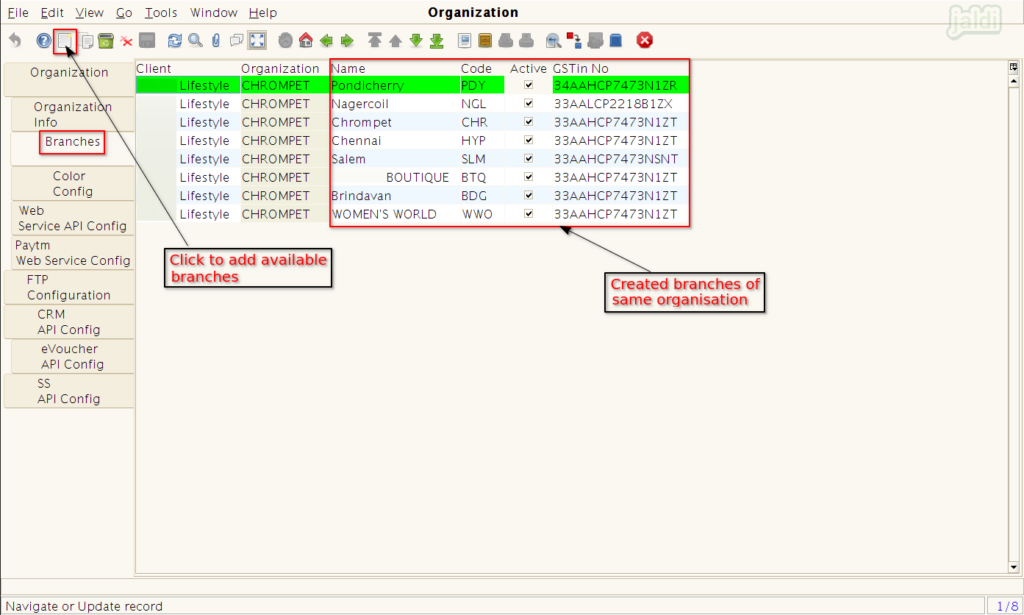
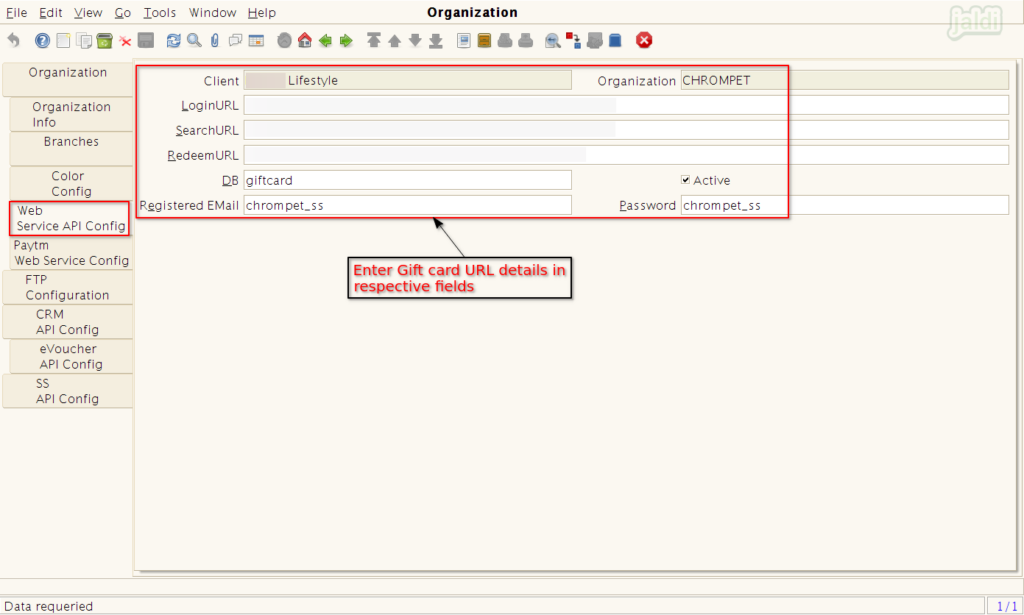
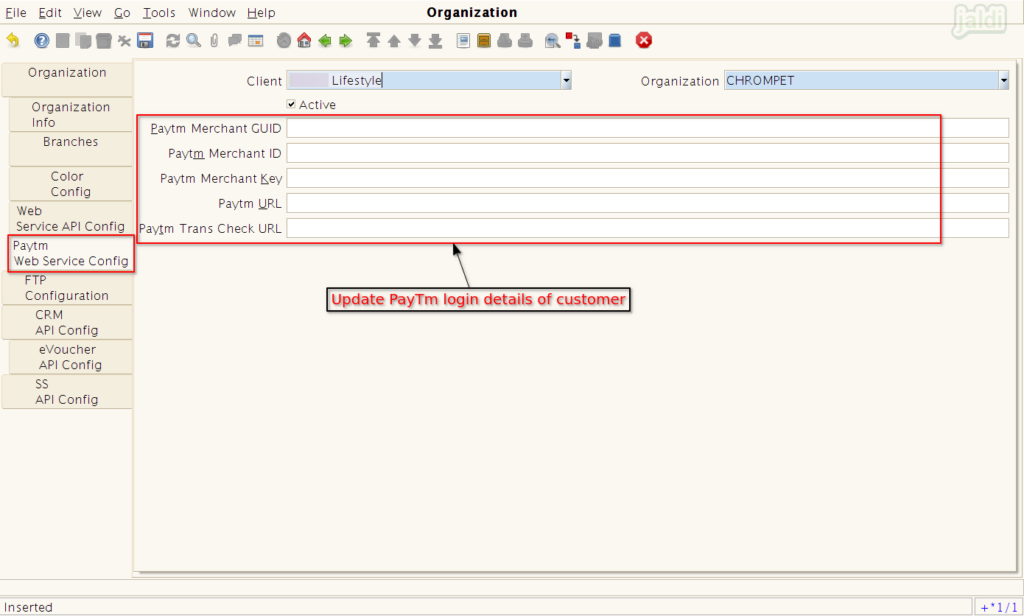
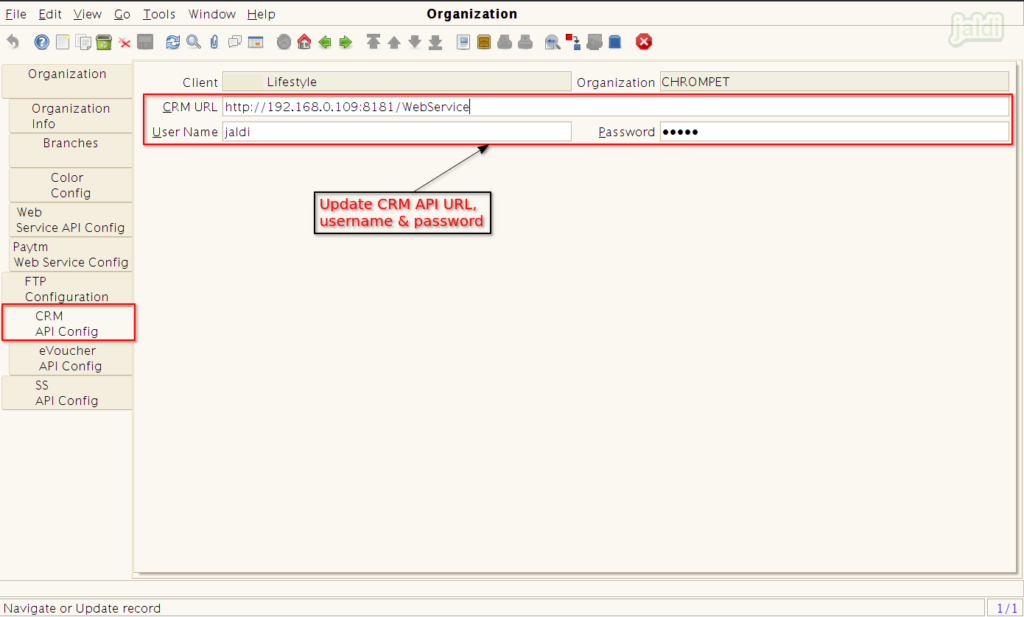
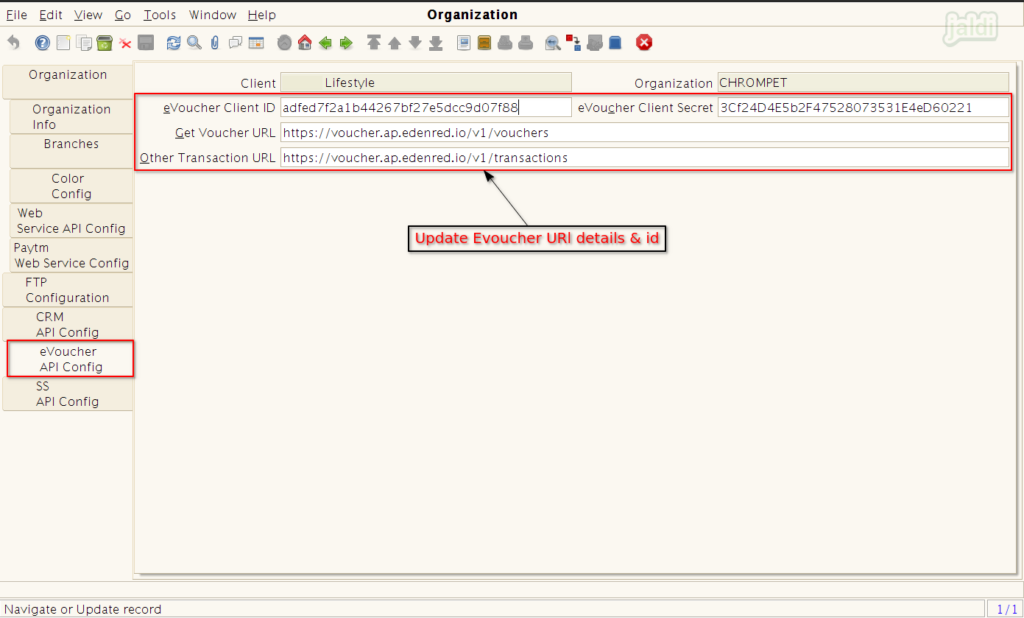
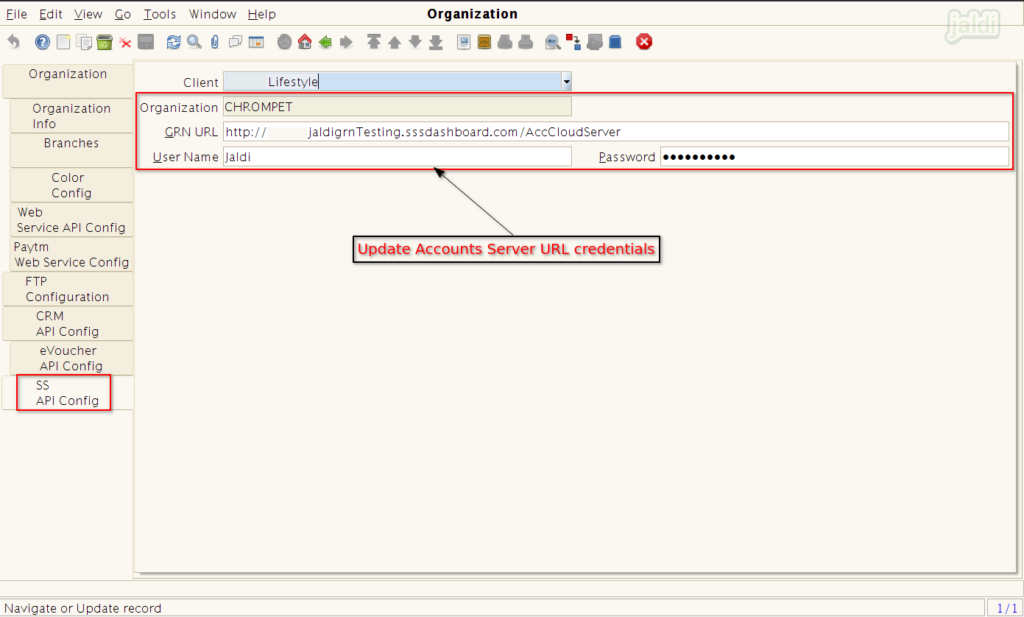
To know more more about the input fields, visit web link