How to Manage Complex Approval Workflows in iDempiere
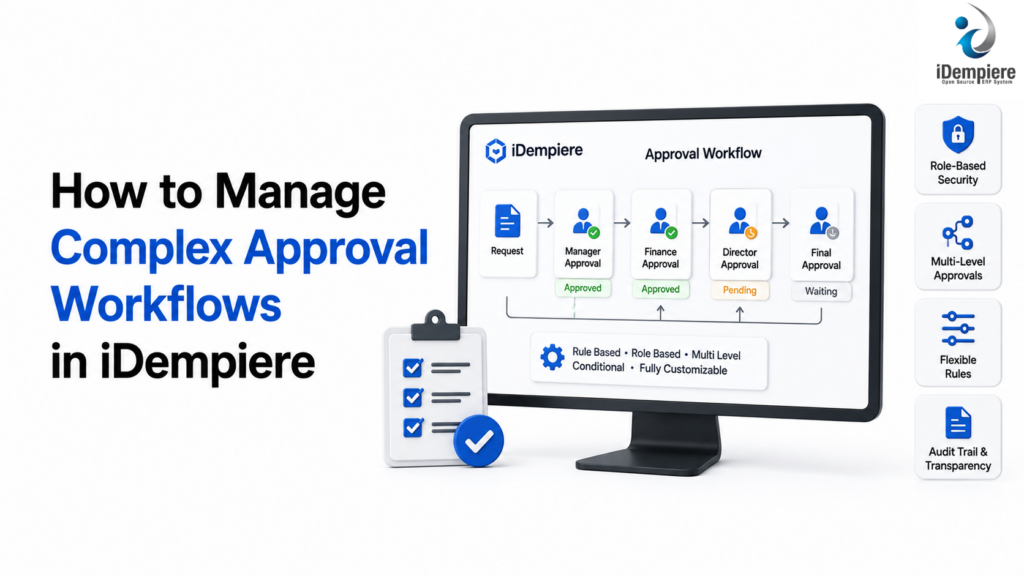
iDempiere automates complex approval workflows by routing transactions based on custom values, roles, and conditions.
As businesses grow, their approval processes often become more complicated.
A simple purchase order that once required approval from one manager may eventually need approval from a department head, finance team, procurement manager, or senior management. Expense claims, discounts, purchase requests, sales orders, payments, inventory adjustments, and other business transactions may all require different levels of authorization.
Managing these approvals through emails, spreadsheets, paper forms, or informal communication can create delays and make it difficult to determine who approved a transaction and when.
An ERP system can help organizations bring these approval processes into a structured workflow.
With iDempiere, businesses can configure and manage business processes within an integrated ERP environment, helping organizations control transactions, route activities to the appropriate users, and maintain a more consistent approval process.
This article explains how businesses can approach complex approval workflows using iDempiere and how workflow automation can improve control, visibility, and efficiency.
What Is an Approval Workflow?
An approval workflow is a predefined sequence of steps that determines how a business transaction is reviewed and authorized.
For example, a purchase request might follow this process:
Employee Creates Purchase Request → Department Manager → Finance → Procurement → Approved
Each step can have its own conditions and responsibilities.
A simple workflow might require only one approval.
A complex workflow may depend on:
- Transaction amount
- Department
- Organization
- Product category
- Customer
- Supplier
- Project
- Cost center
- User role
- Transaction type
- Business rules
For example:
Purchase Request Below ₹50,000 → Department Manager
Purchase Request ₹50,000–₹2,00,000 → Department Manager → Finance Manager
Purchase Request Above ₹2,00,000 → Department Manager → Finance Manager → Senior Management
This is an example of a conditional approval workflow.
Why Businesses Need Complex Approval Workflows
As organizations grow, approval requirements become more important because transactions can have financial, operational, or compliance implications.
Without structured approval processes, businesses may experience:
- Unauthorized purchases
- Excessive discounts
- Payment errors
- Delayed transactions
- Lack of accountability
- Missing approval records
- Inconsistent business practices
- Difficulty auditing transactions
A centralized ERP workflow can help organizations establish consistent approval procedures.
Common ERP Transactions That Require Approval
Approval workflows can be useful across many areas of an ERP system.
Purchasing
Purchase requisitions and purchase orders may require approval based on their value or department.
Sales
Sales orders may require approval when they contain unusually high discounts or exceed customer credit limits.
Expenses
Employee expense claims may require approval from managers and finance teams.
Payments
Payment requests may require multiple levels of authorization before funds are released.
Inventory
Inventory adjustments may require approval when the quantity or financial value exceeds a predefined threshold.
How iDempiere Can Help Manage Approval Workflows
iDempiere provides workflow capabilities that can be used to structure business processes and route activities to appropriate users.
Instead of relying on informal approval through email or paper documents, organizations can incorporate approval steps into ERP processes.
A simplified workflow can look like:
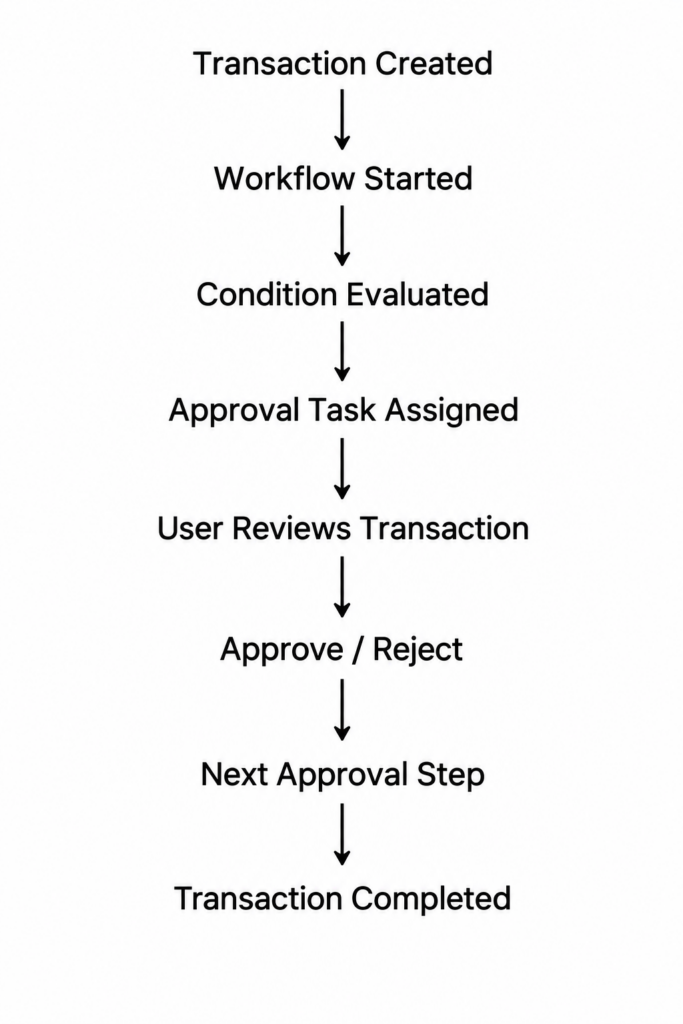
This provides a more structured approach to business approvals.
Define the Approval Process Before Configuring It
The first step is not configuring the ERP.
The first step is understanding the organization’s existing approval process.
For each transaction, identify:
- Who creates the transaction?
- Who reviews it?
- Who approves it?
- What conditions require additional approval?
- What happens if the transaction is rejected?
- Can the transaction be modified after approval?
- What happens if an approver is unavailable?
For example, a company may define the following purchasing process:
Employee → Department Manager → Finance → Procurement
Once the process is clearly defined, it can be translated into an ERP workflow.
Create Approval Levels
Complex workflows often contain multiple approval levels.
For example:
| Purchase Value | Approval Required |
|---|---|
| Up to ₹25,000 | Department Manager |
| ₹25,001–₹1,00,000 | Department Manager + Finance |
| ₹1,00,001–₹5,00,000 | Department Manager + Finance + Procurement Head |
| Above ₹5,00,000 | Department Manager + Finance + Senior Management |
This prevents every transaction from going through the same approval process.
Low-value transactions can move quickly, while higher-value transactions receive additional review.
Use Conditions in Approval Workflows
Not every transaction needs the same approval path.
Conditional workflows allow the process to change based on transaction information.
For example:
Purchase Order
If amount < ₹50,000 → Manager Approval
If amount ≥ ₹50,000 → Manager + Finance Approval
Another example:
Sales Order
Discount ≤ 5% → Normal Processing
Discount > 5% → Sales Manager Approval
Discount > 15% → Senior Management Approval
This makes the approval process more flexible.
Route Approvals to the Appropriate Users
A workflow is useful only if the approval reaches the correct person.
Approval routing can be based on organizational responsibilities and roles.
For example:
- Purchase Request
- Requester’s Department
- Department Manager
- Finance
- Procurement
This reduces the need for employees to manually determine who should approve each transaction.
The objective is to make the approval path part of the business process rather than an informal decision.
Manage Role-Based Approvals
Large organizations may have many users performing similar functions.
Rather than designing a workflow around one specific individual, approval responsibilities can be organized around appropriate roles or organizational responsibilities.
For example:
- Sales Manager
- Finance Manager
- Procurement Manager
- Department Head
- Warehouse Manager
- Project Manager
This makes workflows easier to maintain when employees change roles.
Manage Approval Rejections
A complete approval workflow needs to define what happens when a transaction is rejected.
This is more effective than simply marking a transaction as rejected without providing a clear next step.
Organizations should establish rules for:
- Rejection reasons
- Reapproval
Maintain Approval History
One of the major advantages of managing approvals inside an ERP is having a record of the workflow.
Businesses may need to know:
- Who approved the transaction?
- When was it approved?
- Who rejected it?
- When was it rejected?
- What stage is currently pending?
- What action was taken?
Maintaining workflow history can support internal controls and audit requirements.
It also makes it easier to investigate why a transaction was approved, rejected, or delayed.
Example: Purchase Approval Workflow in iDempiere
Consider a distribution company that purchases inventory from suppliers.
The company has established the following approval rules:
| Purchase Order Amount | Approval Path |
|---|---|
| Up to ₹25,000 | Department Manager |
| ₹25,001–₹1,00,000 | Department Manager → Finance |
| ₹1,00,001–₹5,00,000 | Department Manager → Finance → Procurement Head |
| Above ₹5,00,000 | Department Manager → Finance → Procurement Head → Senior Management |
The workflow could operate as follows.
Step 1: Purchase Order Creation
An employee or purchasing user creates a purchase order in iDempiere.
Step 2: Workflow Evaluates the Transaction
The workflow evaluates the purchase order amount and other relevant information.
Step 3: Determine Approval Path
If the purchase order is ₹75,000, the workflow selects:
Department Manager → Finance
If the purchase order is ₹6,00,000, the workflow selects:
Department Manager → Finance → Procurement Head → Senior Management
Step 4: First Approval
The department manager reviews the transaction.
If approved, the workflow continues.
If rejected, the transaction follows the organization’s rejection process.
Step 5: Finance Review
Finance reviews the transaction and approves or rejects it.
Step 6: Additional Approval
For higher-value transactions, the workflow continues to the procurement head or senior management.
Step 7: Workflow Completion
Once all required approvals are completed, the transaction can proceed according to the organization’s configured business process.
This approach avoids applying the highest approval level to every purchase.
Best Practices for Complex ERP Approval Workflows
Keep Approval Rules Clear
Approval rules should be easy for employees to understand.
Avoid creating unnecessary approval levels simply because the ERP can support them.
Use Thresholds Carefully
Transaction amount is useful for determining approval levels, but other factors may also matter.
For example:
- Department
- Product category
- Customer
- Supplier
- Project
- Discount
- Cost center
Avoid Single-Person Dependencies
Where practical, design approval responsibilities around roles and organizational structures rather than relying entirely on one individual.
Monitor Pending Approvals
Managers should be able to identify transactions that are waiting for approval.
Long-pending transactions can create operational bottlenecks.
Review Workflows Periodically
Approval requirements change as organizations grow.
A workflow designed for a small business may become inefficient when the organization expands.
Review approval rules periodically to ensure they still reflect current business policies.
Benefits of Managing Approval Workflows with iDempiere
Better Internal Control
Approval rules help ensure that important transactions are reviewed by authorized users.
Reduced Manual Follow-Up
Employees do not need to rely entirely on email or personal communication to determine where a transaction is waiting.
Faster Processing
Well-designed workflows can route transactions to the appropriate approvers without unnecessary manual intervention.
Greater Accountability
Approval history can help identify who performed an action and when.
Consistent Business Processes
The same approval rules can be applied consistently across similar transactions.
Improved Visibility
Users can identify transactions that are pending, approved, or rejected.
Reduced Unauthorized Transactions
Transactions can be prevented from progressing until required approvals are completed.
Better Auditability
A structured workflow provides useful information for reviewing business transactions and approval activity.
Conclusion
Complex approval processes are a normal part of growing businesses. Purchasing, sales, expenses, payments, inventory adjustments, and other transactions may require different levels of authorization depending on their value, department, or business conditions.
Managing these processes manually can result in delays, inconsistent approvals, and limited visibility into who authorized a transaction.
iDempiere can help businesses structure approval workflows within their ERP processes, allowing transactions to be routed through defined approval steps and business rules.