How to Improve iDempiere ERP Performance When Data and Transactions Increase
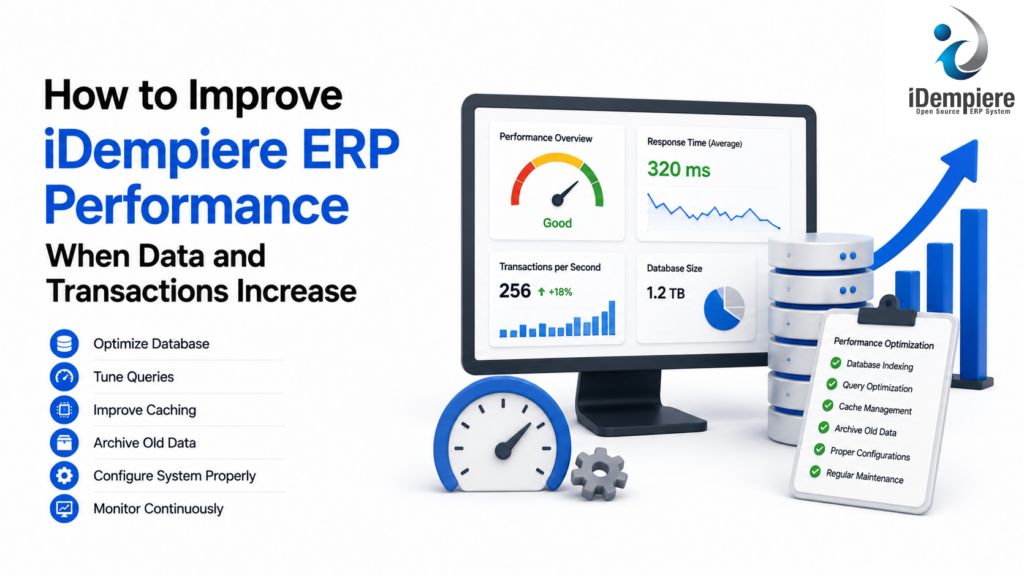
iDempiere scales with rising transaction volumes via database indexing, query optimization, and strategic hardware sizing.
As a business grows, the amount of data processed by its ERP system also increases.
More customers, products, invoices, purchase orders, sales orders, inventory movements, accounting entries, users, and transactions can place greater demands on the ERP environment.
An iDempiere implementation that performs well with a relatively small database may require additional attention as transaction volumes and historical data grow.
With proper database management, server resources, application configuration, indexing, reporting practices, monitoring, and data-management strategies, businesses can improve the ability of iDempiere to handle growing workloads.
Why iDempiere Performance Can Decline as Data Grows
ERP performance depends on several components working together.
A simplified iDempiere environment can be viewed as:
Users → Application Server → iDempiere → Database → Infrastructure
As transaction volume increases, each layer may experience greater load.
For example, a growing business may have:
- More concurrent users
- Larger database tables
- More historical transactions
- More complex queries
- More frequent integrations
- More scheduled processes
- More reports
- More inventory movements
- More accounting records
If the system is not monitored and optimized as it grows, these factors can contribute to slower performance.
Common Symptoms of Performance Problems
Before improving performance, it is important to identify the actual bottleneck.
Common symptoms include:
- Slow window loading
- Delayed searches
- Long-running reports
- Slow document completion
- Delayed inventory processing
- Slow accounting processes
- High database CPU usage
- High memory consumption
- Long-running SQL queries
- Increased response times during peak hours
- Background processes affecting normal users
The cause should be identified before changing configuration or infrastructure.
Increasing server capacity may not solve a problem caused by an inefficient database query, for example.
Monitor iDempiere Performance Regularly
Performance optimization should begin with monitoring.
Instead of waiting until users complain that the ERP is slow, organizations should monitor the environment continuously.
Important areas to monitor include:
- CPU utilization
- Memory utilization
- Database CPU
- Database memory
- Disk usage
- Disk I/O
- Network performance
- Active database sessions
- Query execution times
- Application response times
- Background processes
- Scheduled jobs
Monitoring can help identify whether the bottleneck is primarily related to the application server, database, infrastructure, or a particular business process.
Why Monitoring Matters
Suppose users report that iDempiere becomes slow every morning between 9:00 AM and 10:00 AM.
Monitoring may reveal that a scheduled report or batch process is running during the same period.
Instead of immediately adding more server resources, the organization can investigate whether the process can be optimized or moved to a less busy period.
This is a more effective performance-management approach.
Optimize the Database
The database is one of the most important components of an ERP system.
As transaction volume increases, database tables can become very large.
iDempiere stores information associated with many business processes, including sales, purchasing, inventory, accounting, and other ERP activities.
Poorly optimized queries against large tables can result in longer response times.
Database optimization should therefore be an ongoing activity.
It may include:
- Reviewing slow queries
- Maintaining indexes
- Updating database statistics
- Monitoring database resource usage
- Reviewing execution plans
- Removing unnecessary queries
- Optimizing frequently executed operations
- Maintaining adequate storage performance
The exact techniques depend on the database technology and the organization’s environment.
Review Database Indexes
Indexes can significantly improve the performance of queries that frequently search or filter data.
For example, users may frequently search transactions based on:
- Document number
- Business partner
- Product
- Organization
- Warehouse
- Date
- Document status
Appropriate indexing can help the database locate relevant records more efficiently.
However, indexes should not simply be added everywhere.
Too many indexes can increase storage requirements and create additional work when records are inserted or updated.
Therefore, index decisions should be based on actual query patterns and database analysis.
Optimize Frequently Used Queries
A single inefficient query can have a noticeable effect when executed thousands of times.
This is especially important in ERP systems because the same functionality may be used by many employees throughout the day.
When investigating slow performance, identify queries that:
- Run frequently
- Process large numbers of rows
- Perform expensive joins
- Use inefficient filtering
- Sort large datasets unnecessarily
- Scan large tables repeatedly
Optimizing these queries can sometimes produce a greater improvement than simply increasing hardware resources.
Avoid Loading Unnecessarily Large Data Sets
Users do not always need to retrieve thousands or millions of records at once.
For example, a user looking for today’s sales orders does not necessarily need to load the entire historical sales database.
Using appropriate filters can reduce the amount of data the system needs to retrieve and display.
Encourage users to filter searches based on relevant criteria such as:
- Date range
- Organization
- Warehouse
- Business partner
- Document status
- Product
- Document type
This can improve both user experience and database workload.
Be Careful with Large Reports
Reporting can become a significant source of ERP workload as the database grows.
A report that runs quickly against 100,000 records may take considerably longer against several million records.
Large reports can also consume significant database and application resources.
Businesses should review reports that:
- Scan large transaction tables
- Join many tables
- Perform complex calculations
- Run across many years of data
- Are executed frequently
- Are generated during peak business hours
Where possible, reports should use appropriate filters and optimized queries.
Separate Operational Work from Heavy Reporting
ERP users need fast access to operational transactions.
At the same time, management may require complex reports covering years of historical data.
Running heavy analytical queries directly against the operational workload can affect normal ERP users.
For larger environments, organizations may consider separating operational and analytical workloads using an appropriate reporting architecture.
For example:
Operational ERP Database
→ Day-to-day transactions
Reporting Environment
→ Historical analysis and complex reporting
The appropriate architecture depends on transaction volume, reporting requirements, infrastructure, and business needs.
Manage Historical Data
ERP databases naturally accumulate historical information.
A business that has operated for ten years may have significantly more transaction data than a company that has operated for two years.
Not all historical information needs to be accessed constantly.
Organizations should establish a data-retention strategy based on their business, legal, regulatory, and reporting requirements.
Depending on the requirements, older data may be:
- Retained in the primary system
- Archived
- Moved to a separate reporting environment
- Retained according to a defined retention policy
Data should never be deleted simply for performance reasons without understanding the organization’s legal, financial, operational, and audit requirements.
Optimize Background Processes
ERP systems often run background processes for tasks such as:
- Data imports
- Scheduled reports
- Integration jobs
- Accounting processes
- Inventory processing
- Notifications
- Maintenance tasks
When several resource-intensive processes run simultaneously, they can compete with normal user activity.
For example:
9:00 AM
Users begin processing sales orders.
At the same time:
9:00 AM
A large data-import process starts.
The result may be increased database load and slower user response times.
Scheduling heavy background processes during appropriate periods can reduce this type of contention.
Optimize Data Imports
Large imports can temporarily place significant load on the ERP system.
For example, importing thousands of products or transactions can consume database and application resources.
When large imports are required:
- Validate the data before importing.
- Remove unnecessary records.
- Use appropriate batch sizes.
- Schedule imports during suitable periods.
- Monitor database performance.
- Check for failed or duplicate records.
This helps prevent a large import from unnecessarily affecting normal ERP users.
Review Server Resources
Sometimes the application or database server simply does not have sufficient resources for the workload.
As the business grows, infrastructure requirements may also increase.
Important resources include:
CPU
More concurrent transactions and processes may require additional CPU capacity.
Memory
Adequate memory can help the application and database operate efficiently.
Storage
ERP databases require reliable storage with sufficient capacity and appropriate I/O performance.
Network
Distributed users and integrations may require adequate network capacity and low latency.
However, infrastructure should be upgraded based on monitoring data rather than assumptions.
If the database is suffering from an inefficient query, adding CPU may provide only limited improvement.
Scale the Environment When Necessary
There is no single infrastructure configuration that is appropriate for every iDempiere implementation.
A small organization may operate effectively with a relatively simple environment.
A larger organization with many concurrent users and high transaction volumes may require more robust infrastructure.
Depending on the workload, scaling may involve:
- Increasing CPU
- Increasing memory
- Improving storage
- Optimizing database infrastructure
- Separating workloads
- Improving application-server configuration
- Introducing additional application capacity where appropriate
The architecture should be designed according to actual workload characteristics.
Manage Concurrent Users
As businesses grow, more employees may use the ERP simultaneously.
For example:
- Sales teams create orders.
- Warehouse teams process shipments.
- Purchasing creates purchase orders.
- Finance processes invoices.
- Management runs reports.
- Integrations exchange data.
These activities can happen simultaneously.
Performance testing should therefore consider realistic concurrent workloads rather than testing the system with only one or two users.
Use Appropriate Search and Filtering Practices
User behavior can influence ERP performance.
A search that retrieves a few hundred records may be harmless.
The same search across several million records may create unnecessary database workload.
Users should be encouraged to:
- Apply relevant filters
- Limit date ranges
- Avoid unnecessary broad searches
- Use specific business partners or products when appropriate
- Avoid repeatedly running large reports
Small changes in user behavior can make a noticeable difference in large ERP environments.
Example: Company Growing with iDempiere
Consider a distribution company that initially processes:
1,000 transactions per month
After several years, it grows to:
100,000+ transactions per month
The company also increases from:
- 20 users to 150 users
- 1 warehouse to 10 warehouses
- 5,000 products to 50,000 products
At first, the original infrastructure may have been sufficient.
As the business grows, users begin experiencing:
- Slower order searches
- Longer reports
- Delayed inventory processing
- Slower document completion
Instead of immediately replacing the ERP, the company can investigate the workload.
The analysis may identify several contributing factors:
- Large historical transaction table
- Unoptimized custom report
- Heavy integration
- Insufficient database resources
- Multiple background processes running during peak hours
The company can then address each issue separately.
For example:
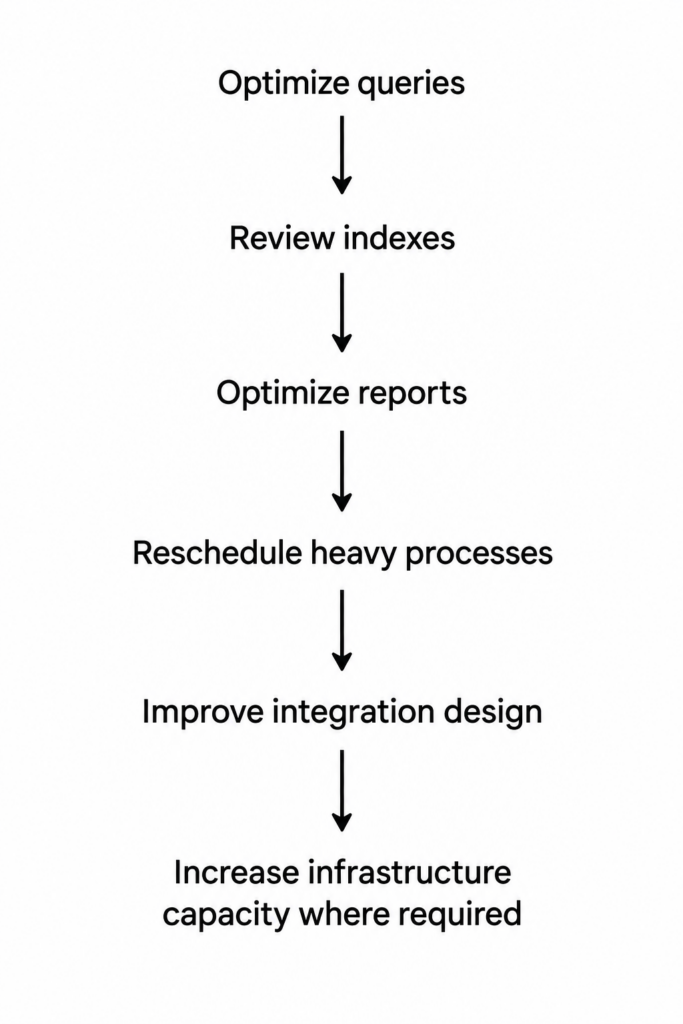
This approach can improve performance while avoiding unnecessary system changes.
A Practical iDempiere Performance Checklist
Businesses can periodically review the following areas:
- Monitor application and database resource usage.
- Identify slow-running queries.
- Review database indexes.
- Maintain database statistics.
- Optimize frequently used queries.
- Review large reports.
- Limit unnecessary large searches.
- Monitor background processes.
- Review integration workloads.
- Optimize large data imports.
- Establish an appropriate data-retention strategy.
- Review customizations and custom reports.
- Test concurrent-user workloads.
- Review server capacity as transaction volumes grow.
- Measure performance before and after major changes.
Conclusion
As businesses grow, their iDempiere ERP environment may need to handle significantly more users, transactions, products, warehouses, integrations, and historical data.
The solution is not simply to add more hardware.
Effective iDempiere performance management requires a combination of database optimization, query analysis, infrastructure planning, report optimization, integration management, background-process scheduling, data management, and continuous monitoring.