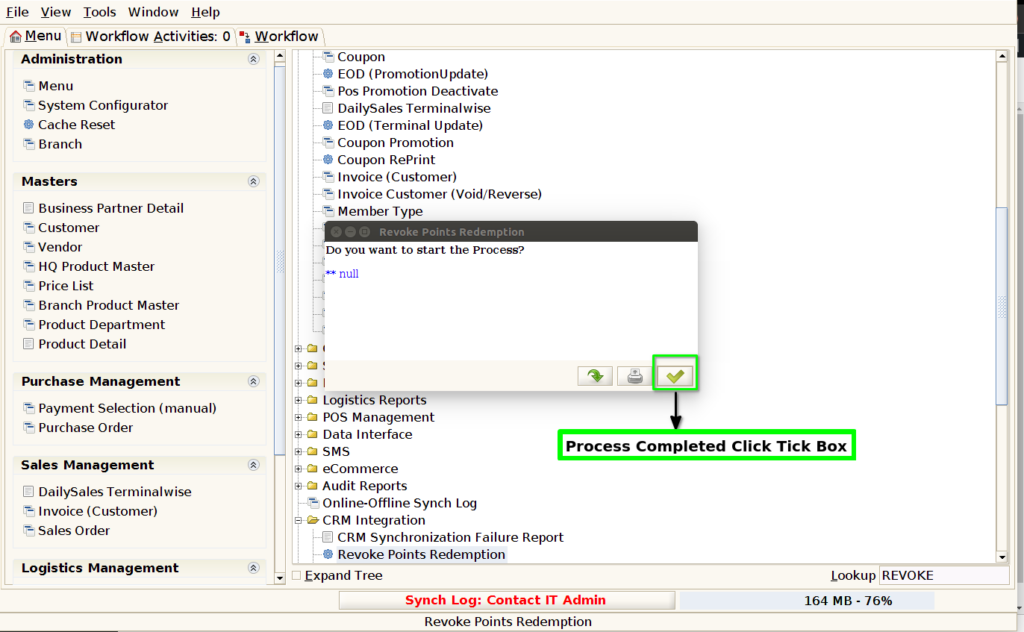
How to revoke customer points wrongly redeemed in Adempiere Retail
Take back or remove loyalty/reward points that were previously given to a customer.
Who Can Access
- Admin
- Manager
- Cashier
- Back office
What User Can Do
- Search and Select a Customer
- View Current Point Balance
- Enter Number of Points to Revoke
- View Updated Balance
Pre-Requisite Activities
- User Logged In with Proper Permissions
- Points Already Awarded
- Valid Reason for Revocation
BUSINESS RULES
- Only Authorised Users Can Revoke Points
- Valid Reason Must Be Provided
- Points Cannot Be Revoked Below Zero Balance
- No Revocation After Expiry
- Customer Notification (If Enabled)
- Revoke Not Allowed on Already Redeemed Points
- Manager Approval (Optional Based on Policy)
USER ACCESS
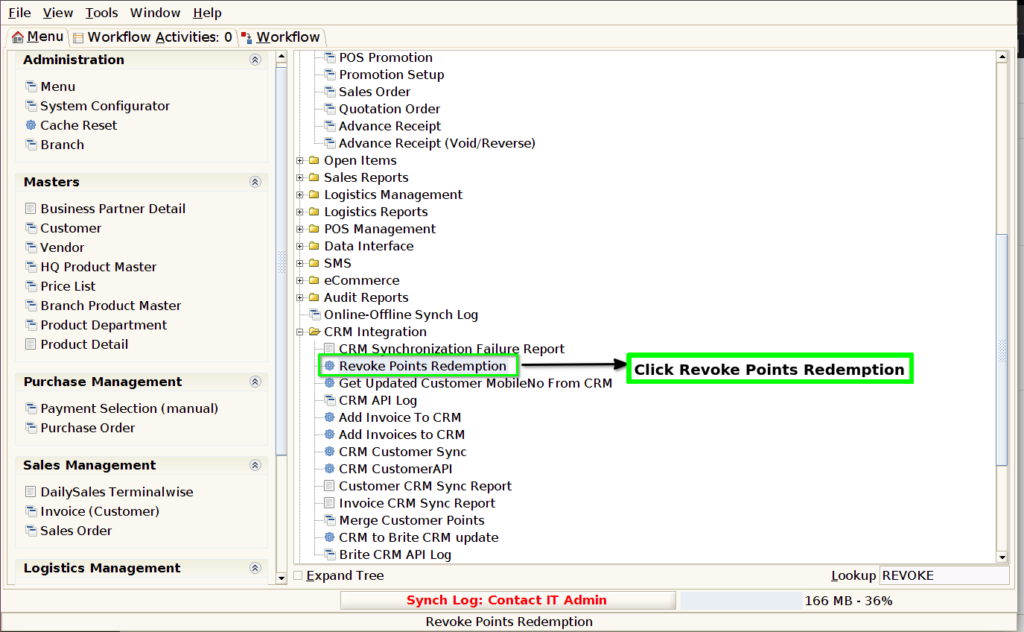
STEP 1: Click CRM Integration Folder.

STEP 2: Click Revoke Points Redemption Process.
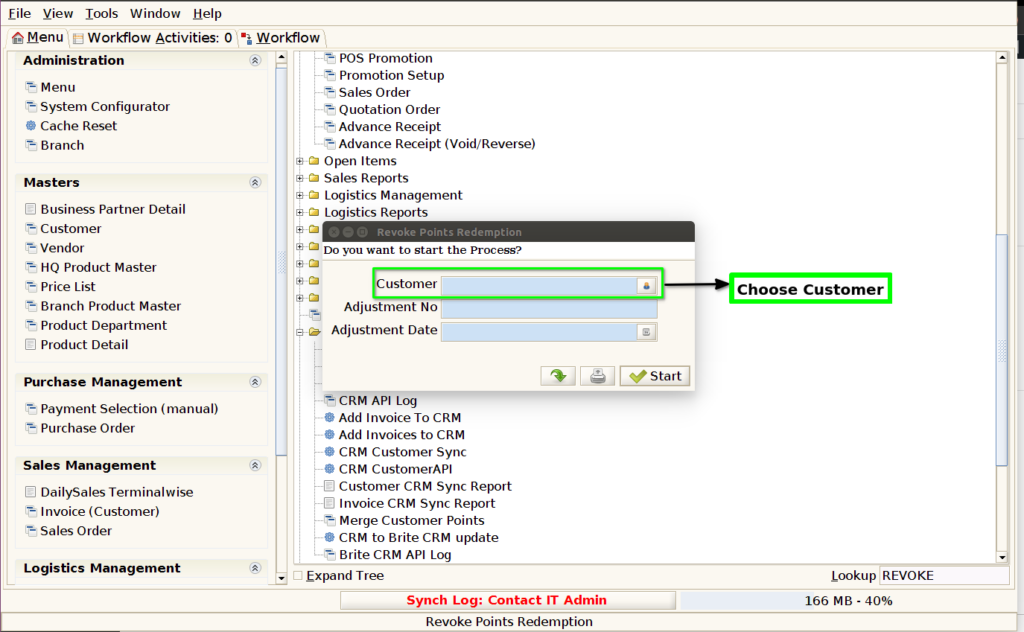
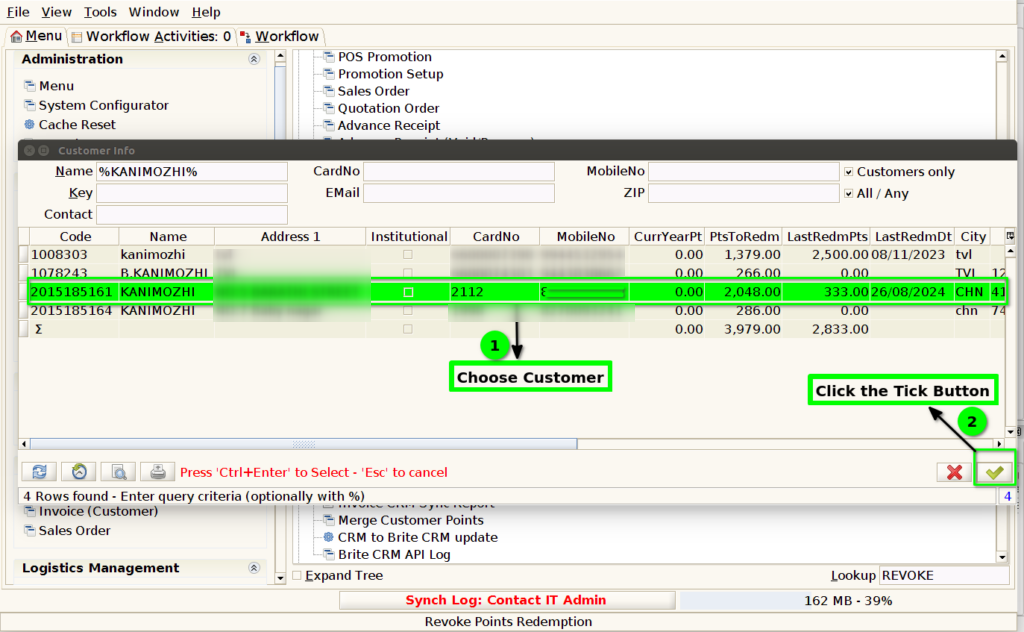
STEP 3: Choose Customer.
STEP 4:- Select Customer Code,Name,Mobile No…etc
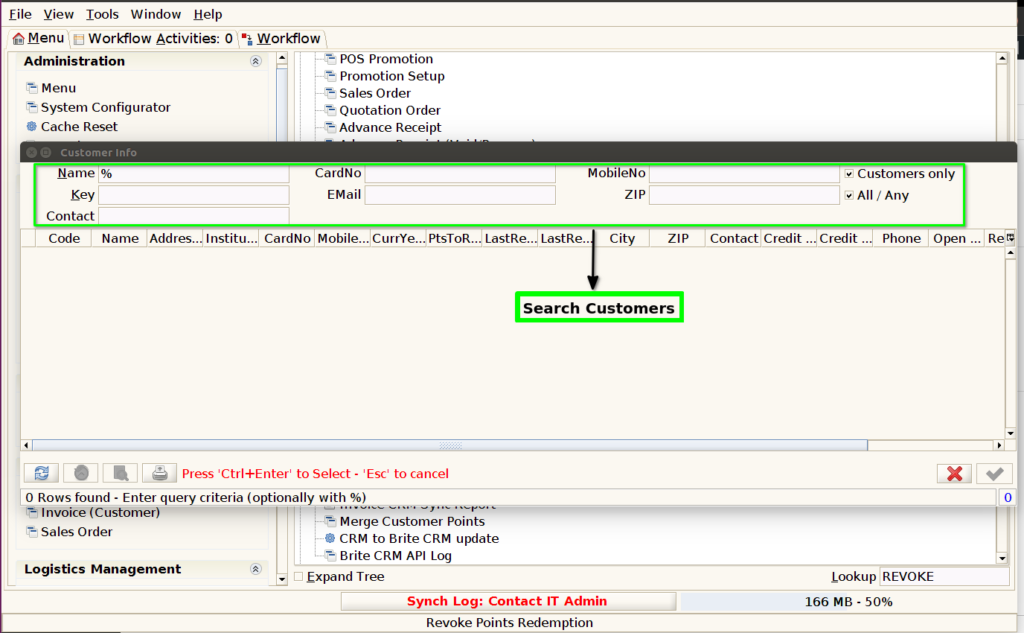
STEP 5: Select Customer and Click Tick Button.
STEP 6: Enter the Adjustment Number and Adjustment Date.

STEP 7: Click Start Button.

STEP 8: Process Completed No Error.