APPLY BILL WISE BY SLAB PROMOTION BASED ON PRICE
This promotion type applies discounts or benefits based on the total bill value (price slab).
As the bill amount increases, the customer becomes eligible for a better offer (e.g., percentage discount, fixed amount off, etc.).
USER ACCESS
WHO CAN ACCESS
- Back Office
- Cashier
- Manager
- Admin
WHAT USER CAN DO
- Define price slabs (e.g., ₹1000–₹1999, ₹2000–₹4999)
- Set discount type:
- Percentage (e.g., 5%, 10%)
- Flat price discount (e.g., ₹100 off)
- Set promotion period (start & end date)
- Enable auto-apply to bill disc
PRE-REQUISITE ACTIVITIES
- Ensure billing system supports promotion engine rules
- Define slab levels clearly without overlaps
- Validate system logic for price calculation and discount application
- User must have access to create/update promotion setups
BUSINESS RULES
- Slab-based discount applies on total bill value (before tax)
- Only one slab applies per bill — highest eligible slab
- Discounts should not conflict with item-level offers
- Manual override not allowed unless configured
- Promotion logs must capture applied slab and discount
- Discount should reflect clearly in bill print and audit reports
USER INTERFACE
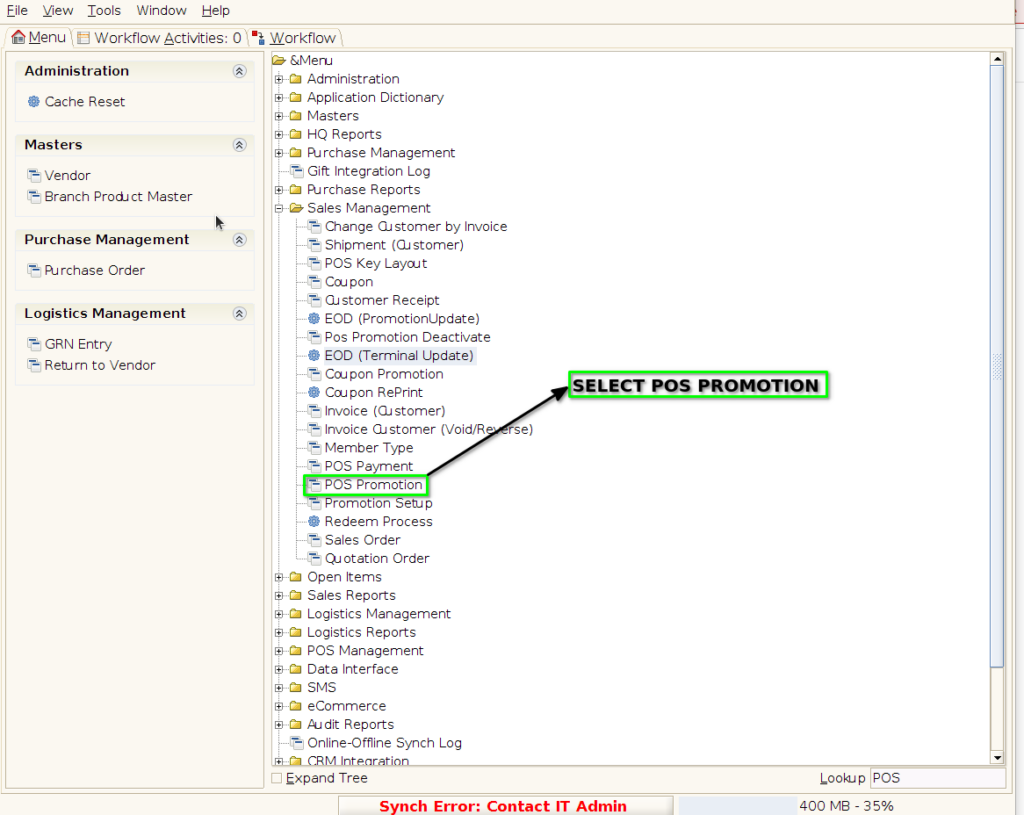
Step 1 : Select ‘POS Promotion’ in Menu -> Sales Management -> POS Promotion or Search POS Promotion in Lookup.
PROMOTION TAB
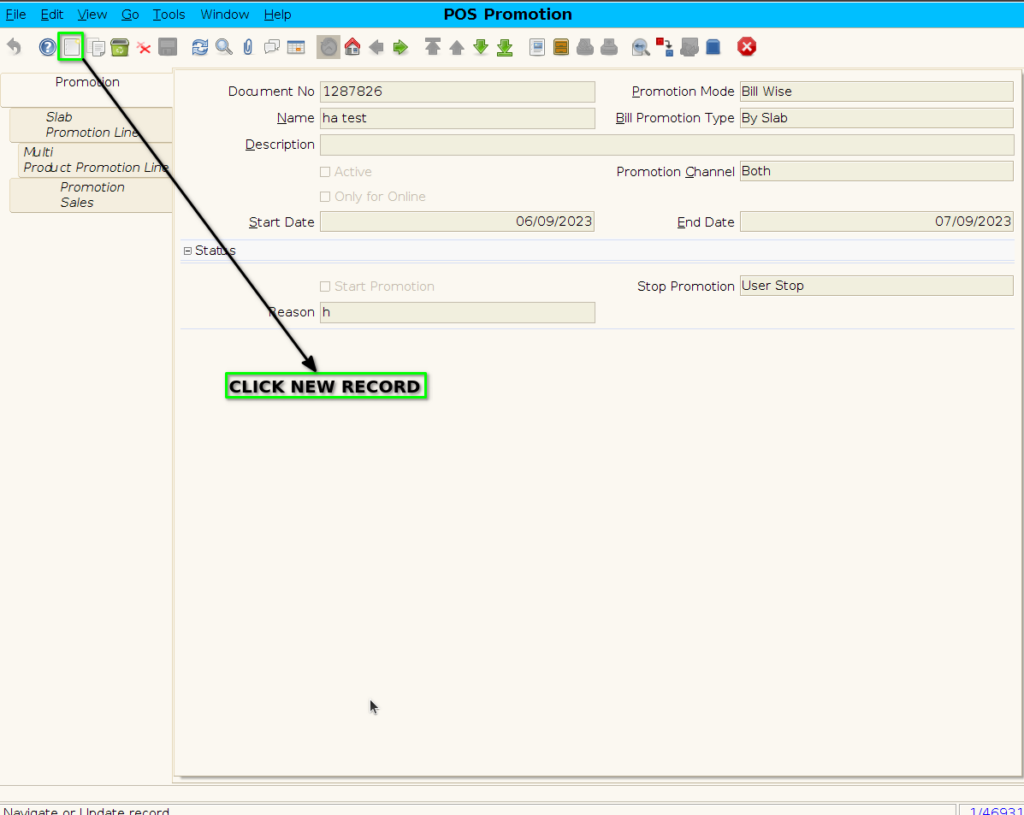
Step 2 : To create new promotion Document
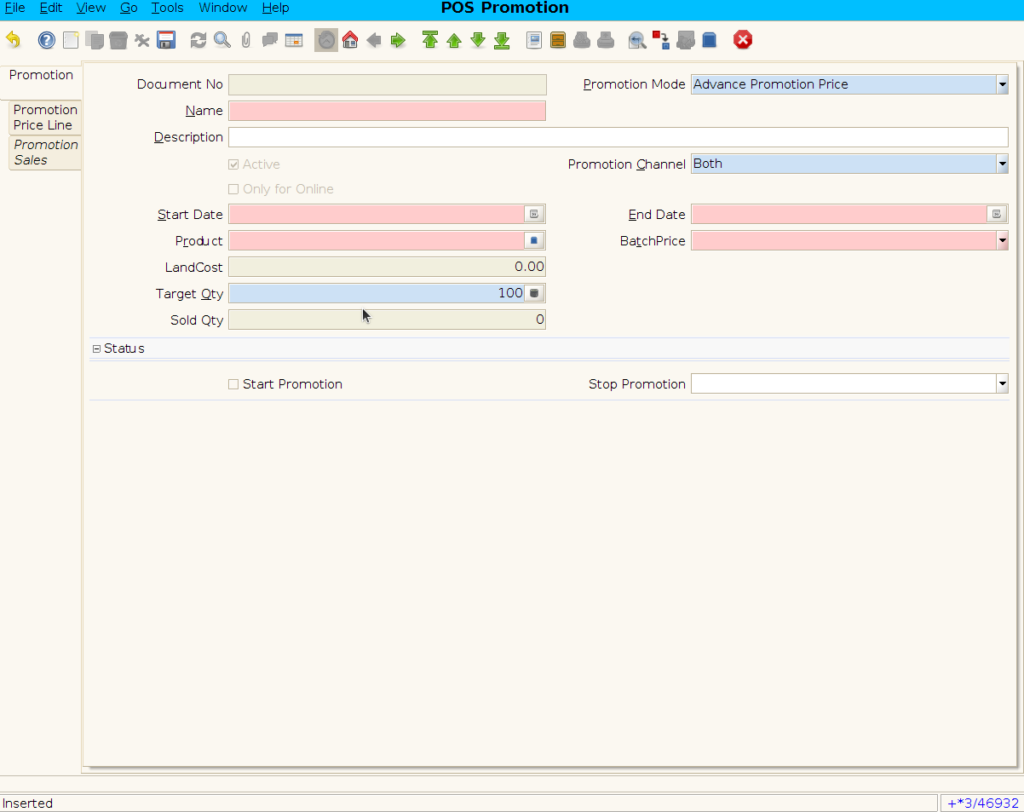
Step 3 : Enter Promotion details by following steps ;
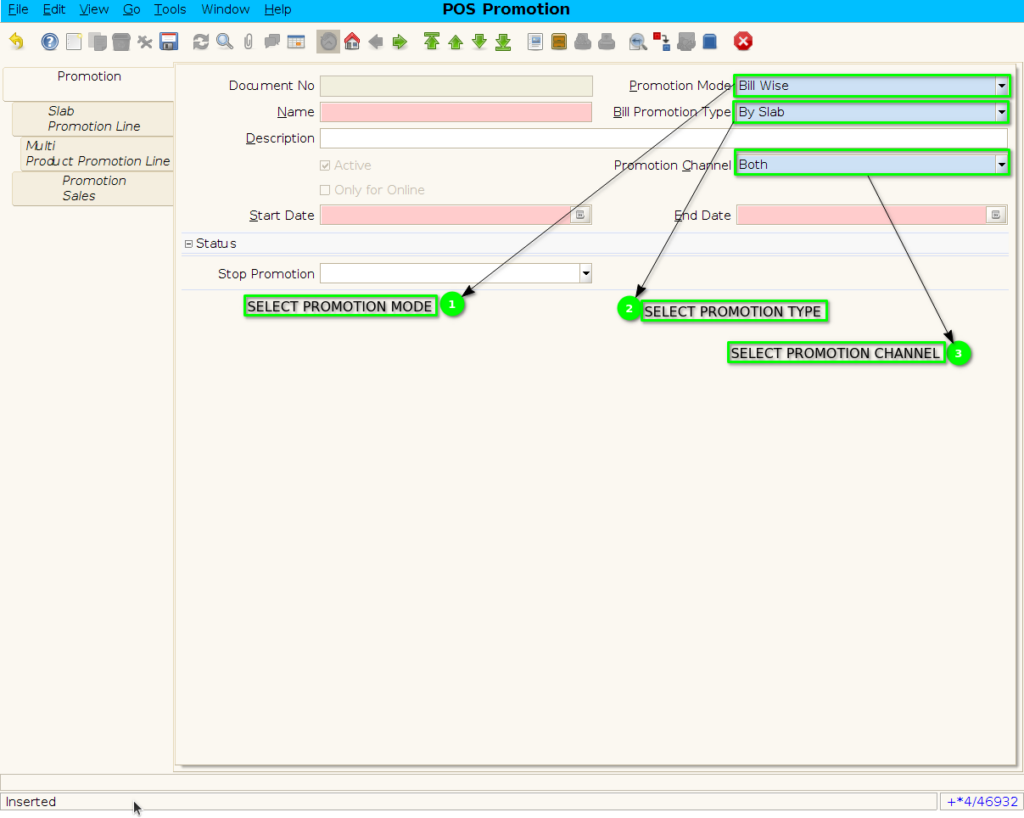
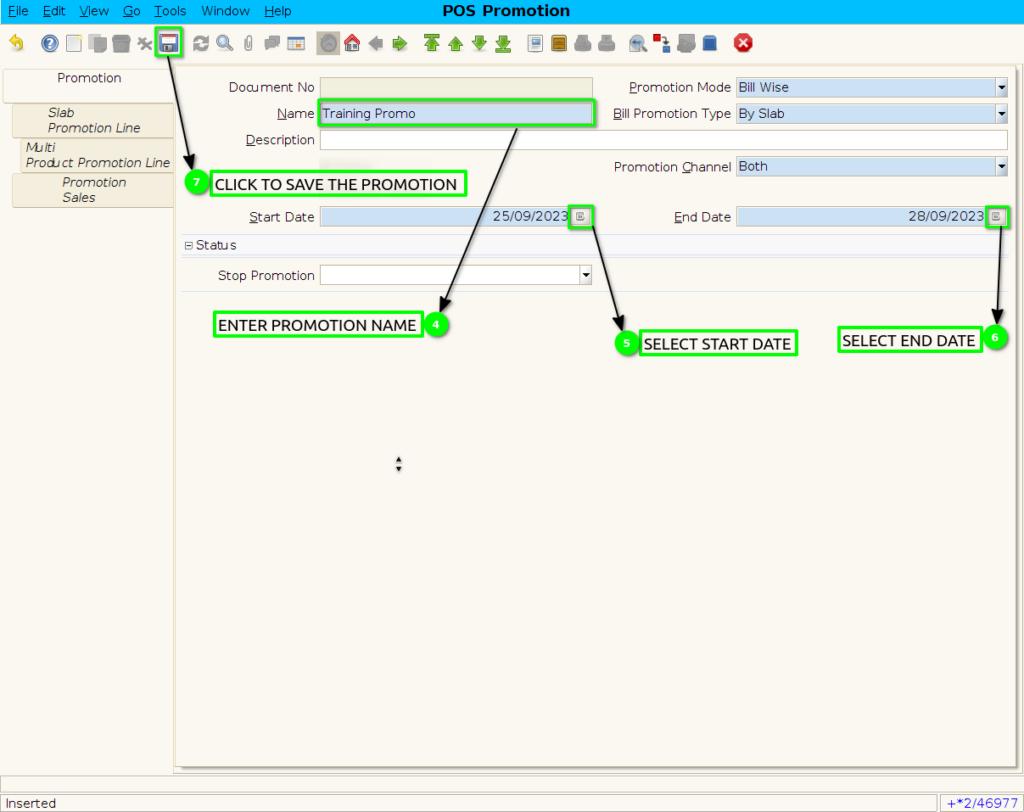
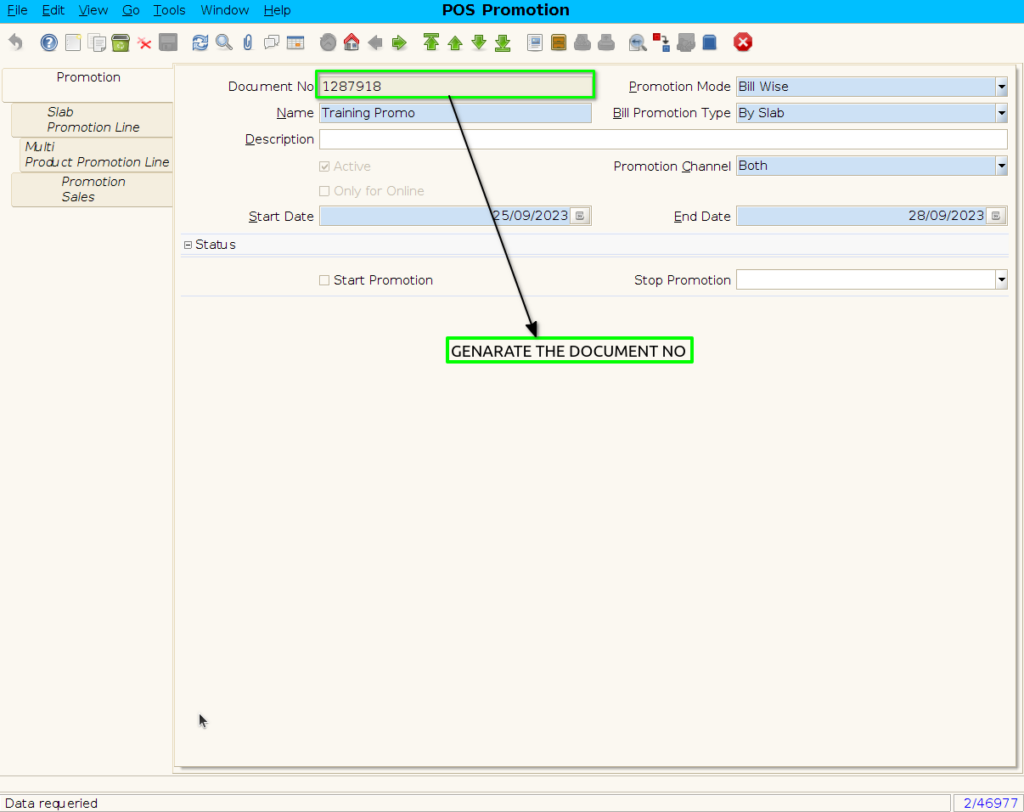
SLAB PROMOTION LINE TAB
Step 4 : Click to slab promotion line
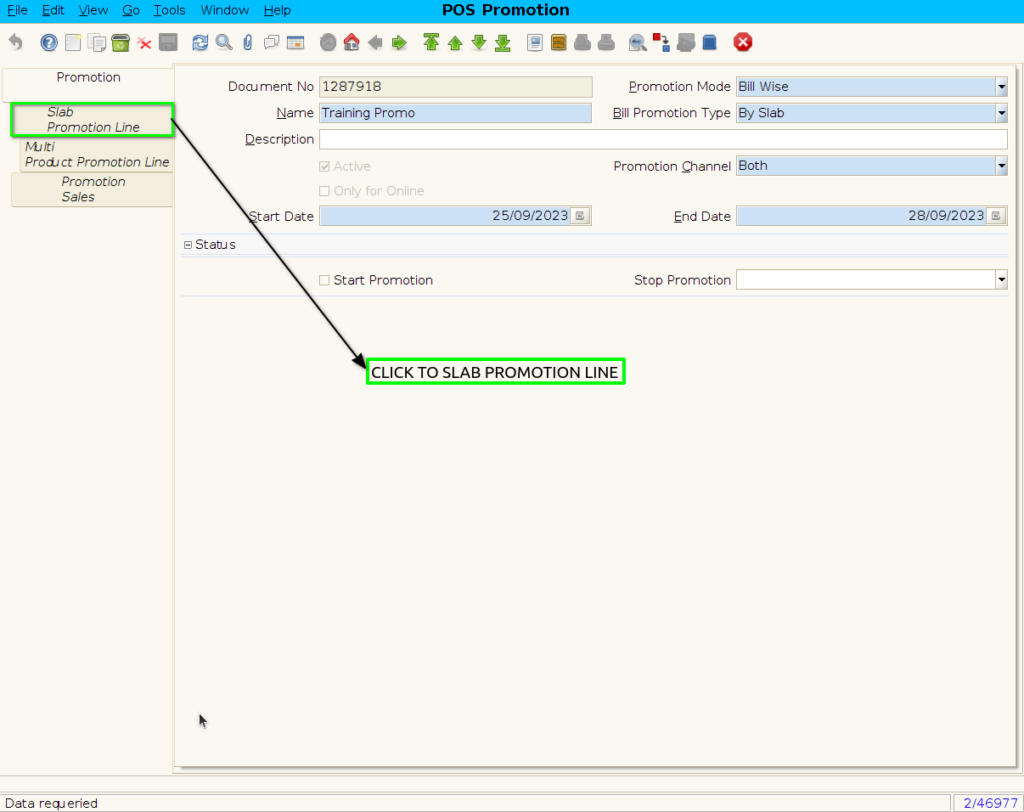
Step 5: To create new Slab Promotion line

Step 6 : To create Price Promotion By following steps
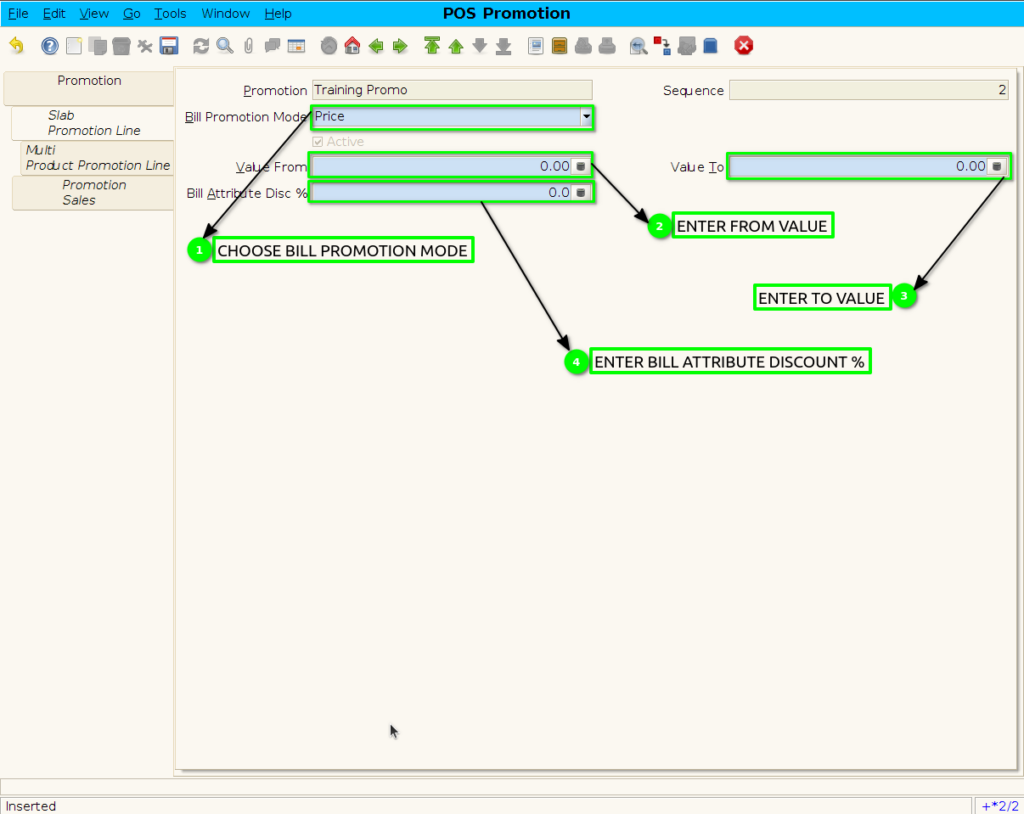
Step 7 : To save the Price promotion
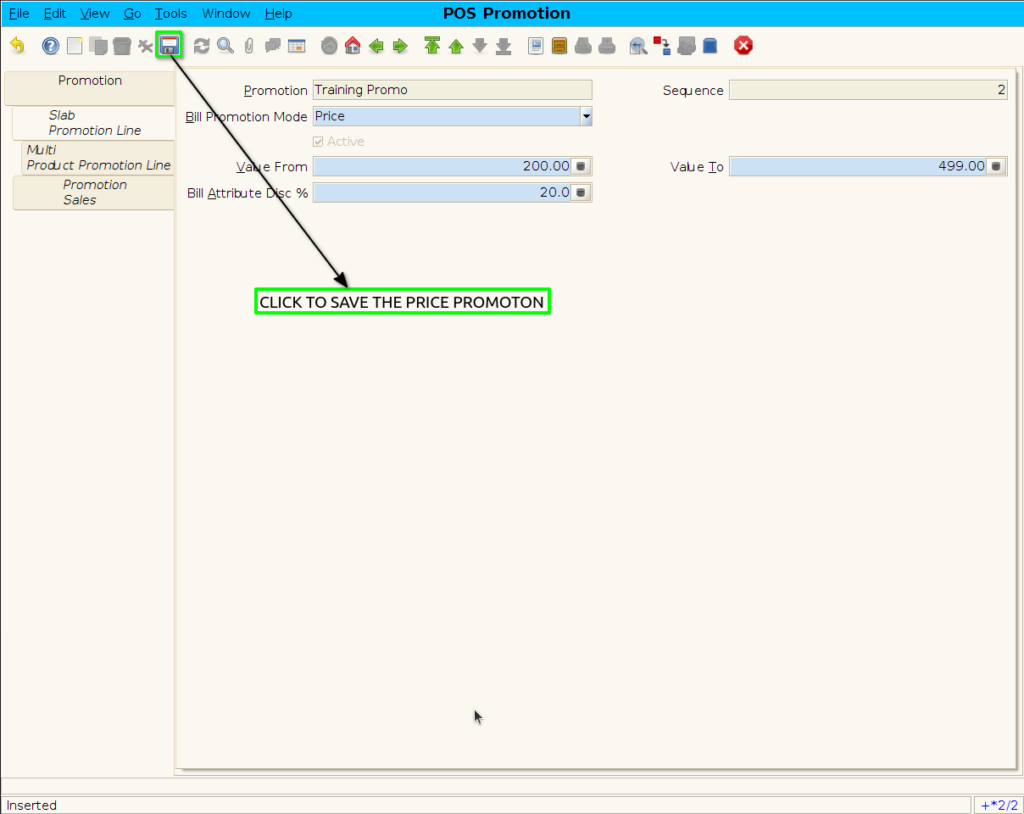
Step 8 : Click to Promotion header

Step 9 : Click checkbox to start the promotion
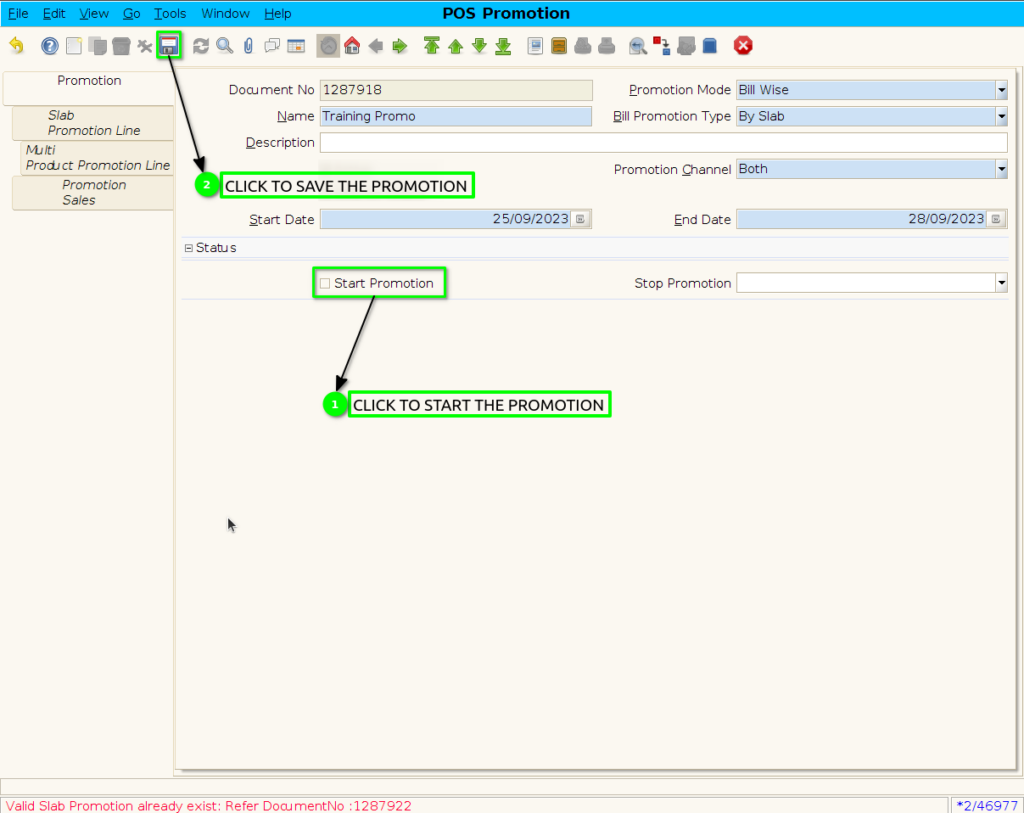
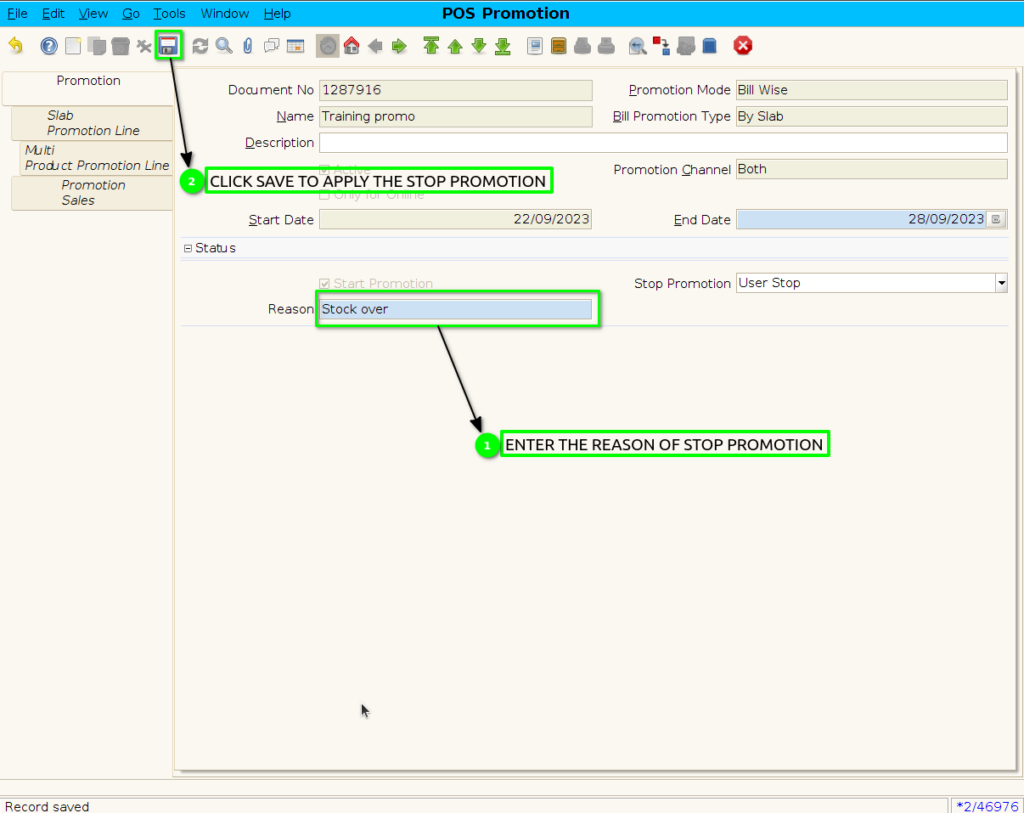
Step 10: When Stop the Promotion.

Step 11: Enter the reason of user stop promotion.