APPLY BILL WISE BY SLAB PROMOTION BASED ON FREE ITEM
This promotion allows the system to offer free items when the total bill value reaches specific slabs.
The offer is applied once per bill, based on the slab the customer qualifies for.
USER ACCESS
WHO CAN ACCESS
- BackOffice
- Cashier
- Manager
- Admin
WHAT USER CAN DO
- Define slab-wise bill amount ranges
- Assign free items per slab (e.g., Buy for ₹1000 – get 1 Soap Free)
- Add multiple slabs (e.g., ₹1000, ₹2000, ₹5000)
- Set free item SKU, quantity, and descriptiontic)
PRE-REQUISITE ACTIVITIES
- Ensure Product Master has valid free item SKUs
- Define Bill-wise promotion type in promotion engine
- Ensure UOM and pricing for free items are configured
- User access is granted for promotion creation
- Avoid overlapping bill-wise promotions
BUSINESS RULES
- Slab is based on gross bill amount (before discounts)
- One slab per bill is applied — highest qualifying
- Free item is auto-added to the bill (at 100% discount)
- Free item should be in stock at the billing location
- Cannot club with other bill-wise promotions for the same transaction
- Return of bill reverses associated free item
USER INTERFACE
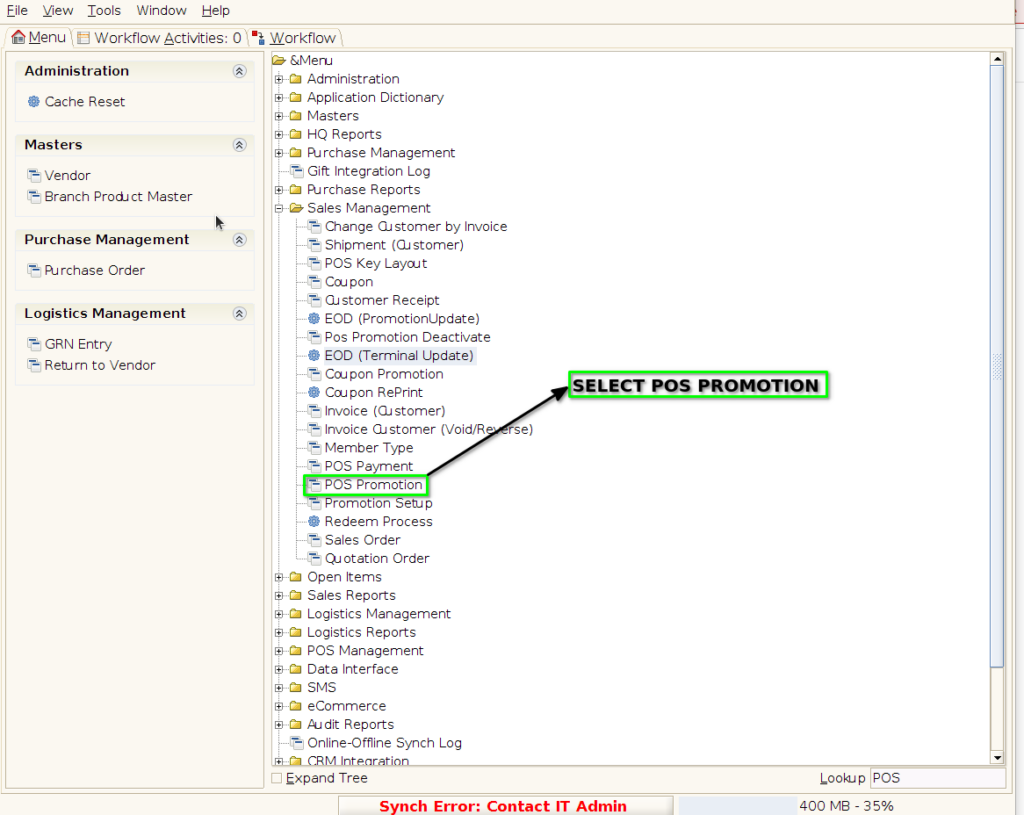
Step 1 : Select ‘POS Promotion’ in Menu -> Sales Management -> POS Promotion or Search POS Promotion in Lookup.
PROMOTION TAB
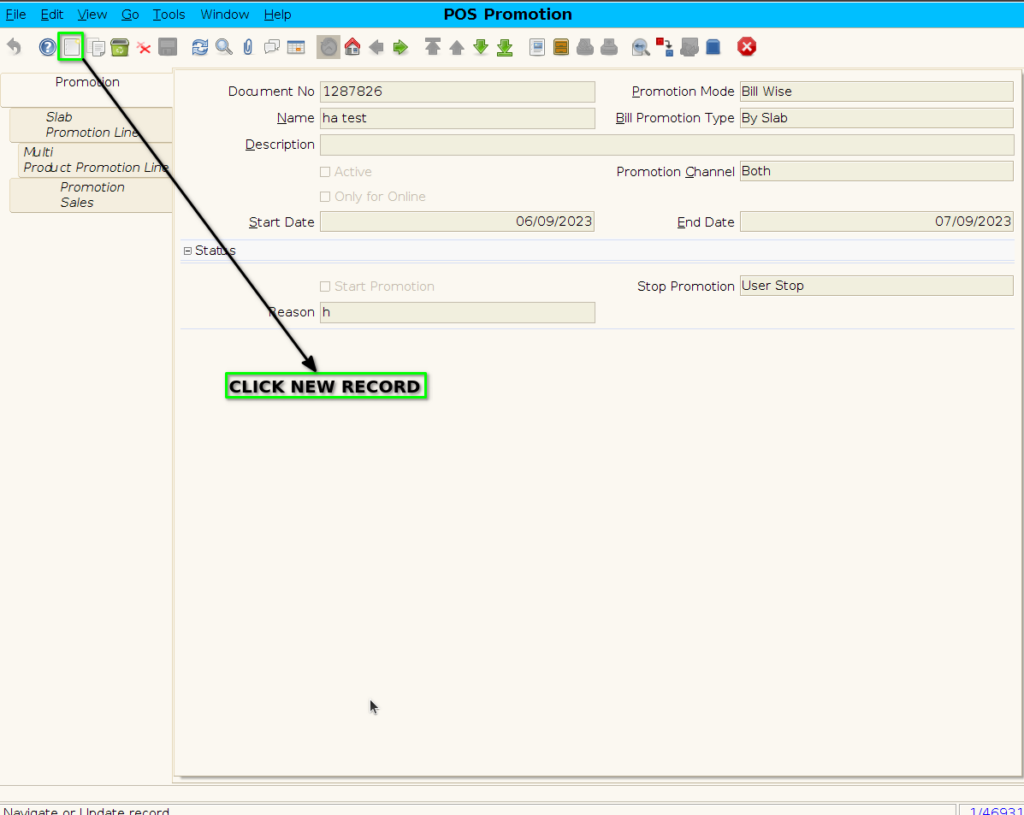
Step 2 : To create new promotion Document
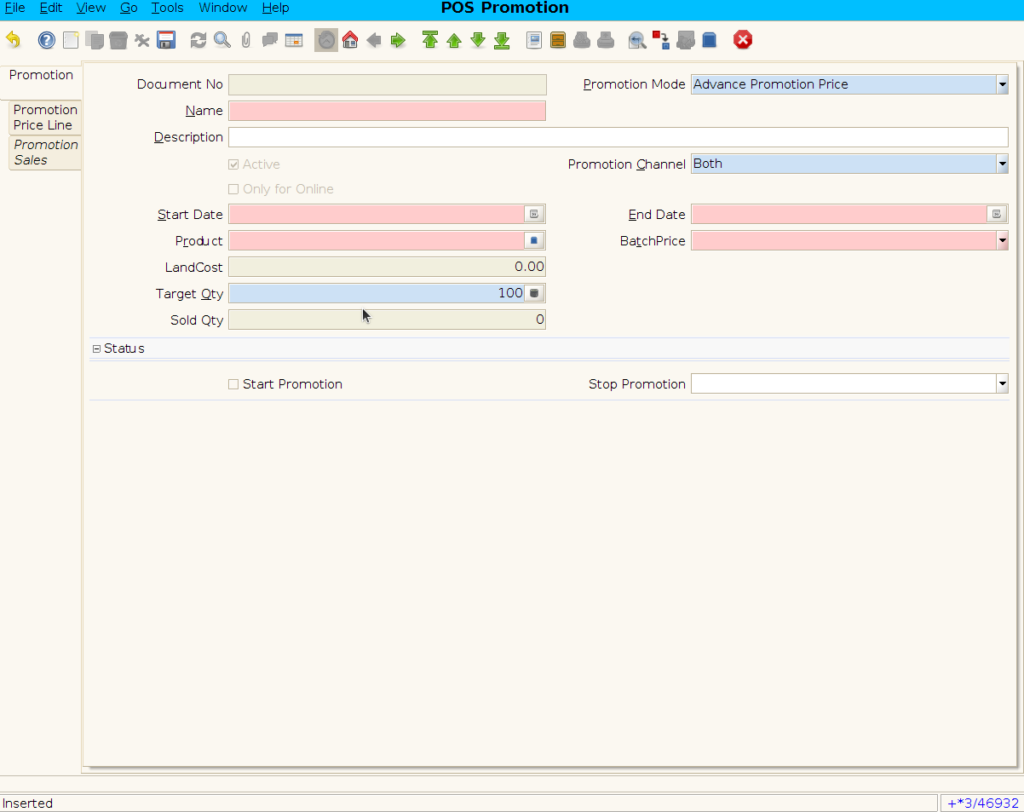
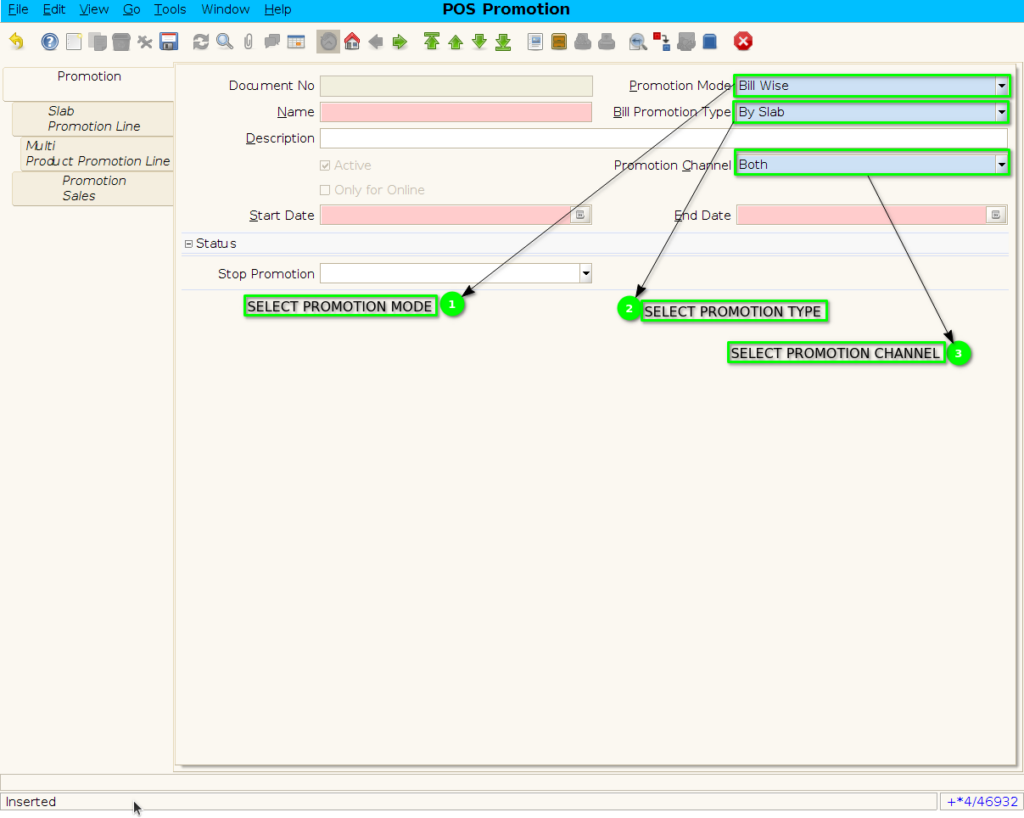
Step 3 : Enter Promotion details by following steps ;
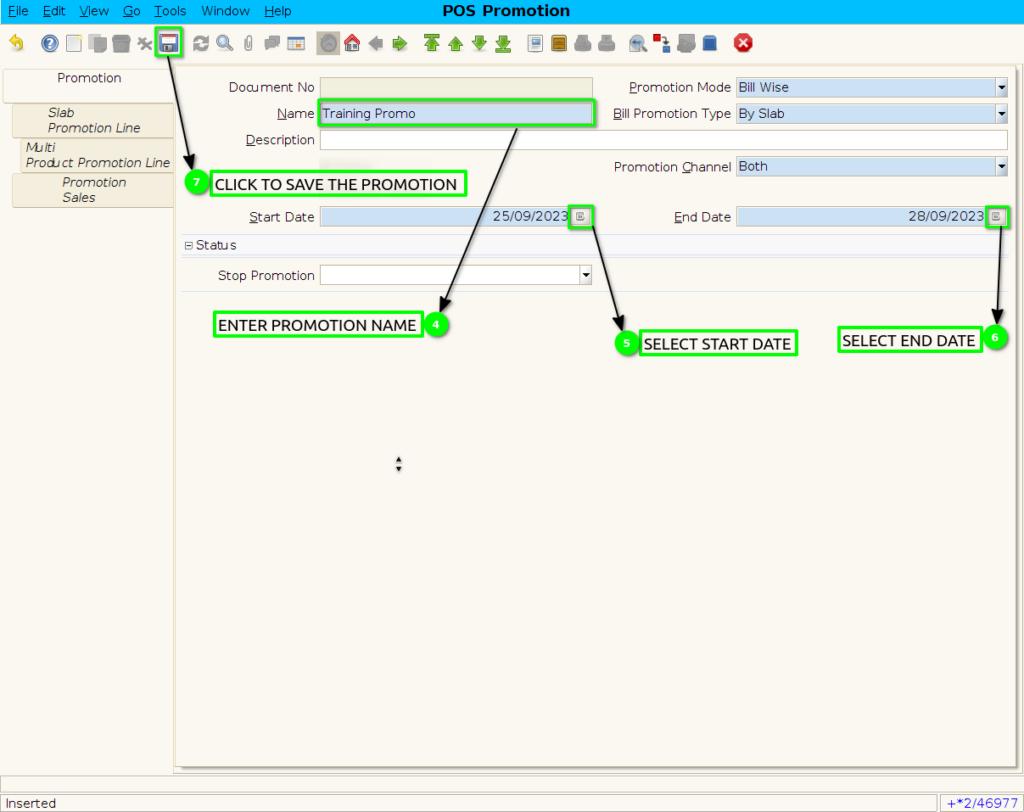
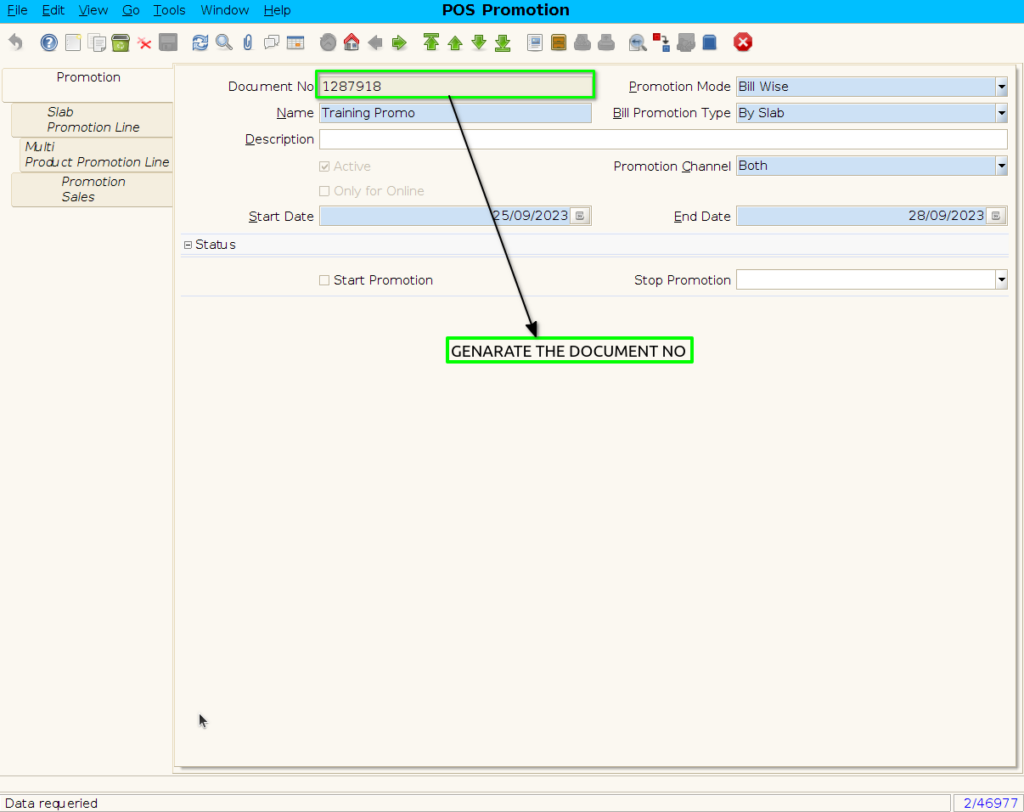
SLAB PROMOTION LINE TAB
Step 4 : Click to slab promotion line
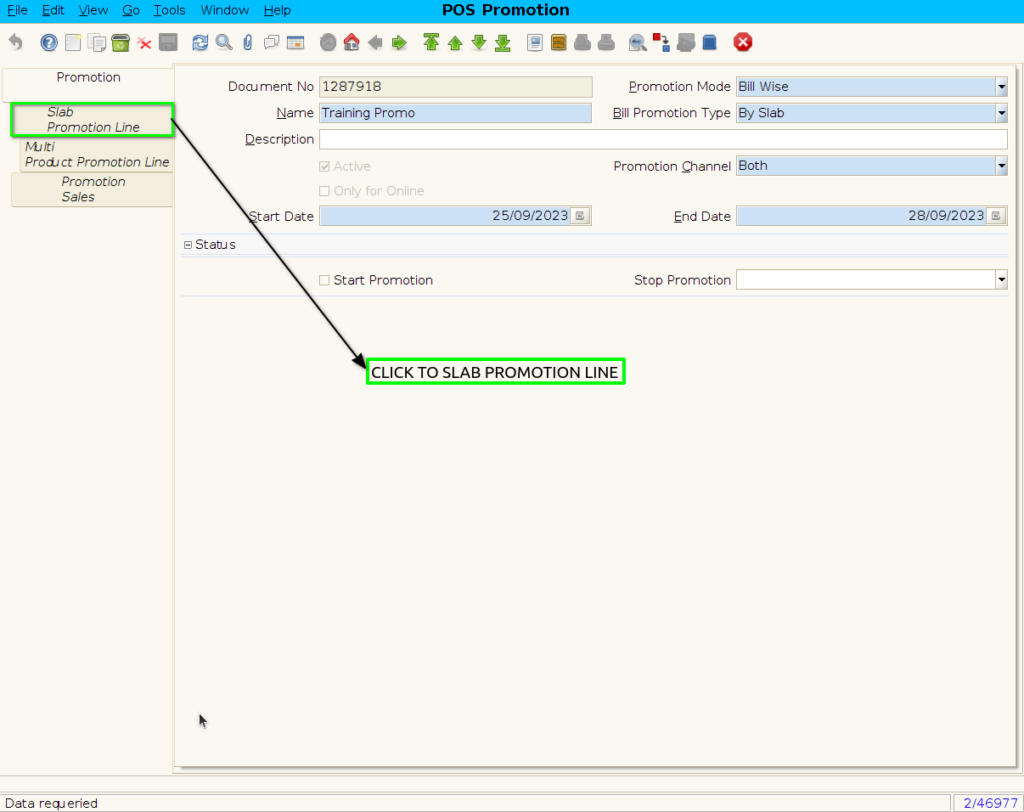
Step 5: To create new Slab Promotion line

Step 6 : To create freeitem Promotion By following steps
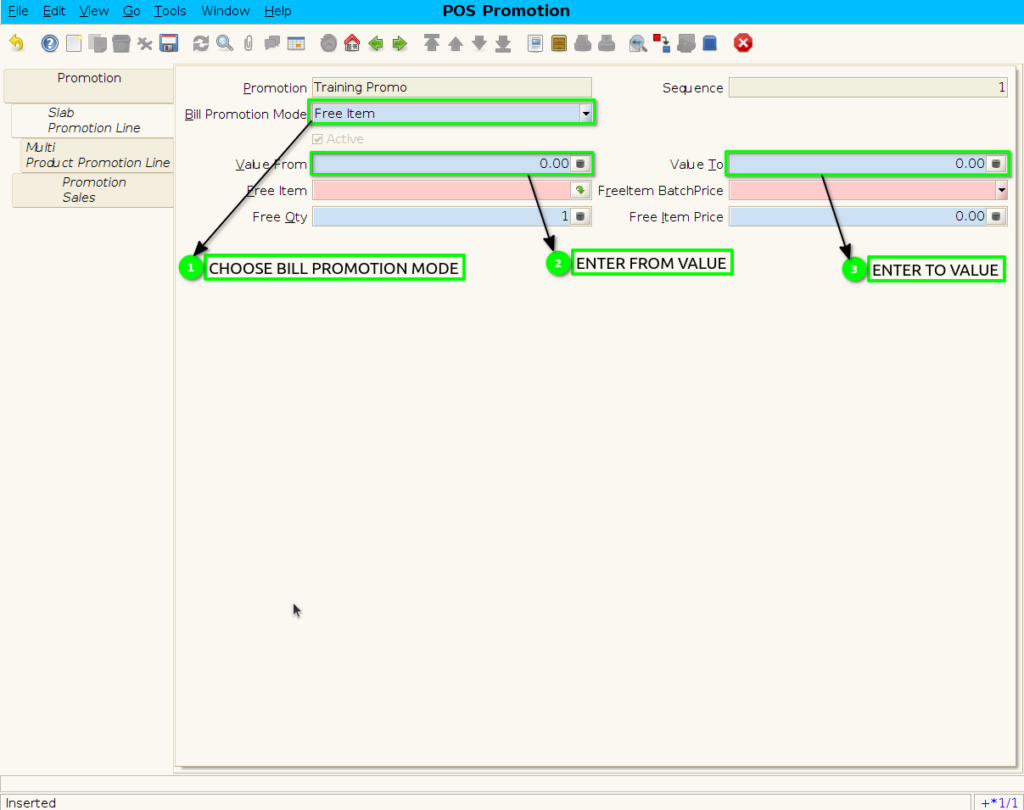
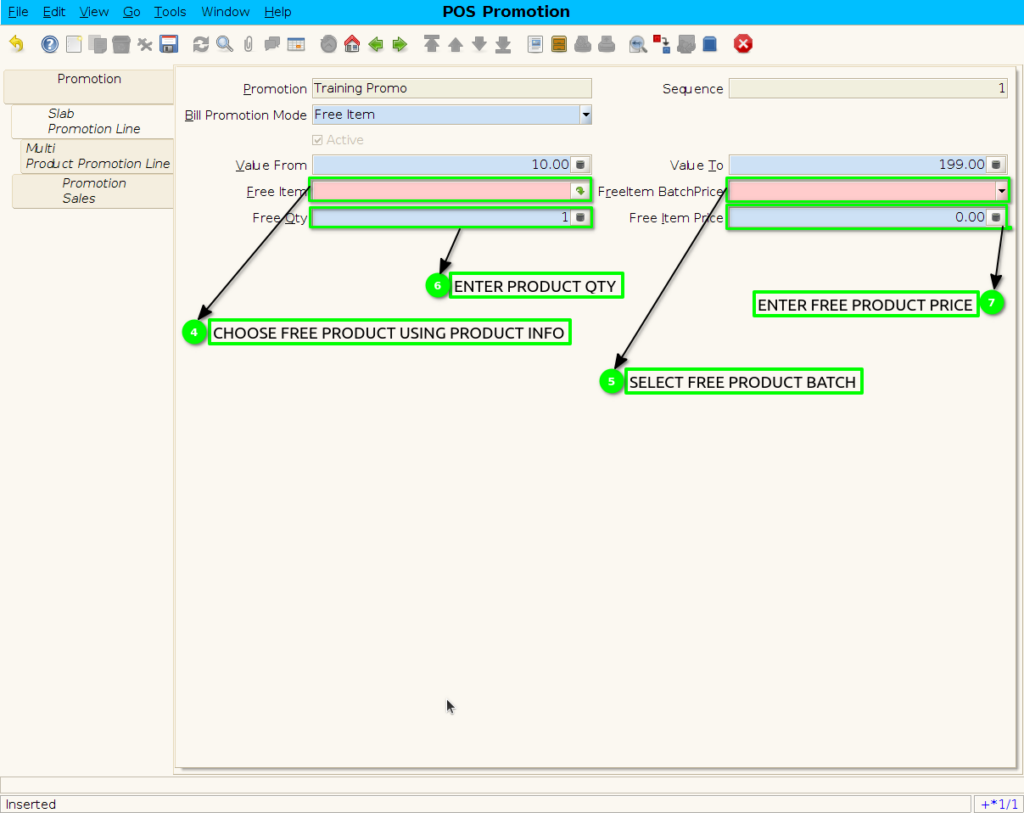
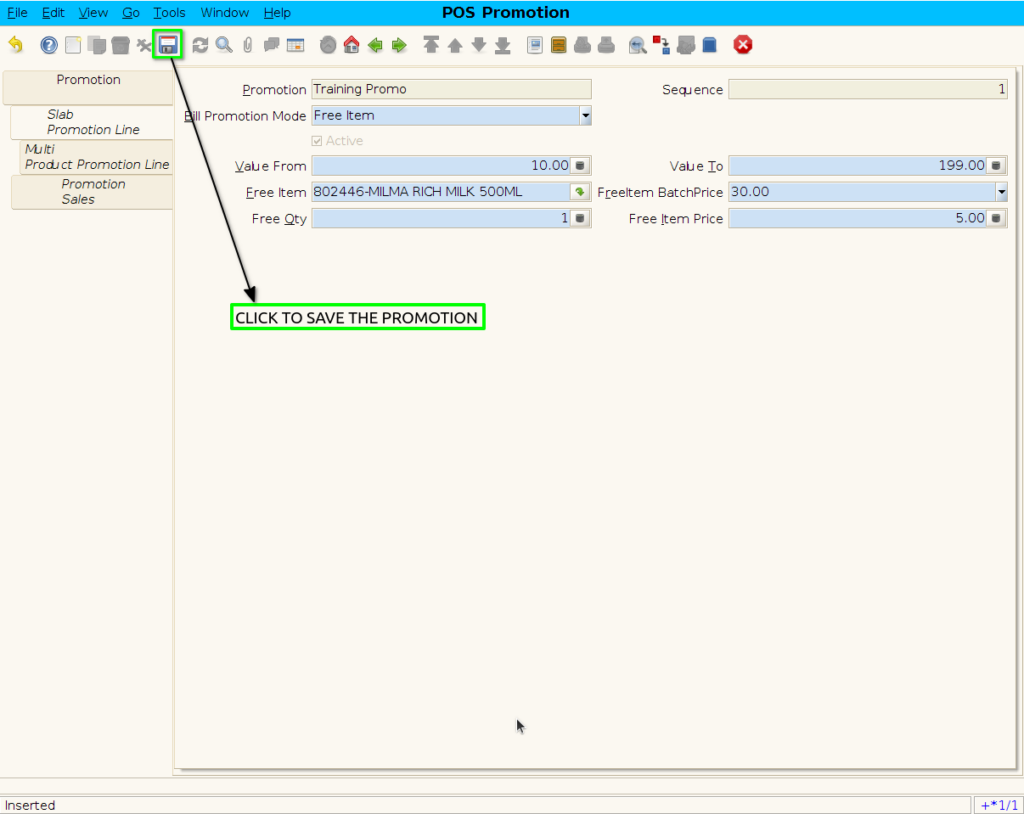
Step 7 : To save the freeitem promotion
Step 8 : Click to promotion header
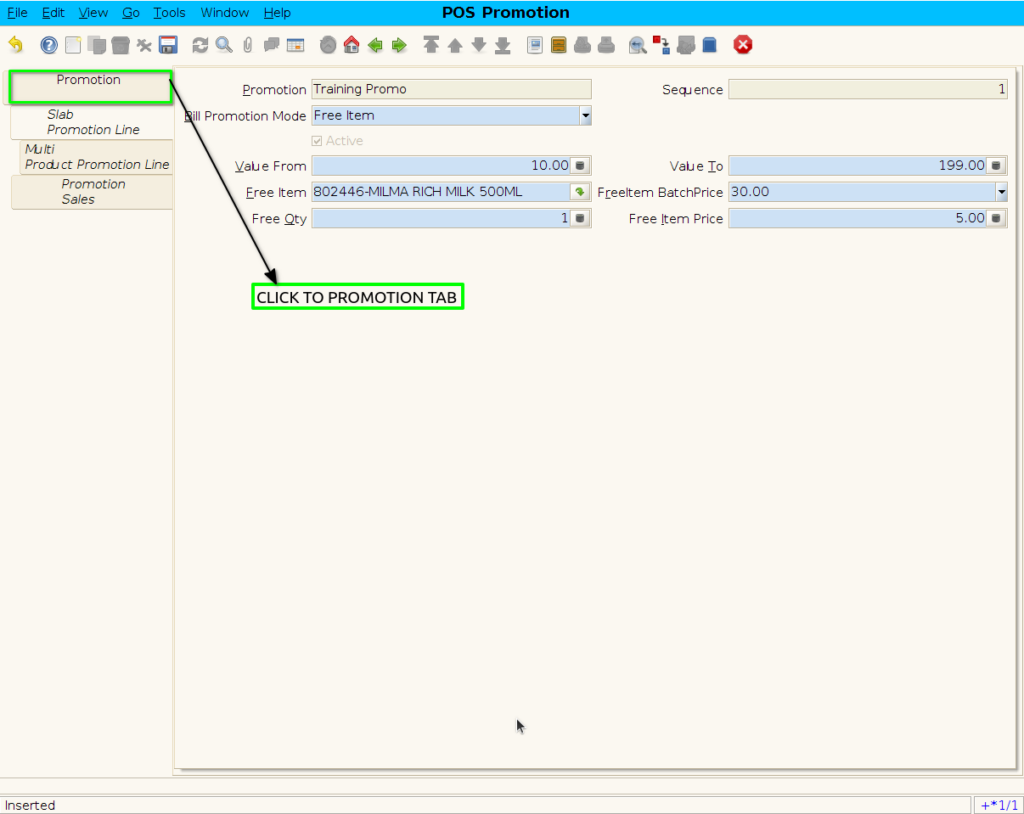
Step 9 : Click checkbox to start the promotion
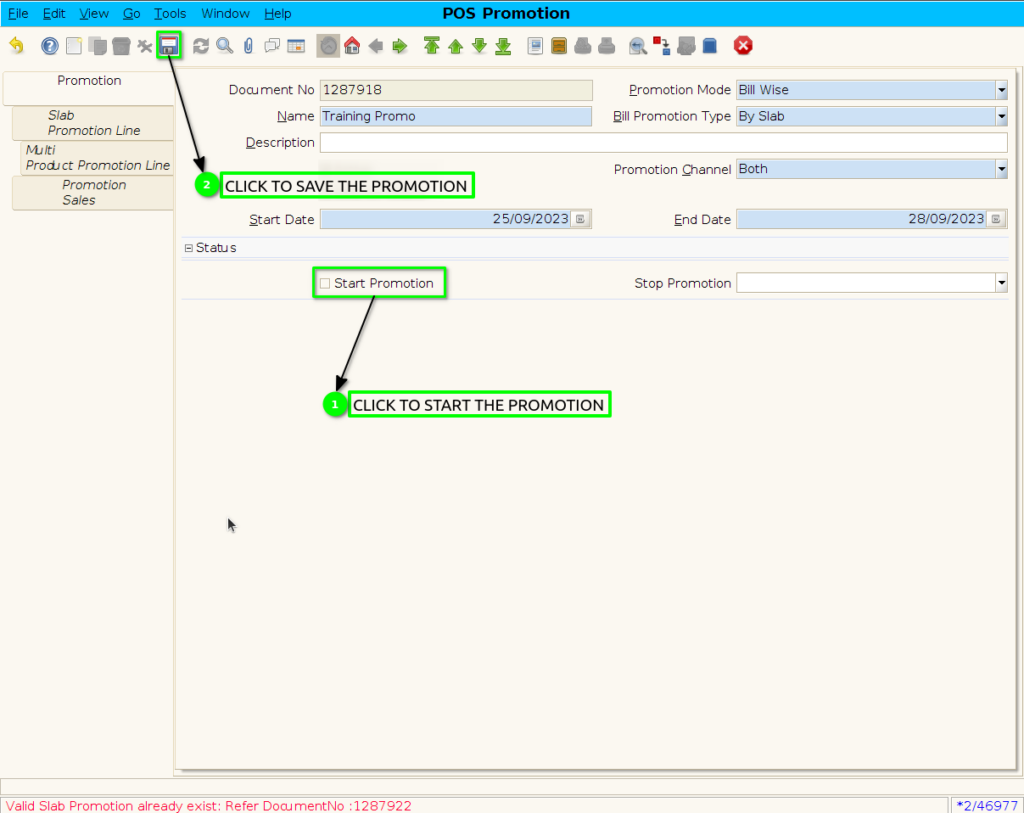
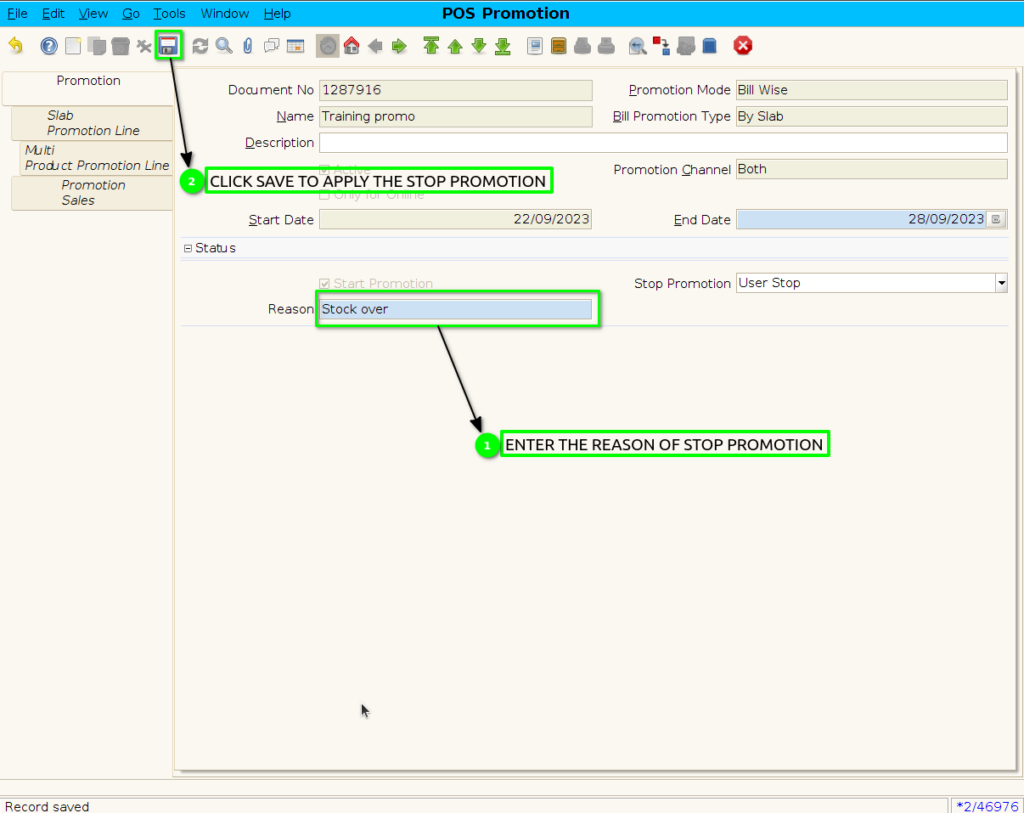
Step 10: When Stop the Promotion.

Step 11: Enter the reason of user stop promotion.
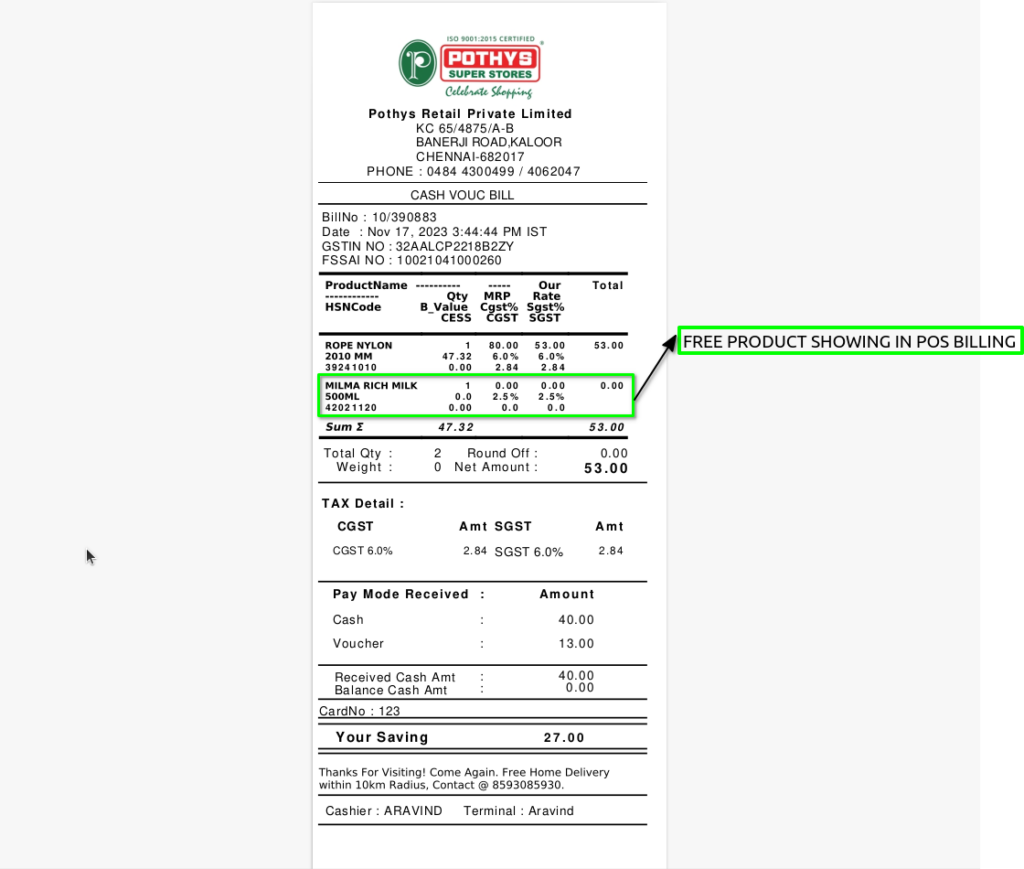
Step 12 : Bill Wise by Slab Promotion applied Slab range product Promotion in POS ,freeitem Promotion not showing in POS screen
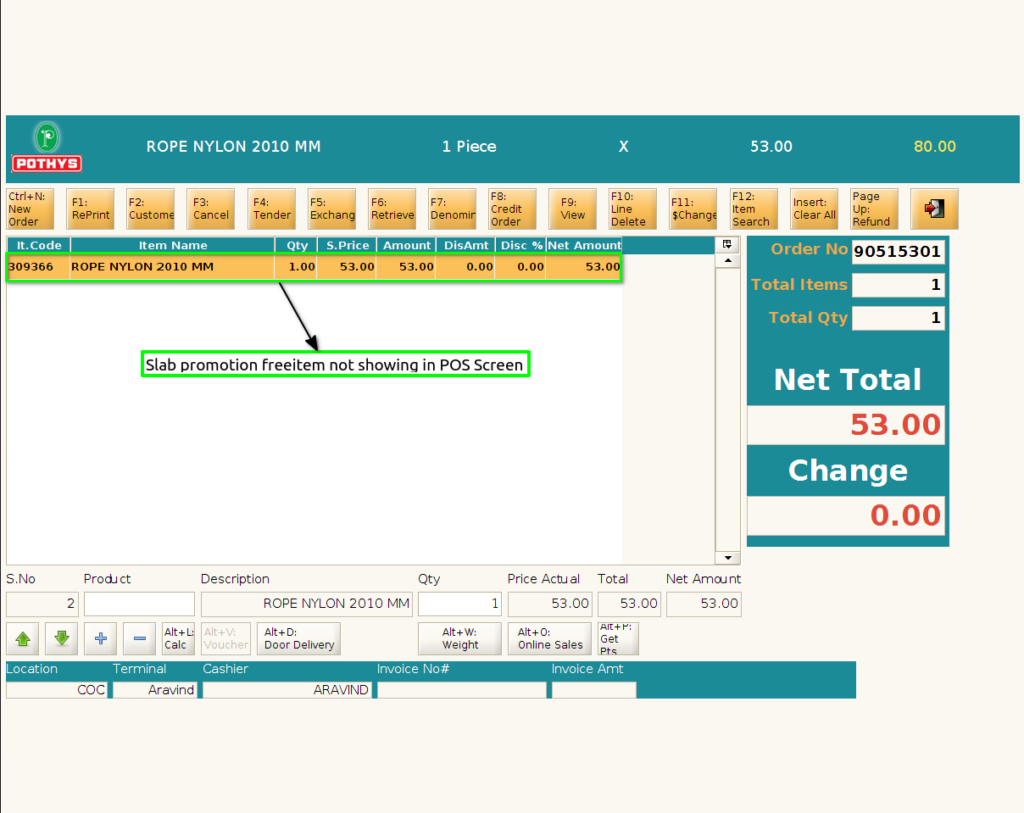
Step 13 : Promotion Free Product is applied in Bill Only ,this free product showing in POS Bill print