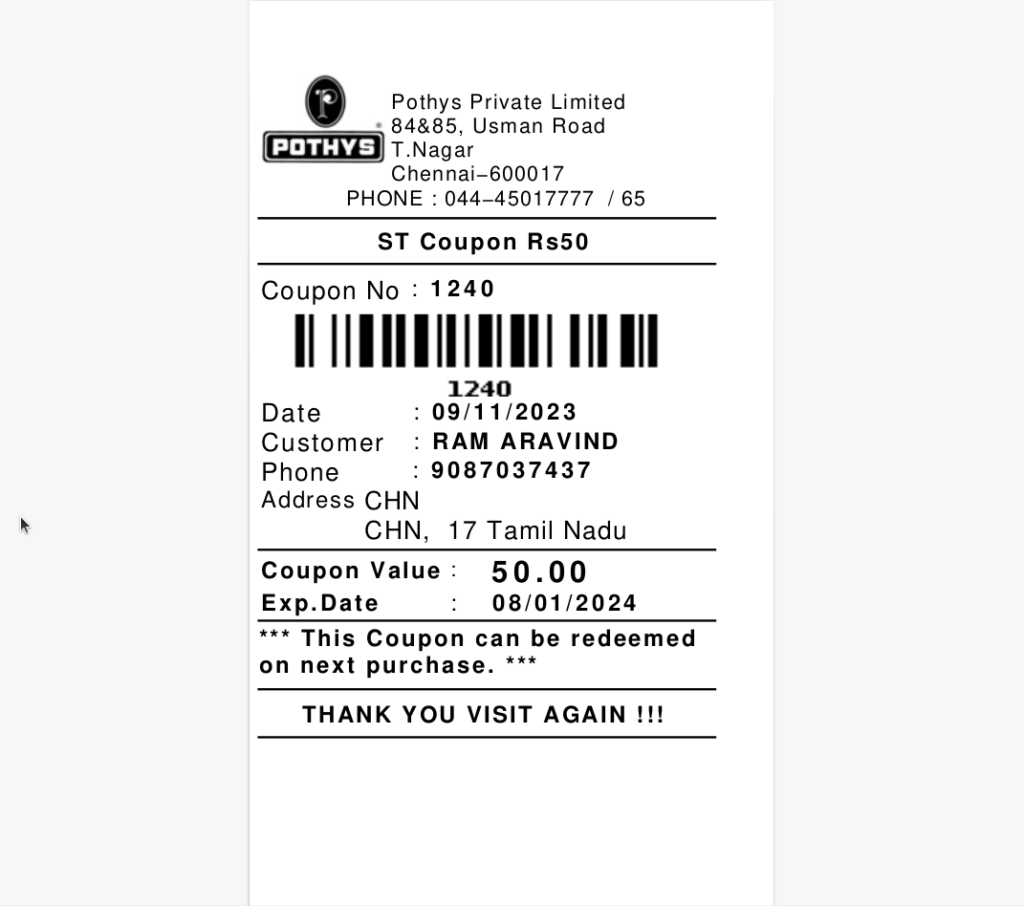
TO CREATE THE COUPON PROMOTION (BY ATTRIBUTE)
Coupon Promotion (By Attribute) means offering coupons to customers based on specific product attributes like brand, category, colour, or size. The coupon applies only when products with those attributes are purchased.
USER ACCESS
WHO CAN ACCESS
- Cashier
- Purchase manager
- Manager
- Admin
WHAT USER CAN DO
- Define the coupon promotion
- Assign coupon codes
- Distribute coupons
- Apply the coupon during billing
- Track coupon usage
PRE-REQUISITE ACTIVITIES
- Identify Eligible Attributes
- Define Promotion Rules
- Create Coupon Codes
- Get Required Approvals
BUSINESS RULES
- Coupon Applies Only to Eligible Attributes
- Coupon Must Be Active and Valid
- One Coupon per Transaction (unless allowed)
- Unique Coupon Code Required (if applicable)
- Discount Applies Only to Qualifying Items
- Coupon Usage Must Be Tracked
USER INTERFACE
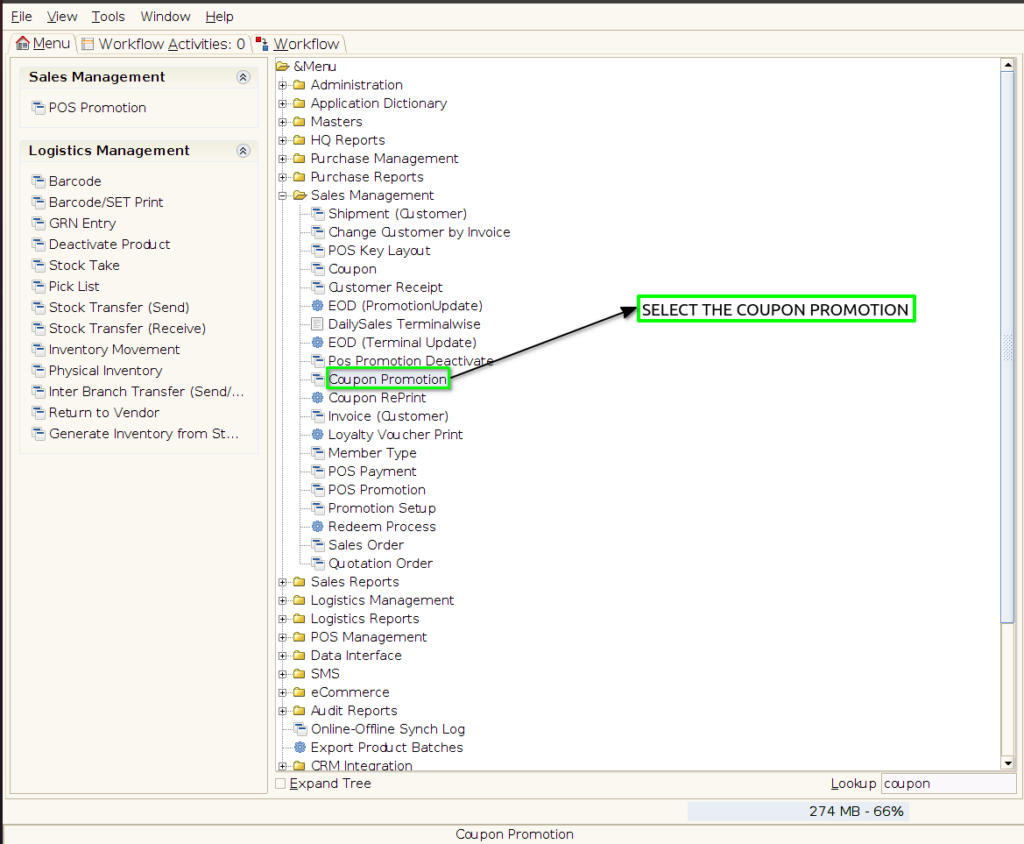
Step 1 : Select ‘Coupon Promotion’ in Menu -> Sales Management -> Coupon Promotion or Search Coupon Promotion in Lookup.
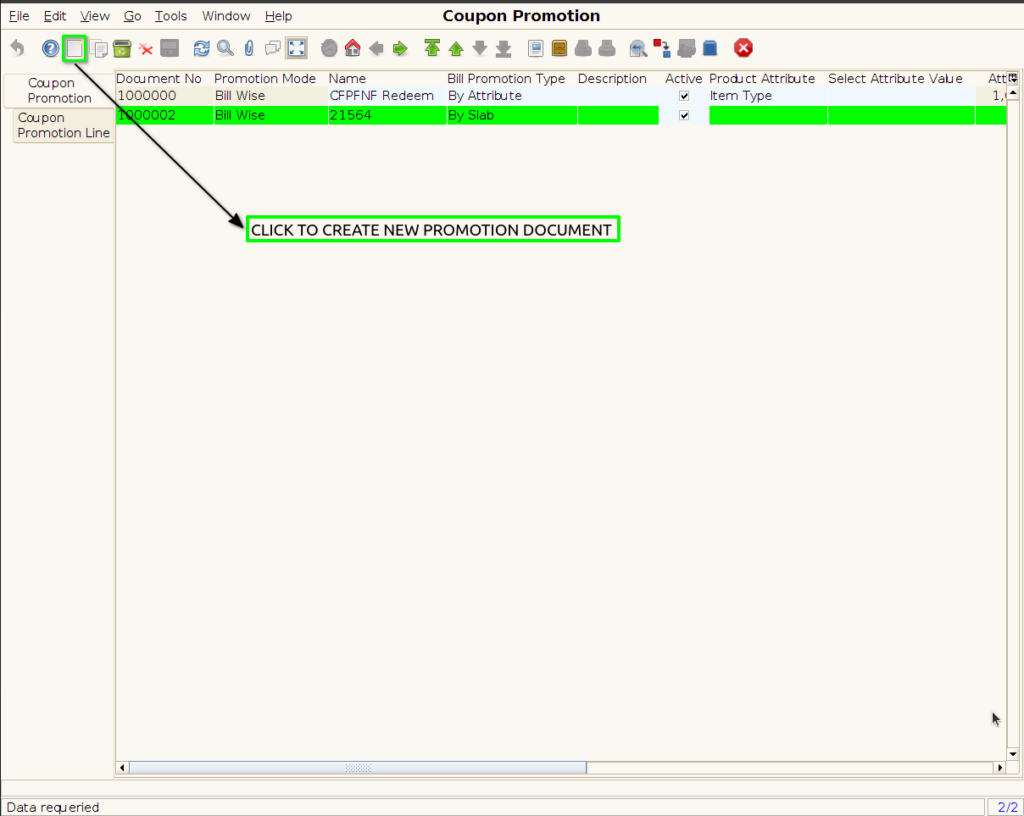
Step 2 : To create the new coupon promotion
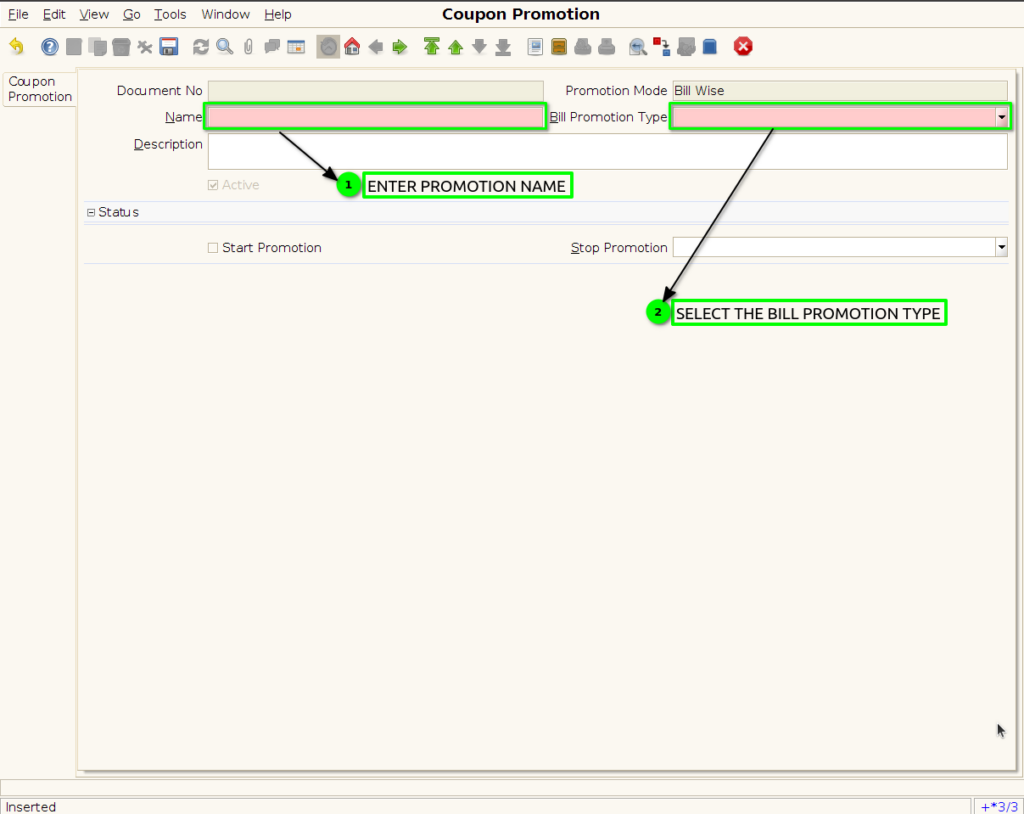
Step 3 : Enter Promotion details by following steps ;
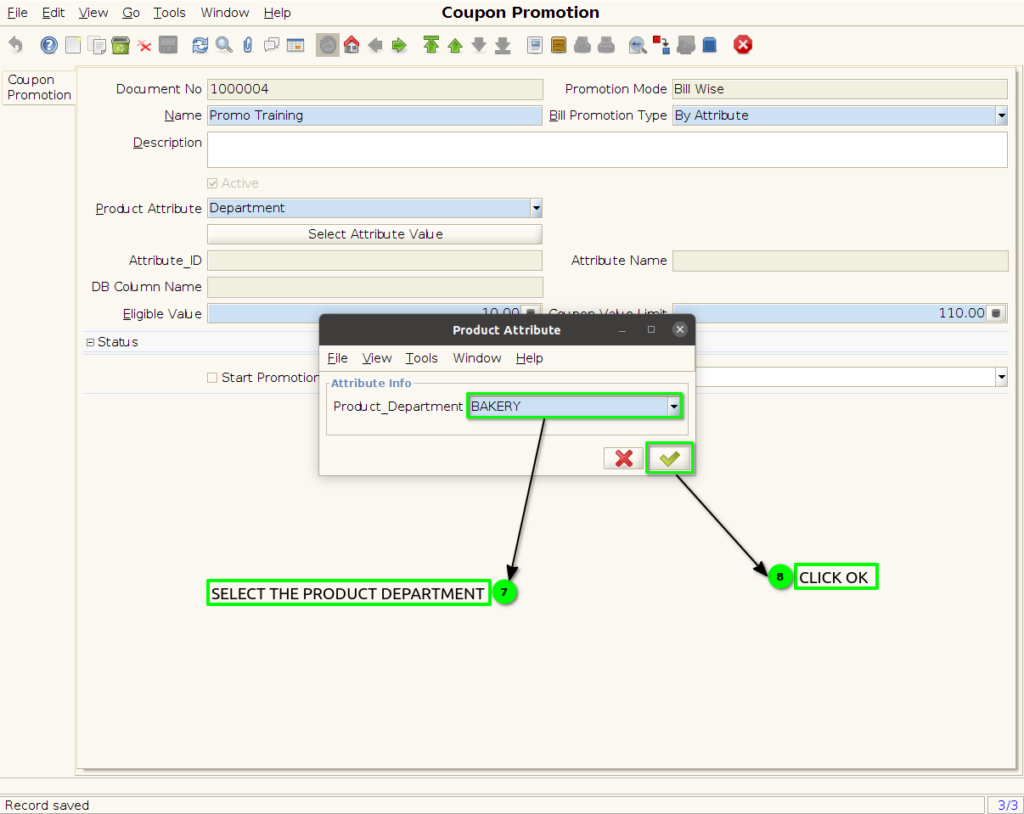
Step 4 : Promotion to set product attribute
– The coupon discount is valid only for products matching defined attributes (e.g., brand, category, size).
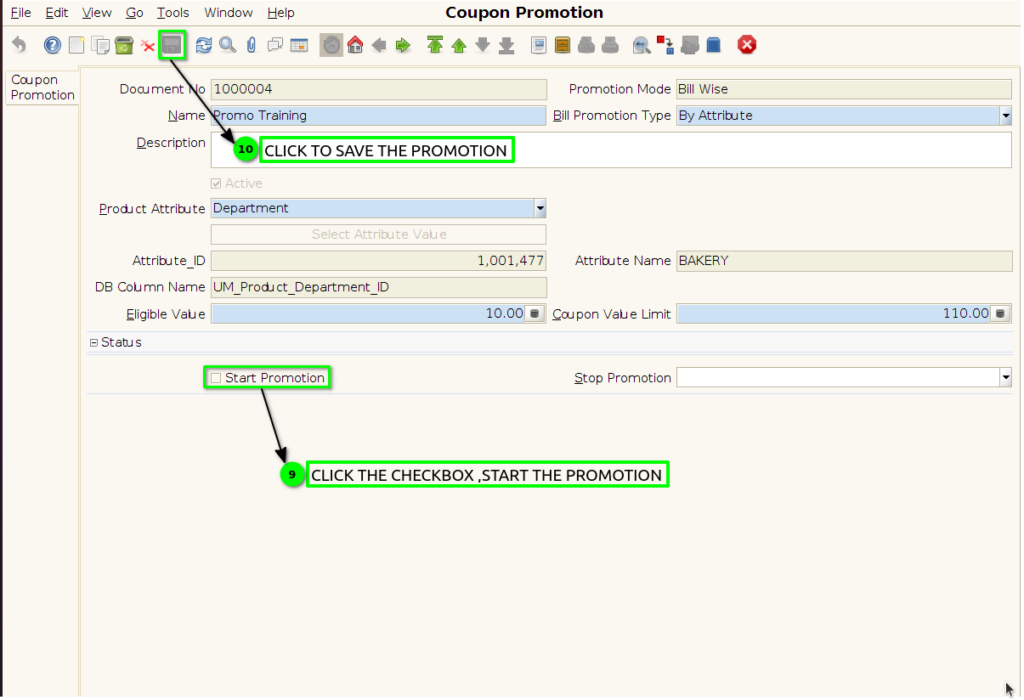
Step 5 : click the checkbox to Start the promotion and save the promotion.
Step 9 : Coupon Print Format