TO CREATE THE COUPON PROMOTION (BY SLAB)
Coupon Promotion (By Slab) means offering different coupon discounts based on the total bill amount. As the bill amount increases and reaches higher slabs (ranges), the customer gets a better coupon benefit.
USER ACCESS
WHO CAN ACCESS
- Cashier
- Purchase manager
- Manager
- Admin
- Back office
WHAT USER CAN DO
- Define slab ranges
- Assign coupon discounts or values
- Apply the coupon during billing
- Track coupon usage and effectiveness
- Modify or deactivate the promotion
PRE-REQUISITE ACTIVITIES
- Define Bill Amount Slabs
- Assign Coupon Values to Slabs
- Create Coupon Codes
- Set Validity Period and Usage Limits
- Get Approvals
BUSINESS RULES
- Coupon Applies Only When Bill Meets Slab Criteria
- One Coupon per Bill
- Coupon Must Be Active and Valid
- Minimum Purchase Amount Applies
- Coupon Usage Limits Enforced
USER INTERFACE
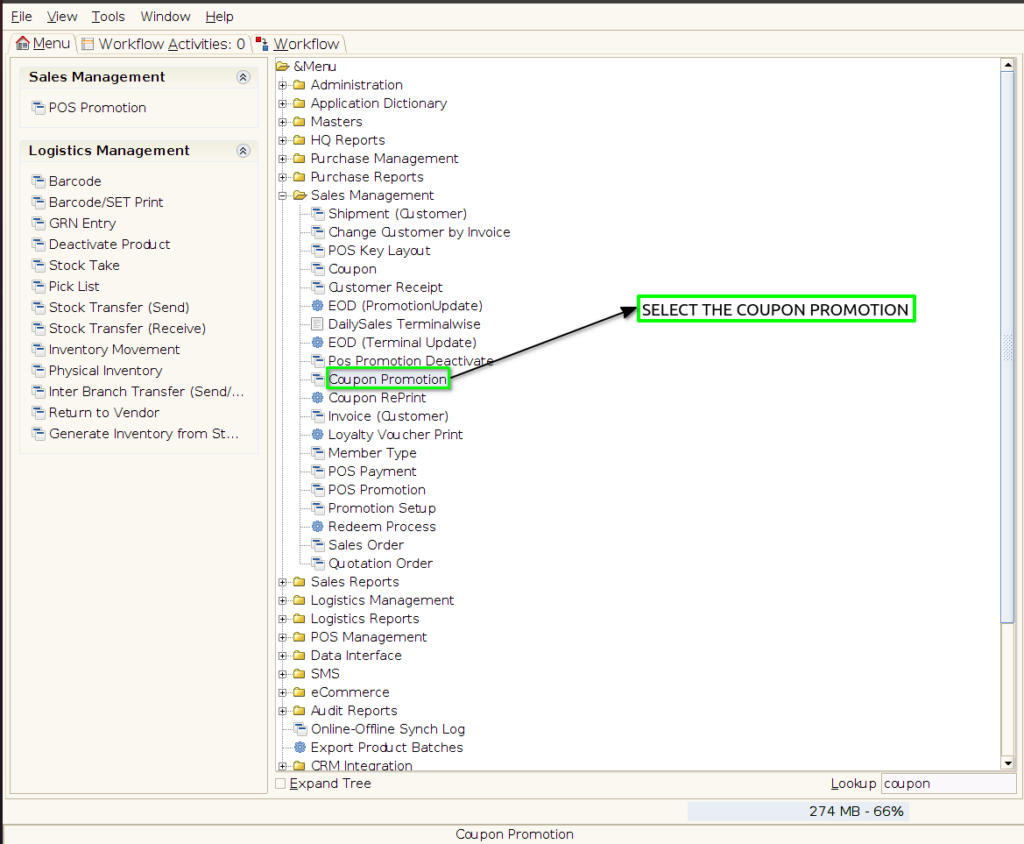
Step 1 : Select ‘Coupon Promotion’ in Menu -> Sales Management -> Coupon Promotion or Search Coupon Promotion in Lookup.
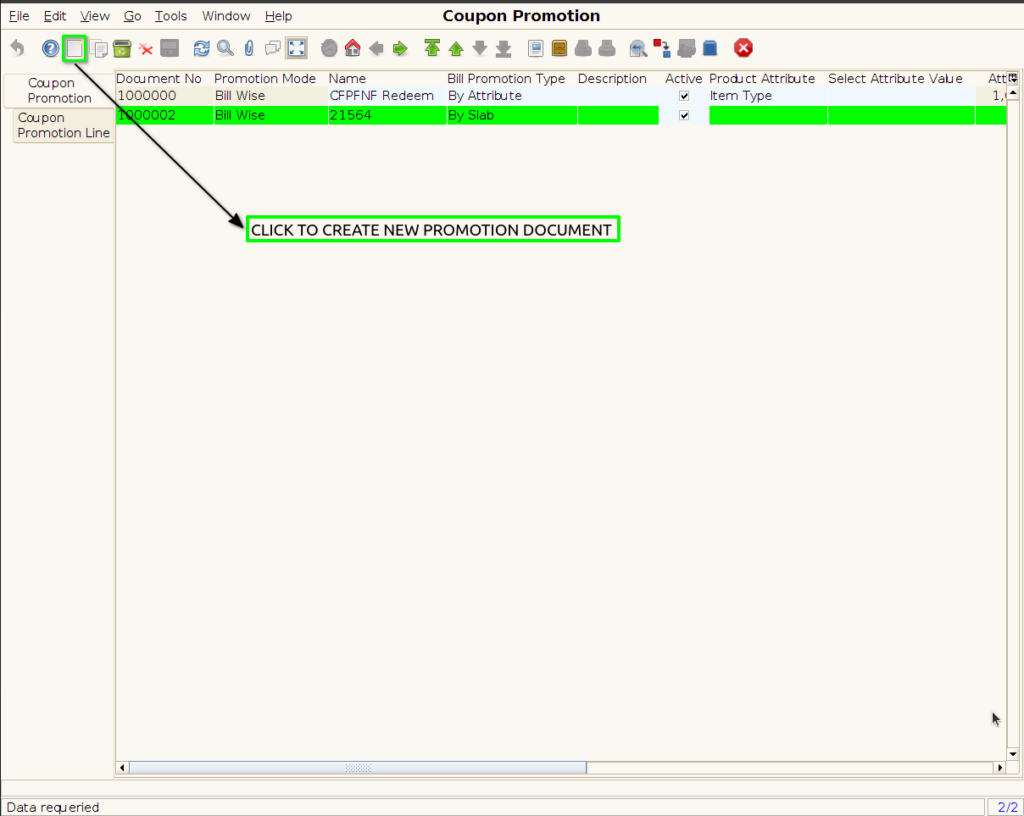
Step 2 : To create the new coupon promotion
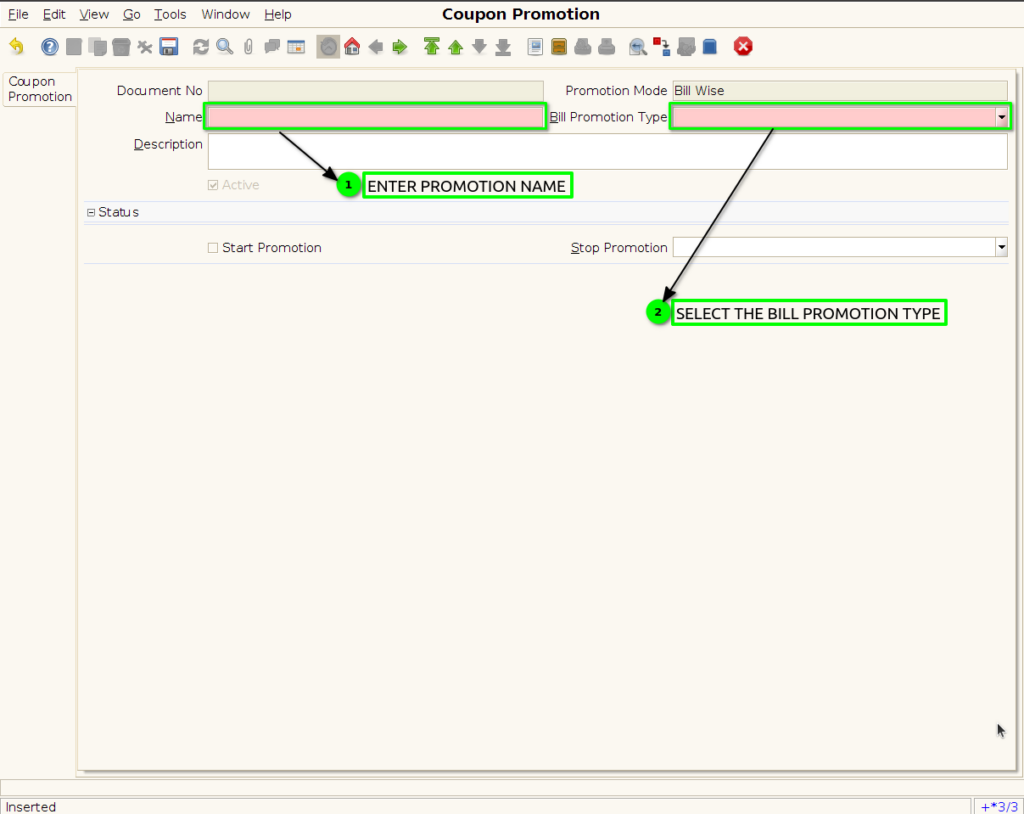
Step 3 : Enter Promotion details by following steps ;
SLAB PROMOTION LINE TAB
Step 4 : Click to Coupon promotion line
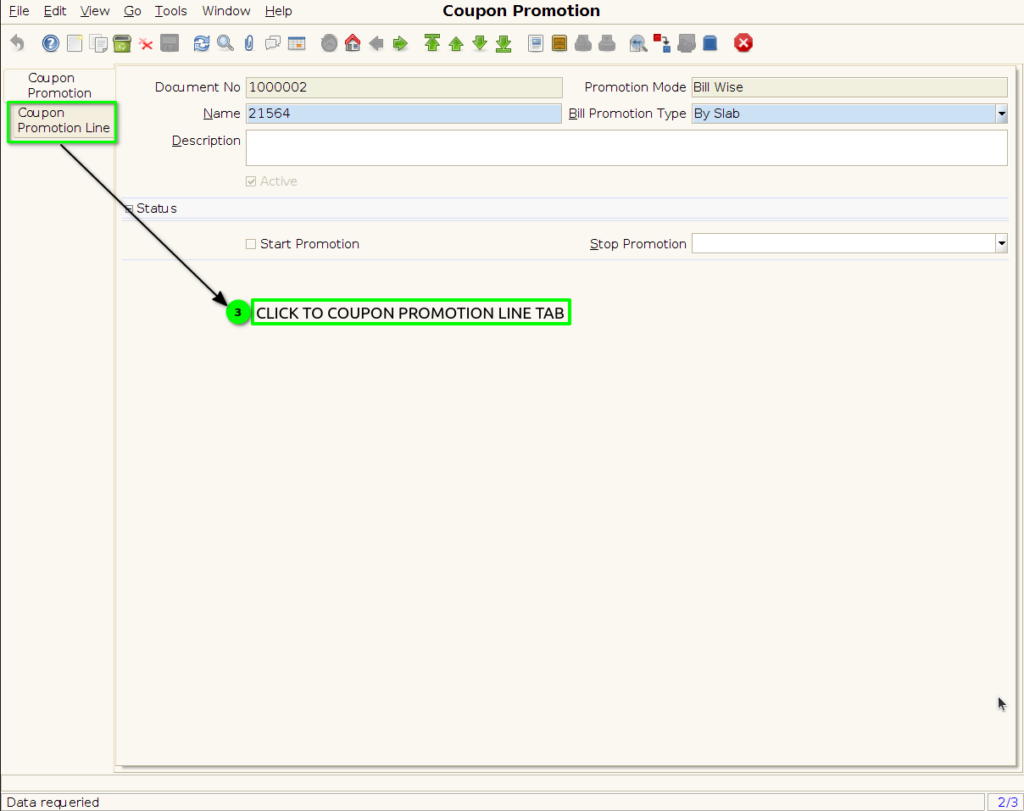
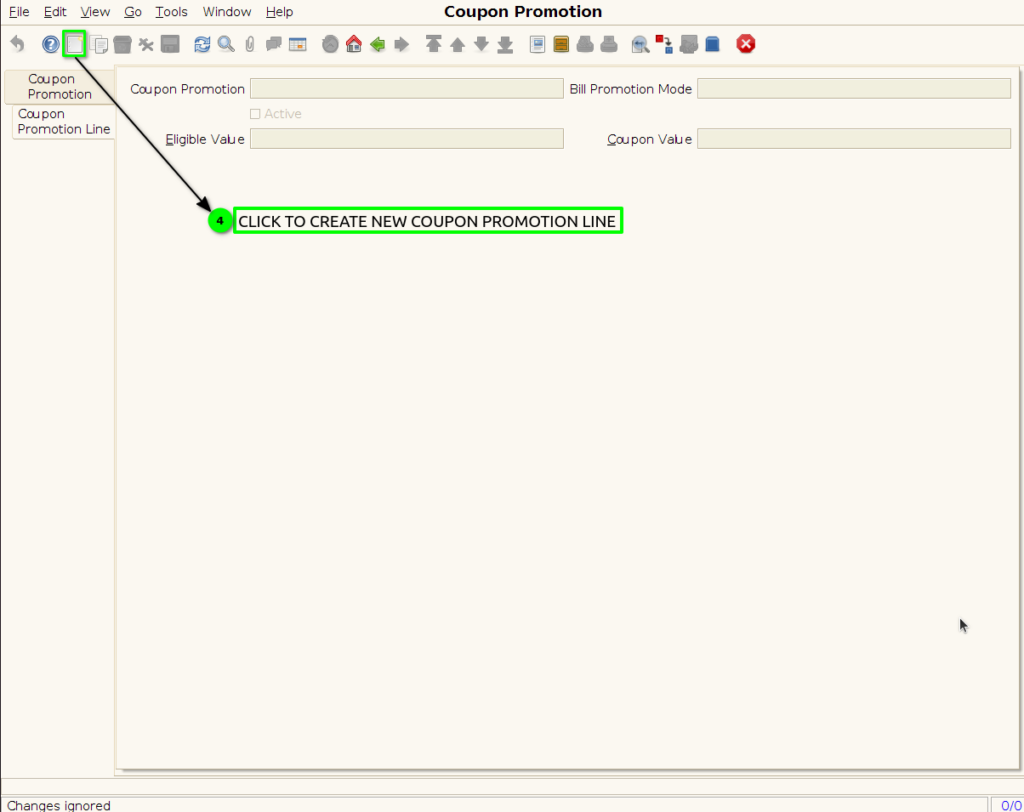
Step 5: To create new Coupon Promotion line
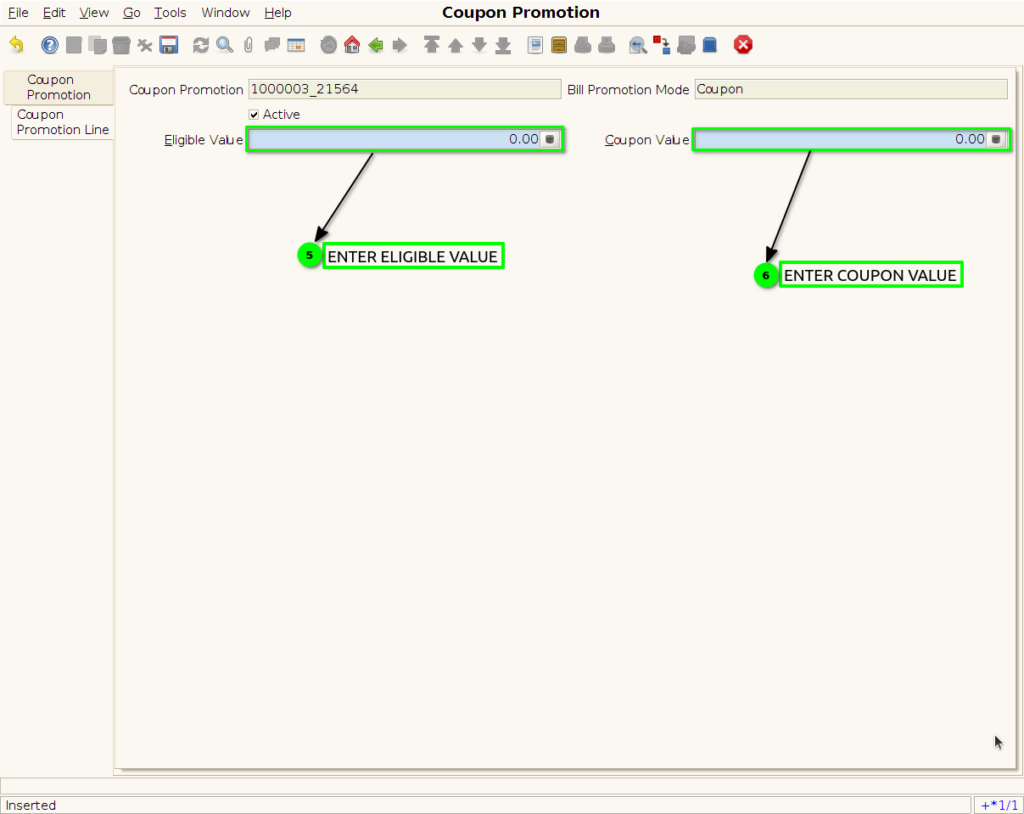
Step 6 : To create Coupon Promotion By following steps
Step 7 : To save the Coupon promotion

Step 8 : Click to Coupon Promotion Header
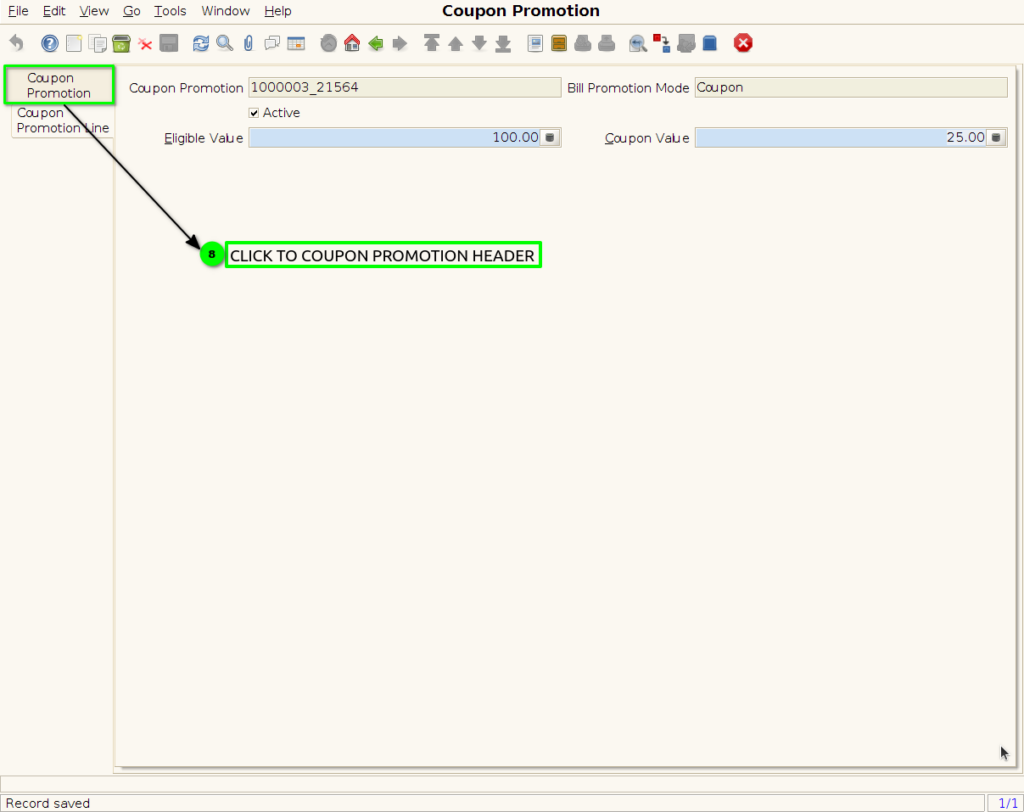
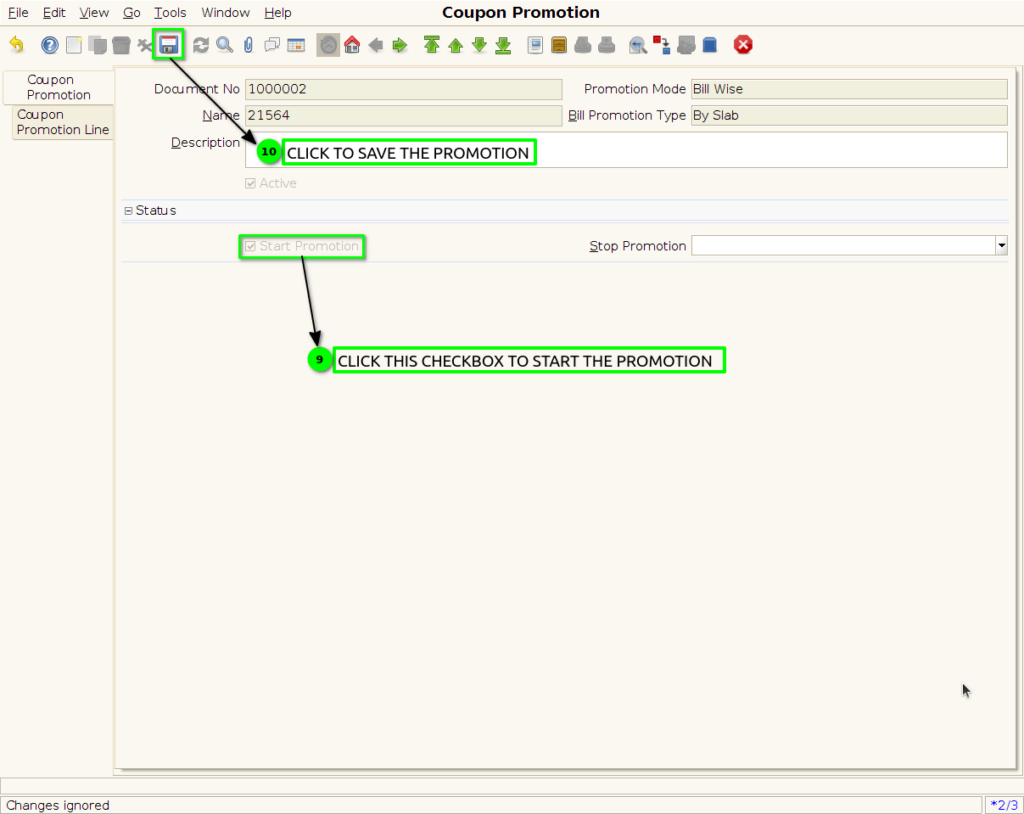
Step 9 : click the checkbox to Start the promotion and save the promotion.
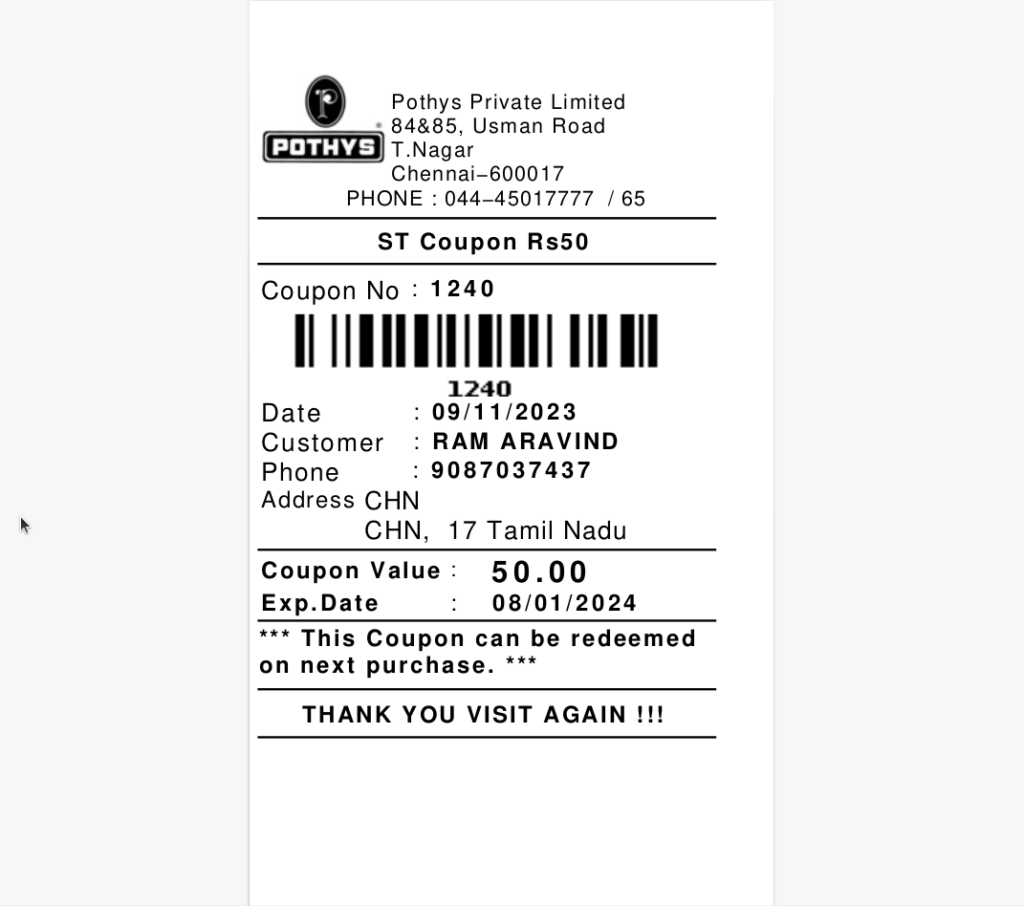
Step 9 : Coupon Print Format