How to View the Credit Customer Reports in Odoo POS
The Credit Customer Report in Odoo POS provides a detailed summary of customers’ credit status. It helps businesses monitor outstanding receivables for each customer and track their assigned credit limits.
By reviewing this report, companies can manage customer credit risk effectively and ensure timely collections. The report displays key information such as the customer’s name, the total amount they need to pay and the credit limit assigned to them.
Accessing the Credit Customer Report
Access the Credit Customer Report by navigating to Point of Sale → Reporting → Advanced Reports → Credit Customer Report. This report helps in checking outstanding balances and managing credit limits efficiently.
Search, Filters, and Grouping Options
The report also offers search and filtering options, making it easy to find specific customer records. You can search by customer name, company, email, phone number, tag, or salesperson responsible for the transaction. Custom filters allow more detailed searches by selecting specific fields, conditions, and values, and multiple filters can be combined to customize results.
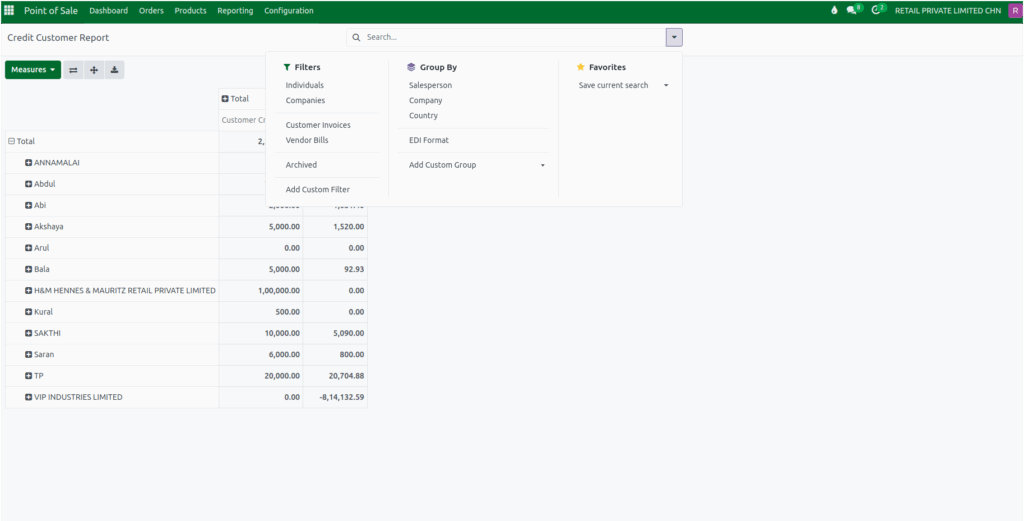
Grouping options in the report help organize credit data in meaningful ways. Records can be grouped by salesperson, company, country, city, state, GST treatment, email, mobile number, or customer name. Users can also save filter and grouping settings as favorites for quick access later, and saved filters can be reused or deleted as needed.
Details Captured in the Credit Customer Report
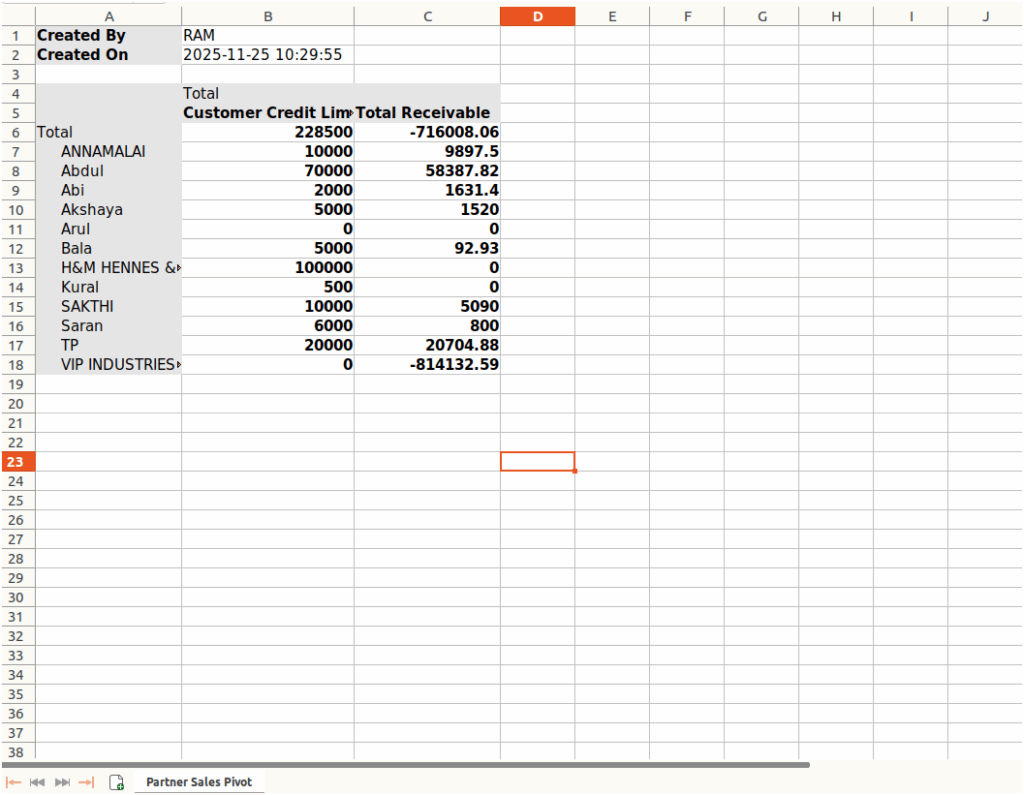
The Credit Customer Report gathers data from both POS Orders and the Customer Master. POS Orders provide details on customer transactions, which contribute to outstanding balances, while the Customer Master contains information like the credit limit and total receivable amount.

Each customer entry in the report includes useful information. The Customer Name tells you who the credit account belongs to. This helps you easily identify the customer when checking their credit activity or when they return to the store.
Right next to it, the Credit Limit shows the maximum credit amount assigned to that customer, which helps you know how much more they can spend on credit. You will also find the Total Receivable Amount, which shows the amount the customer still needs to pay. This gives you a clear picture of their outstanding balance.
Viewing, Analyzing, and Exporting the Credit Customer Report
Odoo offers multiple ways to view the Credit Customer Report. The Pivot View allows users to summarize and compare credit-related data across different dimensions. Using drag-and-drop functionality, data can be grouped by customer, credit limit, or transaction date.
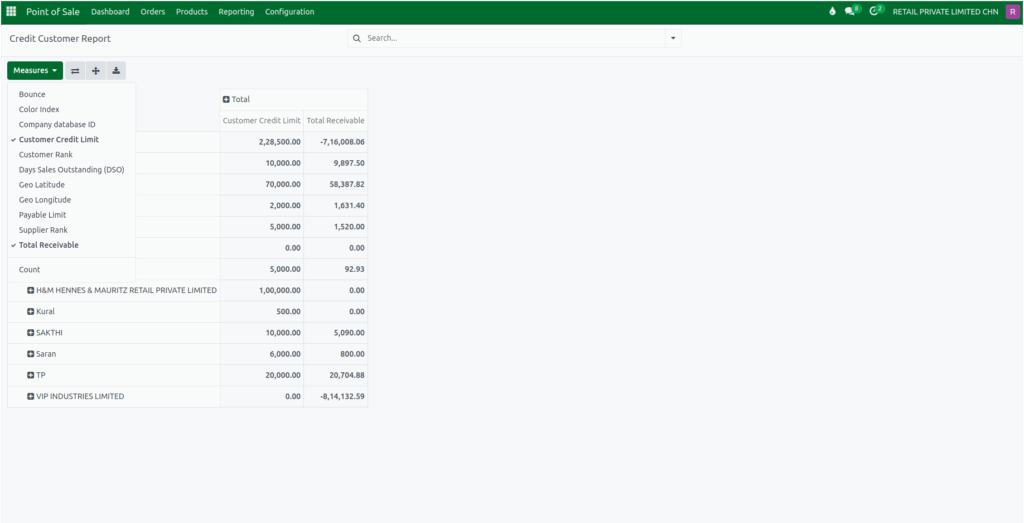
Totals for outstanding amounts, available credit, and the number of transactions per customer are displayed. Users can select measures such as total receivable, customer credit limit, days sales outstanding, customer rank, counts and other key metrics to analyze customer credit performance.
The report also supports exporting data to Excel, enabling offline analysis and easier sharing of credit details. By using these features, businesses can track credit exposure, monitor payment performance, and manage customer accounts effectively.