How to Create Tax in ADempiere Retail
Tax refers to the government-imposed charges (such as GST, or Sales Tax) added to the sale or purchase of goods and services. These taxes are automatically calculated and applied during transactions in the system based on predefined rules.
User Access
Who Can Access
- Back Office
- Cashier
- Manager
- Admin
What User Can Do
- Create New Tax
- Assign tax rates to products
- View tax amounts in invoices or purchase orders
- Generate tax reports for compliance and filing
Pre-Requisite Activities
- Create or configure Tax Category and Tax Code
- Ensure products/services are mapped to the correct tax
Business Rules
- Each product must be linked to a valid tax code or category
- Tax should be calculated automatically
- Only users with permission can modify tax master settings
- Tax details must appear clearly on invoices and reports
User Interface
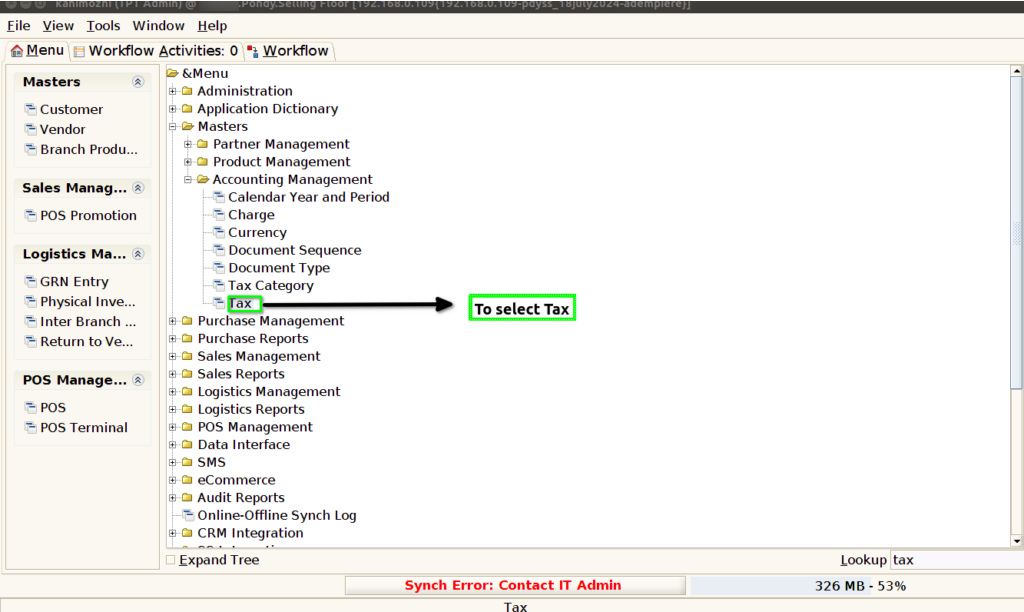
STEP 1: To select the Tax.
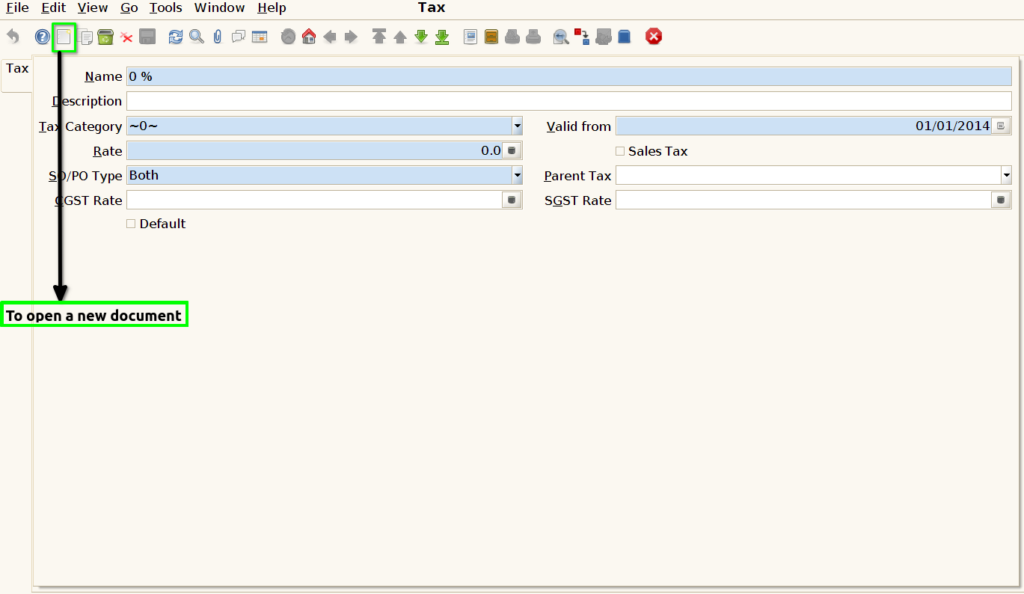
STEP 2: To open a new document.
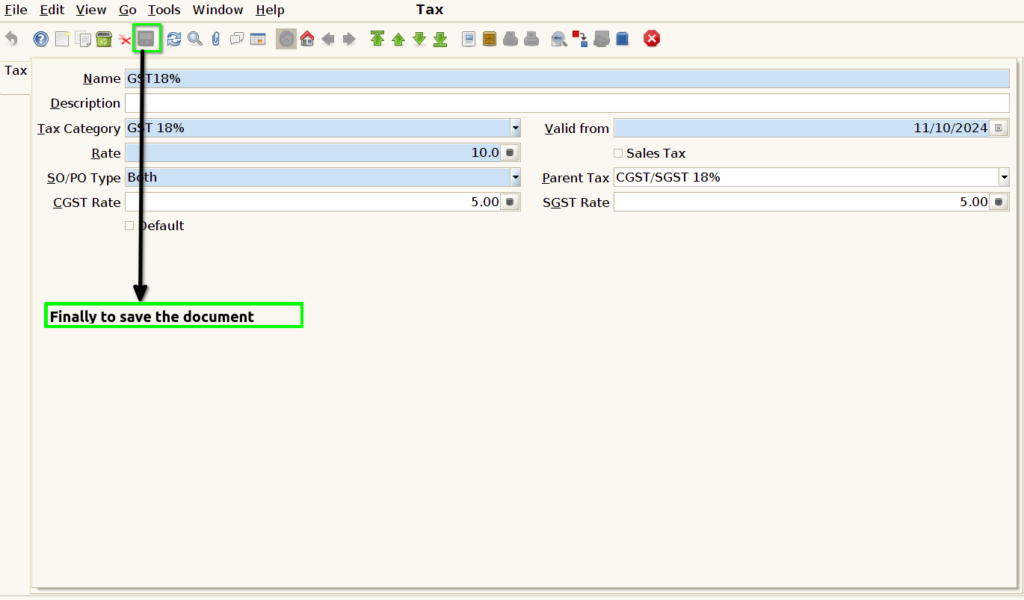
STEP 3: To enter a Name,Tax Category,Rate,SO/PO Type,CGST Rate,Valid from,Parent Tax and to select SGST Rate.

STEP 4: Finally to save the document.