How to create Sales Rep and Sales Rep Info for Lifestyle in Adempiere Retail
Sales Rep (Sales Representative) is an employee or agent responsible for selling products or services to customers. Sales Rep Info refers to the details related to the sales rep, such as their name, ID, region, targets, and performance.
User Access
Who can Access
- Cashier
- Back office
- Admin
- Manager
What User Can Do
- Add or update Sales Rep records
- View Sales Rep’s performance, sales history, and targets
- Use Sales Rep data in invoices, quotations, or orders
Pre-Requisite Activities
- Create and configure Employee or User profile
Business Rules
- A Sales Rep must have a unique identifier
- Only authorised users can create or modify Sales Rep data
- Sales transactions should record Sales Rep name for tracking
- Reports must support filtering or grouping by Sales Rep
- Inactive Sales Reps should not appear in new transaction forms
User Interface
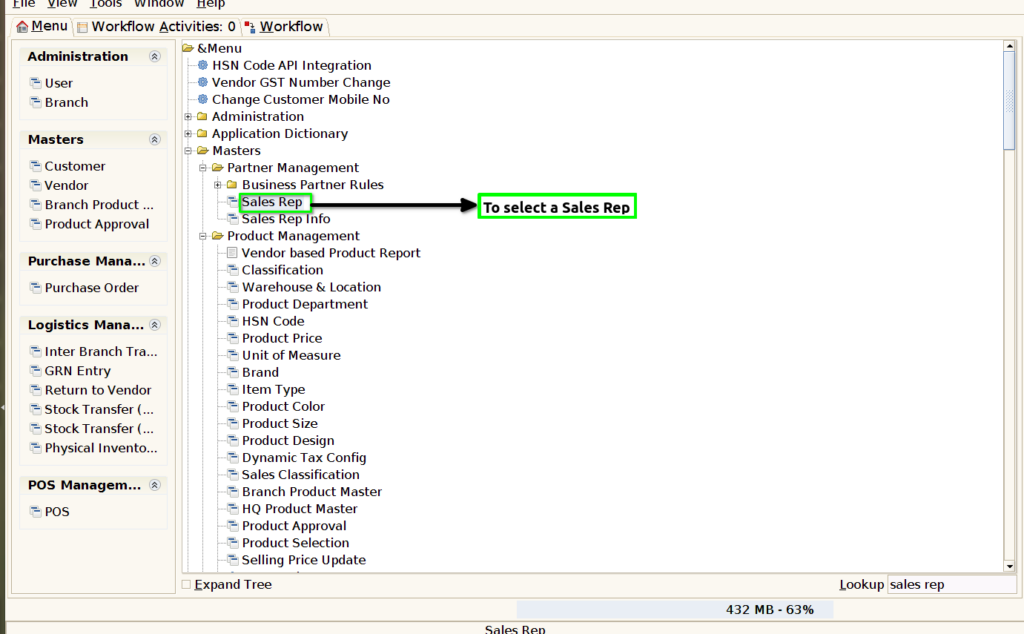
STEP 1: To select a Sales REP.
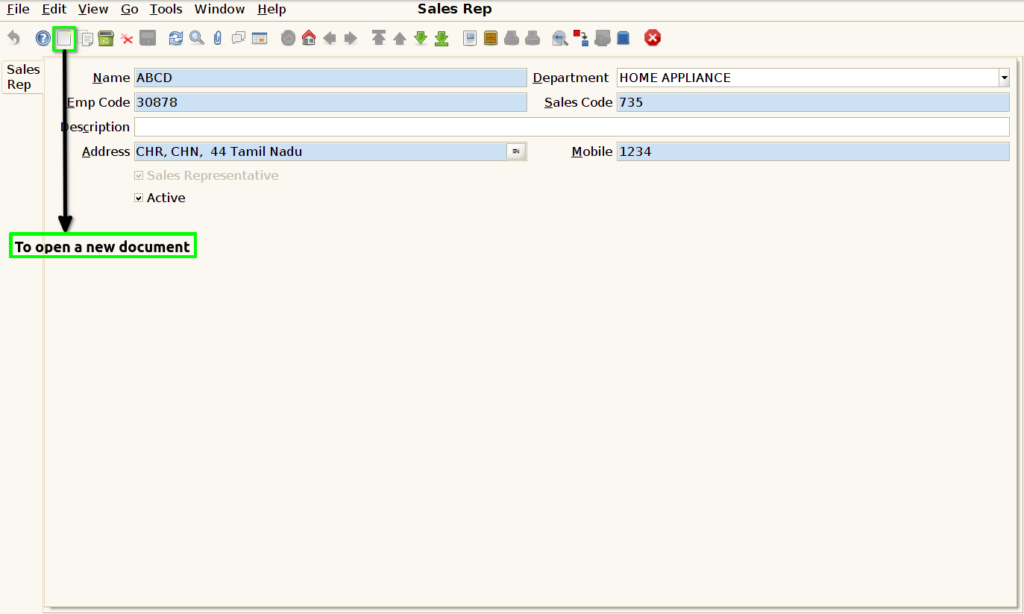
STEP 2: To open a new document.
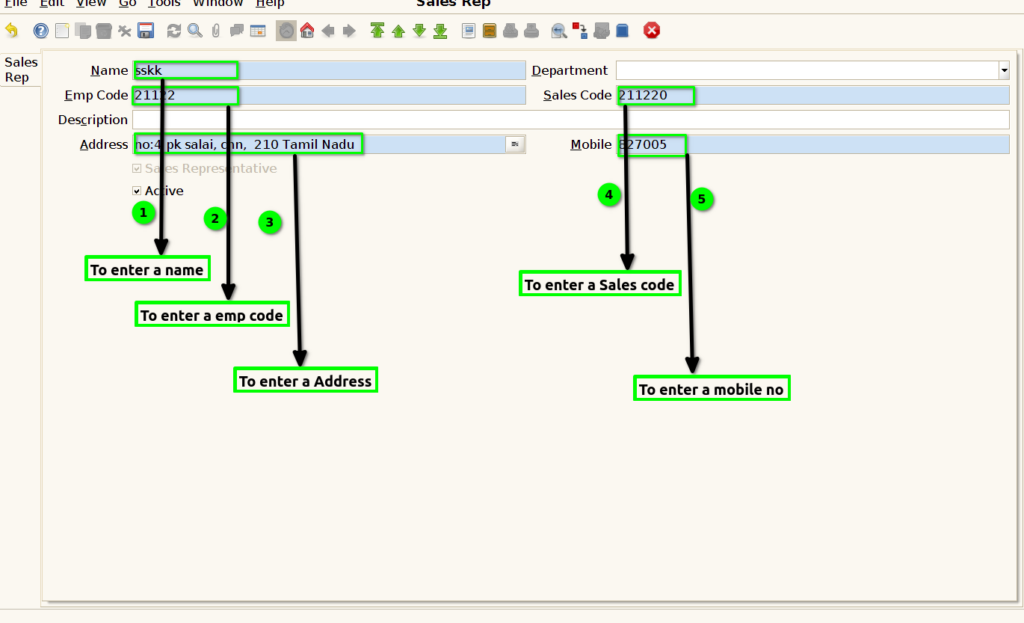
STEP 3: To enter a name,Emp code,Description,address,mobile no,sales code and Department and then to save the document.

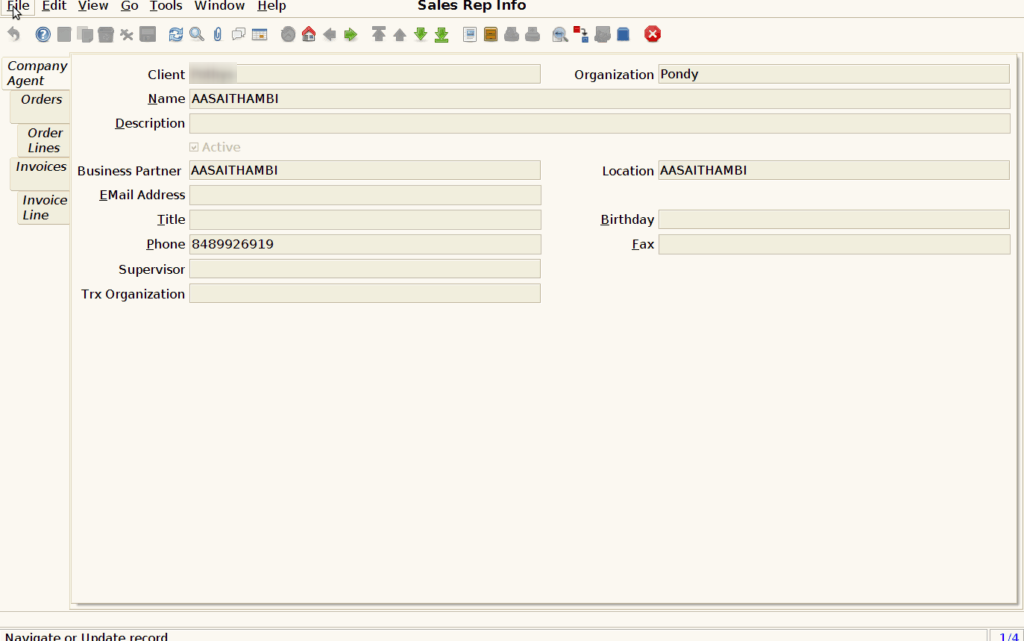
Sales Rep Info
STEP 4: Sales Rep Info master only to read Couldn’t create ,update,save,delete option.Company agent tab .
STEP 5: Order tab
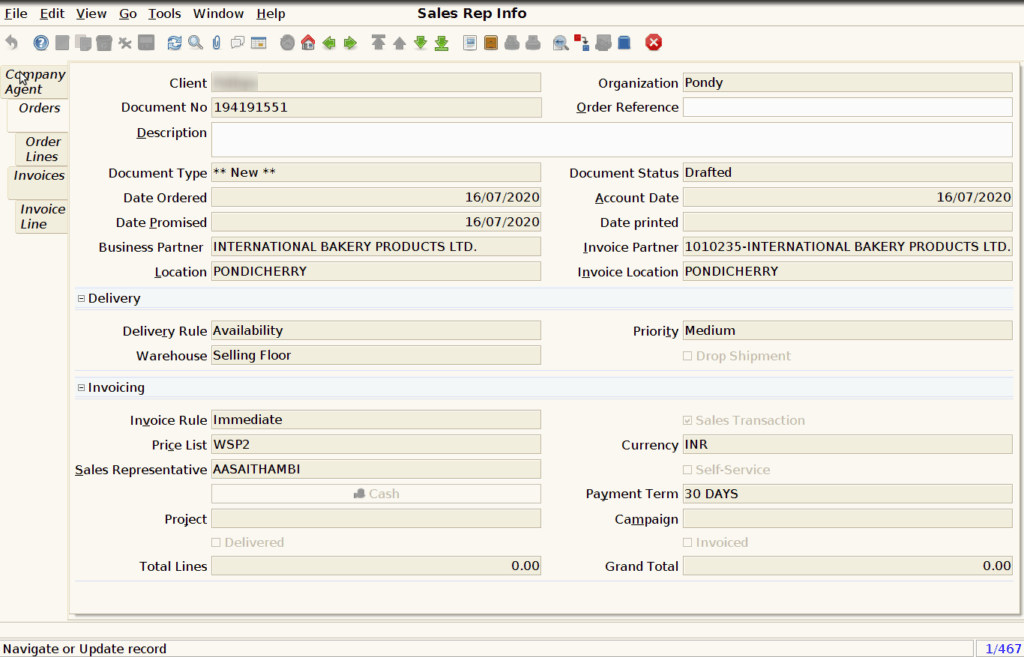
STEP 6: Order line tab

STEP 7: Invoices tab

STEP 8: Invoice Line tab
