How to create Invoice Customer (Void/Reverse) document in Adempiere Retail
INVOICE CUSTOMER (VOID/REVERSE) means:
- Void: Cancelling an invoice so it’s as if it never existed.
- Reverse: Undoing or correcting a previous invoice by issuing a negative or correcting entry.
User Access
Who Can Access
- Back Office
- Cashier
- Manager
- Admin
What User Can Do
- Void an Invoice
- Reverse an Invoice
- Check Invoice Status
- Communicate with Customer
Pre-Requisite Activities
- Verify Invoice Details
- Check Invoice Status
- Backup Records
- Prepare Accounting Entries
Business Rules
- Eligibility for Void/Reverse
- Documentation
- Effect on Accounting
- Limits and Restrictions
User Interface
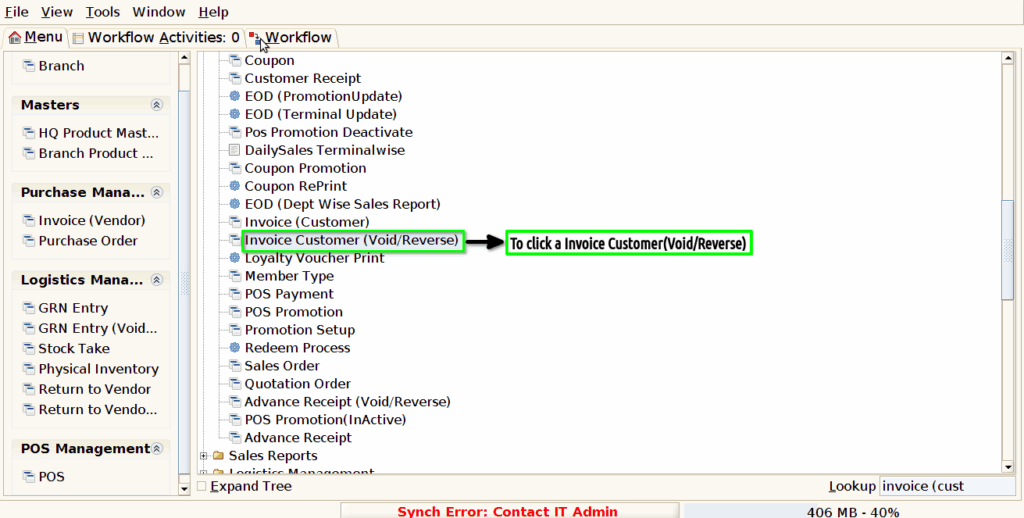
Step 1 : To Select a Branch in Menu.Then to click a Invoice Customer(void/reverse).
Step 2 :To show the Voided document details.
