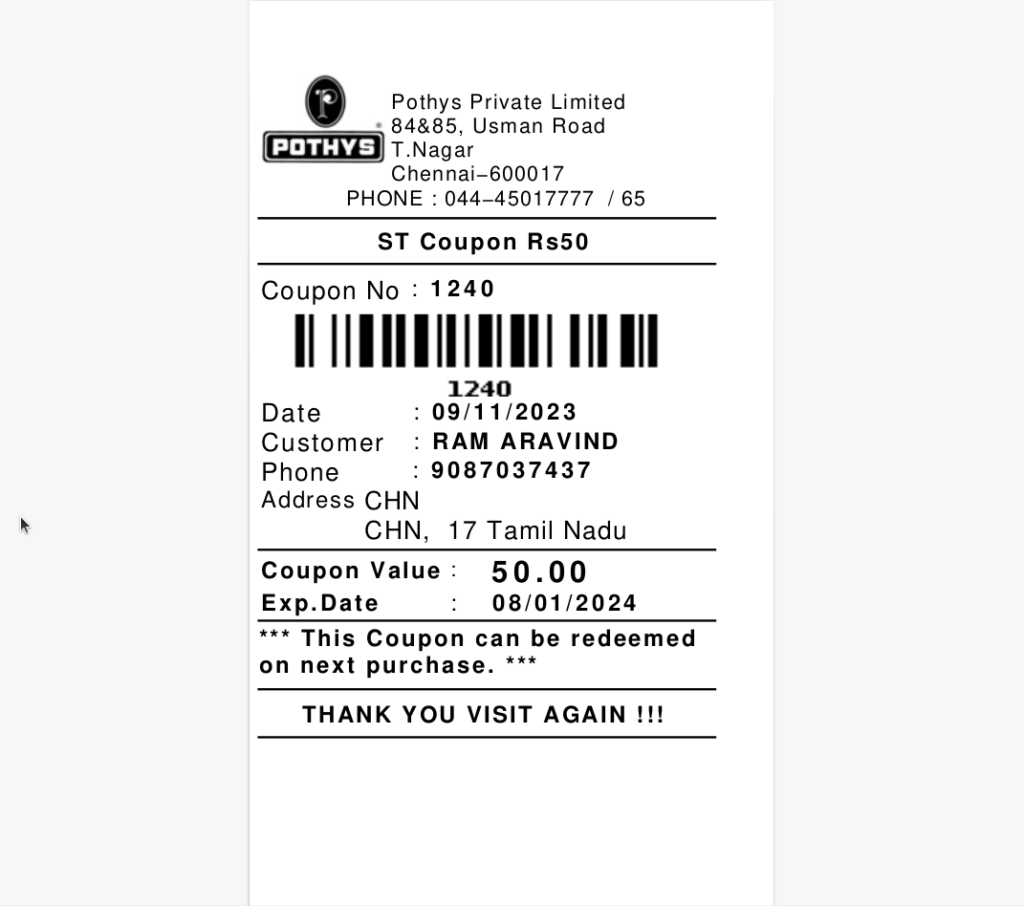
APPLY BILL WISE BY ATTRIBUTE PROMOTION BASED ON COUPON
This promotion applies a coupon benefit (like a discount or free item) to the bill, only when products in the bill match specific attributes (e.g., brand, category, design, etc.) and a valid coupon is used during billing. It combines item attribute filtering and coupon validation to control targeted promotional benefits.
USER ACCESS
WHO CAN ACCESS
- BackOffice
- Cashier
- Manager
- Admin
WHAT USER CAN DO
- Select attribute type: (e.g., Brand = “Levi’s”, Category = “T-Shirts”)
- Define minimum bill value or quantity condition
- Assign the coupon code to the promotion
PRE-REQUISITE ACTIVITIES
- Define active coupon codes in the system
- Ensure product master has proper attribute mapping
- POS must support coupon scanning or manual entry
- Link coupon to correct promotion rule
- Enable “Apply Coupon Promo” settings in billing system
BUSINESS RULES
- Promotion applies only if a valid coupon is entered
- Only products matching defined attributes are considered
- If conditions are met, discount or free item is automatically applied
- Coupon must be active and within validity period
- Coupon is non-transferable, and usage is tracked
- Ineligible coupons will show an error or warning at POS
- Cannot combine with other promotions unless explicitly allowed
USER INTERFACE
Step 1 : Select ‘POS Promotion’ in Menu -> Sales Management -> POS Promotion or Search POS Promotion in Lookup.
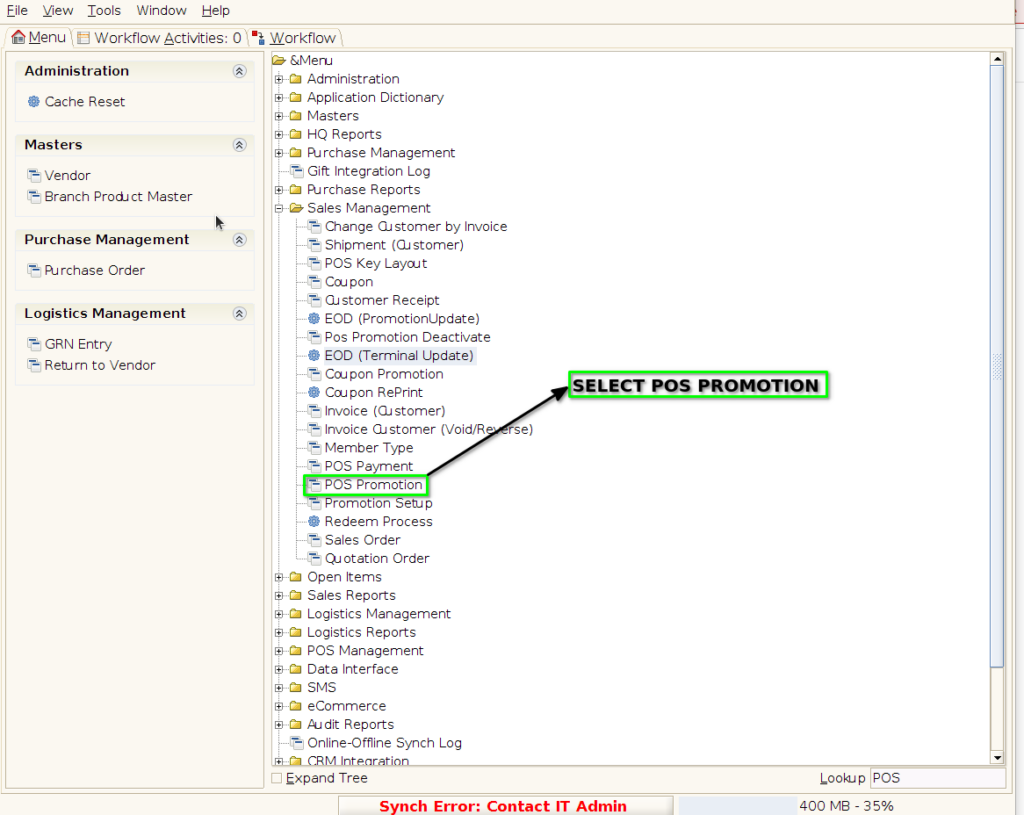
PROMOTION TAB
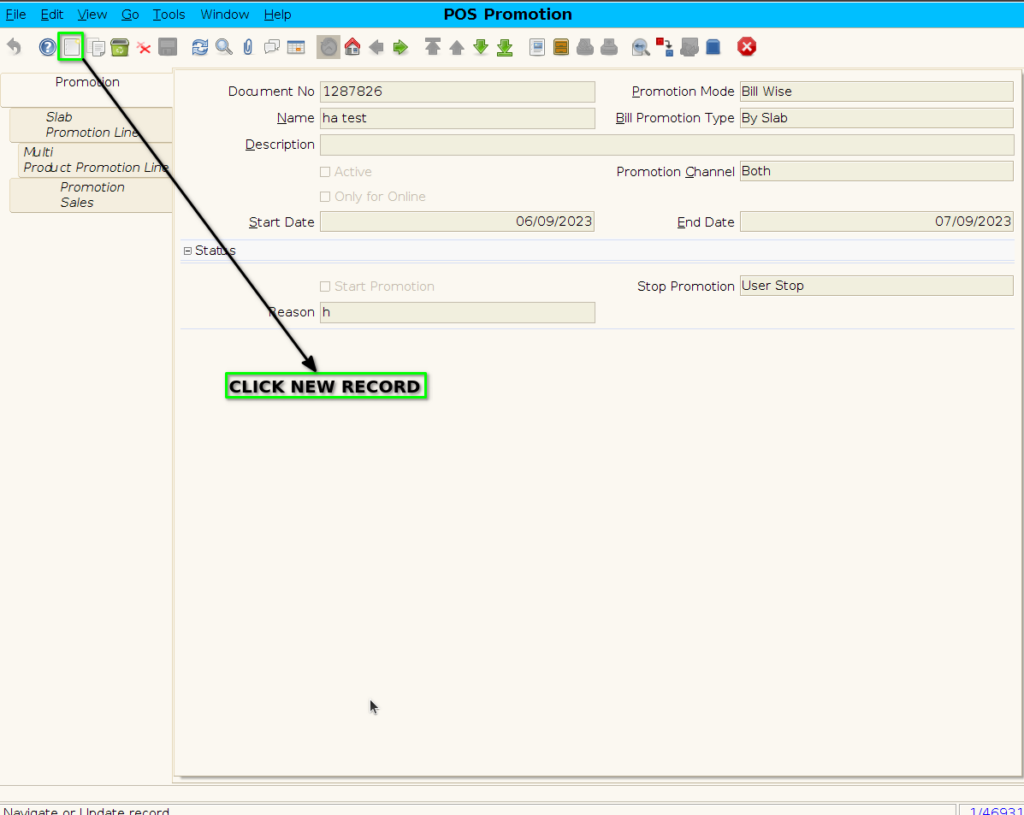
Step 2 : To create new promotion Document
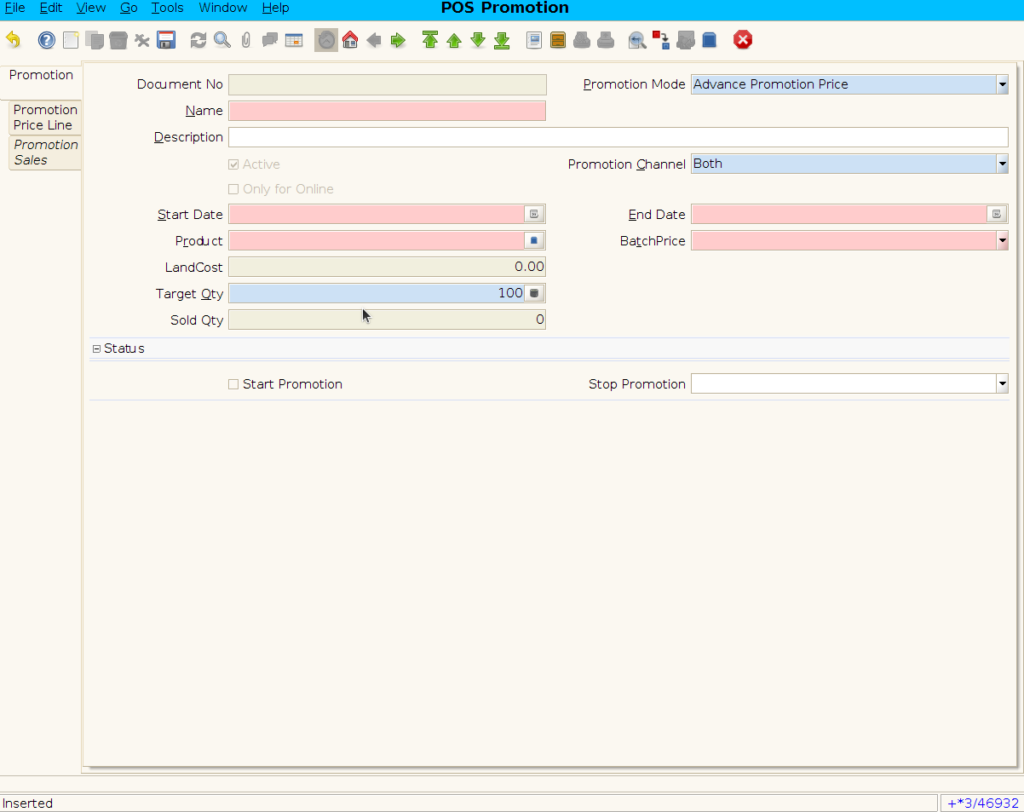
Step 3 : Enter Promotion details by following steps ;
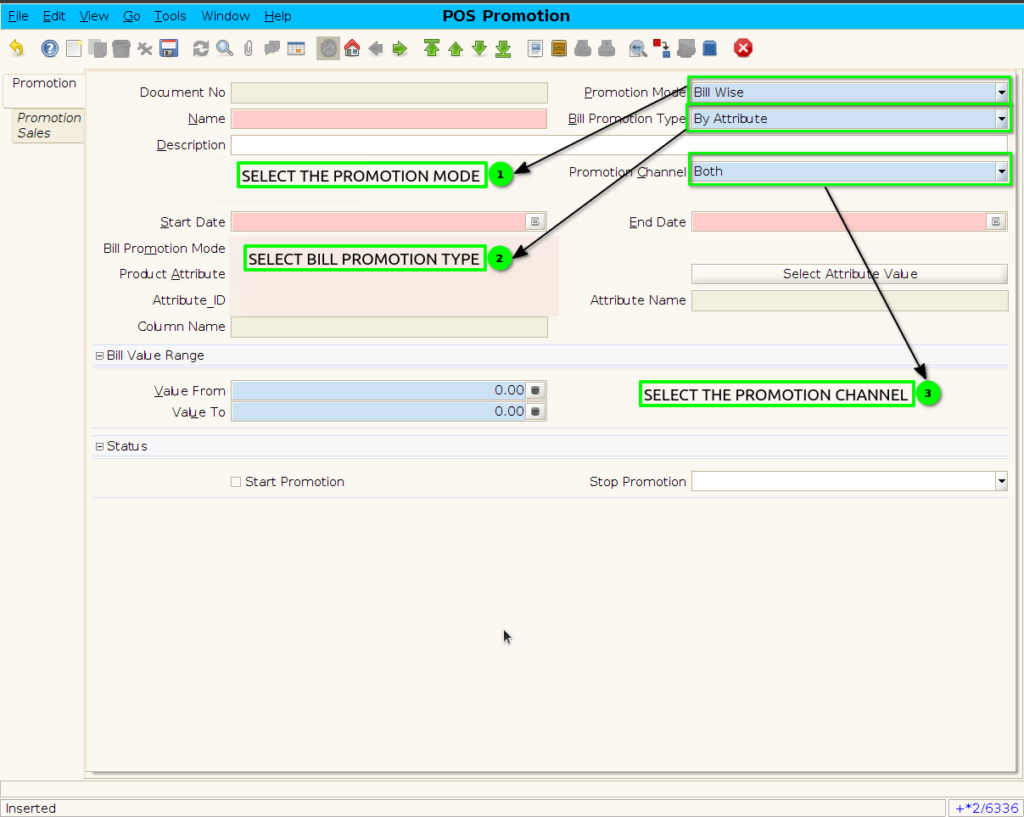
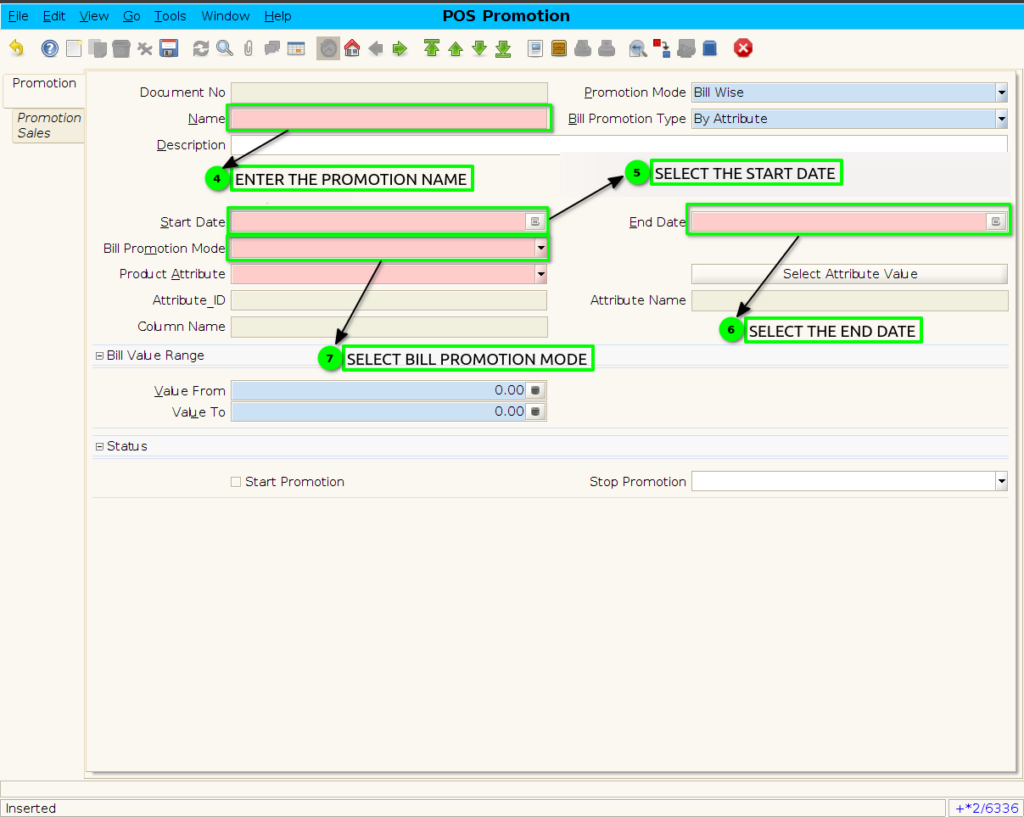
Step 4 : Promotion to set product attribute AND Coupon Selection.
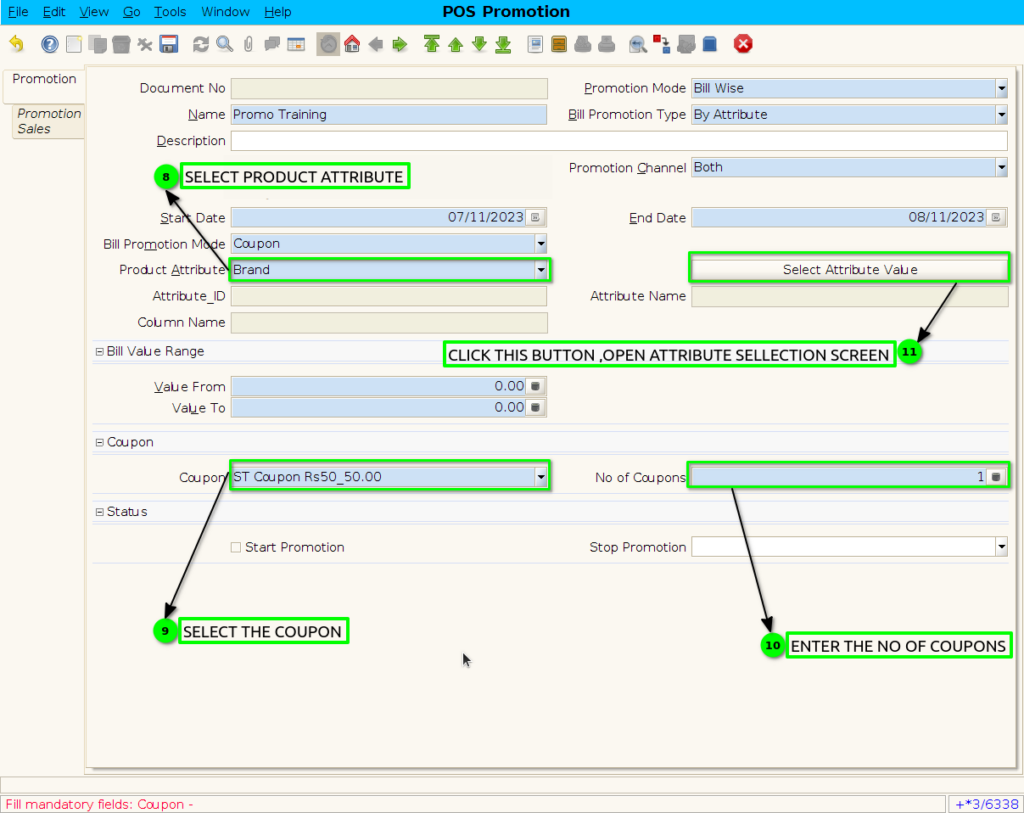
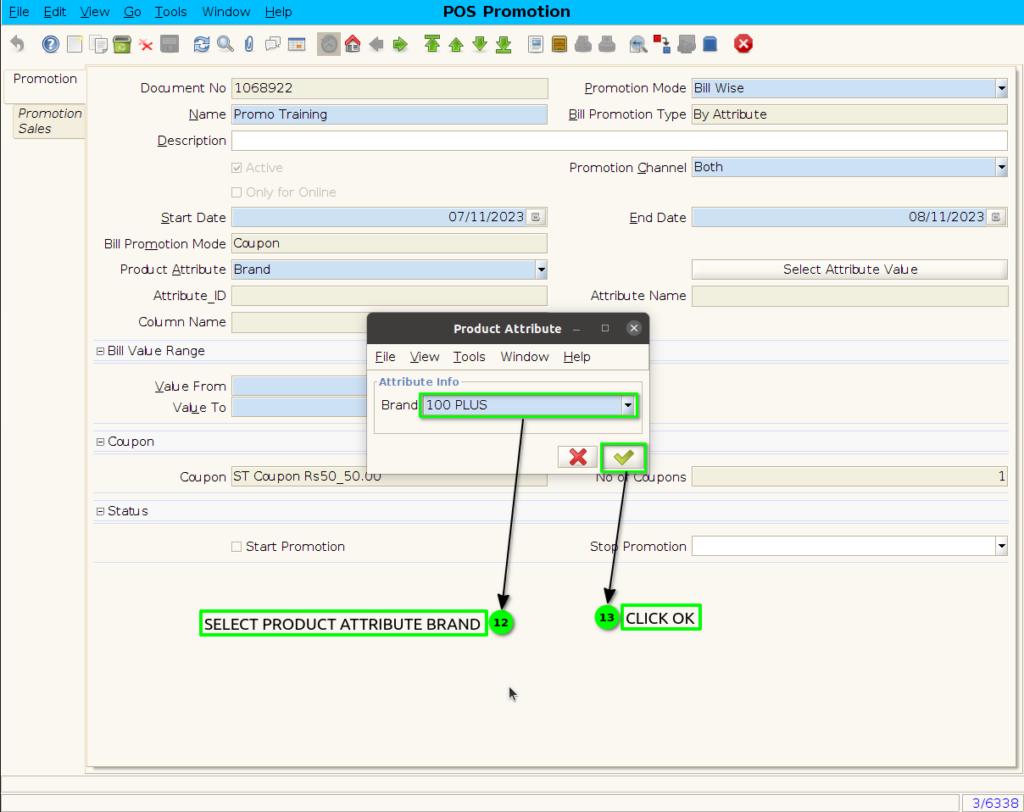
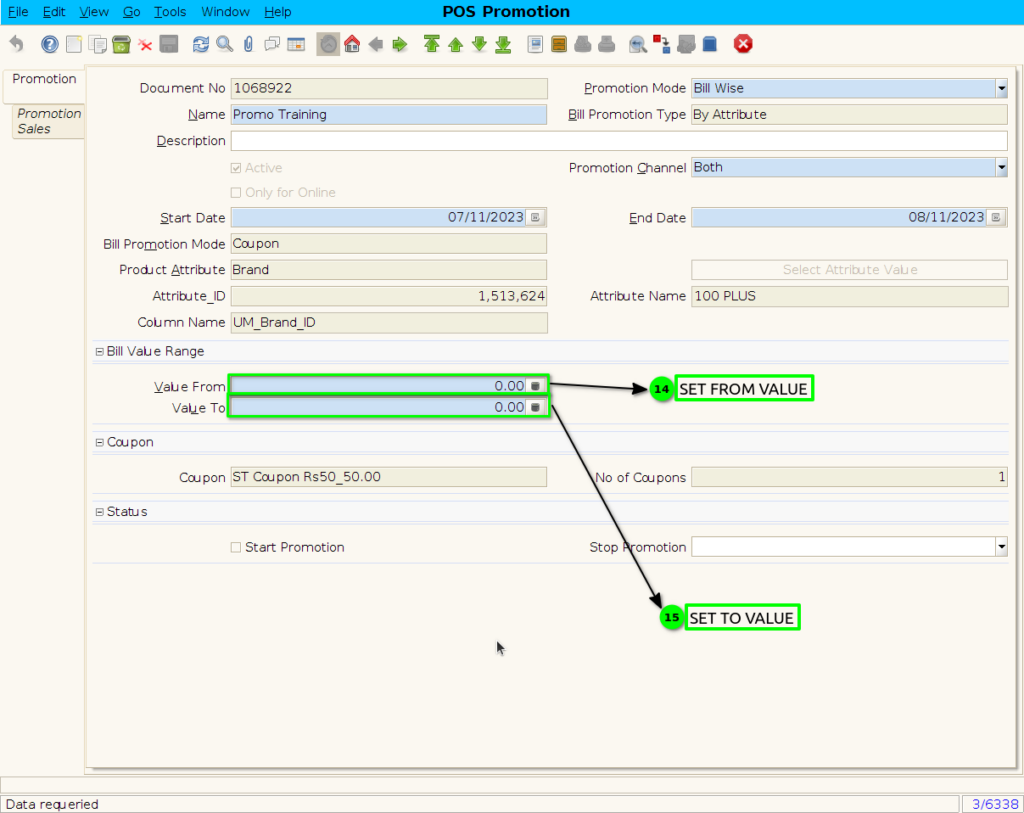
Step 5 : Set bill value range
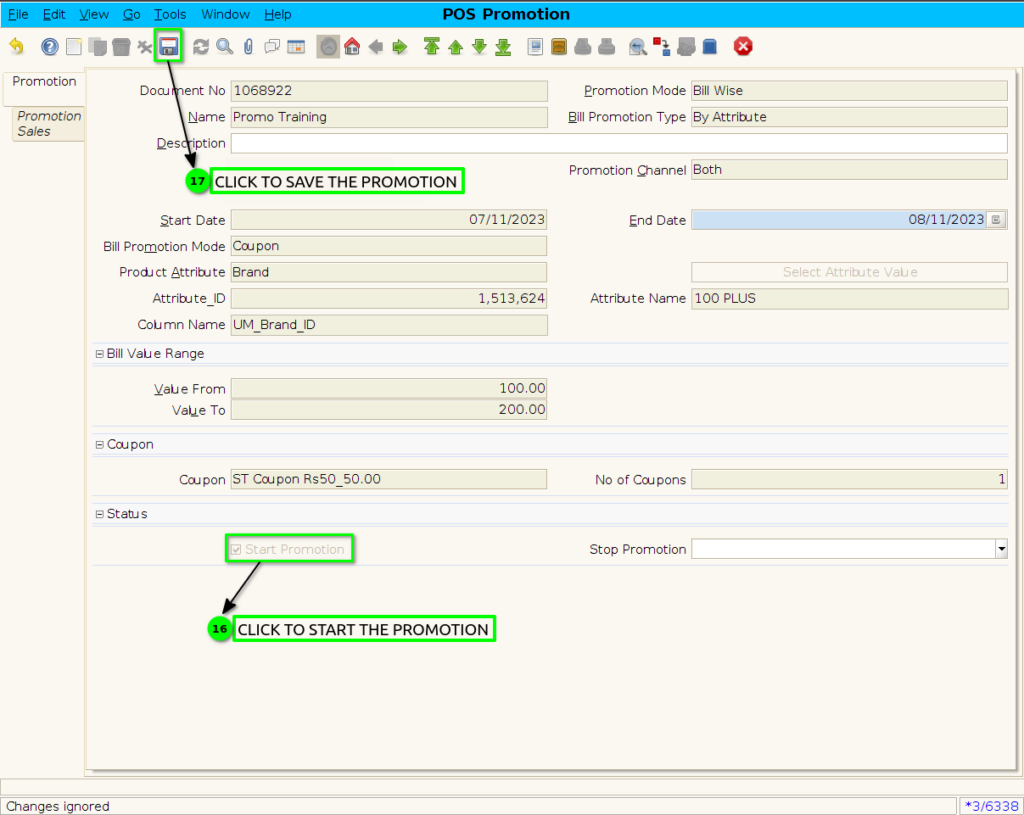
Step 6 : click the checkbox to Start the promotion and save the promotion.
Step 9 : Coupon Print Format