APPLY BILL WISE BY SLAB PROMOTION BASED ON COUPON PROMO
This type of promotion applies discounts or offers to a bill only when a valid coupon code is entered – and the total bill value falls within a defined price slab. It’s a controlled promotion that combines coupon validation with slab-based benefits.
USER ACCESS
WHO CAN ACCESS
- Back Office
- Cashier
- Manager
- Admin
WHAT USER CAN DO
- Create coupon codes (unique or common)
- Define slabs (e.g., ₹500–₹999, ₹1000–₹1999)
- Link each slab to a coupon-specific discount or free item
- Set conditions like:
- Valid days/time
- Eligible branches or billing types
- Customer group/segment restrictions
- Activate or deactivate coupons anytime
PRE-REQUISITE ACTIVITIES
- Enable Coupon Promotion Engine in POS system
- Generate and distribute coupon codes (via SMS, print, loyalty programs)
- Set clear coupon usage rules (one-time, multi-use, expiry)
- Train billing staff to apply & validate coupon codes
- Ensure price slab logic does not overlap or conflict with other active offers
BUSINESS RULES
- Bill must meet minimum price slab criteria
- Coupon must be valid, not expired, and match promotion config
- If coupon entered but slab condition not met → no discount applies
- One coupon per bill (unless multi-coupon config enabled)
- Applied coupon details must be logged in bill audit
- Promotion must reflect on customer invoice and reports
- If coupon is used, cannot combine with other slab/auto promotions screen only.
USER INTERFACE
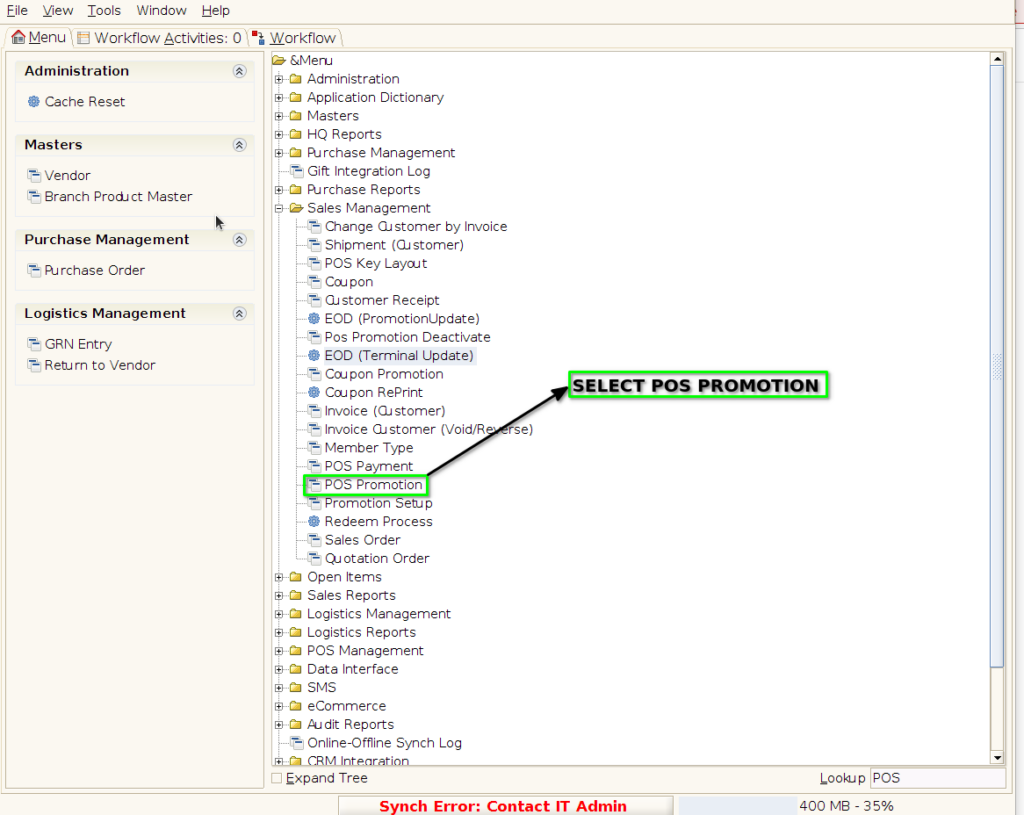
Step 1 : Select ‘POS Promotion’ in Menu -> Sales Management -> POS Promotion or Search POS Promotion in Lookup.
PROMOTION TAB
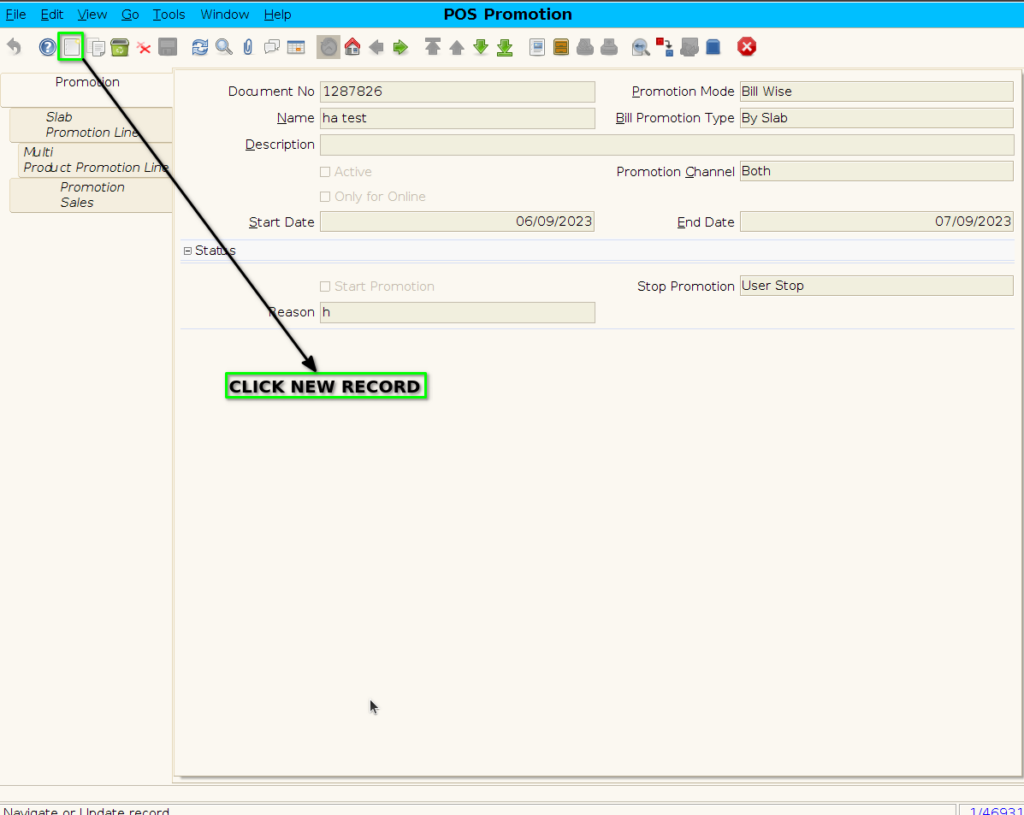
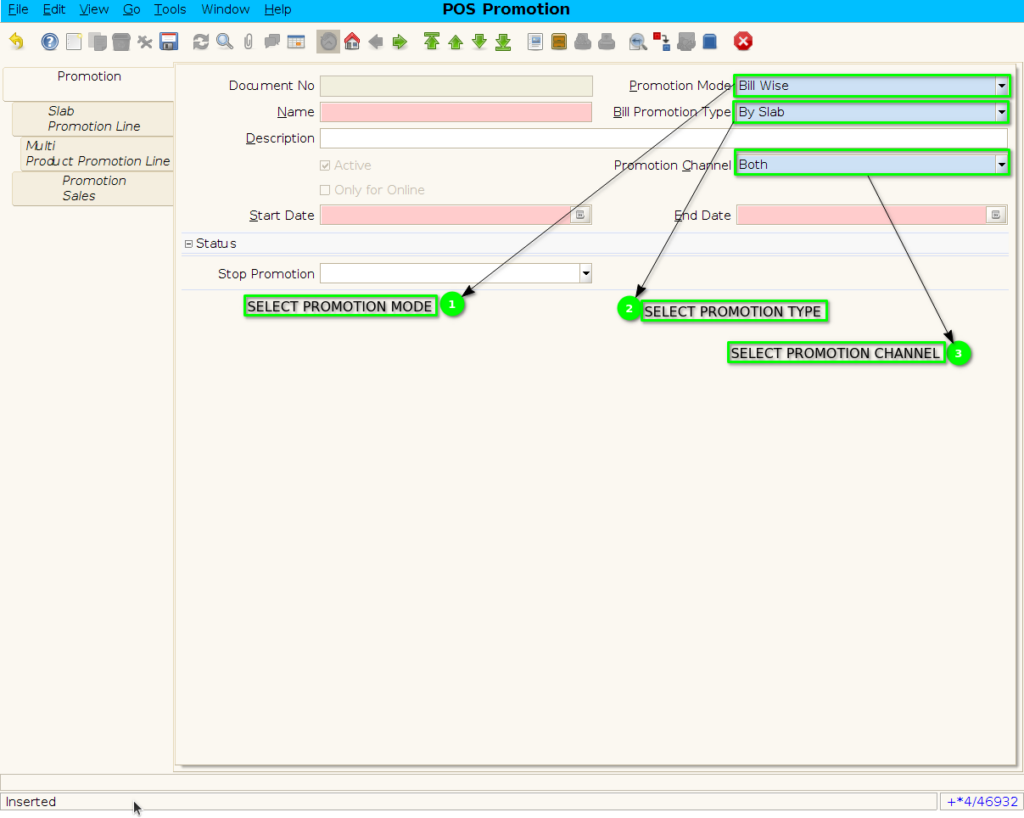
Step 2 : To create new promotion Document
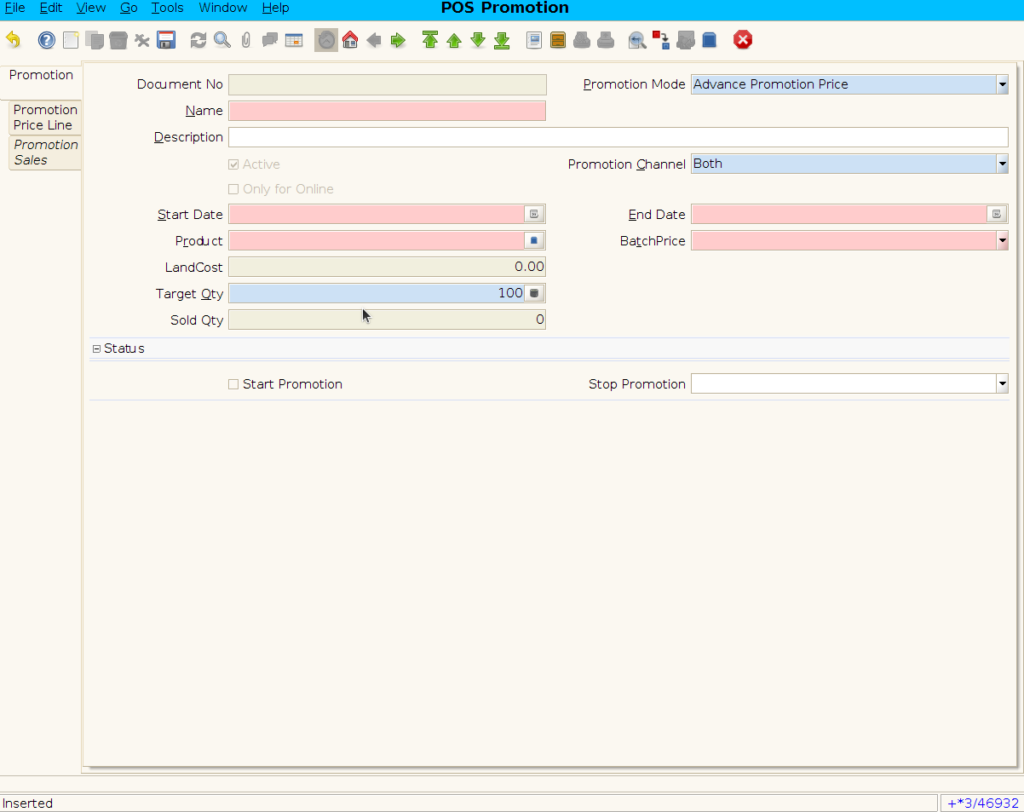
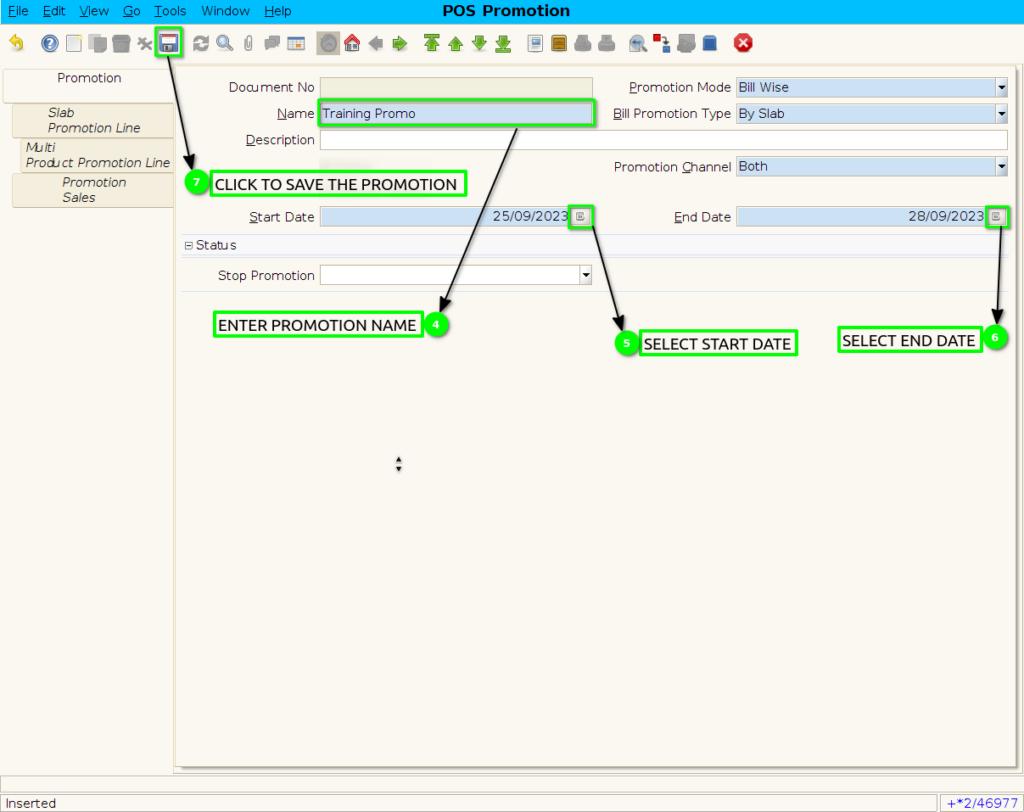
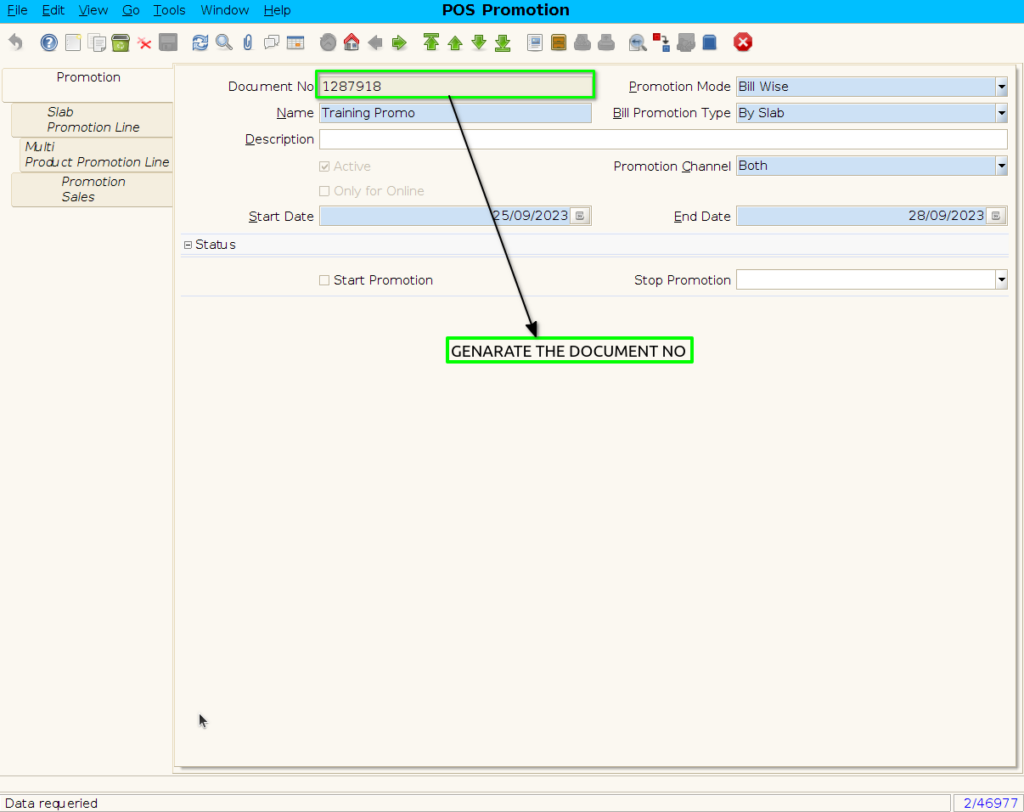
Step 3 : Enter Promotion details by following steps
SLAB PROMOTION LINE TAB
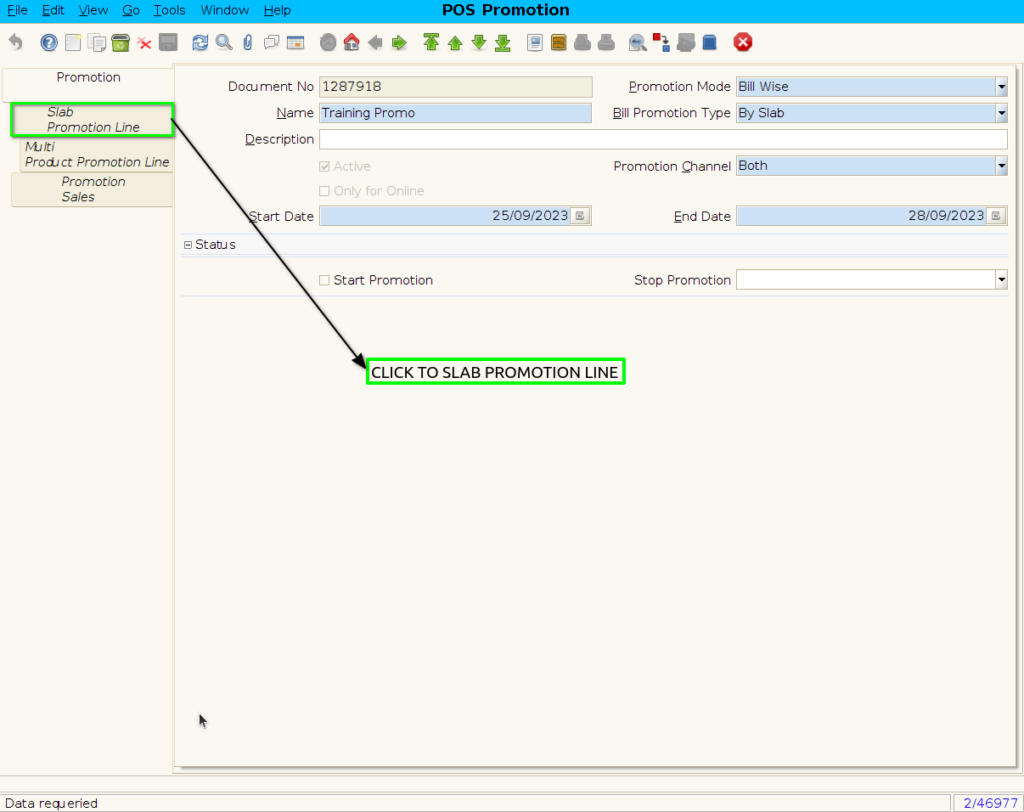
Step 4 : Click to slab promotion line
Step 5: To create new Slab Promotion line

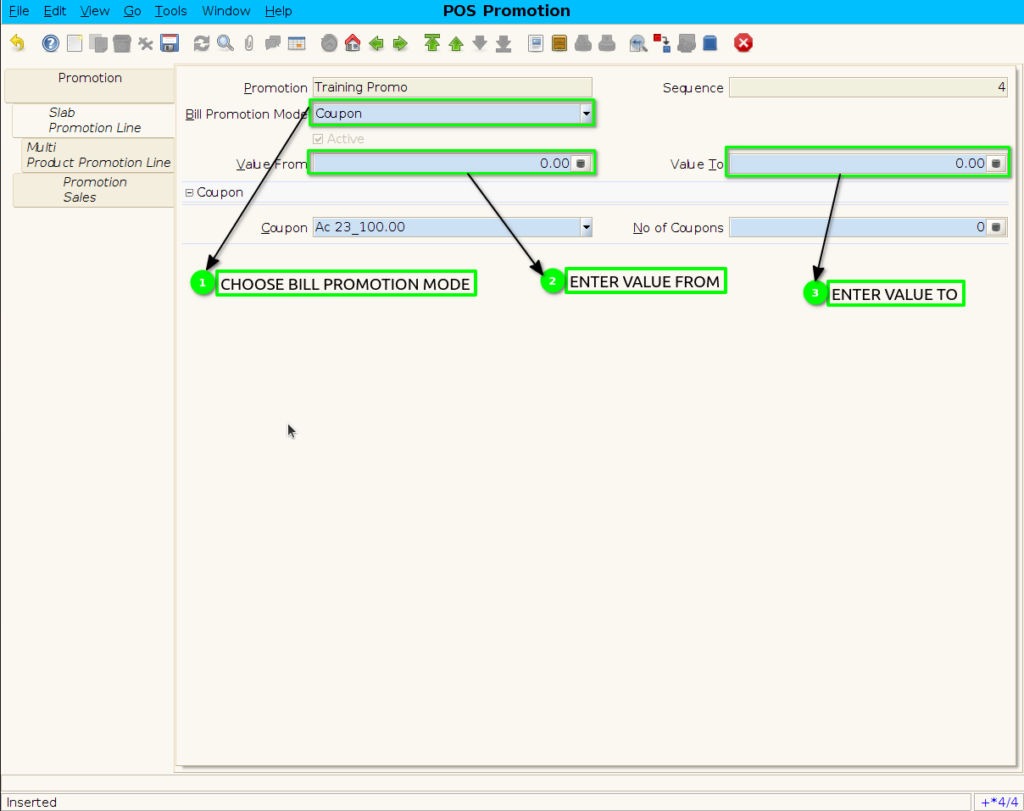
Step 6 : To create Coupon Promotion By following steps

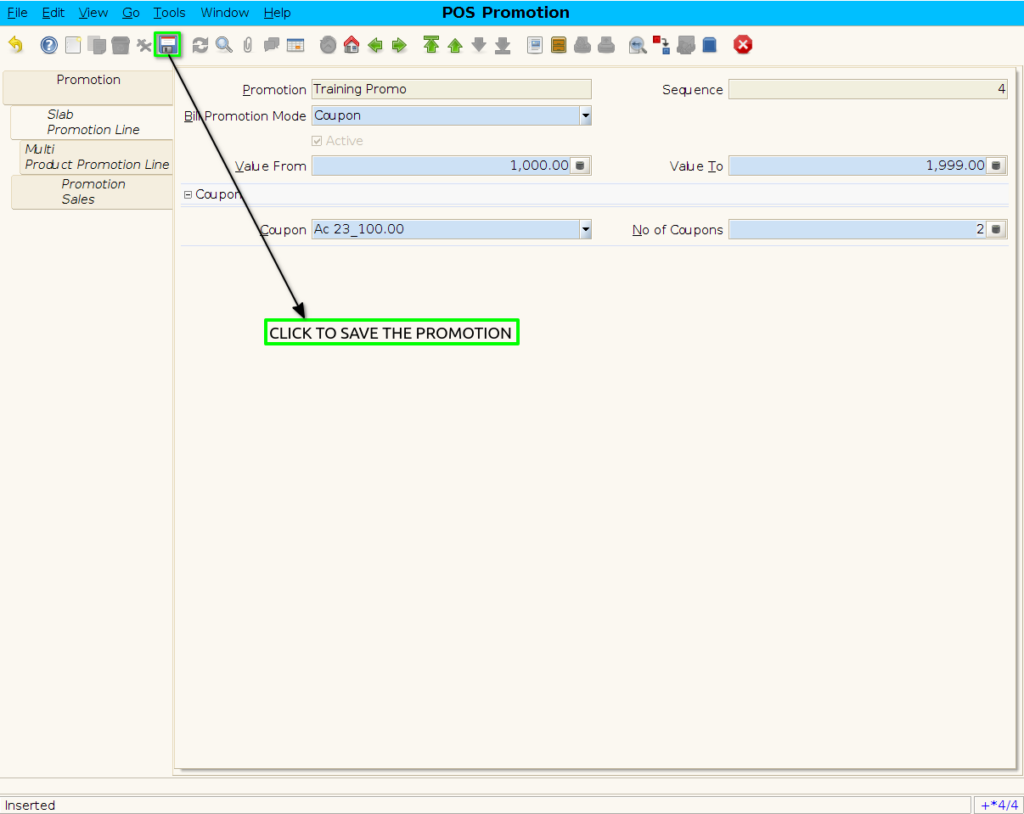
Step 7 : To save the Coupon promotion
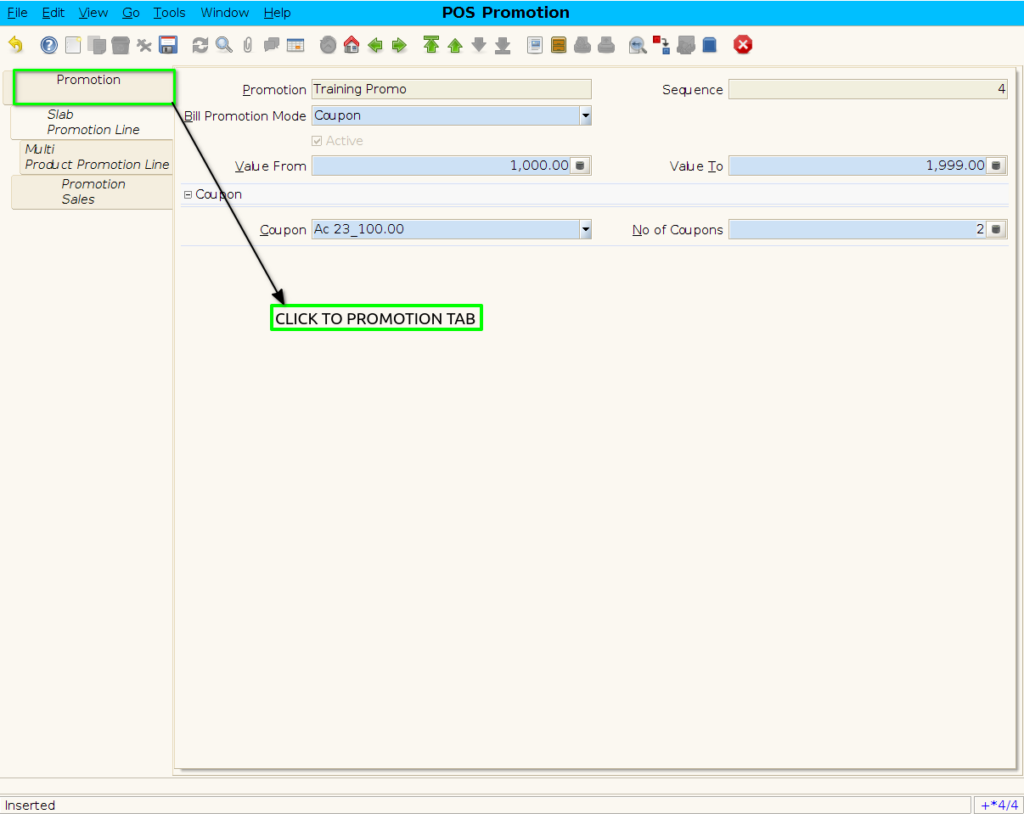
Step 8 : Click to Promotion Header
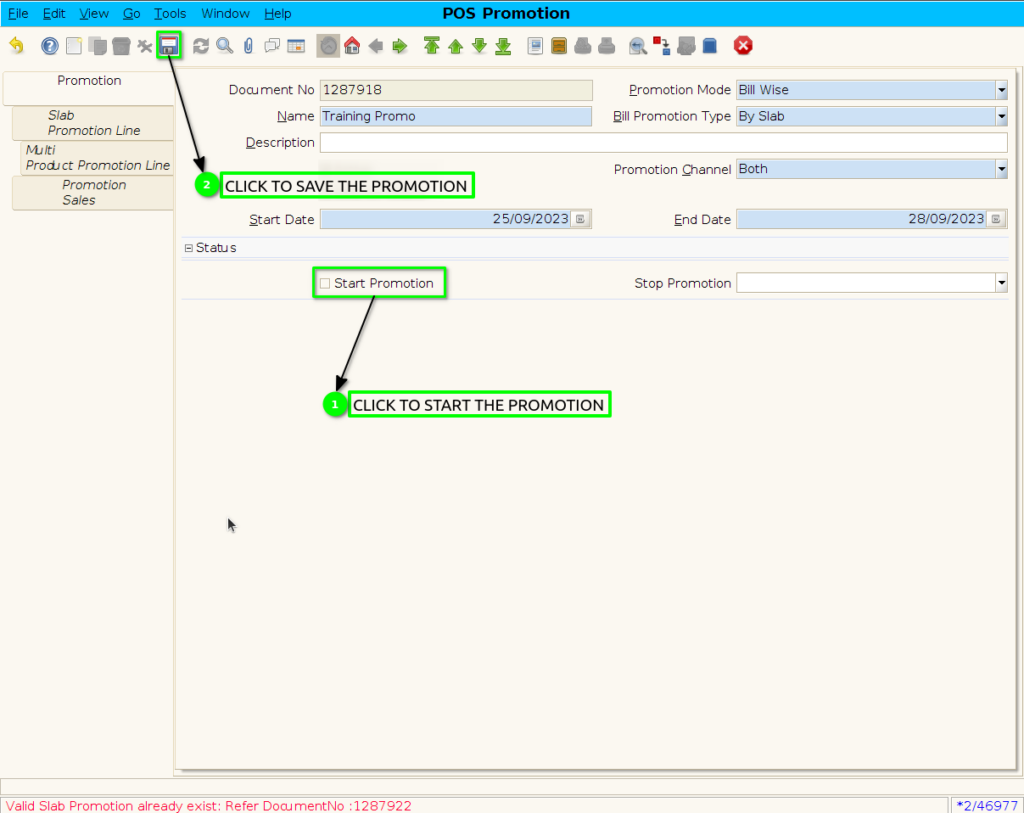
Step 9 : Click checkbox to start the promotion
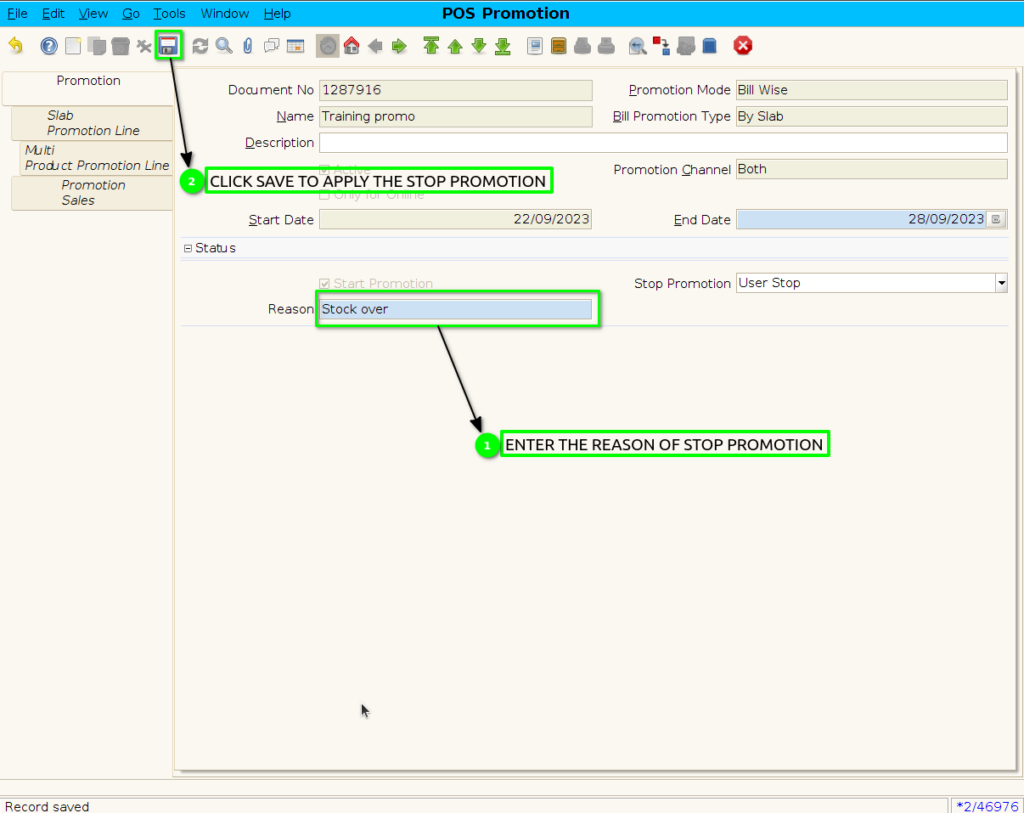
Step 10: When Stop the Promotion.

Step 11: Enter the reason of user stop promotion.
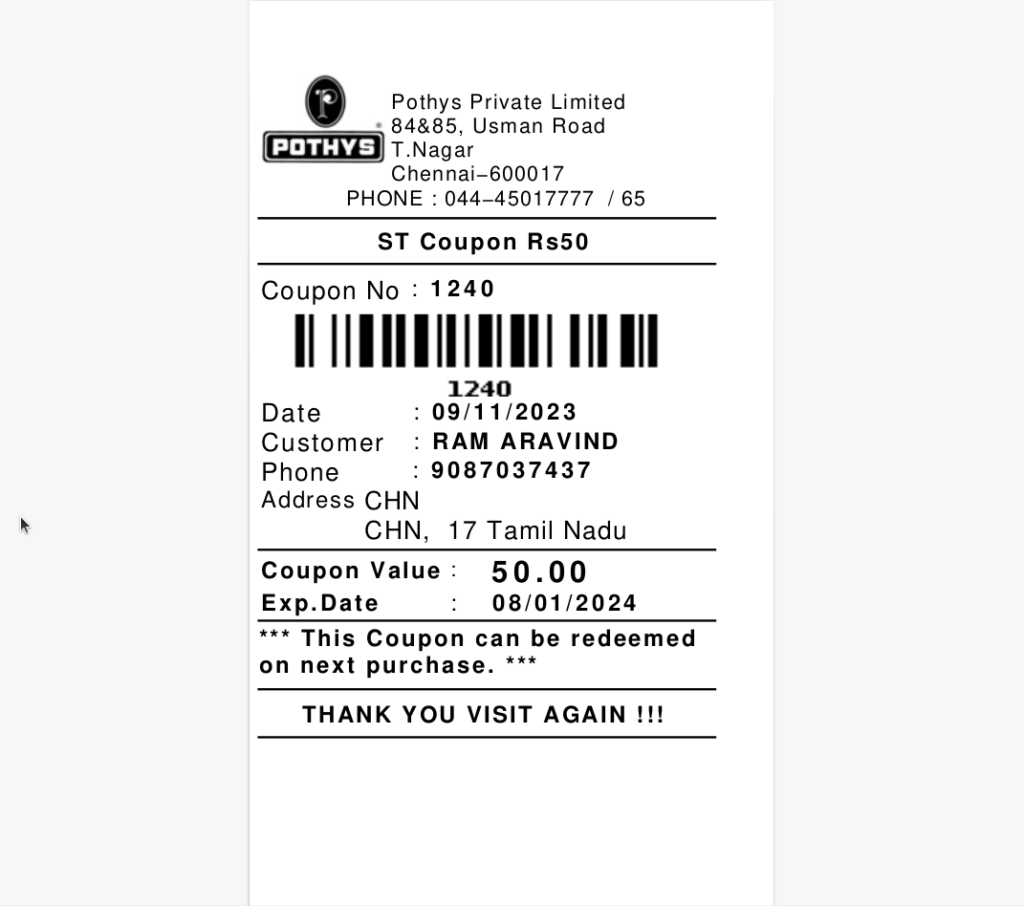
Step 9 : Coupon Print Format