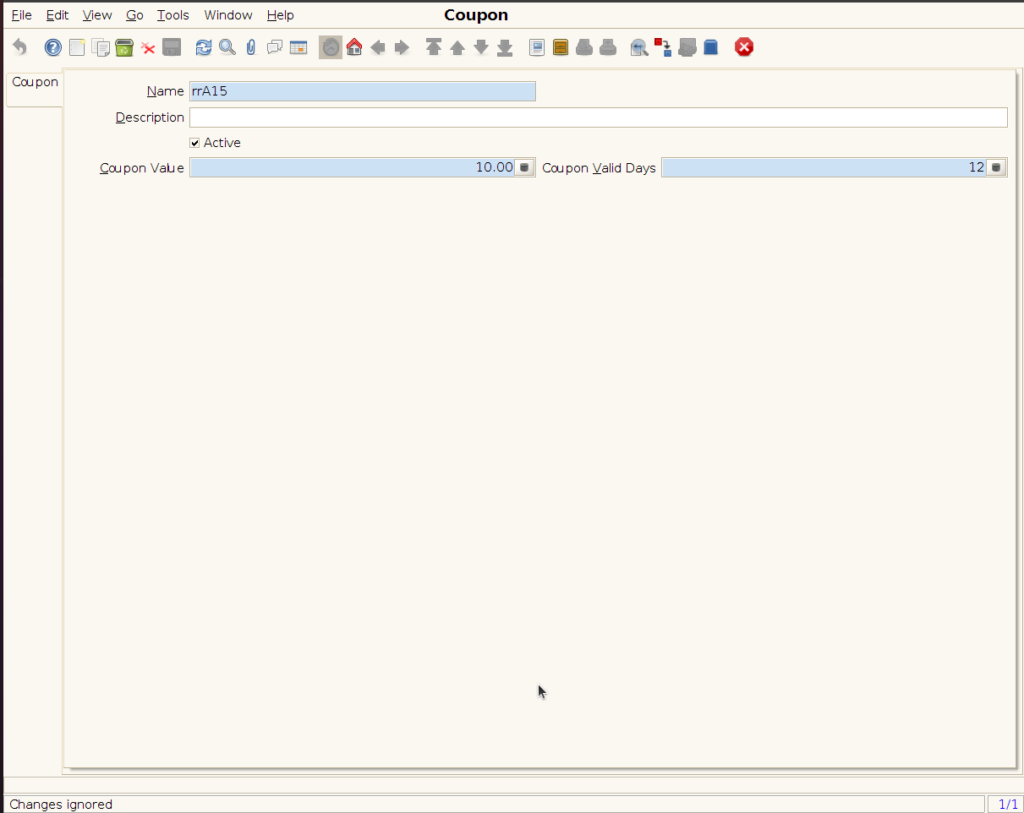
COUPON PROMOTION
Coupon Promotion is a marketing strategy where customers receive a coupon code or voucher that offers them a discount or benefit during checkout. These promotions can be based on customer behaviour, purchase value, or product category.
USER ACCESS
WHO CAN ACCESS
- BackOffice
- Cashier
- Manager
- Admin
WHAT USER CAN DO
- Create new Coupon
- Edit Coupon
- Approve Coupon
PRE-REQUISITE ACTIVITIES
- Customer groups or segmentation must be available (optional)
- Define applicable items or bill value thresholds
- Tax and discount rules must be set up properly
- Configure promotion engine to recognize coupon input
- Setup communication (SMS/Email) for sharing coupon codes
- Assign access rights for users who manage coupons
BUSINESS RULES
- Coupons are valid only within the defined date/time range
- One coupon per bill unless defined as stackable
- Coupon must match all promotion conditions (amount, product, etc.)
- Expired or already-used coupons must be blocked
- Cannot be combined with certain other promotions (if configured)
- Coupons must be linked to promo code setup with approval audit
- Void bills with coupon must reverse the discount applied
USER INTERFACE
Step 1 : Select ‘Coupon’ in Menu -> Sales Management -> Coupon or Search Coupon in Lookup.
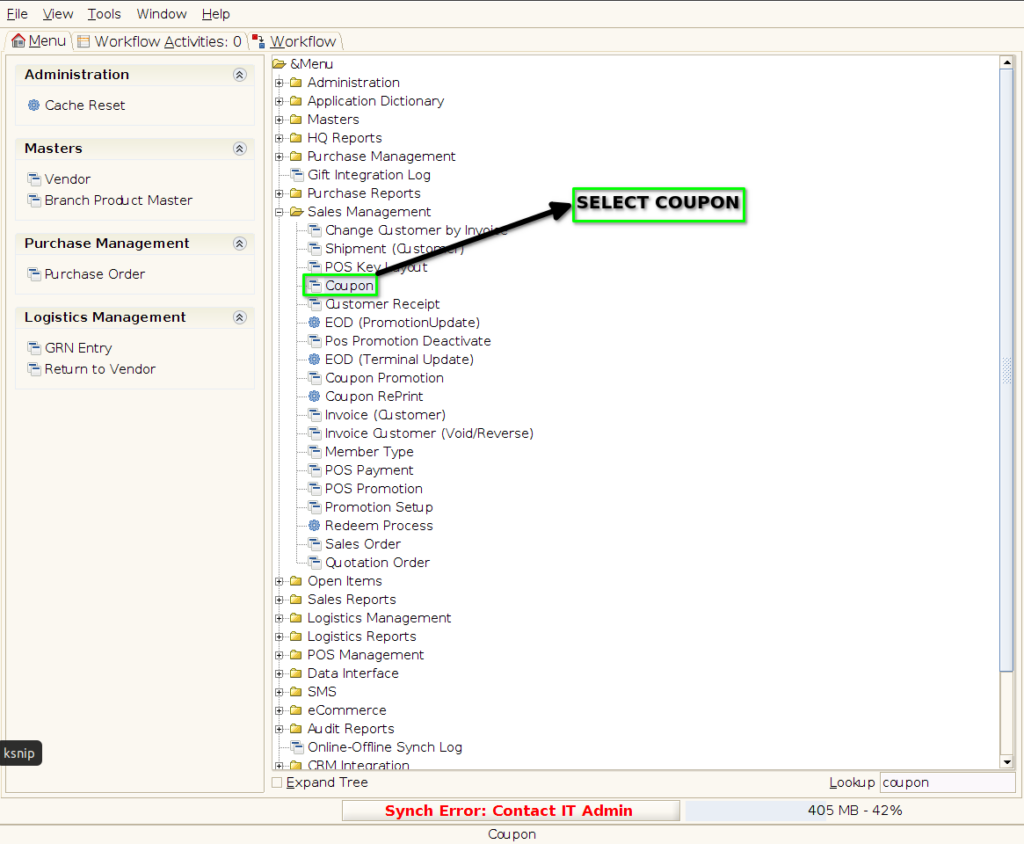
Coupon Screen
Step 2 : Click the ‘New Record’ button to create a new Coupon
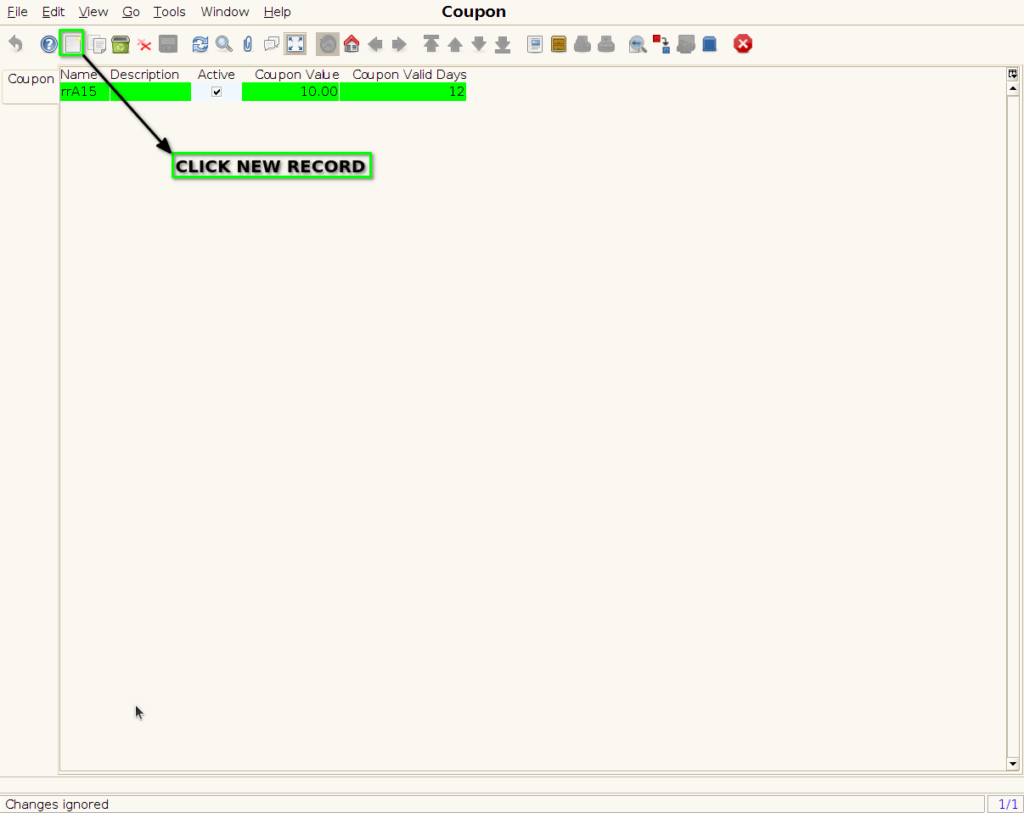
CREATE NEW COUPON
Step 3 : Enter the coupon details by following steps
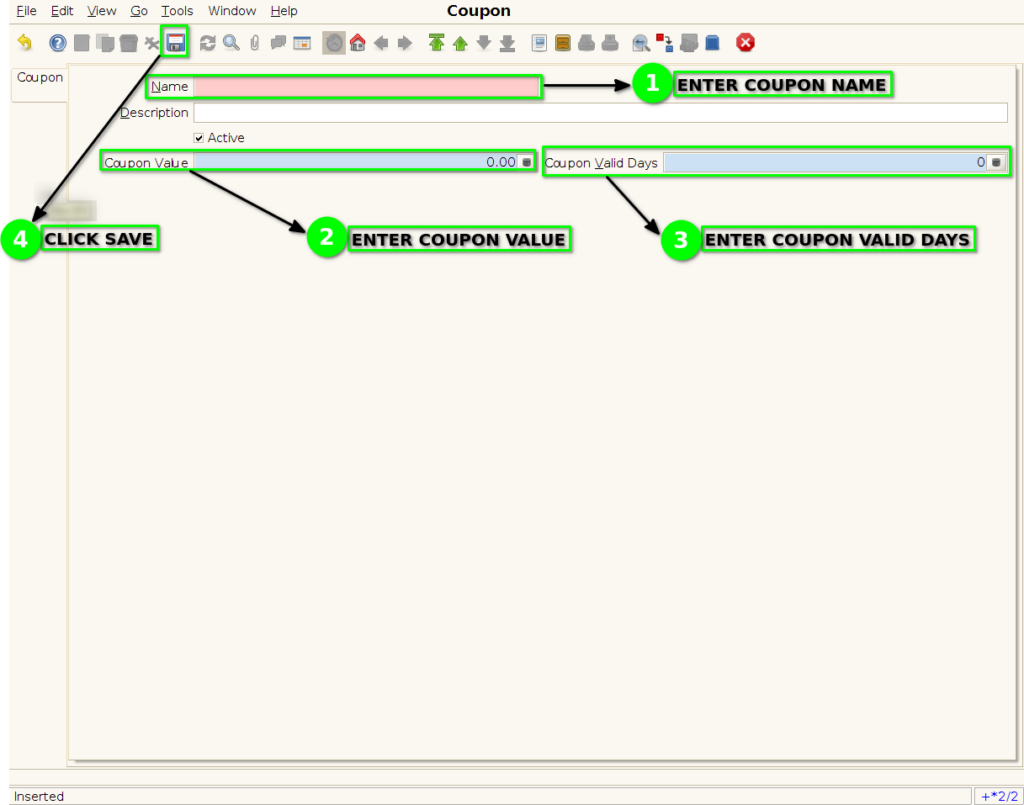
COUPON HAS BEEN CREATED