HOW TO CREATE THE COUPON
Creating a Coupon means generating a unique code that customers can use to get discounts or offers on their purchases. Coupons are a great way to promote sales, reward loyal customers, and track campaign performance.
USER ACCESS
WHO CAN ACCESS
- BackOffice
- Cashier
- Manager
- Admin
WHAT USER CAN DO
- Create the New Coupon
- Enter Coupon name
- Coupon value
- Coupon valid days
PRE-REQUISITE ACTIVITIES
- Coupon policy/rules must be finalized
- User must have access to the Coupon Setup screen
- Applicable item/product/category master must be available
- POS must support coupon validation at billing
- Unique naming or coding pattern must be decided
- Test the coupon once before live use
BUSINESS RULES
- Coupon should not exceed predefined discount thresholds
- A coupon must not be reused if configured for single-use
- Expired coupons should be auto-disabled
- Coupons cannot be combined unless configured
- Coupons must be reflected in reports for validation
- Promo code must be case-sensitive and unique
- Coupon cannot be applied to excluded products/categories
USER INTERFACE
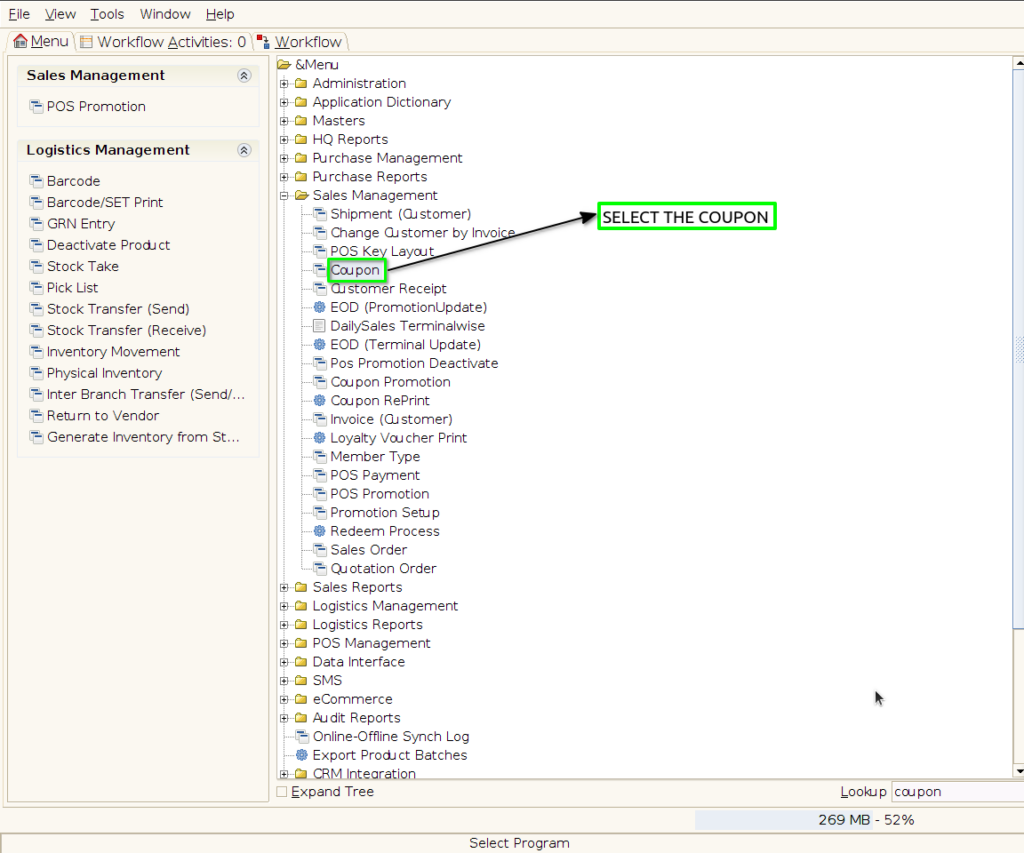
Step 1 : Select ‘Coupon’ in Menu -> Sales Management -> Coupon or Search Coupon in Lookup.
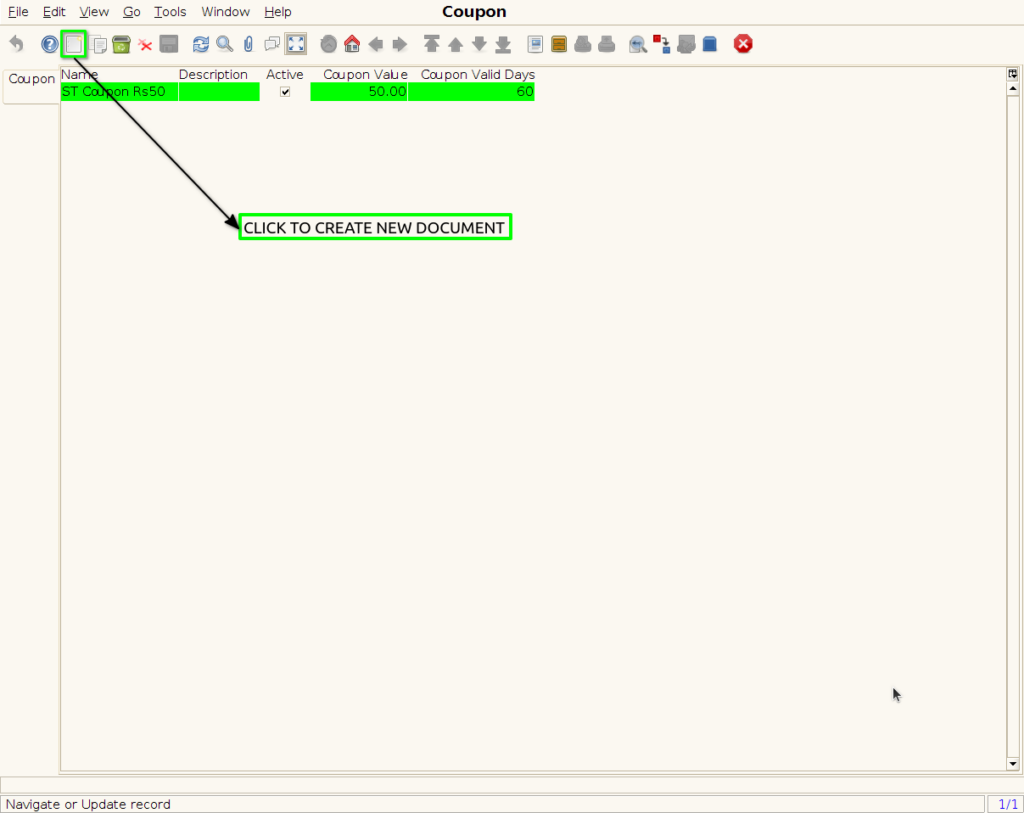
Step 2 : To create new Coupon
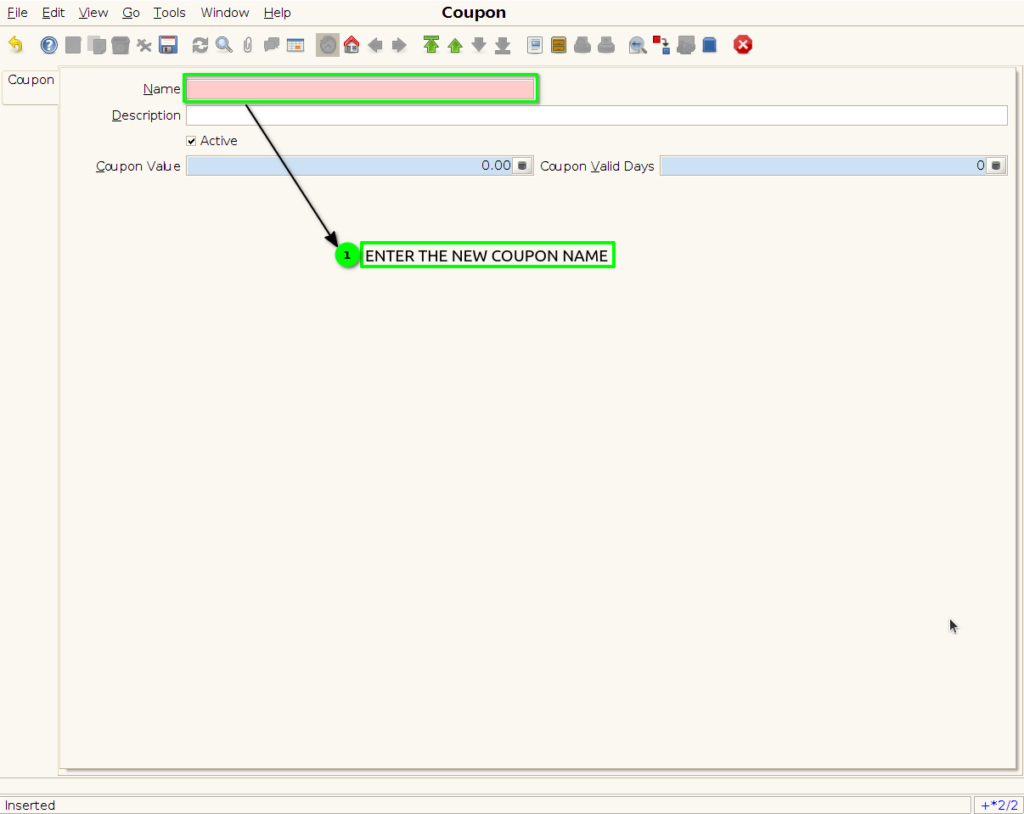
Step 3 : Enter the Coupon Name
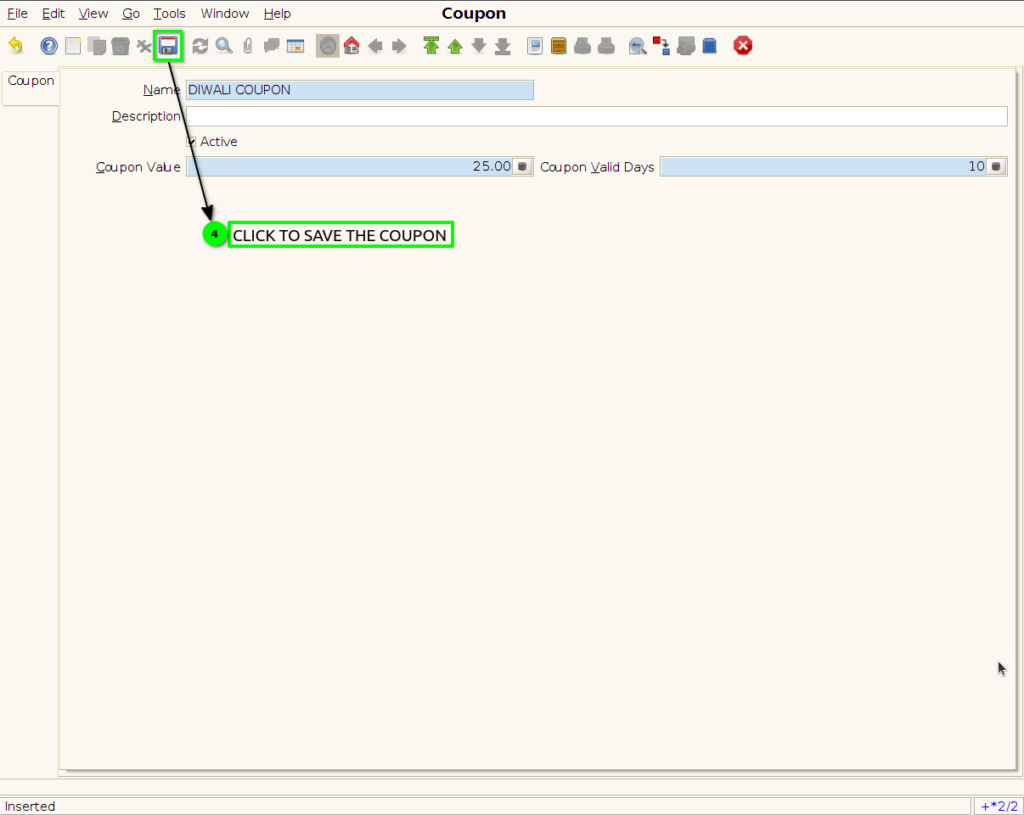
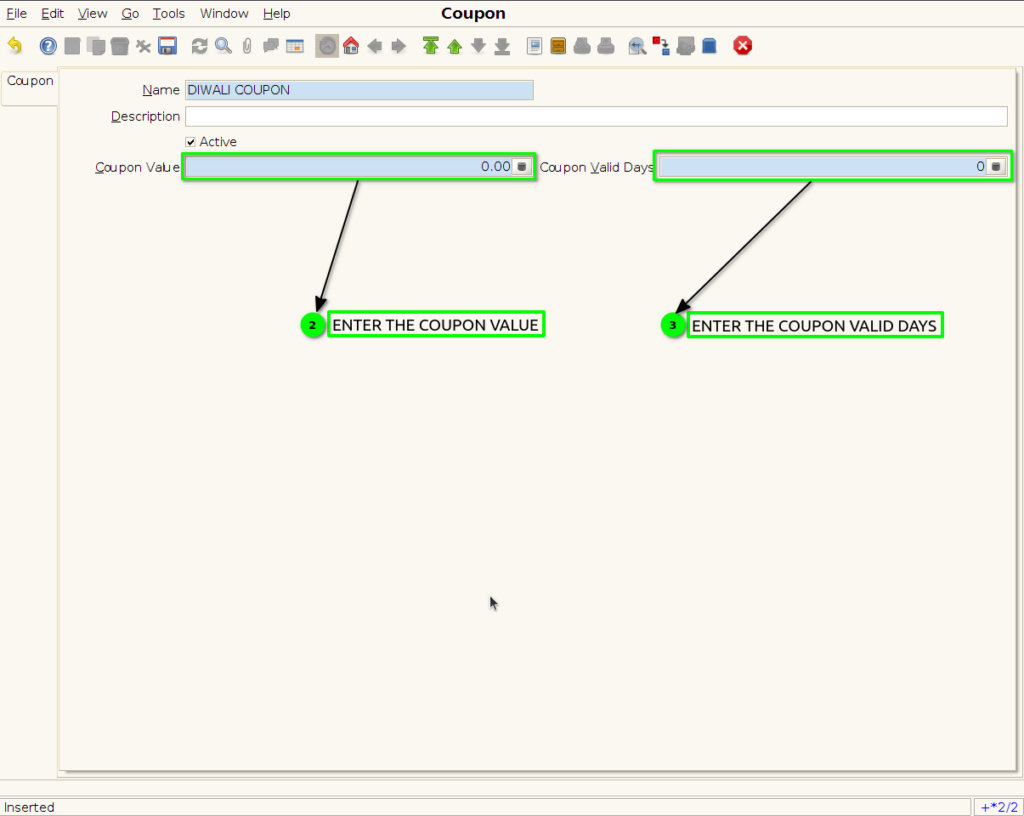
Step 4 : Enter the coupon value and coupon valid days
Step 5 : Finally save the coupon the use this coupon to promotion