Odoo ERP for
FoodCourt Retail Business

Odoo ERP for Food Services provides a way to manage food counters, billing and daily operations in restaurants, food courts and street food setups.
Book 30 min Call
Odoo-Retail-FC_POS

Odoo FoodCourt ERP Ready to Go Live

Compatible device

Swift setup on any desktop, laptop, tablet, smartphone, kiosks and more.

Self-Ordering Kiosk

Let customers place orders directly, to easily reduce waiting time.

Token Based Orders

Each order generates a unique token number for easy order tracking.

Monitoring Reports

Track daily POS sessions and analyze monthly sales performance.

Kitchen Integration

Orders appear instantly on kitchen screens for faster preparation.

Stall Partner

They prepare and manage food at a stall located in a company-rented space.

Point Of Sale for Food Services

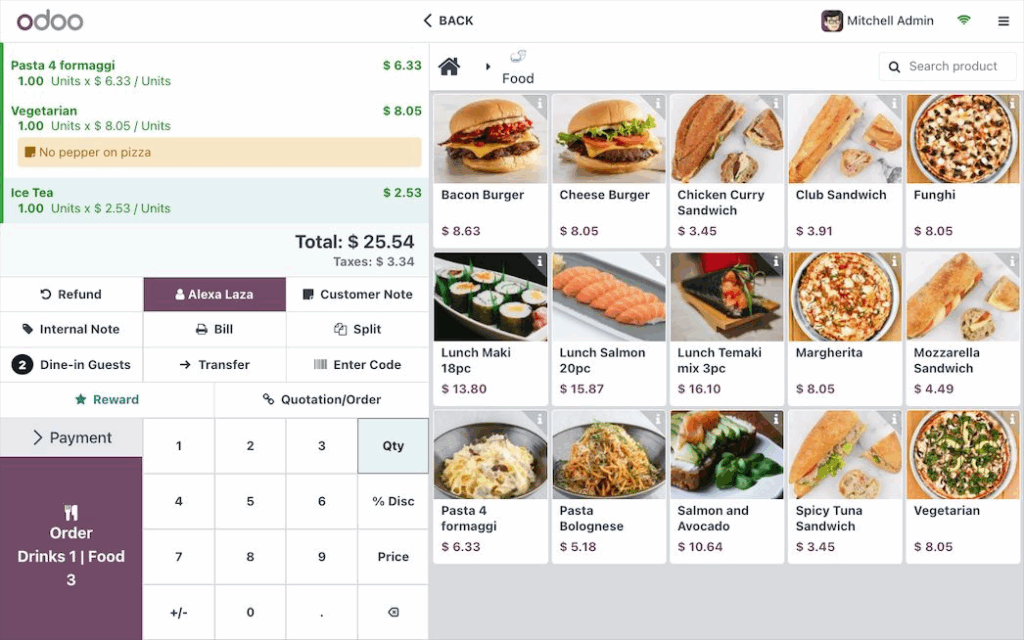
With Odoo Point of Sale, food service providers can manage multiple food vendors through a single billing counter. The system ensures quick order processing, clear vendor identification and efficient customer service in busy food environments.
POS Ordering

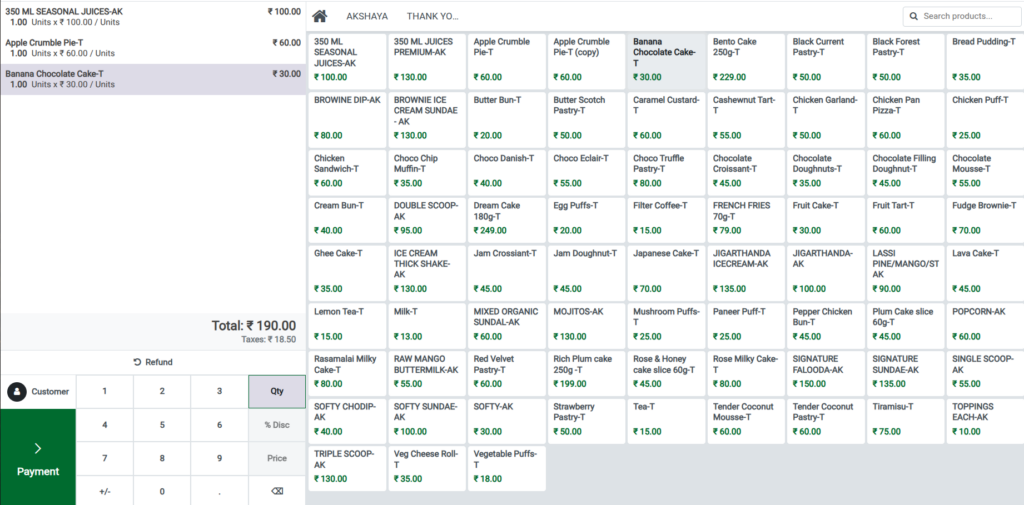
  • Products are grouped under POS categories based on vendors or stalls.
  • Cashiers can easily navigate between categories from the POS screen.
  • Orders can include items from multiple vendors in a single bill easily.
  • The system automatically records vendor-wise sales for each product.

POS Prints

  • Customer receipts are generated instantly and automatically once after the payment.
  • Each bill includes a unique token number for easy and quick order collection.
  • Receipts indicate the vendor or stall associated with the ordered items.
  • Receipts display item-wise details including product’s quantity and price.

Session Closing & Reports

  •  Cashiers close Point Of Sale sessions at the end of the everyday.
  • Session reports quickly summarize total transactions and overall sales.
  • Management can review and analyze daily sales performance accurately.
  • Monthly reports help analyze vendor-wise revenue and business trends.

Self-Ordering Kiosk

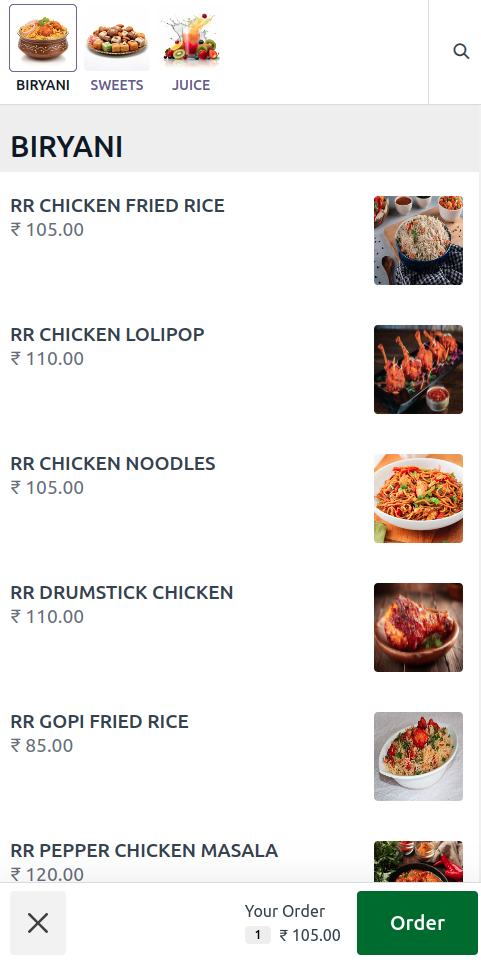
The kiosk interface allows customers to place orders independently without waiting at the billing counter.
Easy Customer Ordering

  • Customers can browse menus and select items through a touchscreen or tablet.
  • Menu categories help customers quickly find their preferred dishes.
  • Options for customization such as size, add-ons, or spice level are available.

Order Processing & Pickup

  • Once the order is placed, it is instantly sent to the kitchen for preparation.
  • Each order generates a unique token number for smooth pickup and tracking.
  • Customers can collect their orders using the token displayed on the screen or receipt.

Faster Service Experience

  • Reduces long queues at the billing counter during very busy hours.
  • Minimizes manual order-taking errors and improves overall operational efficiency.
  • Improves overall customer experience with faster and more efficient service.

Kitchen Display System

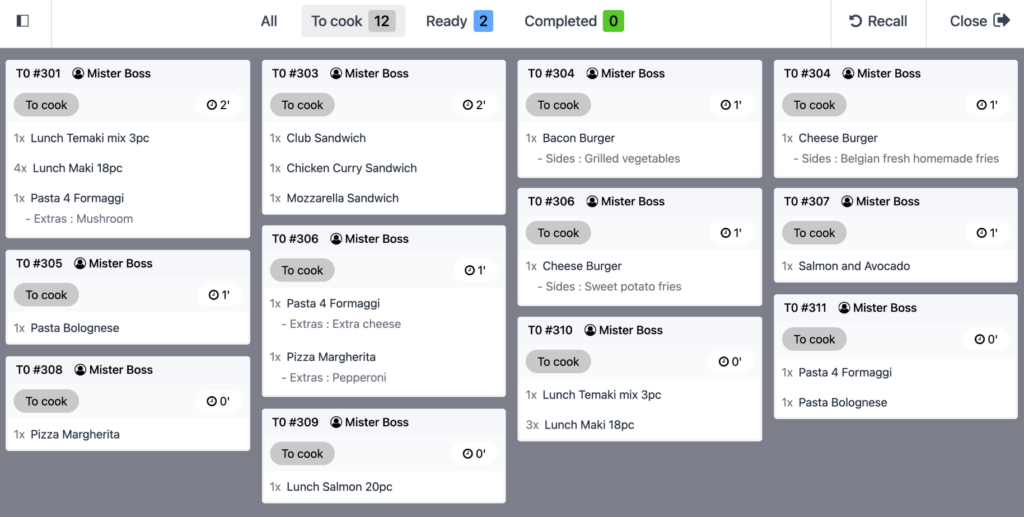
Orders from the POS or kiosk are instantly displayed on kitchen screens, allowing kitchen staff to begin preparation without delay.
Real-Time Order Visibility

  • Displays order details, token number, and vendor or stall information.
  • Kitchen staff can track preparation status in real time: To cook -> Ready -> Competed.
  • Orders are updated automatically as soon as the customer places an order.

Multi-Station Support

  • Supports multiple kitchen stations such as grill, stove, beverage counter, or dessert section.
  • Orders are routed to the appropriate station based on the items ordered.
  • Improves coordination between different kitchens for faster service.

Efficient Coordination

  •  Reduces miscommunication between the billing counter and kitchen staff.
  • Helps kitchen teams prioritize and prepare orders quickly and efficiently.
  • Ensures faster order preparation and reduces waiting time during peak hours.

Token Based Order

Orders placed through the POS or self-service kiosk generate a unique token for each order. Customers can use this token to collect their food.
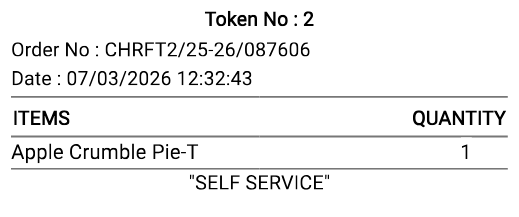
Get the Order Easily

  • Token number is generated on every Bill Receipts.
  • Get your food through the respective food stall categories.
  • Orders are delivered correctly without mismatches.
  • Token number must be unique for every order.

Reports (Sales Monitoring)

View the all the Sales details reports based on the day-wise, month-wise, year-wise. We can view them and export them and editing or deleting reports is not allowed.
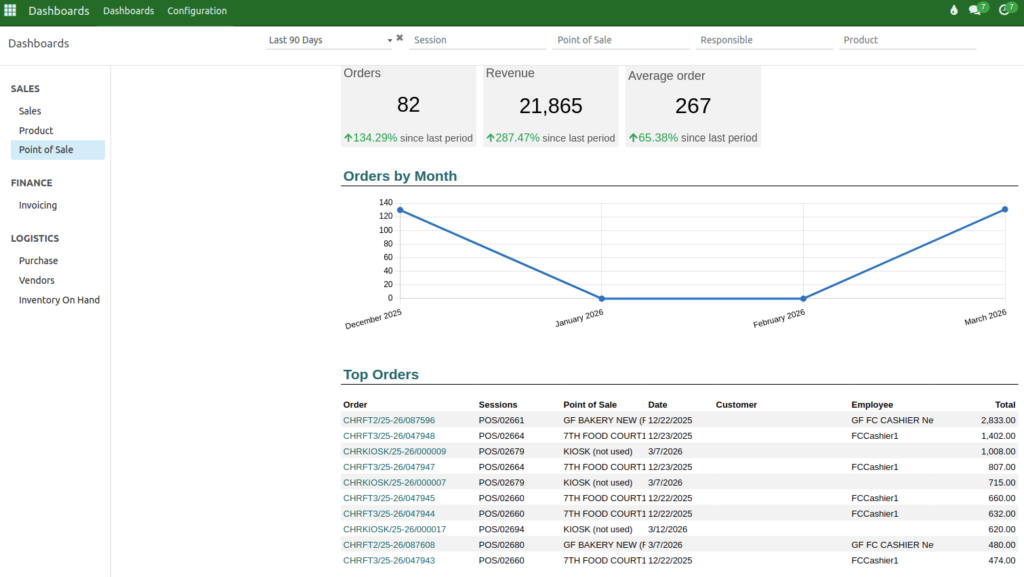
Terminal Wise Reports

  • View how many Orders can done throughout the day.
  • Help to see the payment occur in a day.
  • Hour-wise sales reports for a terminal can also be viewed.

Product Wise Reports

  • Analyze the performance of each product in detail.
  • View the sold quantity of every product.
  • Export reports quickly and easily anytime.

Tax Wise Reports

  •  This report is primarily used to review tax-related data.
  • It helps to submit the Income Tax Return every financial year.
  • This report mainly deals with HSN codes and tax percentages.

Billing Control /Access

In the Point of Sale (POS) system, user roles help manage different tasks involved in completing an order.
Cashier

  • The Cashier can easily open the POS terminal and enter the opening cash amount.
  • They can add products to the POS cart using the POS product categories.
  • They can complete the payment in a simple and easy way using cash or online payment methods.

Head Cashier

  • Manages and completes the refund and product exchange process efficiently and smoothly.
  • At the end of the everyday, the Head Cashier can close the POS terminal quickly and easily.
  • Head Cashier can easily view and export detailed reports for analysis and record keeping.

IT Manager

  •  Manage to create a user account and then assign role as cashier or head cashier.
  • Create a product and map taxes to each item for accurate billing calculations.
  • Help to configure the Point Of Sale terminals and assign specific cashier access rights.

Multi Companies

Each company in the Food Services platform can independently configure its products, terminals and user roles.
Product

  • Taxes are mapped to food products based on the tax rules applicable to the company’s location.
  • Companies can set prices based on location and product category.
  • Other companies products cannot be viewed or edited by unauthorized users.

Terminal

  • Each terminal can be configured individually for its assigned company.
  • Terminals are linked to specific users for proper and secure access control.
  • Refunds and exchanges can only be processed through terminals assigned to the respective company.

Users

  • Each company can manage its own users independently and securely.
  • The users can log in through their respective company access credentials only.
  • IT Manager assigns users to specific roles and responsibilities within the company.

Reports

  • Product and tax reports are generated separately for each company.
  • Reports from one company cannot be accessed, mixed, or mismatched with another company’s reports.
  • Reports can be exported only from the respective company and access credentials.

Stall Partner

The company provides rental space for multiple food stalls based on the available space. Stall partners prepare and sell their food in these stalls. Based on the sales percentage, stall partners receive their share of the revenue.
Multiple Stall

  • On the bill receipt, the stall name is indicated for every token, ensuring that orders cannot be mismatched.
  • Each stall provides their own unique food menu items for customers.
  • Based on Token no stall owner or employee can easily tracked or call the customer.

Multi-Company with Multi-Stall

  • The same stall are occur in the multiple company, but the revenue is based on the sales of each company.
  • Revenue and sales of one company cannot be mixed with another company.
  • Token numbers and receipts are unique per company to avoid confusion.

Sales Profit

  • Based on the Sales the stall they gets the revenue from the company.
  • Revenue varies month to month and day to day; it cannot be stable.
  • Stalls are responsible for purchasing and maintaining their food products.

Reports

  • Companies can analyze the performance of each stall individually for better decision-making.
  • Stall reports provide insights into daily sales, popular items and performance metrics.
  • Sales trends and revenue summaries can be generated for each stall.

Ready to watch your footcourt operations on one platform ?

Get in Touch