How to Create a Serial Number Product in Odoo Inventory
Managing serial number products in Odoo Inventory makes it easy to track and control items individually. A serial number product refers to an item that is uniquely identified by a serial number and a distinct IMEI code, assigned to each unit to track and differentiate it from others. Serial numbers are especially useful for products like smartphones, laptops, computers, and home appliances that require detailed tracking or history.
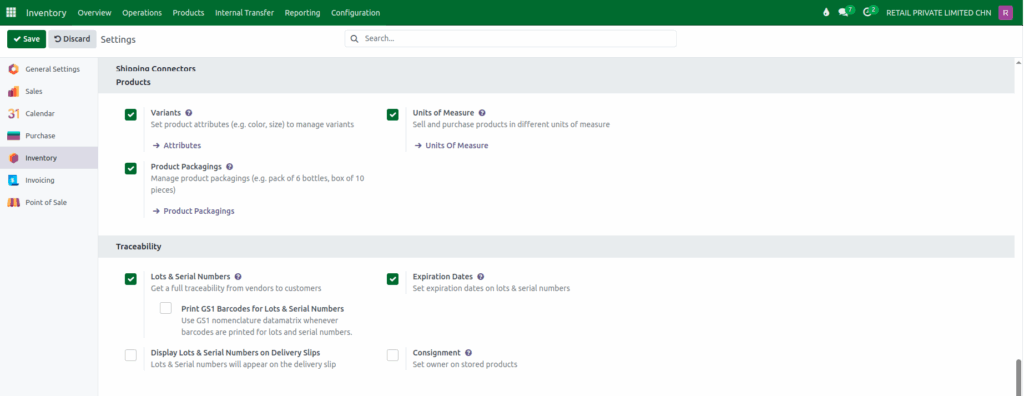
Enable Lot & Serial Numbers Setting
Go to Inventory → Configuration → Settings. Scroll down to the Traceability section and turn on the
Lots & Serial Numbers option to track products using lot and serial numbers. Then, click the Save button.
Creating a New Product in Odoo Inventory
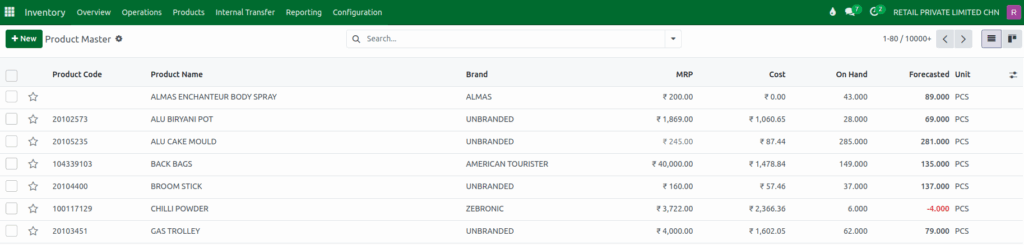
To create a serial number product, begin from the Odoo Dashboard and open the Inventory module. From there, click on the Products menu and select Product Master to view all existing products. Click the +New button to create a new product record.
Configure Mandatory Fields for a Product
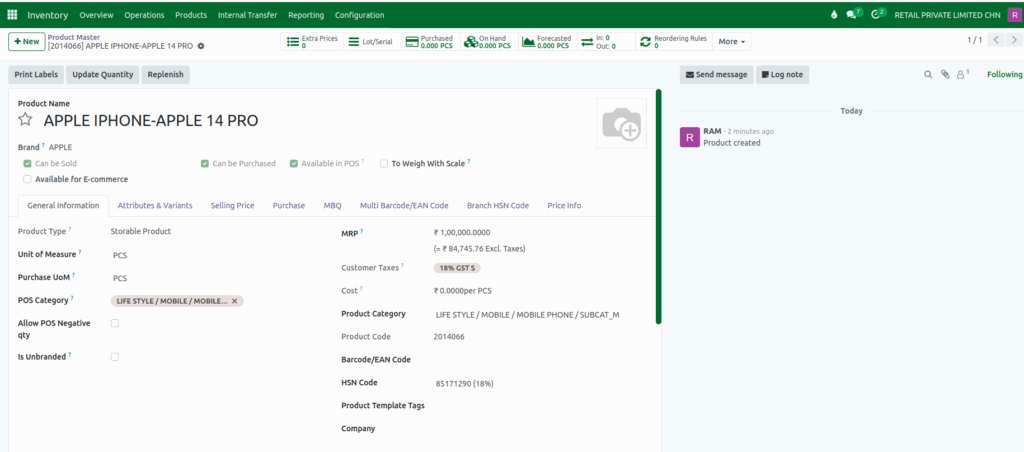
In the product creation form, fill in all the required fields. These details are important because they help organize your inventory and make it easier to manage and track your products later.
Enter the product name, select or create the brand, choose the right product category, and enter the HSN code for tax purposes. Make sure the correct taxes are applied based on the HSN code.
Configure Basic Fields for a Product
Next, set up the basic product details. Make sure the Product Type is set as Storable Product so Odoo can track its stock.
Choose the Unit of Measure and Purchase UoM, which are usually set to “PCS” by default. Select the correct POS category, enter the Maximum Retail Price (MRP), and choose the company the product belongs to.
Configure Traceability for a Serial Number Product
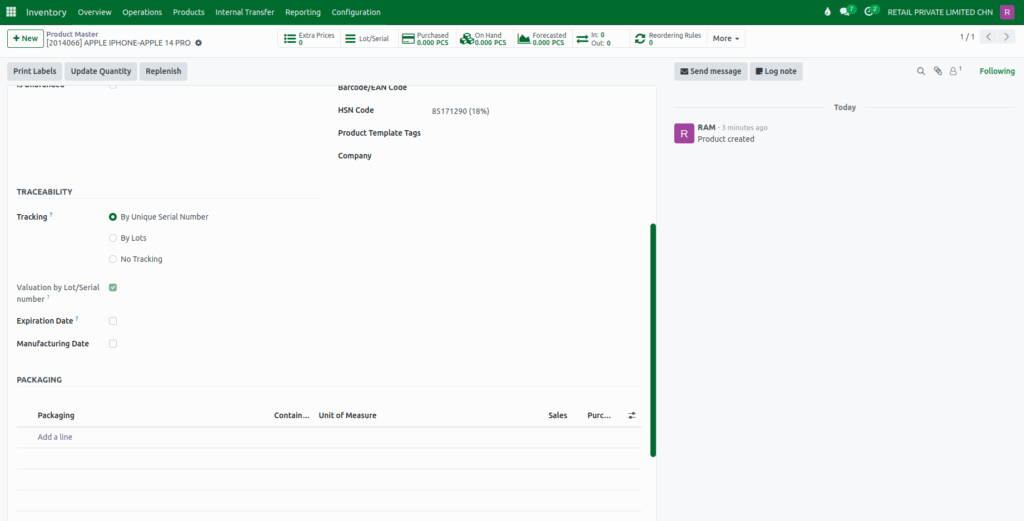
In the General Information tab of the product creation screen, scroll down to the Traceability section. Here, you will see the Tracking field, which has three options: By Unique Serial Number, By Lots, and No Tracking. These options control how Odoo tracks and manages your products in the inventory.
For serial number products, select By Unique Serial Number. This will automatically enable the Valuation by Lot/Serial Number option. This setting ensures that each unit of the product gets its own unique serial number with IMEI Code, allowing you to track it individually.
Save the Product
Finally,click the Save button at the top of the screen to save the new product. Once saved, Odoo automatically creates a unique product code for identification. When these products are received, sold, or transferred, Odoo will ask the user to assign or scan a serial number for each item, ensuring full traceability throughout the product’s lifecycle.
