How To Configure Combo Items in QSR POS?
Combo item is a sale item which is grouped with other sale items, i.e multiple alike items are combined together to create a combo items.
Configuring combo items in a Quick Service Restaurant (QSR) POS system involves setting up a bundle container, linking individual a la carte components, and establishing selection rules and pricing.
Business rules
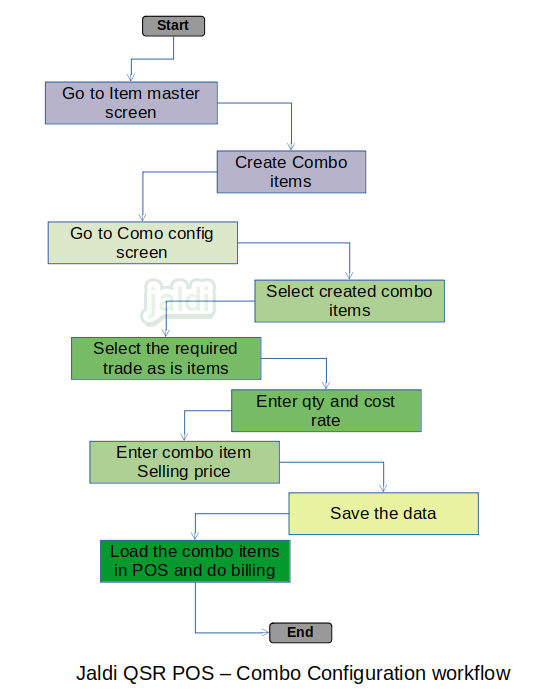
- Go to item master in POS.
- Create combo items with preparation status as “combo”.
- Go to master screen named “combo config”.
- Select the created combo item name in “combo item” field.
- Select the mapping items one by one and enter quantity and cost price for each items.
- Enter the combo item selling price in selling price field
- Click “Save” option to save the combo configuration.
- In POS billing screen, user can load and do billing using the created combo items.
- Combo configuration can be viewed and edited at any time using the options called “view and edit”.
Combo Items Configuration in QSR POS Workflow