How To Update EAN code Itemwise in Odoo QSR POS?
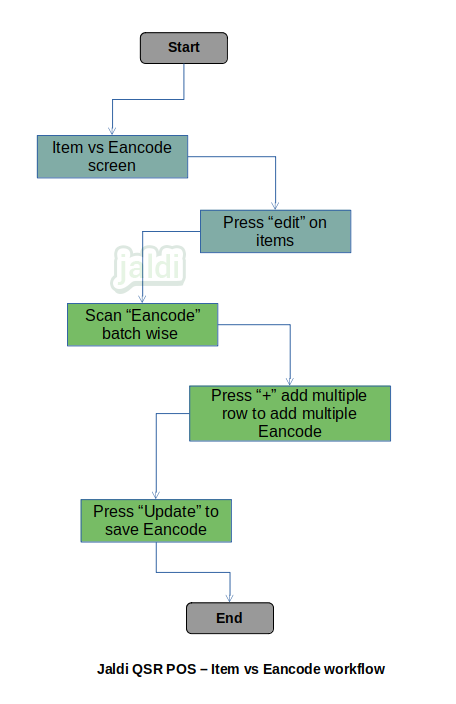
Item vs EAN code screen in Odoo QSR POS is used for user to update the item wise EAN code.
Business rules
- There is a menu called item vs EAN code, user should go to that screen to map EAN code with existing items.
- In item vs EAN code screen, user can find all the products name in list, search and load the required specific items.
- Click “edit” option on specific item and then system will display the place where user can scan EAN code for the loaded item.
- User can scan multiple EAN code for single items if needed by using the “+” symbol on each line items.
- Once the EAN code are scanned, click on the option called “update”.
- User can map multiple EAN code to same items. But same EAN code will not allowed to update on multiple items.
- Updated EAN code can be scanned at POS billing screen by both hand and table scanner.
Item vs EAN code in Odoo QSR POS workflow