How to print a POS Settlement for a specific Date in ADempiere Retail?
Settlement Print – Date Range allows users (usually store or cashier supervisors) to generate and print a consolidated summary of transactions, collections, and tender details for a specific date or date range, typically for audit, cash reconciliation, or reporting purposes.
User Access
Who Can Access
- Head Cashier
- IT Admin
- Manager
- Admin
What User Can Do
- Take settlement print based on Date and POS terminal.
Pre-Requisite Activities
- POS must record all payment transactions with time stamps.
- Shift close or day-end process should be followed consistently.
- User should have permission to access the Settlement Print feature.
Business Rules
- The report should only include completed transactions (not held or pending bills).
- Voided or cancelled bills should be shown separately.
- Refunds and returns should be shown as negative values.
User Interface
Step 1 : Search Settlement Print – Date in search bar to take settlement of previous 90 days and click the process.
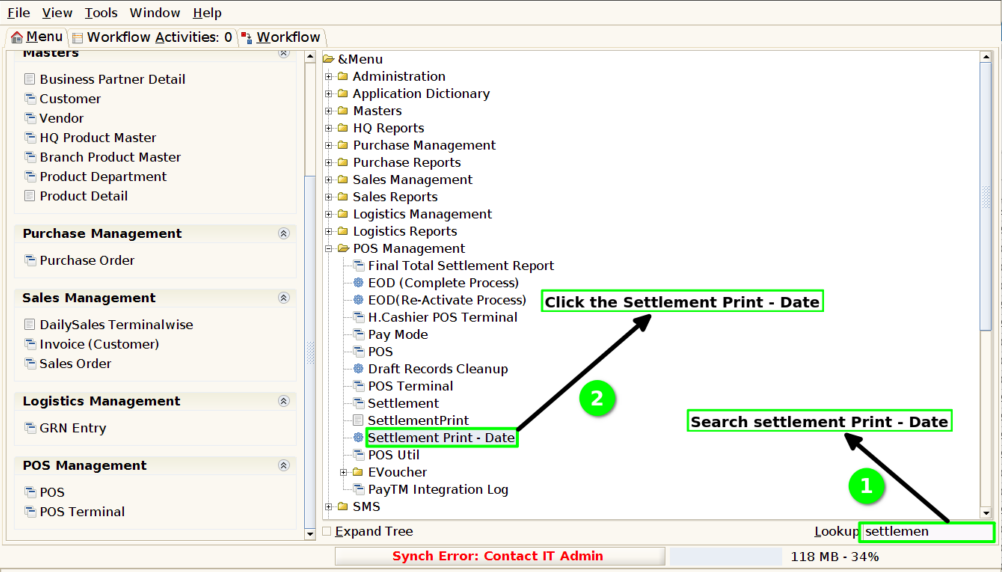
Step 2 : Select the Date and POS Terminal to take the settlement which created on that date and for the POS Terminal.

Step 3 : Wait till the Print started

Step 4 : After the process completed then click Ok
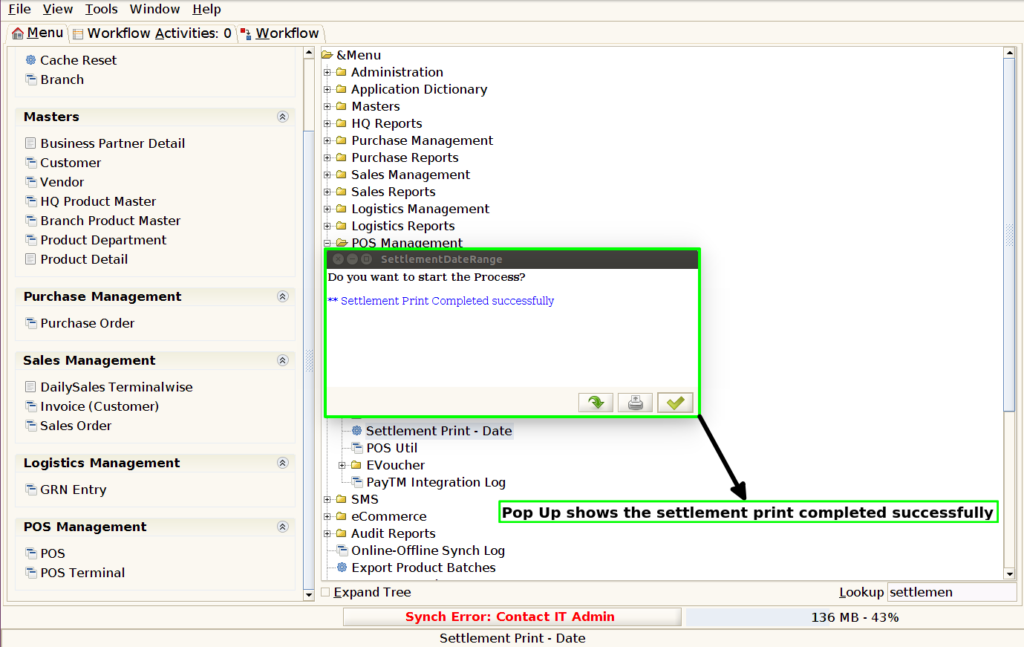
Step 5 : The settlement print looks like below photo.