How to configure Customer Category in ADempiere Retail?
This means recording whether a customer is an Institutional (e.g., company, organisation) or a Retail (individual walk-in buyer) customer in the system. This classification helps in pricing, reporting, tax handling, and business strategy.
User Access
Who Can Access
- Cashier
- Admin
- Manager
- Back office
What User Can Do
- Set the institutional and retail customer
Pre-Requisite Activities
- Customer master screen must include a field for Customer Type
- System should have pre-defined values like:
- Institutional
- Retail
- Users must be trained to correctly select customer type at entry
Business Rules
- Customer type must be mandatory during creation
- Institutional customers may require:
- Additional fields like GSTIN, PAN, credit terms
- Retail customers may have simplified billing (e.g., cash & carry)
- Pricing, discounts, and promotions can vary based on customer type
- Customer type should be visible in sales and reports
User Interface
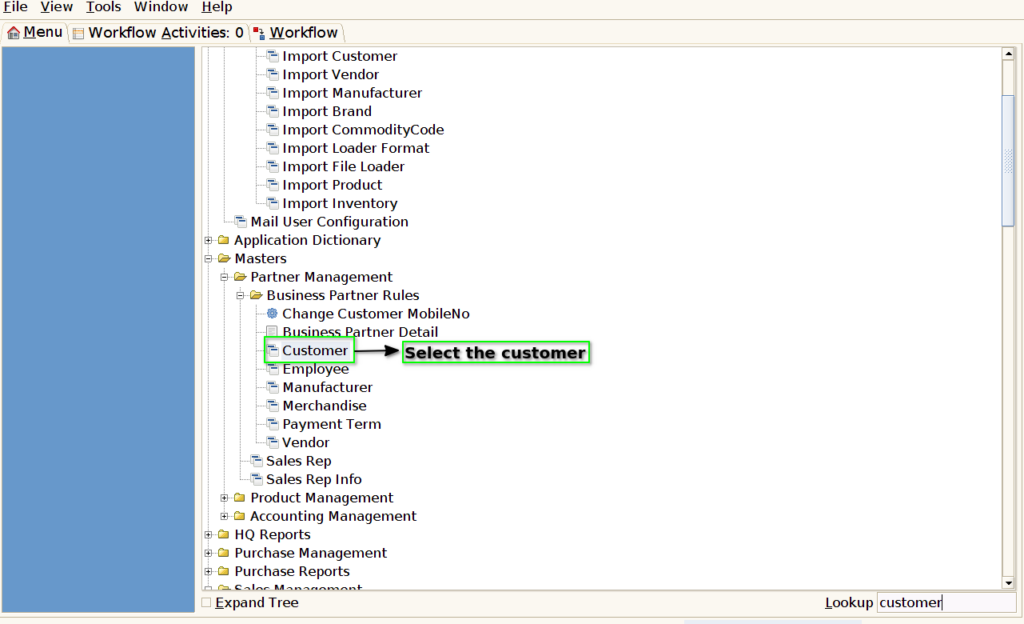
Step 1: Select ‘Customer’ in Menu-> Business Partner Rules -> Customer or Search Customer in Lookup.