How to create a new Brand in Adempiere Retail
Creating a new Brand means adding a unique identity under which a set of products are categorised or marketed (e.g., Nike, Sony, Tata). This helps in product classification, filtering, reporting, and brand-wise promotions or analysis.
User Access
Who Can Access
- Back Office
- Cashier
- Manager
- Admin
What User Can Do
- Create/Edit brand
- Activate or Deactivate a brand
Pre-Requisite Activities
- Decide on the brand naming convention (e.g., short code, full name)
- Identify which products or categories the brand belongs to
- Set approval rules if required for adding new brands
- Ensure users have rights to access brand setup screen
Business Rules
- Brand name must be unique
- A product must be linked to only one brand
- Only authorized users can create, edit, or deactivate a brand
- Inactive brands cannot be selected in product creation or PO
User Interface
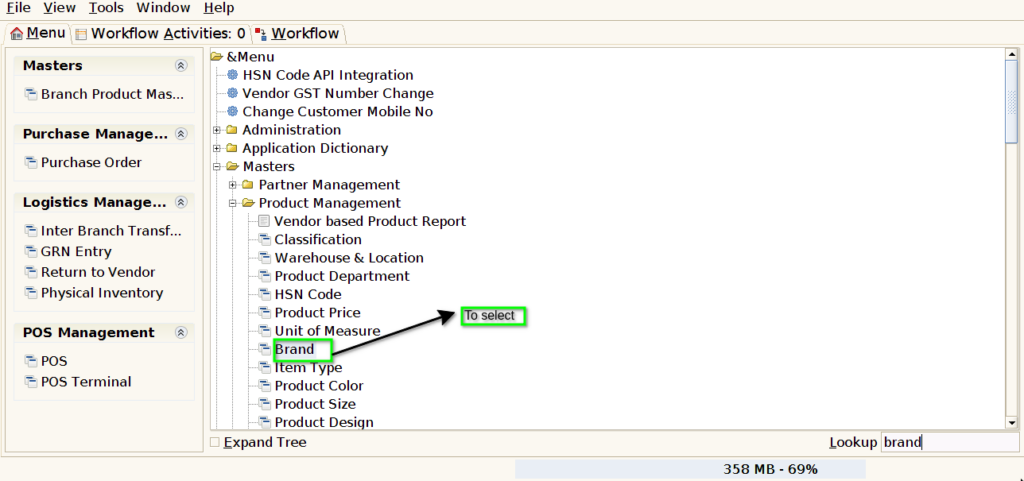
STEP 1: To Select the Brand.
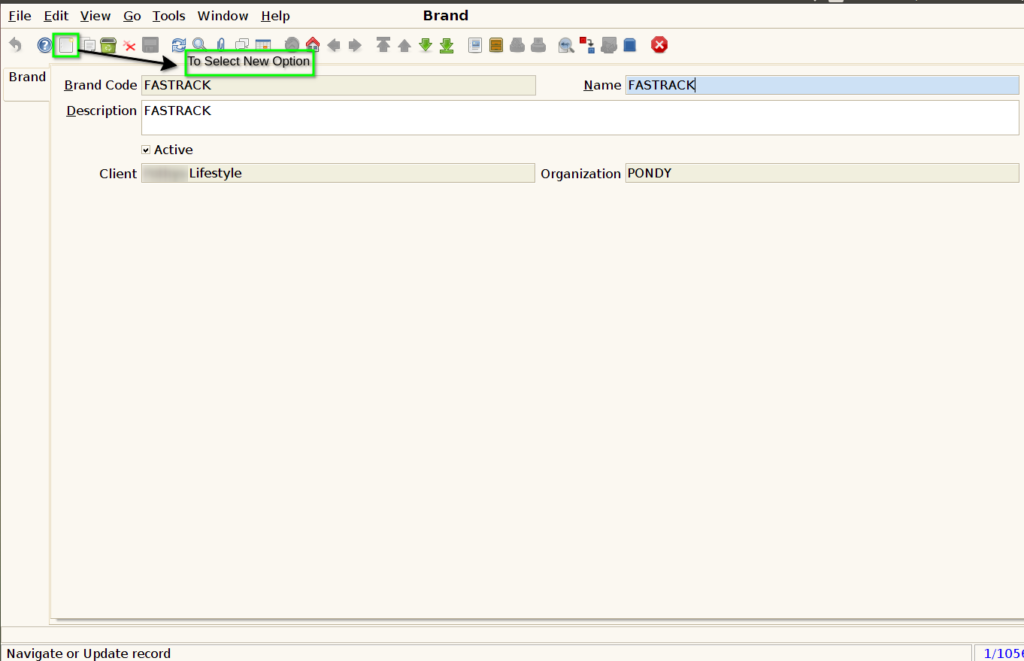
STEP 2: To select new option.
STEP 3: To open new document to enter Brand code and Brand name.
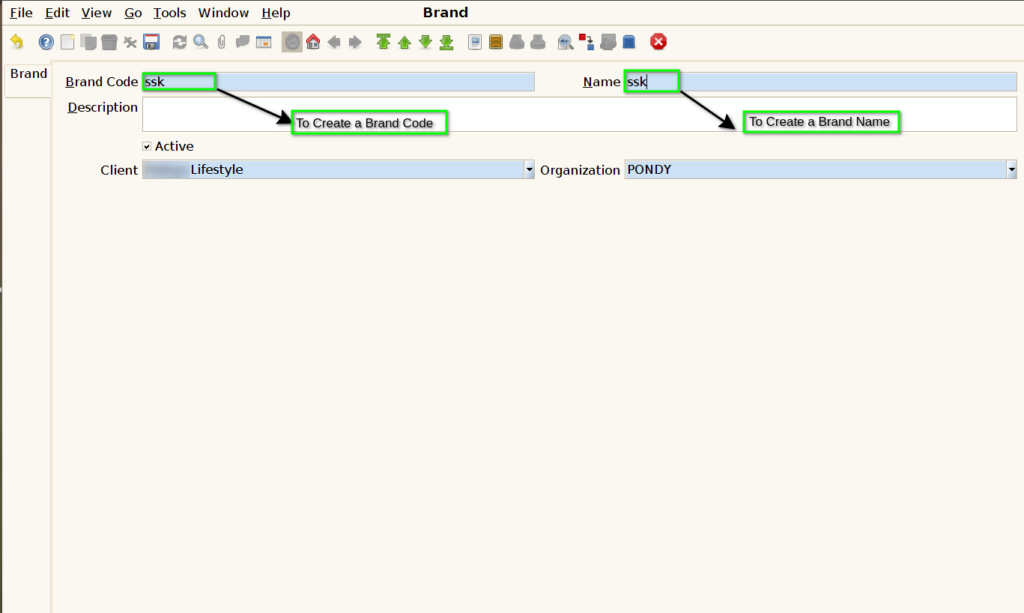
STEP 4: To Save the document.
