How to Accept Multiple Payment Modes for a POS Order in ADempiere Retail?
This feature allows a customer to pay a single bill using multiple payment modes (e.g., Cash + Card, UPI + Wallet, Loyalty Points + Cash). It is also called Split Payment or Multi-Mode Payment.
User Access
Who Can Access
- Cashier
- Head Cashier
What User Can Do
- Select more than one payment mode for a single invoice.
- Specify the amount to be collected under each mode.
- Apply loyalty redemption as one mode, and collect the balance via another.
- Complete billing only when total paid amount = bill amount.
Pre-Requisite Activities
- POS must support multi-mode payments configuration.
- Each payment mode must be defined in Pay Mode Master.
- Operator must have permission to select multiple modes.
Business Rules
- Total of all payment modes must exactly match the invoice amount.
- Payment order priority may apply (e.g., use Loyalty first, then Cash).
- Each pay mode should be recorded separately in the transaction log.
- Refunds (if needed) must follow original pay mode split or default refund rules.
- All payment modes used must be printed on the customer bill.
User Interface
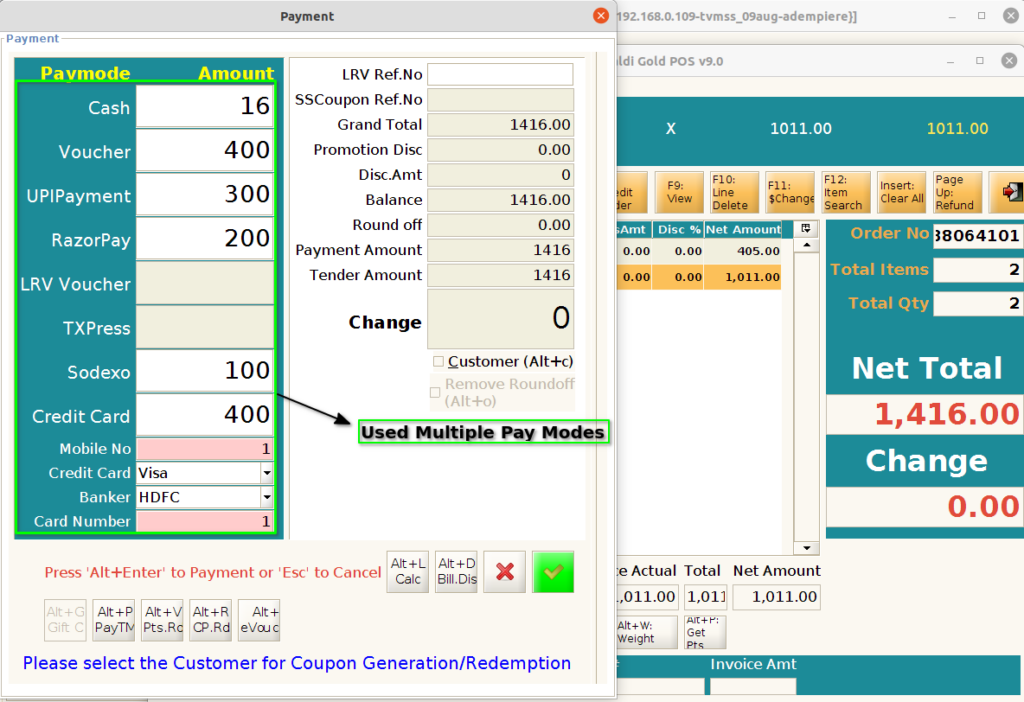
Step 1 : Using multiple paymodes in POS Tender (F4) Screen
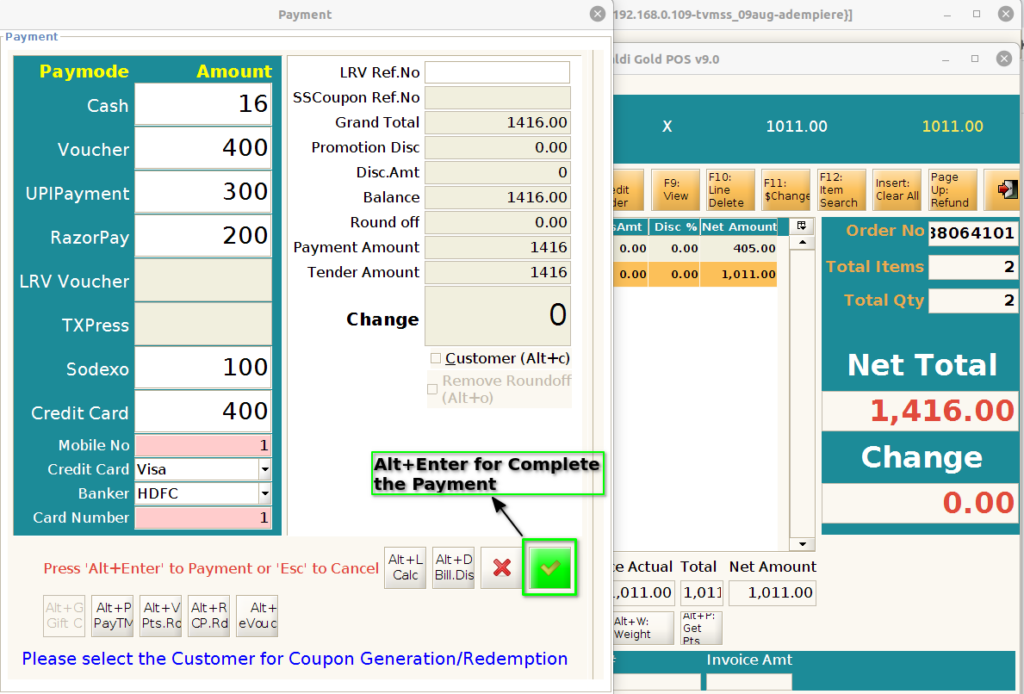
Step 2 : Press the Alt + Enter for bill print