How to create a New Pay Mode in ADempiere Retail?
Creating a new pay mode means adding a new payment option in the system (POS/ERP) to allow customers to pay through an additional method—like Cash, UPI, Card, Voucher, Gift Cards, etc.
User Access
Who Can Access
- Admin
- Manager
What User Can Do
- Create Pay Mode
- Edit Pay Mode
Pre-Requisite Activities
- Paymode Name
- Tender Type
- Denomination Type
- Sequence
Business Rules
- Every pay mode should be uniquely named.
- System should not allow duplicate pay modes.
- Non-cash modes must specify integration settings
User Interface
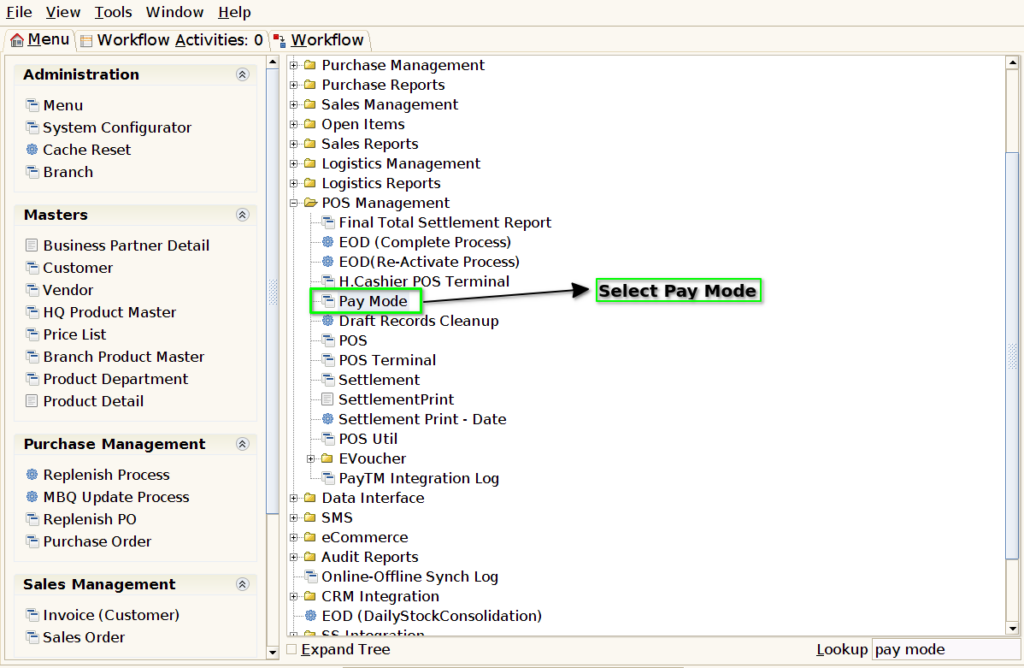
Step 1 : Select ‘Pay Mode’ in Menu -> POS Management -> Pay Mode or Search Pay Mode in Lookup.
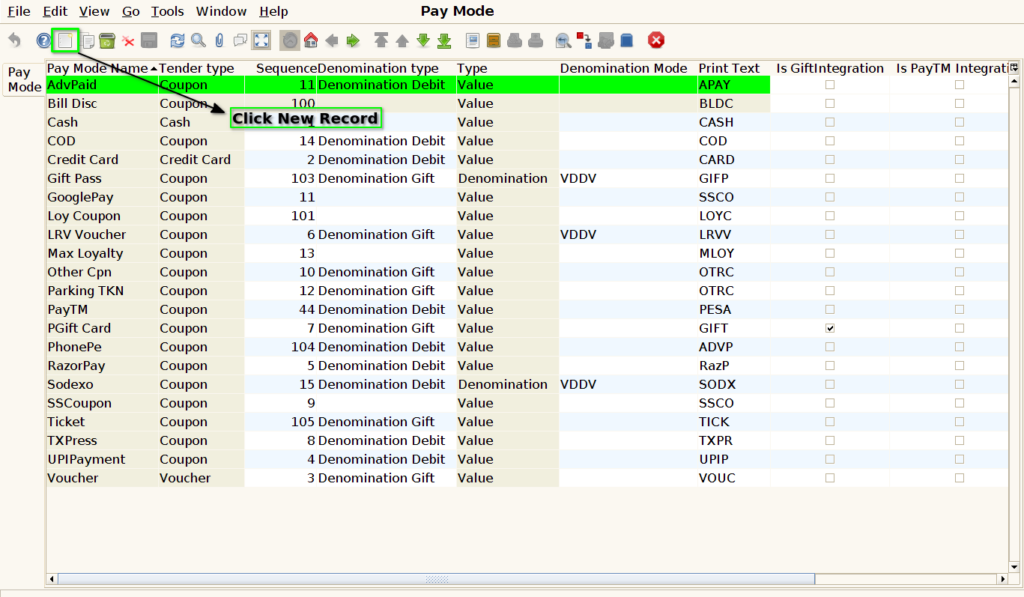
Step 2 : Click the ‘New Record’ button to create a new Grn Entry
Step 3 : Enter the ‘Pay Mode name’ and Choose the Tender Type

Step 4 : Choose the Type and Enter the Print Text

Step 5 : In order to pay with decimals, click the box for Is Decimal Required

Step 6 : To display in the POS screen, check the Displayed checkbox

Step 7 : Click the button for save the document
