How to accept only Cash Payment Mode for a POS Order in ADempiere Retail
A cash payment is when you pay for something using physical money, like coins or paper bills, instead of using a credit card, check, or digital payment. It’s the direct exchange of money for goods or services.
User Access
Who Can Access
- Cashier
- Manager
- Admin
- Back Office
What User Can Do
- Make a Direct Purchase
- Pay for Bills
- Receive Change
- Use Cash for Tipping
- Make a Partial Payment
Pre-Requisite Activities
- Ensure Sufficient Cash Availability
- Understand the Payment Amount
- Locate the Payment Method or Cash Handling Point
Business Rules
- Acceptance of Cash
- Payment Limitations
- Receipts and Documentation
- Refunds and Returns
- Cash Transactions and Taxes
User Interface
STEP 1 : To click a menu and to enter the POS Screen.

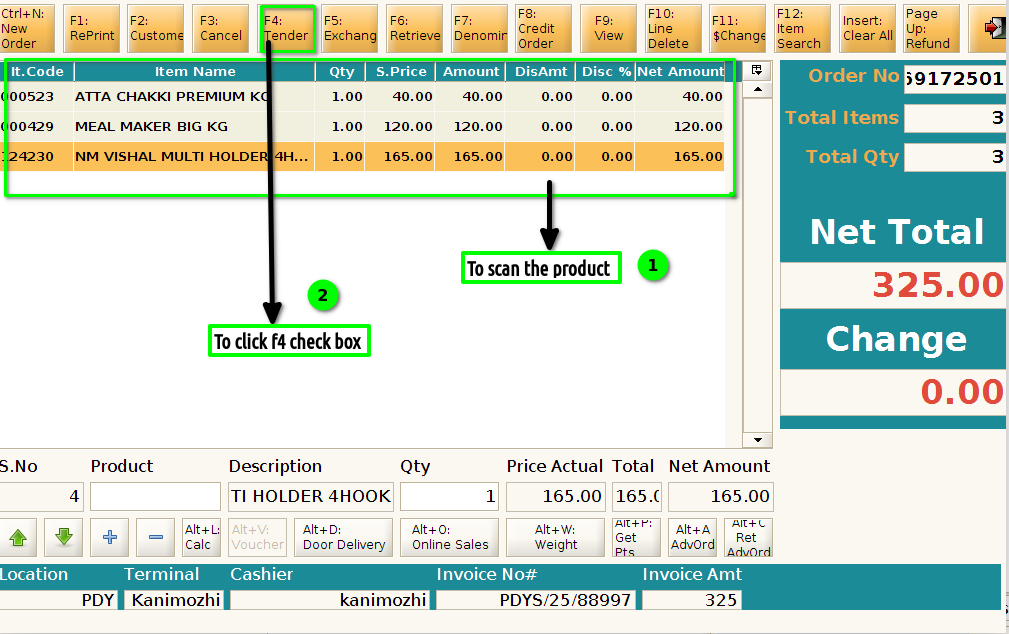
STEP:2 To click a POS Screen and to Scan a product then to click the payment for F4 button.
STEP:3 To pay the payment value for cash and then to click a check box.
