How does Customer’s Mobile Number Validation works in ADempiere Retail
Customer mobile number should be unique and not exceed more than 10 digits. It should be validated in customer screen.
User Access
Who Can Access
- Admin
- Cashier
- Manager
- Back office
What User Can Do
- Valid customer mobile number
Pre-Requisite Activities
- Mobile number field must be available in Customer Master
- Validation logic must be configured in the system or form
Business Rules
- Mobile number must be mandatory for Retail customers
- The number must:
- Contain only digits
- Be exactly 10 digits long
- Start with 6 to 9
- Duplicate mobile numbers should be restricted (if configured)
- Special characters, spaces, or country codes (+91) should be handled or restricted
- Optionally, use OTP verification to confirm the number
- Invalid numbers should not allow saving the customer record
User Interface
Step 1: Select ‘Customer’ in Menu-> Business Partner Rules -> Customer or Search Customer in Lookup.

Step 2: Customer mobile no. should be valid. It allow users to enter only numeric data and not exceed more than 10 digits..
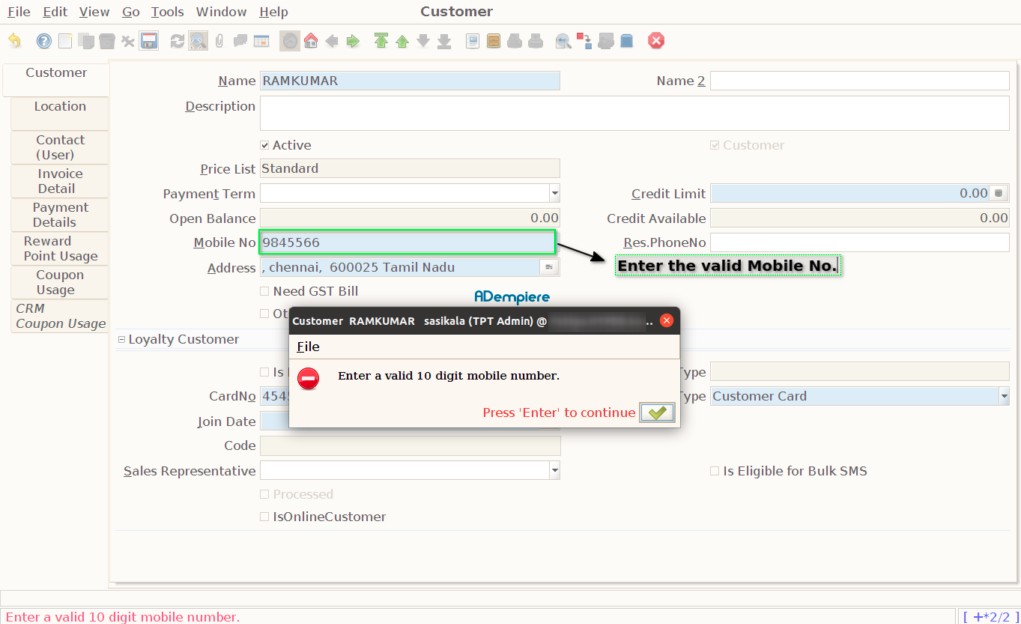
Step 3: Customer mobile number should be unique not allow to save duplicate mobile number.

Step 4: Validate Customer mobile no. only start with 6 – 9 series.

Step 5: Check the customer mobile no starts with 0-5 Series. It doesn’t allow to sync customer mobile to CRM.

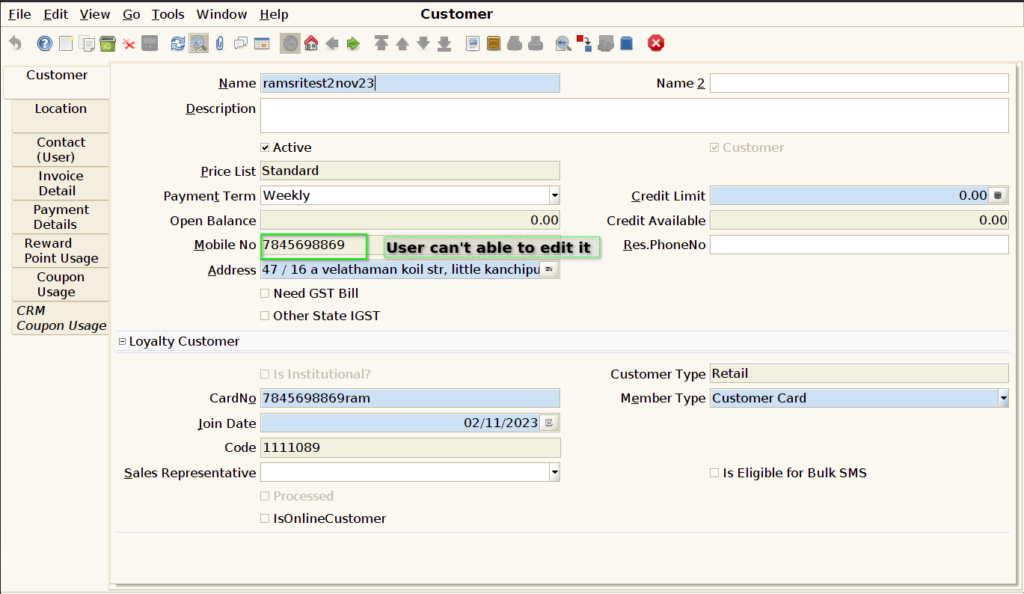
Step 6: User can’t able to edit the customer mobile no in the customer screen.