How to capture RNo for a Line Item in ADempiere Retail POS?
User Access
Who Can Access
- Cashier
- Head Cashier
What User Can Do
- Capture RNO
- Update RNO
- Delete RNO
Pre-Requisite Activities
- Sales Rep
Business Rules
- Rno should allow to enter more than 4 numbers
- Rno is not mandatory
User Interface
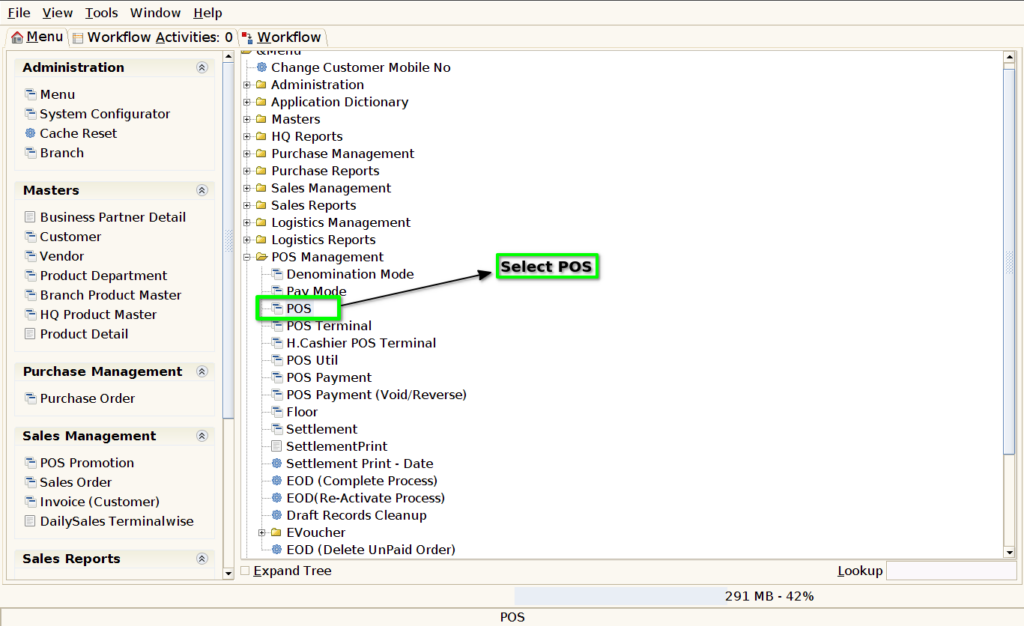
Step 1 : Select ‘POS’ in Menu -> POS Management -> POS or Search POS in Lookup.
Step 2 : Search Product based on Product Code, Product Name, Barcode, IMEI code, Serial Number

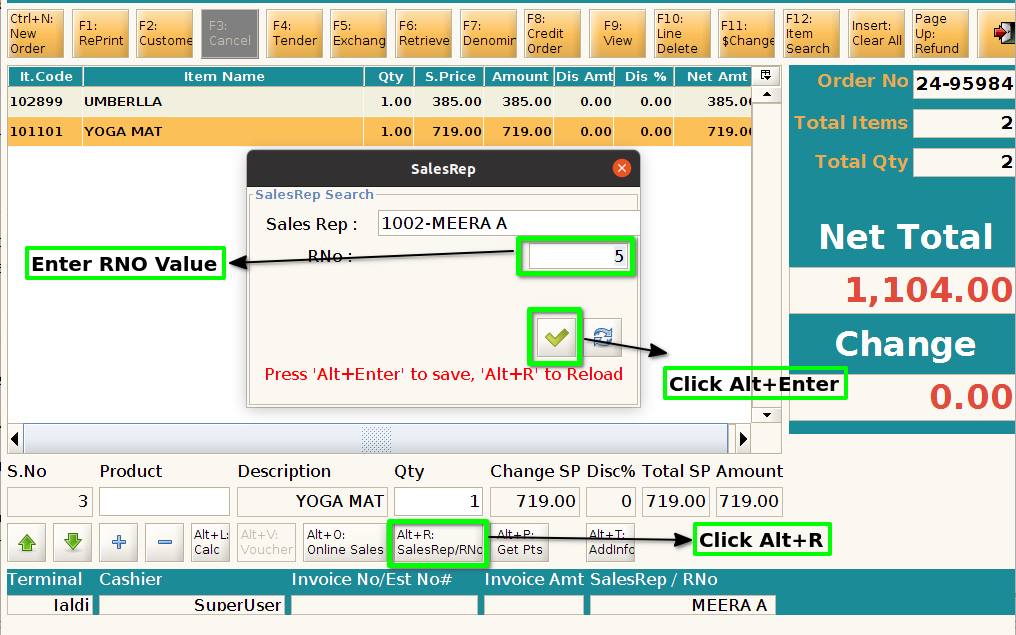
Step 3 : After product scan, Sales Rep Pop-up will display, once user select the sales rep then only system allow to scan next product

Step 4 : Select Sales Rep and Rno after click Alt+Enter to continue

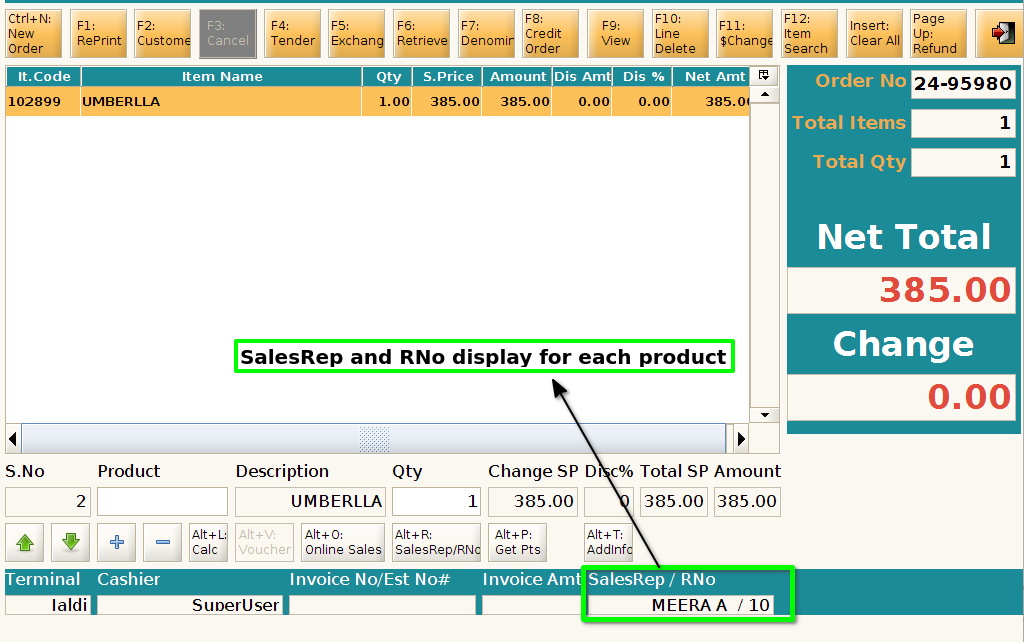
Step 5 : Sales Rep and Rno details will show each product
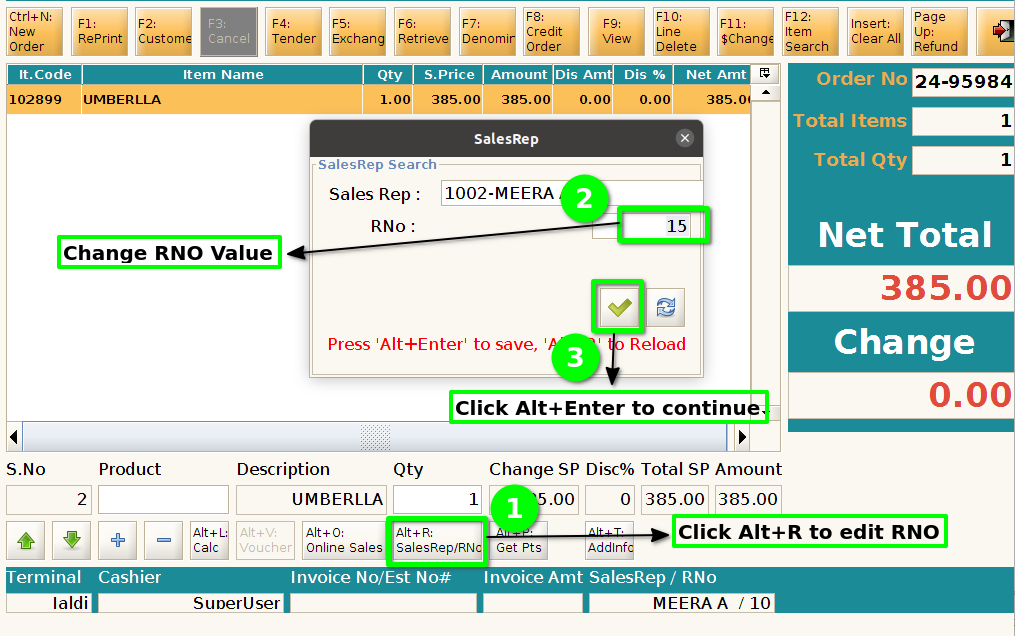
Step 6 : User want to edit the RNO click Alt+R to edit the RNO and click Alt+Enter to continue
Step 7 : User want to add RNO for next product click Alt+R