How to view current day’s Orders in ADempiere Retail?
View Orders allows the user to search, filter, and view details of all sales or online orders – both pending and completed—within the system.
User Access
Who Can Access
- Cashier
- Head Cashier
What User Can Do
- View
- Edit
Pre-Requisite Activities
- Head Cashier Password
- Orders must be captured or synced into the system.
- User must have appropriate role/access to view orders module.
Business Rules
- View only current date orders with descending order
User Interface
Step 1 : Select ‘POS’ in Menu -> POS Management -> POS or Search POS in Lookup.

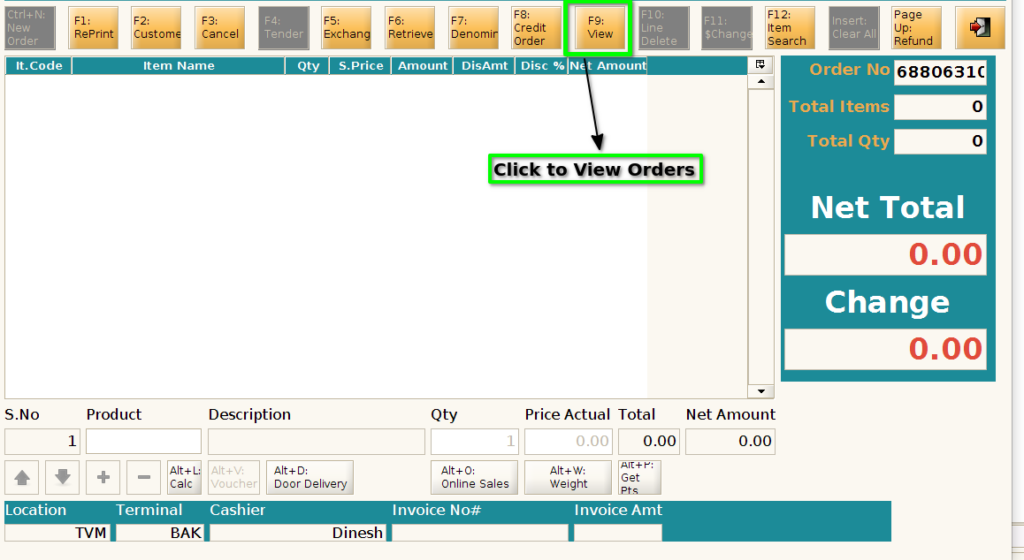
Step 2 : Click F9 to view the orders
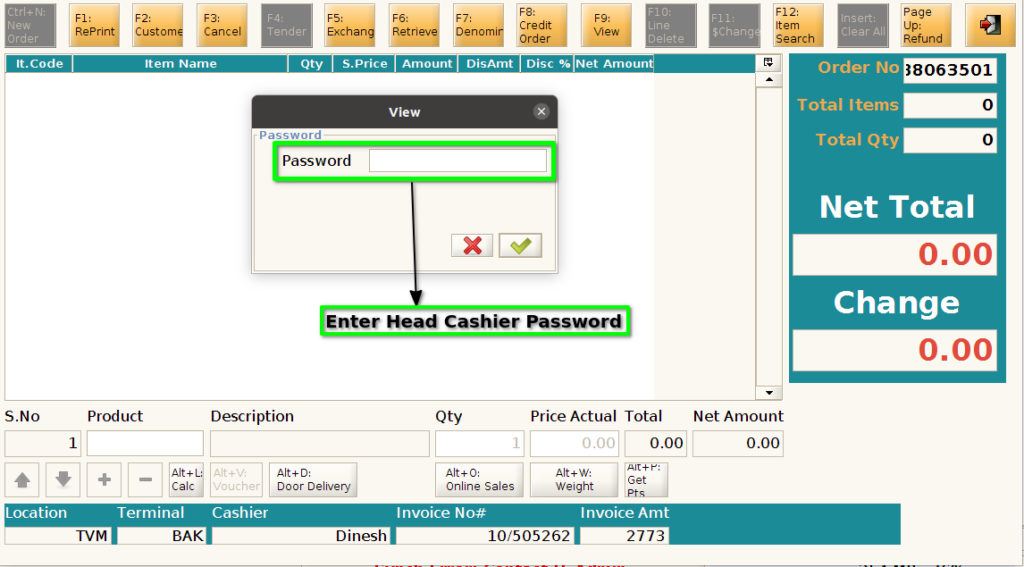
Step 3 : Enter password to view the orders
Step 4 : View the current date orders with descending order

Step 5 : User can able view one particular invoice using Document search option
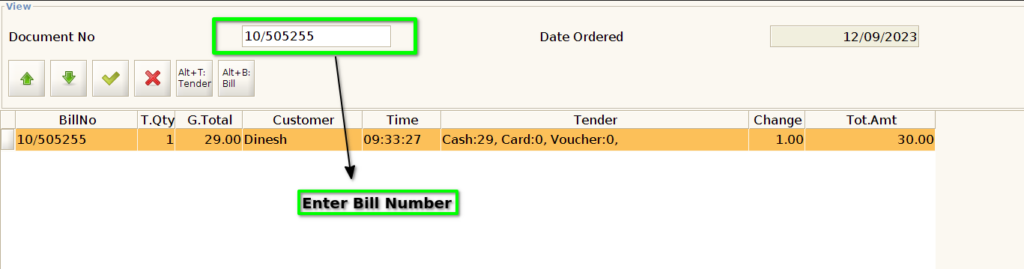
Step 6 : Click ‘Alt+T’ to change paymode for particular invoice
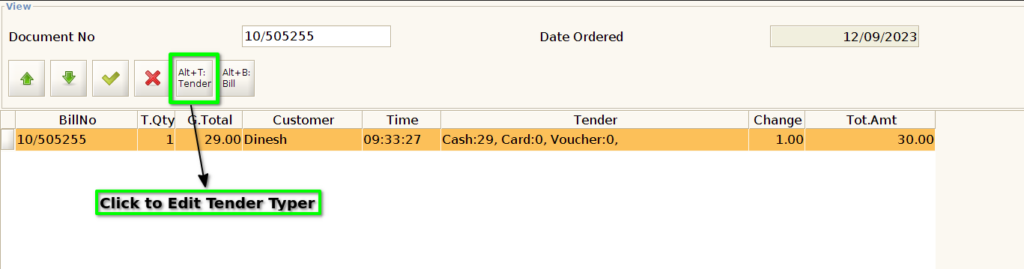
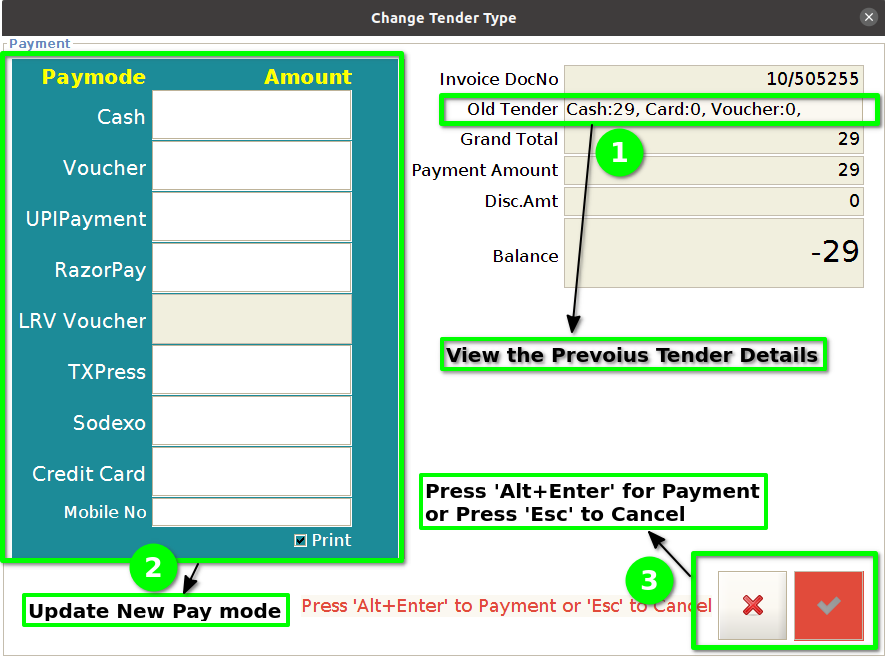
Step 7 : Change the paymode for particular bill
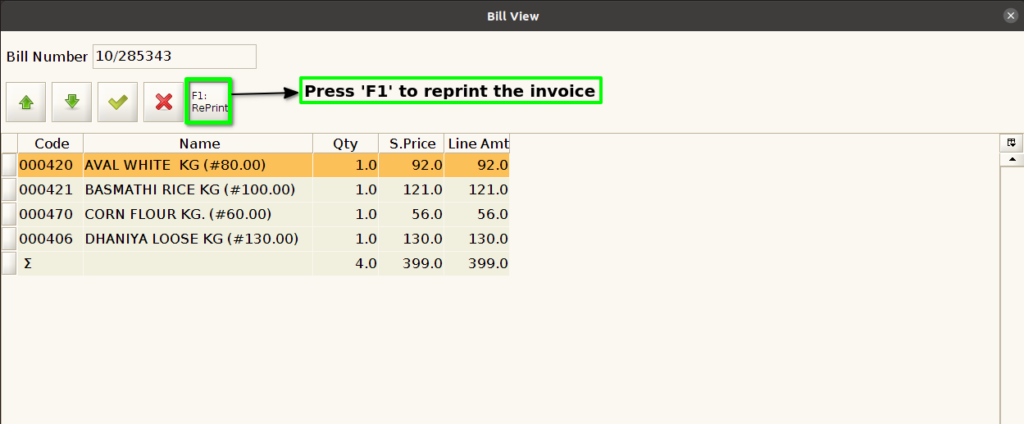
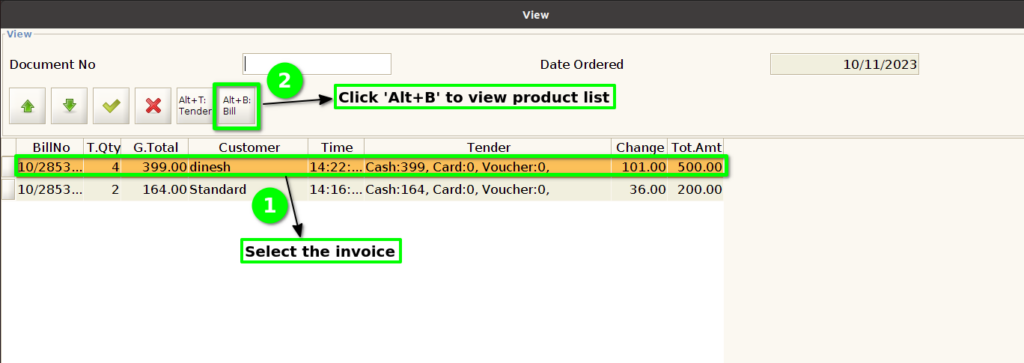
Step 8 : Click ‘Alt+B’ to view product list for that particular bill
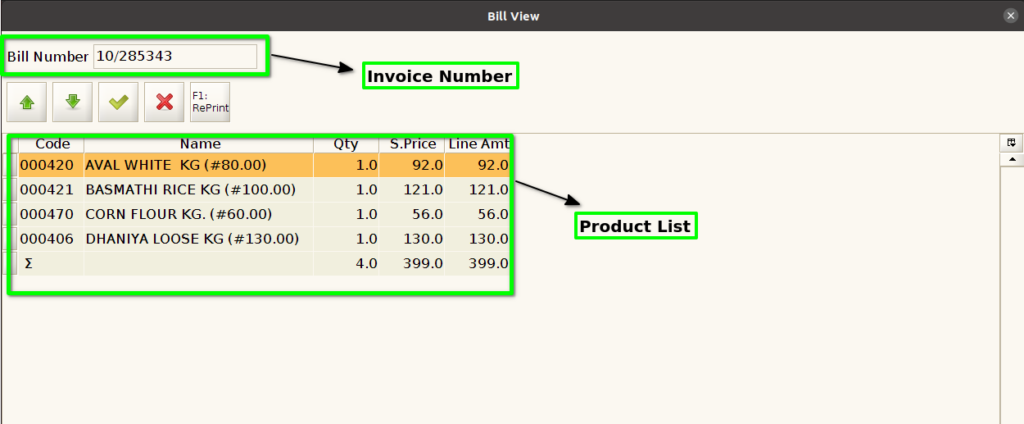
Step 9 : Click ‘F1’ for reprint the invoice