How to set Credit Limit to a Customer in ADempiere Retail
Setting a customer credit limit means defining the maximum outstanding amount a customer is allowed to owe at any given time. This helps control risk and ensures that the customer does not exceed their allowed credit while making purchases.
User Access
Who Can Access
- Cashier
- Admin
- Back office
- Manager
What User Can Do
- Set or update the credit limit amount in the Customer Master
- Define credit days
Pre-Requisite Activities
- Customer master must be created and active
- Customer must be on credit-based payment terms
- Ensure user role has permission to set or edit credit limit
Business Rules
- System must check the credit limit before allowing sales/invoice
- Warn or block if:
- Outstanding + new order > Credit Limit
- Credit limit and days should be set only by authorised roles
- Customers with overdue invoices may be automatically blocked
User Interface
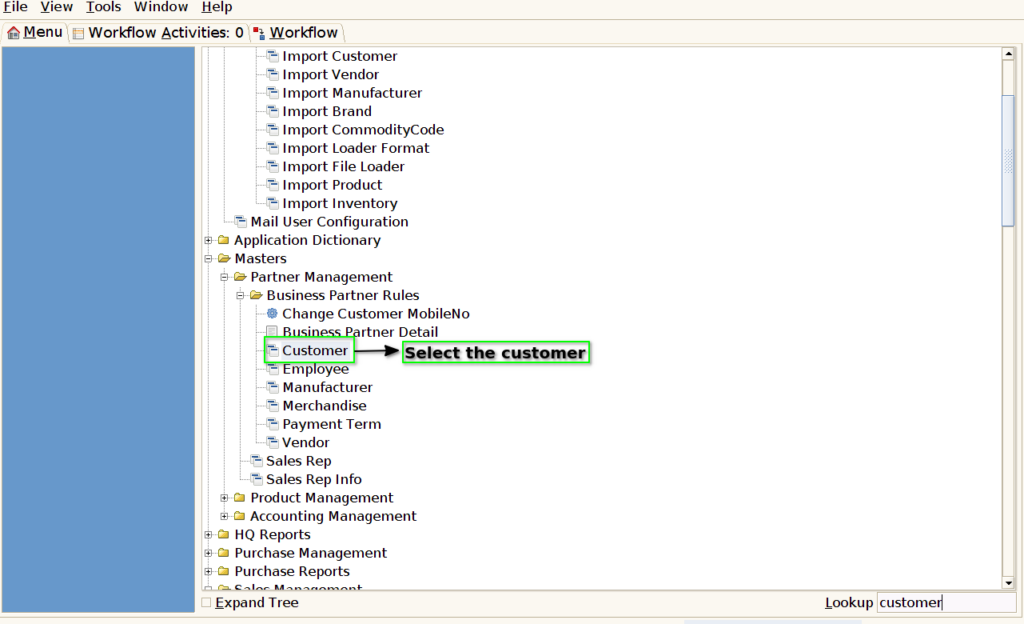
Step 1: Select ‘Customer’ in Menu-> Business Partner Rules -> Customer or Search Customer in Lookup.
Step 2: Enter the credit limit amount for credit order.

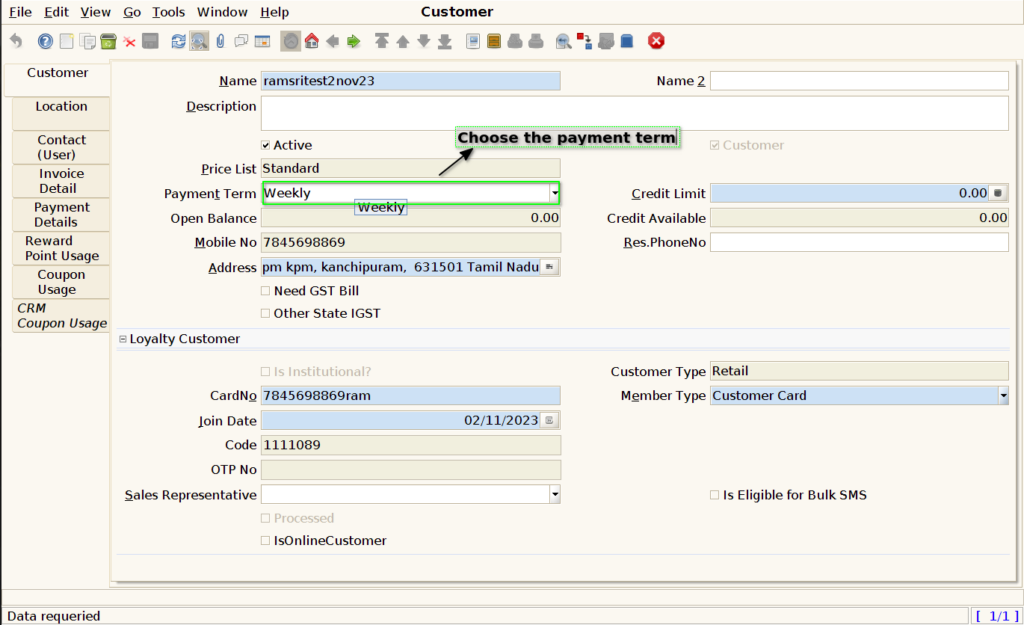
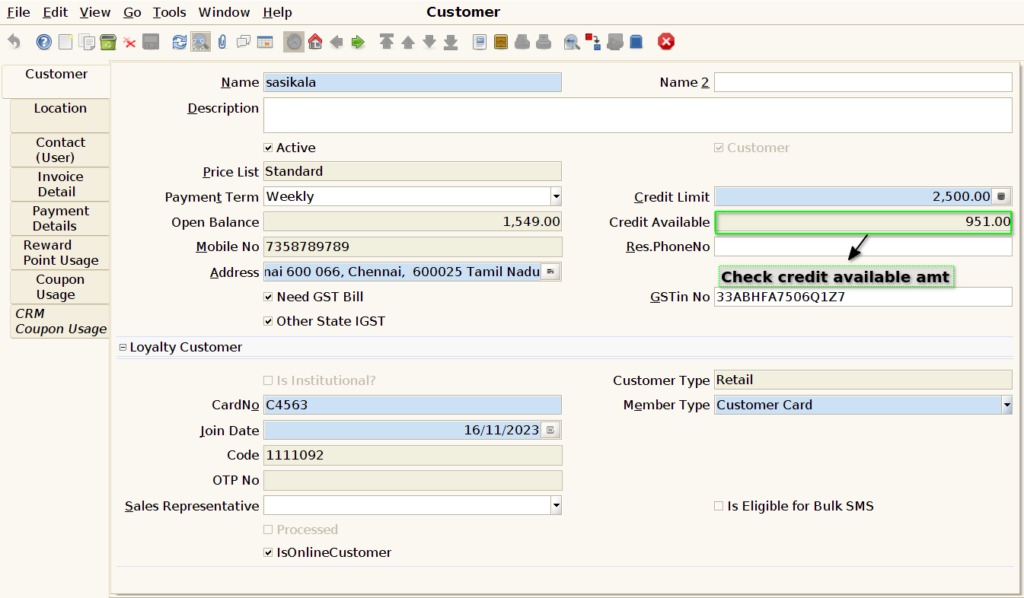
Step 3: The customer can purchase the product until the available credit becomes zero.
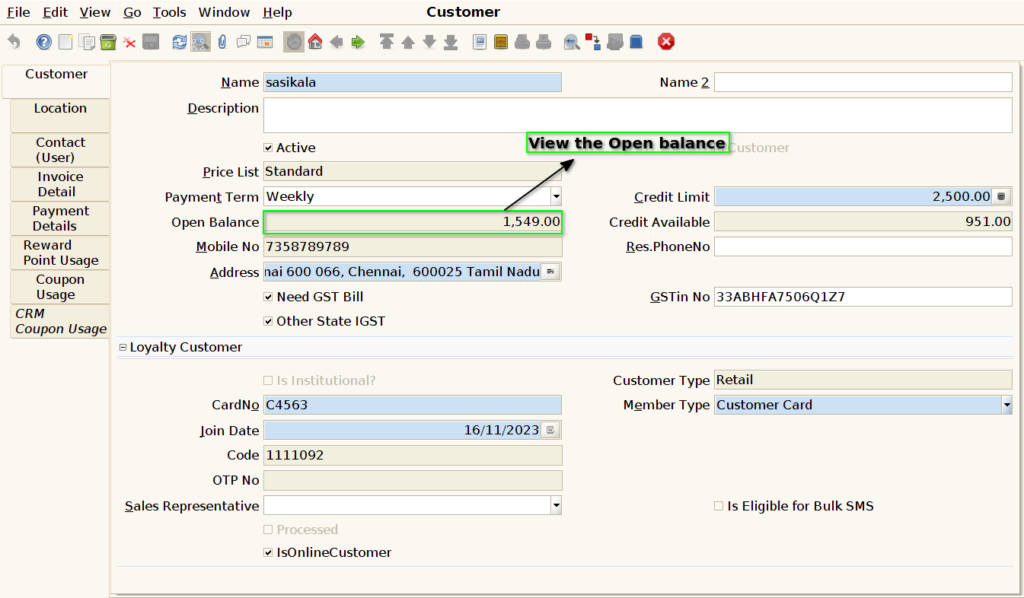
Step 4: User can able to see the customer open balance.
Step 5: The credit available amount is greater than the sales amount that the user can afford to purchase. A Pop-Up Message display.
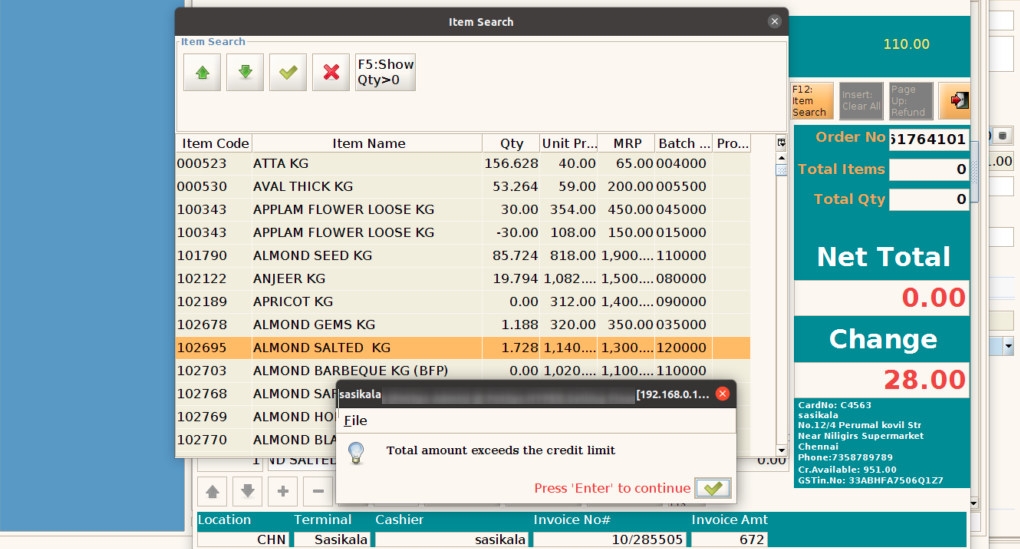
Step 6: Choose the payment Term.