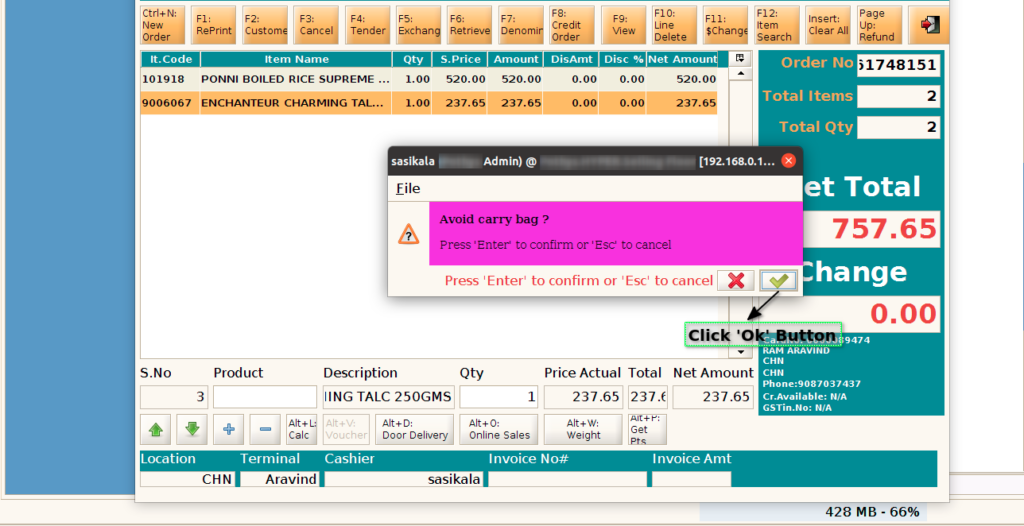
How to enable Bonus Points for bringing Own Carry Bags during Sales in ADempiere Retail?
This feature awards extra bonus points to customers who decline to take store-provided carry bags (especially for Fruits & Vegetables or general merchandise), promoting eco-friendly behavior.
User Access
Who Can Access
- Cashier
- Head Cashier
- Admin
What User Can Do
- Ask the customer whether they are bringing their own carry bag.
- If customer says NO to store bag, system gives bonus loyalty points.
- System captures this as a “Green Purchase” or Bag Not Taken flag.
- Bonus points are automatically added to the customer’s account during billing.
Pre-Requisite Activities
- System should have a carry bag option prompt configured during checkout.
- Loyalty program must support bonus point allocation rules.
- POS must be integrated with the loyalty engine or CRM.
Business Rules
- Bonus points are awarded only if carry bag is not selected or purchased.
- Points are credited only if customer provides loyalty ID or mobile number.
- One bonus point scheme per bill (not per item).
- Can be restricted to certain departments or product categories (e.g., Fruits & Vegetables only).
User Interface
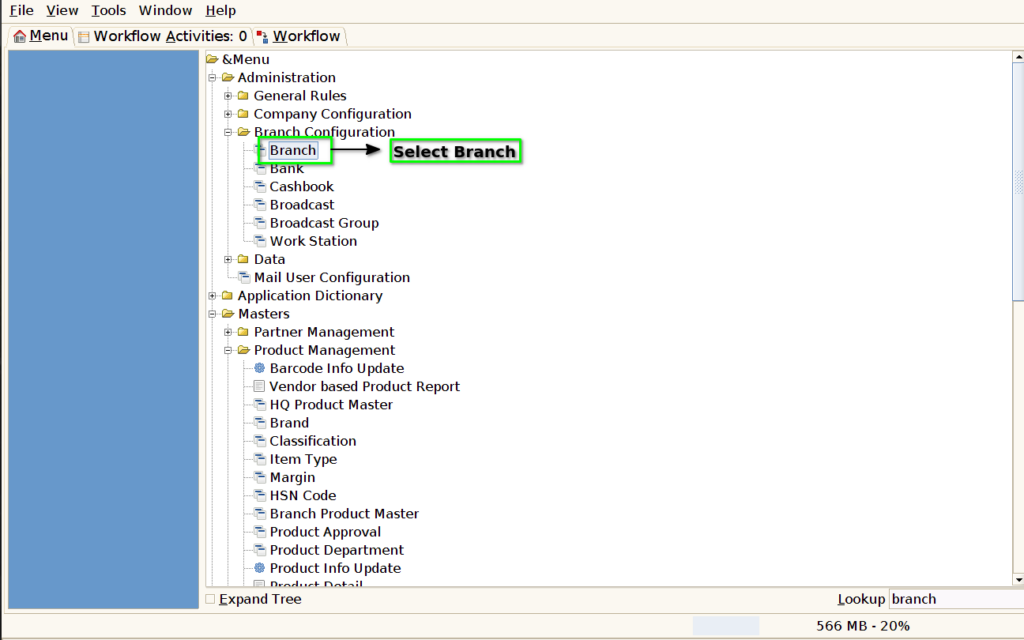
Step 1 : Select ‘branch’ in Menu -> Branch Configuration-> Branch. or Search Branch on Lookup search box.
Step 2: Select the bonus points for loyalty

Step 3: Enable the carry bag option
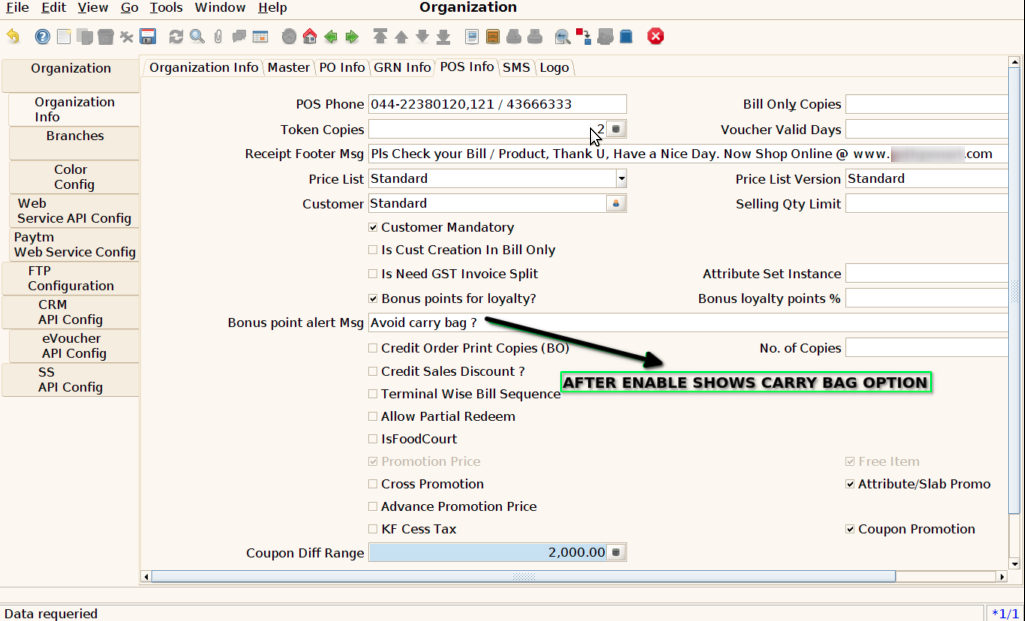
Step 4: Select Additional Bonus Point checkbox and enter the Bonus Points

Step 5 : Select ‘POS’ in Menu -> POS Management -> POS or Search POS in Lookup.

Step 6 : Search Product using Product Code, Product Name, Barcode
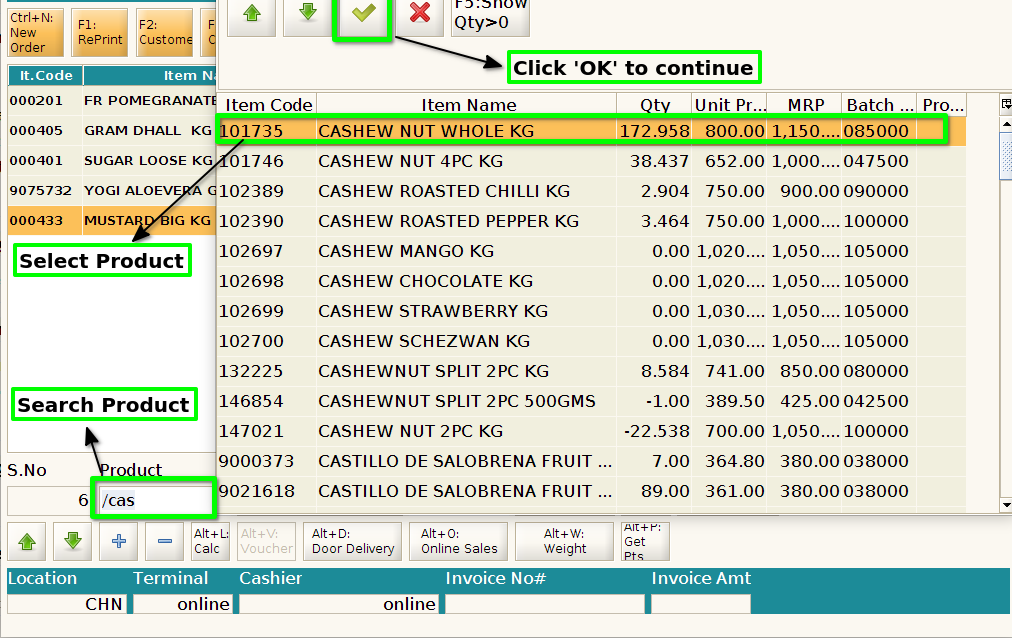
Step 7: Choose the Customer and then Click the OK Button

Step 8 : Click OK Button to continue the process