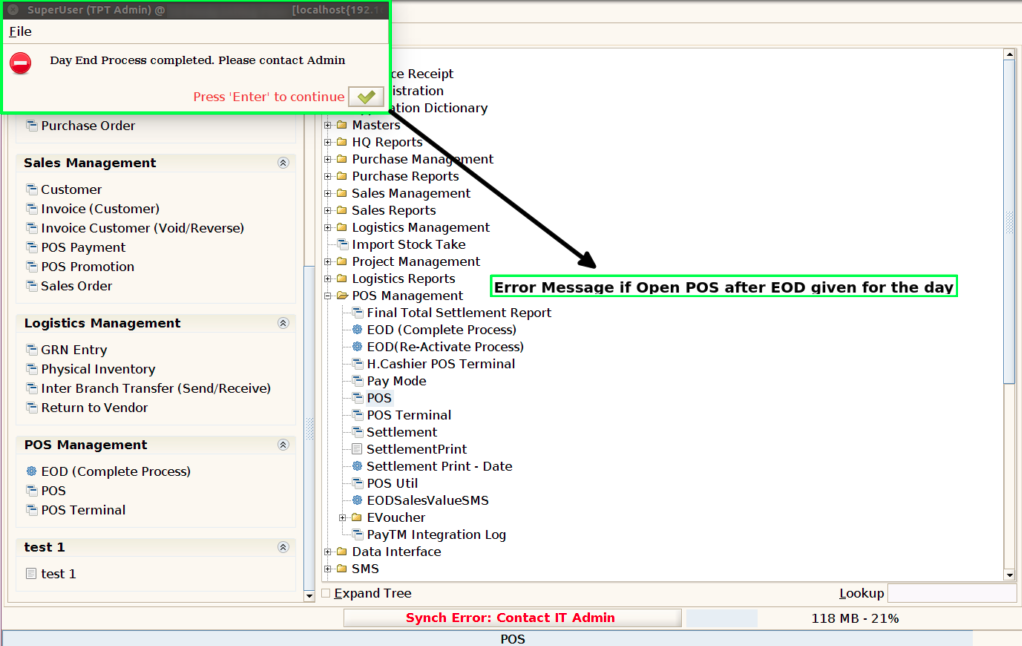
How to validate POS Sales after End of Day process is Completed in ADempiere Retail
Once the End of Day (EOD) process is completed for a session, no new bills or sales can be created for that session.
User Access
Who Can Access
- Cashier
- Admin
- Manager
- Back Office
What User Can Do
- Create Bills Only Before EOD
- Review and Edit Existing Bills (If Allowed)
- Start a New Session for New Bills
- Check Session Status
Pre-Requisite Activities
- Complete All Billing Before EOD
- Verify All Transactions Are Posted
- System Date and Session Accuracy
- Run End of Day (EOD) Process
Business Rules
- Billing Locked Post-EOD
- No Retroactive Billing
- Complete Billing Before EOD
- Modifications Post-EOD Restricted
- New Bills Only in New Sessions
User Interface
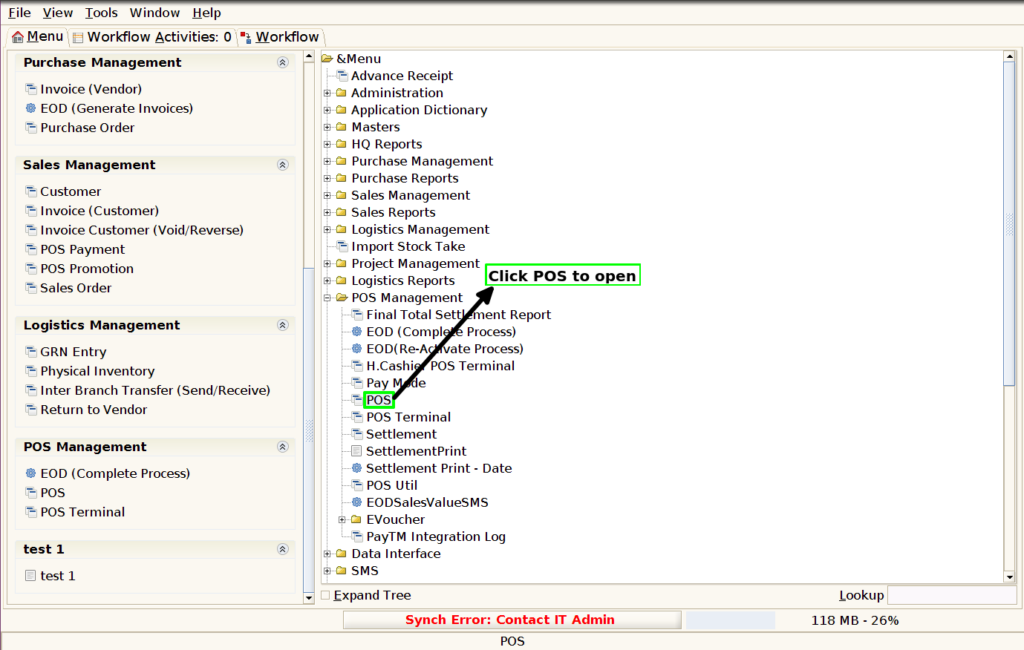
Step 1: Click POS to start the sale.
Step 2 : Pop up will show the error message then click OK and after EOD(Re-Activate Process) only able to open POS