How to view Vendor Wise Purchase Report in Adempiere Retail
A Vendor Wise Purchase Report shows the total purchases made from each vendor (supplier) over a specified period.
User Access
Who Can Access
- Admin
- Cashier
- Sales Manager
- Manager
What User Can Do
- Review Purchases by Vendor
- Analyze Vendor Performance
- Plan Inventory and Budget
Pre-Requisite Activities
- Vendor Master Setup
- Purchase Order (PO) Entry
- Invoice Matching
- User Access Rights
Business Rules
- Only Approved Vendors Included
- Date-Filtered Data
- Amount Calculation
- No Duplicate Records
User Interface
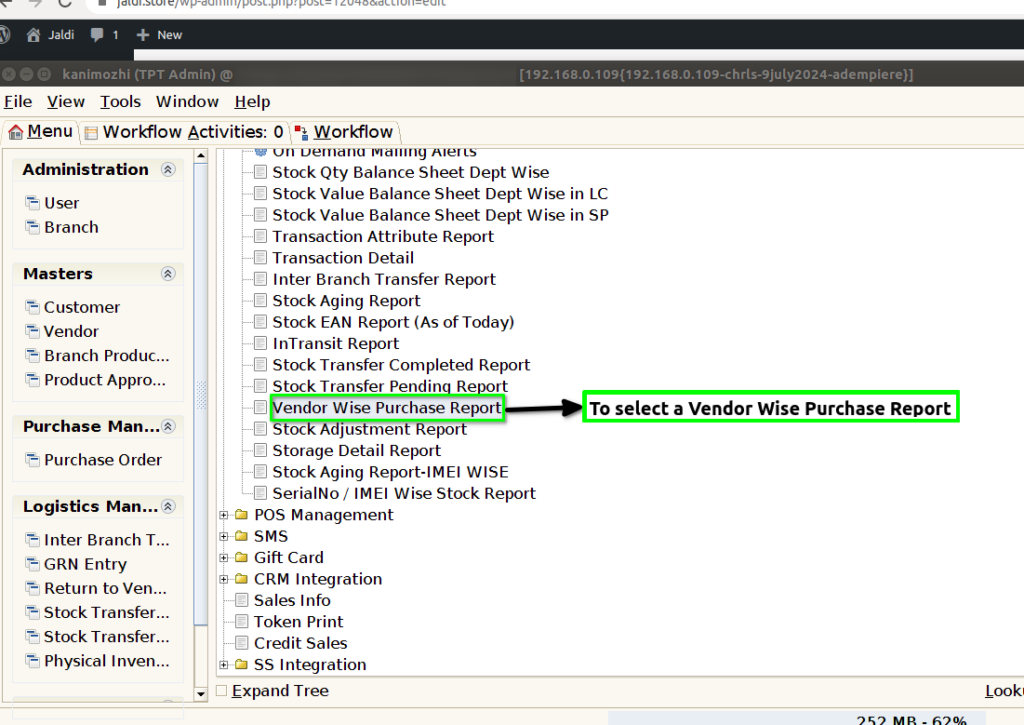
STEP 1: To select a Vendor Wise Purchase Report.
STEP 2: To enter a Dynamic Report default update.And then to enter a Date.Date field is Mandatory.To enter a Vendor and to click a start check box.To run the process.

STEP 3: Once to complete the process to show the report based on the giving parameter.
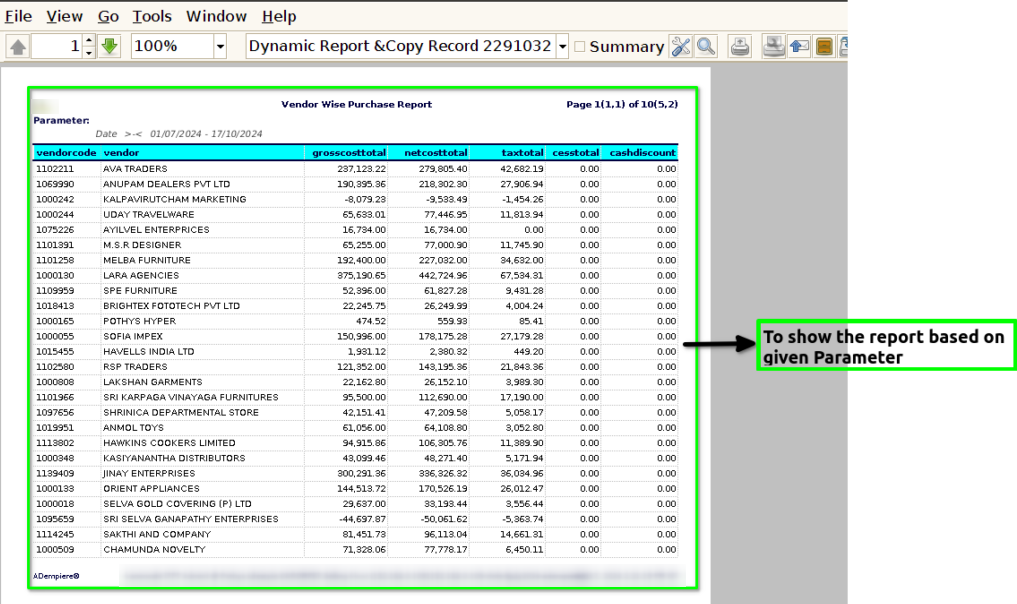
STEP 4: Vendor: A vendor is a person or business that sells goods or services to another entity, typically referred to as a buyer or customer.
Vendor code:A vendor code is a unique identifier assigned to a specific vendor or supplier within a company’s procurement or inventory management system.
Gross cost Total & Net cost Total: Gross Cost Total refers to the overall total of all costs associated with acquiring a product or service before any deductions.Net Cost Total on the other hand, is the total cost after subtracting any deductions or discounts from the gross cost.
Tax Total: Tax total refers to the cumulative amount of taxes applied to a transaction or a series of transactions. This total includes all applicable taxes that must be paid in addition to the base price of goods or services.
Cess Total: Cess total refers to the cumulative amount of cess, which is a type of tax levied by governments for specific purposes, added on top of other taxes.
Cash discount: A cash discount is a reduction in the price of a product or service offered to customers as an incentive to pay in cash or to pay their bills promptly.
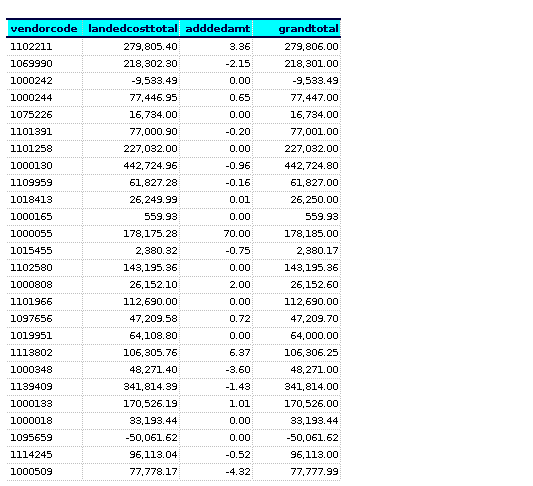
Landed cost total: Landed cost total is simply the cumulative sum of all these expenses, giving a comprehensive view of the actual cost incurred to acquire and deliver the product.
Added amt:Added amount refers to an additional sum that is included in a total, often representing extra costs, fees, or charges applied to an initial amount.
Grand total: The grand total refers to the final sum of all amounts in a transaction or calculation, encompassing all individual components, such as Subtotal,Taxes,Fees,Discounts.