How to execute Paymode Wise data synch to SAP in ADempiere Retail
Synchronising payment data separately for each payment mode (like cash, card, gift card, etc.) between systems or databases.
User Access
Who Can Access
- Admin
- Cashier
- Manager
- Back Office
What User Can Do
- Select Payment Mode to Sync
- Initiate Synchronisation
- View Sync Status
- Schedule Automatic Syncs
Pre-Requisite Activities
- User Logged In with Sync Permissions
- Payment Data Available
- Payment Modes Configured
- Sync Module Enabled
Business Rules
- Payment Mode Selection Mandatory
- Data Consistency Check
- Partial Sync Allowed
- Confirmation Required Before Sync
User Interface
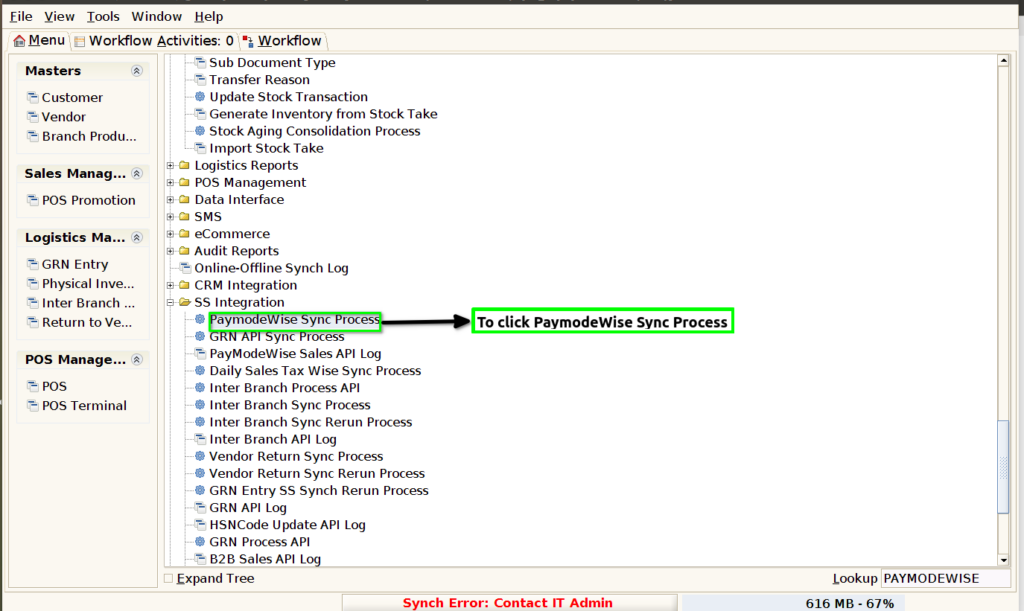
STEP 1: To select the Paymode Wise Sync Process.
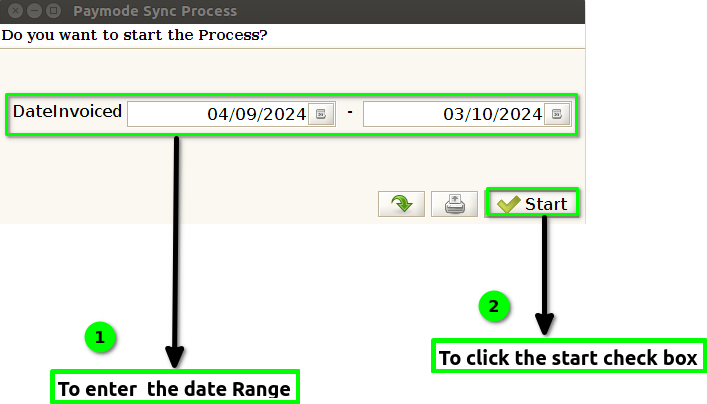
STEP 2: To enter the Date Range and to click the start check box.
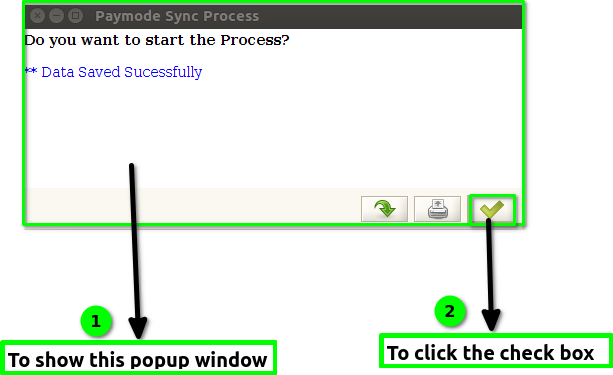
STEP 3: Once to run the process to show the popup window Data saved successfully.And to click the check box.