How to view Summary of Sales Report Daily in Adempiere Retail
A Daily Sales Summary Report gives a quick overview of the total sales made in a day, including the number of bills, total quantity sold, revenue, and payment modes used.
User Access
Who Can Access
- Admin
- Cashier
- Sales Manager
- Manager
What User Can Do
- Monitor Payment Methods
- Track Daily Business Performance
- Identify Billing Activity
- Export or Share Reports
Pre-Requisite Activities
- Accurate Sales Recording
- Complete Payment Mode Entry
- System Date & Time Settings
- User Roles & Permissions
Business Rules
- Include Only Completed Sales
- Accurate Payment Mode Recording
- Exclude Cancelled or Voided Bills
- Report Time Zone
- Real-Time Data Sync
User Interface
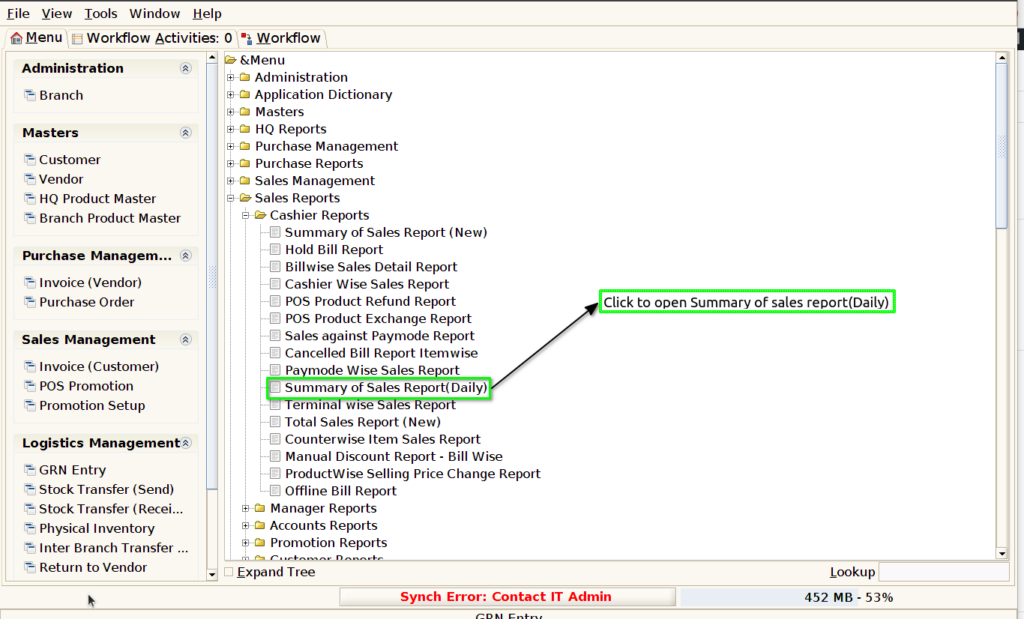
Step 1 : Select ‘Summary of sales report(Daily)’ in Menu -> Sales reports > Cashier report > Summary of sales report(Daily) or Search Summary of sales report(Daily) in Lookup.
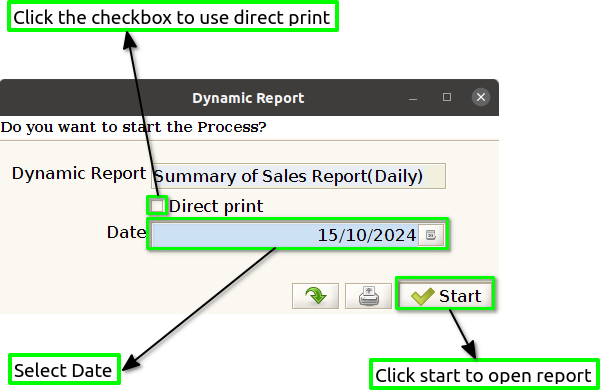
Step 2 : Select the date range and open the summary of the sales report(Daily).
Step 3 : To view a preview of the summary of the sales report (daily).
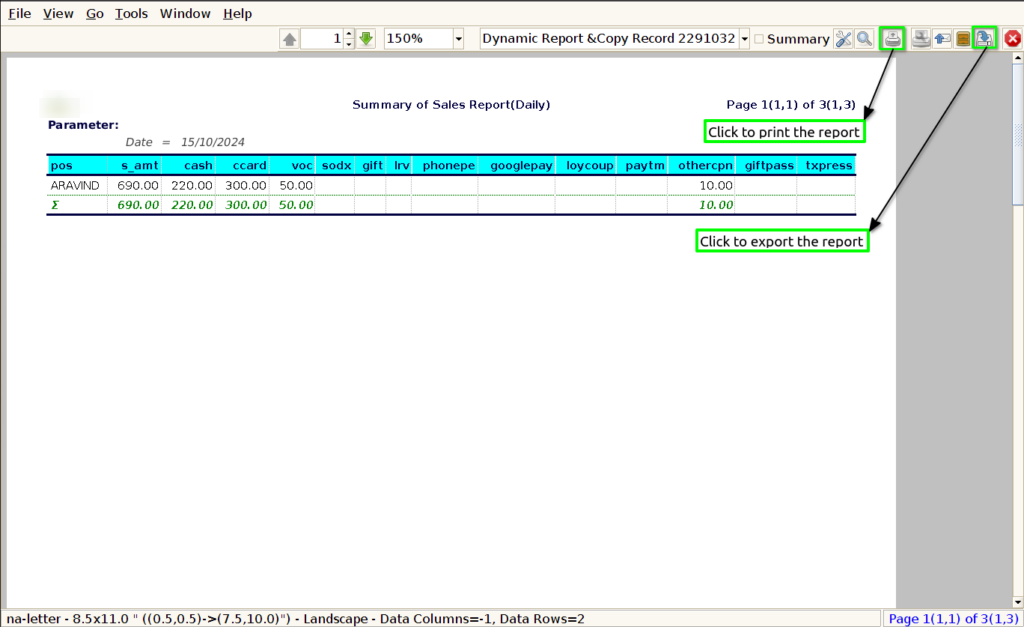
POS : In a summary of a sales report, including details about the Point of Sale (POS) system used can be helpful.
Sales Amount : When summarizing the sales amount in a sales report, you can present it clearly and effectively.
Cash : Clearly state the total cash sales amount for the reporting period.
Voucher : Clearly state the total Voucher sales amount for the reporting period.
Gift Voucher : Clearly state the total amount of gift vouchers sold during the reporting period.
E-Voucher : Clearly state the total amount of E-vouchers sold during the reporting period.
Loyalty Voucher : Clearly indicate the total value of loyalty vouchers redeemed during the same period.
UPI : State the total value of sales made through UPI during the reporting period.
Card : Clearly state the total amount of sales made via card payments during the reporting period,Provide a breakdown of sales by card type, if applicable (e.g., Credit card, Debit cards).
Bill discount : Clearly state the total value of discounts provided during the reporting period.
Advance paid : Clearly state the total amount of advances paid during the reporting period.
Parking Token : Clearly state the total value of parking tokens sold during the reporting period.
Credit sales : Clearly state the total amount of credit sales during the reporting period.
Bills : State the total number of bills processed by all cashiers during the reporting period.