How to run Replenish Purchase Order process in Adempiere Retail
Replenish Purchase Order is an automated or manual PO created to refill stock when item levels fall below a predefined limit. It ensures that essential products are always available for sales or operations.
User Access
Who Can Access
- Back Office
- Cashier
- Purchase Manager
- Manager
- Admin
What User Can Do
- Monitor stock levels based on reorder points
- Generate POS automatically for low-stock items
- Define supplier, quantity, and expected delivery
Pre-Requisite Activities
- Set minimum and maximum stock levels for items
- Define vendor details and item-wise pricing
- Maintain reorder point and lead time setup
- Enable auto-replenishment logic in the system
- Ensure inventory integration is active
Business Rules
- System triggers PO only when stock is below reorder level
- Replenishment respects vendor lead time and MOQ (Min Order Qty)
- Auto PO must be reviewed before approval
- Duplicate POS for same item must be flagged
- Stock-in should be linked to the same PO for tracking
User Interface
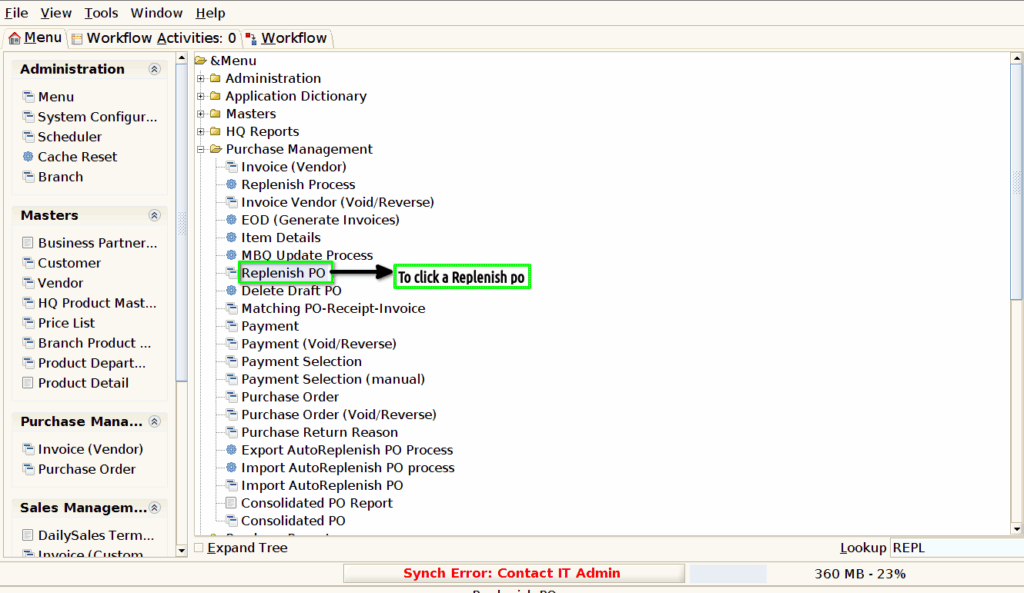
Step 1 : To Select a Branch in Menu.Then to click a Replenish purchase order.
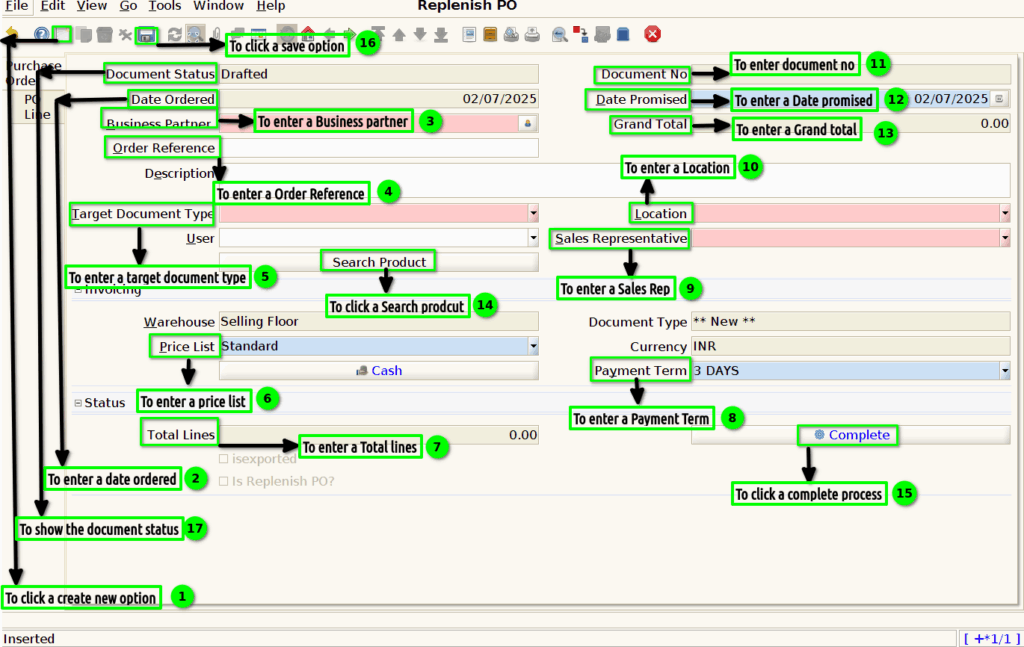
Step 2 : To click a create new option and to enter the values for Date ordered,Business partner,Document no,Date promised,Grand total,location,sales rep,payment term,price list,total lines,Document type.To click a search product and to load product then to select a product line finally to save the record and to complete.
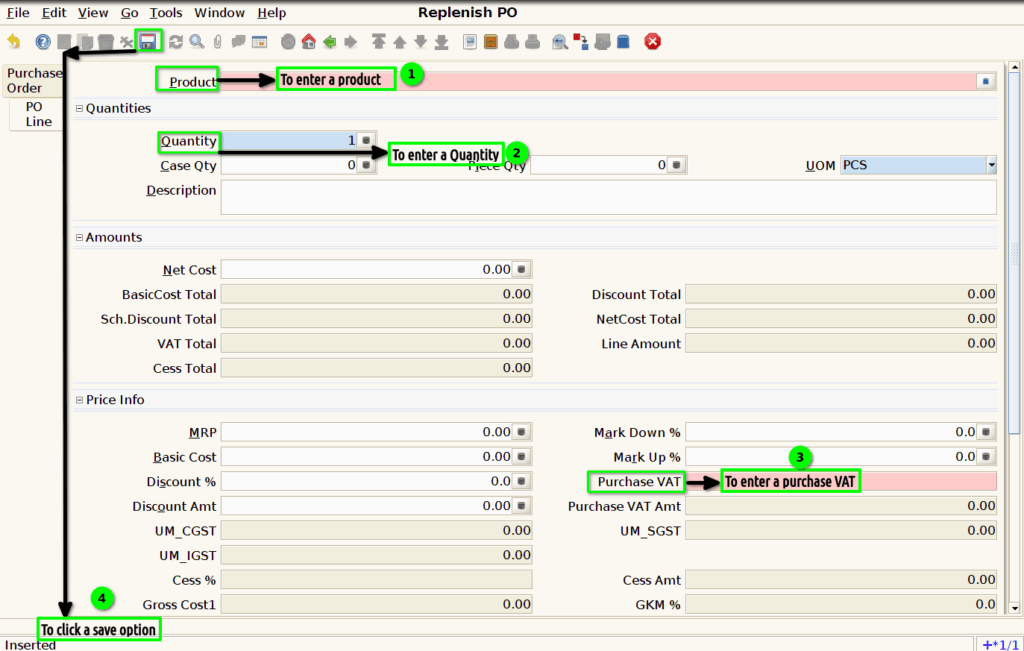
Step 3 : To click a Po line and to enter a product,Quantity,purchase VAT value and then to click the save option.