How to match PO-Receipt-Invoice in Adempiere Retail
Matching PO-Receipt-Invoice is the process of validating that:
- The Purchase Order (PO) was issued,
- The Goods Receipt (GRN) confirms items were received,
- The Vendor Invoice matches both PO and GRN details.
This ensures accurate payment and prevents fraud or duplication.
User Access
Who Can Access
- Back Office
- Cashier
- Purchase Manager
- Manager
- Admin
What User Can Do
- Match vendor invoice with existing PO and GRN
- Validate quantity, price, tax, and terms
- Identify discrepancies in received goods vs. billed items
- Approve or reject mismatched invoices
- Record matched documents for payment processing
Pre-Requisite Activities
- PO must be created and approved
- GRN (Goods Receipt Note) should be entered upon receipt
- Vendor invoice should be submitted and recorded
- Price, quantity, and tax setup should be correct in the system
Business Rules
- Invoice cannot be approved without matching PO and GRN
- Quantity and price tolerance levels must be defined
- Tax mismatch must be resolved before approval
- System should block payment if documents don’t match
- Only authorized users can override or accept exceptions
User Interface
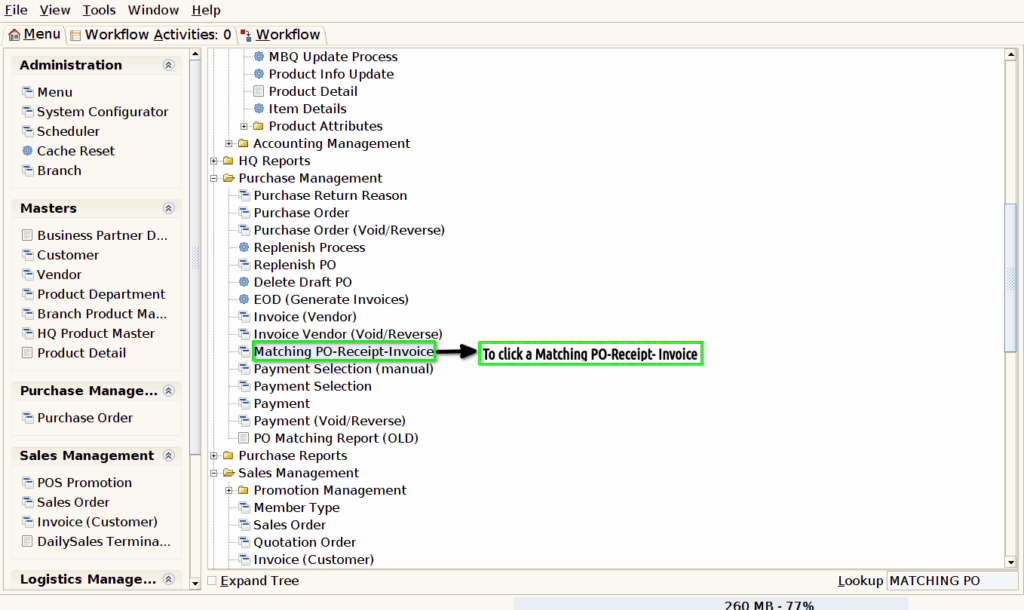
Step 1 : To Select a Branch in Menu.Then to click a Matching PO-Receipt-Invoice.
Step 2 : To enter the values for match from and match to,Search mode and to enter a business partner value,product value,from date and to date then to click a search records and then to show the particular details in the given data.Finally to click the process.
