How to synch Customer info to CRM Server in ADempiere Retail?
CRM Customer Sync ensures that customer data (name, mobile number, email, purchase history, preferences, etc.) is automatically or manually updated between the POS/ERP system and the Customer Relationship Management (CRM) system.
User Access
Who Can Access
- Head Cashier
- Admin
- IT Admin
What User Can Do
- Synchronize new or updated customer records from POS to CRM or vice versa.
- Resolve duplicate or conflicting records.
- Ensure loyalty points, communication preferences, and transactions are in sync.
Pre-Requisite Activities
- CRM and POS/ERP integration must be enabled and configured.
- Unique identifiers (like Customer ID or Mobile Number) must be standardized across systems.
- Network or API access between CRM and POS systems must be available.
Business Rules
- Changes made in one system (e.g., mobile number update in POS) should reflect in CRM within a defined interval.
- Duplicate mobile numbers or customer names must be flagged and handled.
- Loyalty points and customer communication settings must remain consistent.istered in the local
User Interface
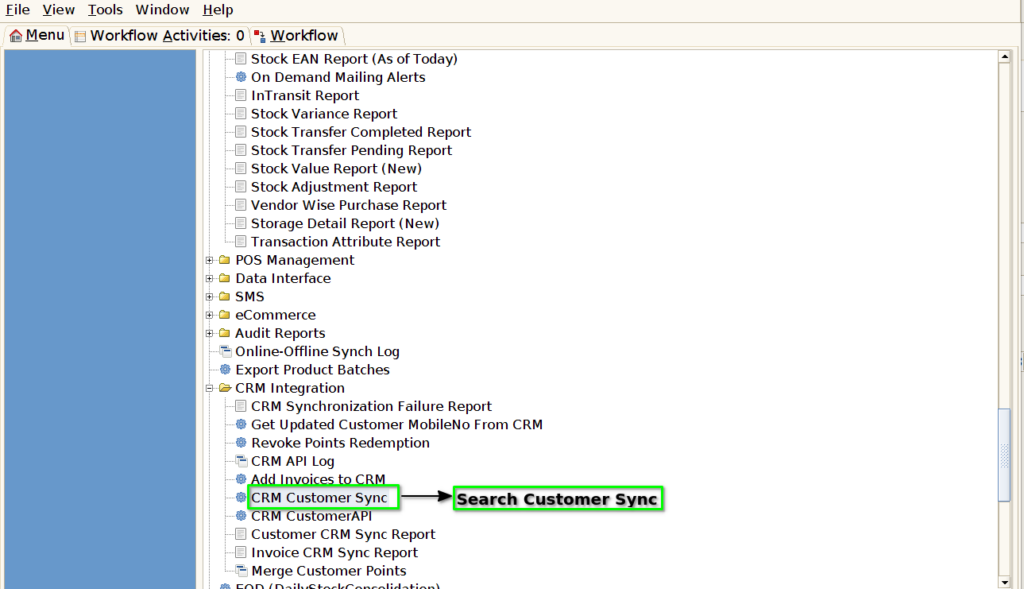
Step 1 : Select ‘CRM Customer Sync’ in Menu -> CRM Integration-> CRM Customer Sync. or Search CRM Customer Sync on Lookup search box.
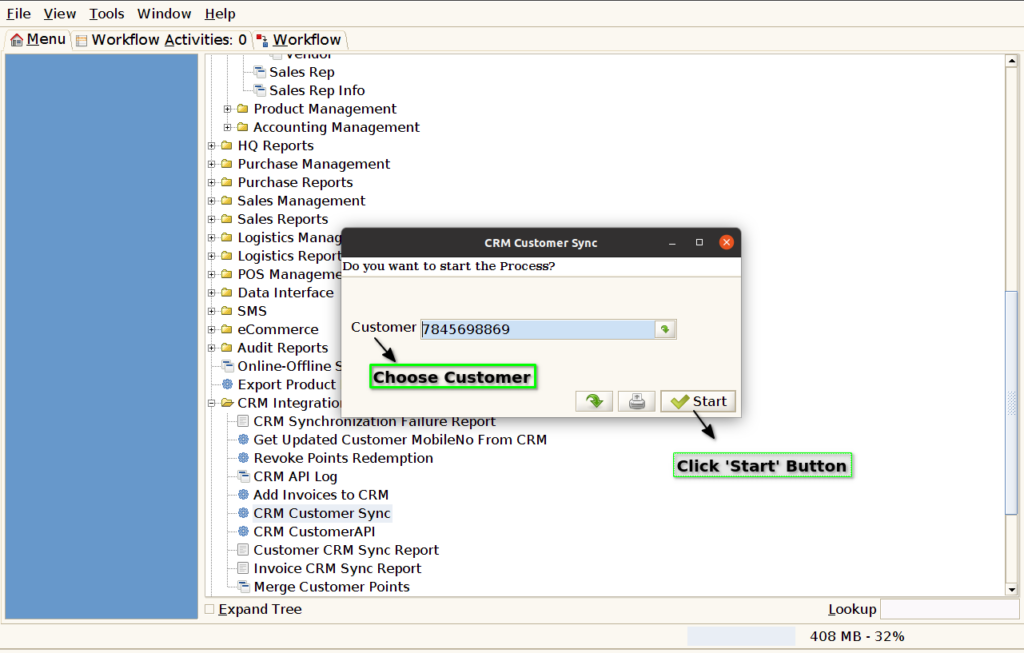
Step 2: Choose the already registered Customer and click start button to continue the process
Step 3: Check the status Customer Successfully sync with Crm

Step 4: If Customer not successfully sync with Crm. It display a Pop-Up Message

Step 5: Enable CRM Integration in Menu -> Branch -> Organization Info ->Pos Info -> Enable CRM Integration. After Integration check customer sync with crm.
