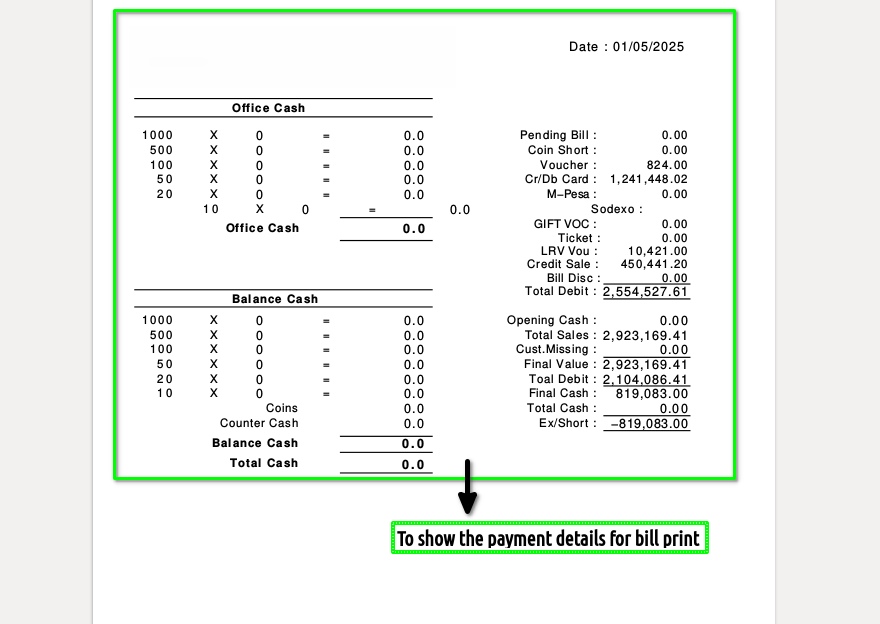
How to view Final Total Settlement Report in Adempiere Retail
A Final Total Settlement Report is a complete summary of all transactions and payments processed through the POS system, typically generated at the end of a shift or business day.It shows total sales, refunds, discounts, taxes, and payment breakdowns (cash, card, digital, etc.), confirming that everything has been settled.
User Access
Who Can Access
- Back Office
- Cashier
- Manager
- Admin
What User Can Do
- Generate the Report
- Print or Export
- Use for Cash Drawer Reconciliation
Pre-Requisite Activities
- Complete All Transactions
- Perform Settlement
- Reconcile Cash Drawer
- User Authorization
Business Rules
- The Final Total Settlement Report can only be generated after all transactions and settlement are completed.
- The Final Total Settlement Report can only be generated after all transactions and settlement are completed.
- The report must include total sales, refunds, discounts, taxes, and payment breakdowns by type.
- The report must be stored securely (digitally or physically) for audit and financial reconciliation.
User Interface
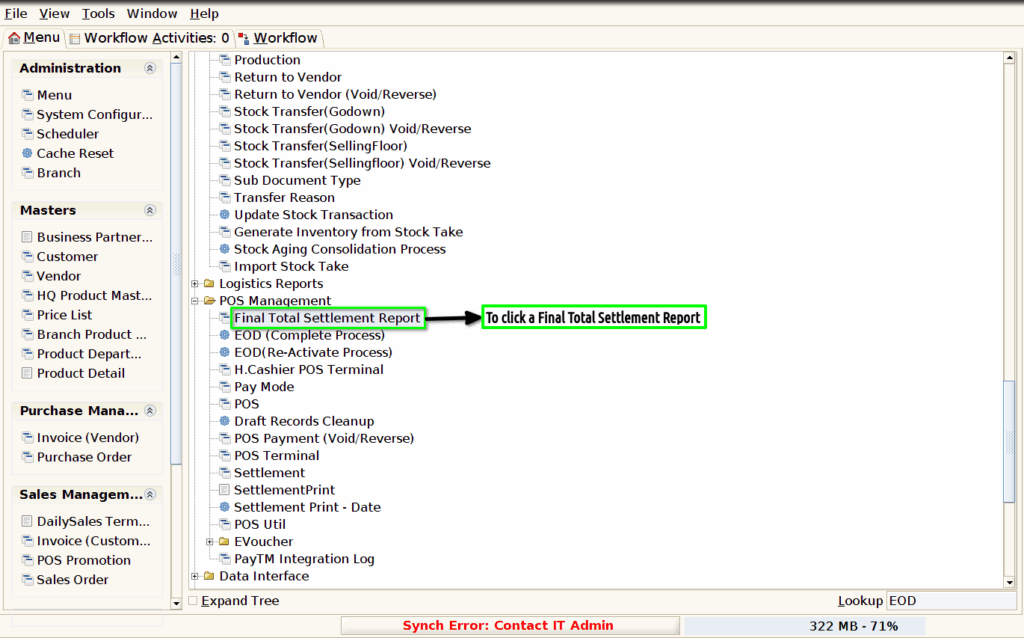
Step 1 : To Select a Branch in Menu.Then to click a Final Total settlement Report.
Step 2 :To enter a date and to show the payment details then to click the check box to run the process and to click the download option.

Step 3 : Once to run the process and to click down load option.Then to click a pdf and to open the bill print.