How to create reversal document for Payment in Adempiere Retail
Payment Void or Reverse means cancelling or undoing a payment transaction that was made to a vendor, customer, or employee due to error, duplication, or correction needs.
User Access
Who Can Access
- Back Office
- Cashier
- Purchase Manager
- Manager
- Admin
What User Can Do
- Void a payment before it is finalized or bank processed
- Reverse a posted payment by creating a corresponding reverse entry
- View history and status of payment transactions
Pre-Requisite Activities
- The original payment record must exist
- User should have payment/finance access rights
- Check if the payment is linked to any invoice or PO
Business Rules
- Only authorized users can void/reverse payments
- Payment reversal should reference the original transaction
- Cannot reverse payments from a closed financial period
User Interface
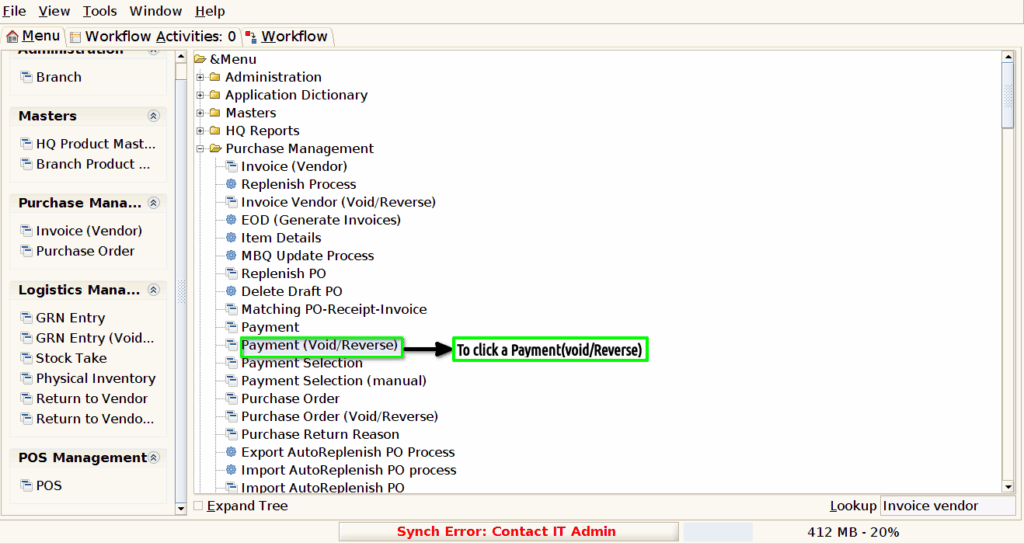
Step 1 : To Select a Branch in Menu.Then to click a Payment (Void/Reverse).
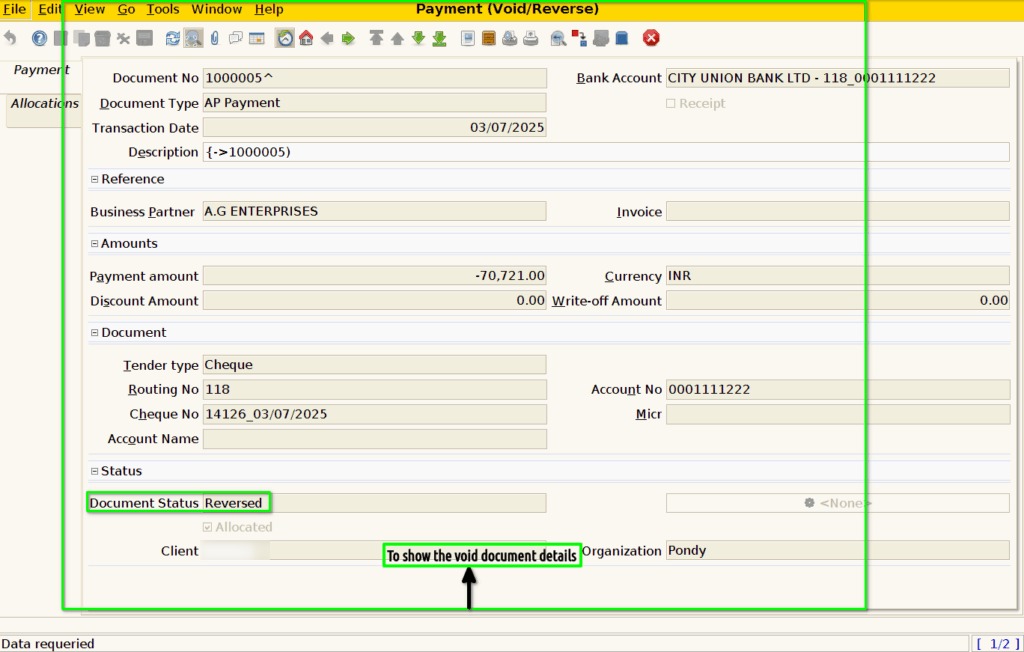
Step 2 : Once to click a Payment screen to void the completed document and to click a Payment(void/reverse) screen to show the void document details only to show the void document details couldn’t edit,create,update.