How to Clear All Line Items of a POS Terminal in ADempiere Retail
Remove or erase all current input or data entries in the insert (data entry) screen or form.
User Access
Who Can Access
- Cashier
- Admin
- Manager
- Back office
What User Can Do
- Erase All Entries
- Avoid Manual Deletion
- Cancel Current Input
Pre-Requisite Activities
- Insert Screen Open
- Data Entered
- User Access Rights
Business Rules
- Confirmation Required
- Only Unsaved Data Cleared
- Permission Controlled
- Clear All Applies to Current Form Only
User Interface
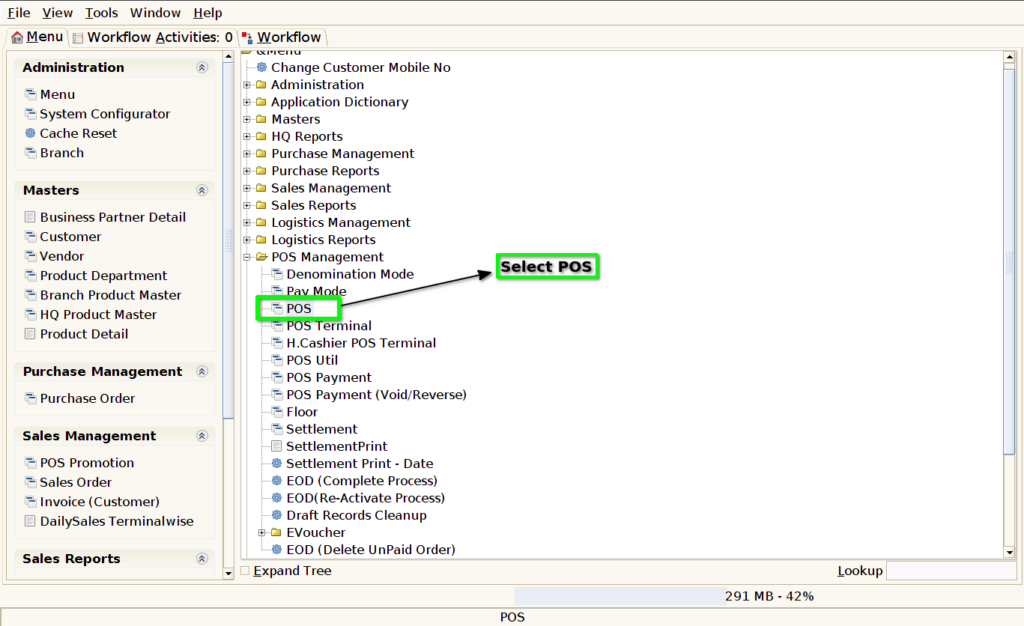
Step 1 : Select ‘POS’ in Menu -> POS Management -> POS or Search POS in Lookup.
Step 2 : Press ‘Insert’ button to remove scanned products.
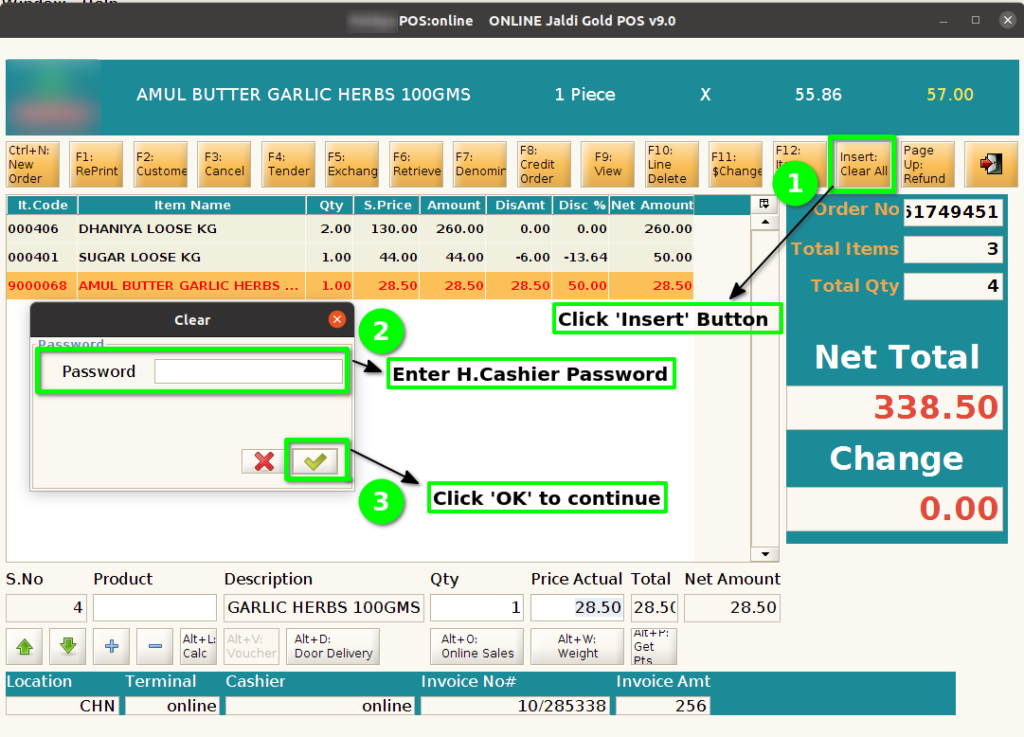
Step 3 : Pop-up alert message need for before clear all lines.
