How to allocate points to Customers for redemption in Adempiere Retail
The Redeem Process allows a customer to use their accumulated loyalty points as part of the Payment during billing at the POS. This reduces the cash/card payment amount and offers a reward for continued shopping.
User Access
Who Can Access
- IT Admin
- Cashier
- Head Cashier
- Back Office
What User Can Do
- To select Redeem Process.
Pre-Requisite Activities
- CRM must be integrated with POS and support point redemption APIs.
- The customer must have:
- An active loyalty account.
- Sufficient points available for redemption.
- Redemption rules must be configured
Business Rules
- Customer must be identified before redemption (mobile number/ID).
- Redeemable points should not exceed bill value.
- Points once redeemed are non-reversible unless bill is canceled.
- Redemption may be blocked on discounted or restricted items.
- POS should log redemption details for audit and CRM sync.
User Interface
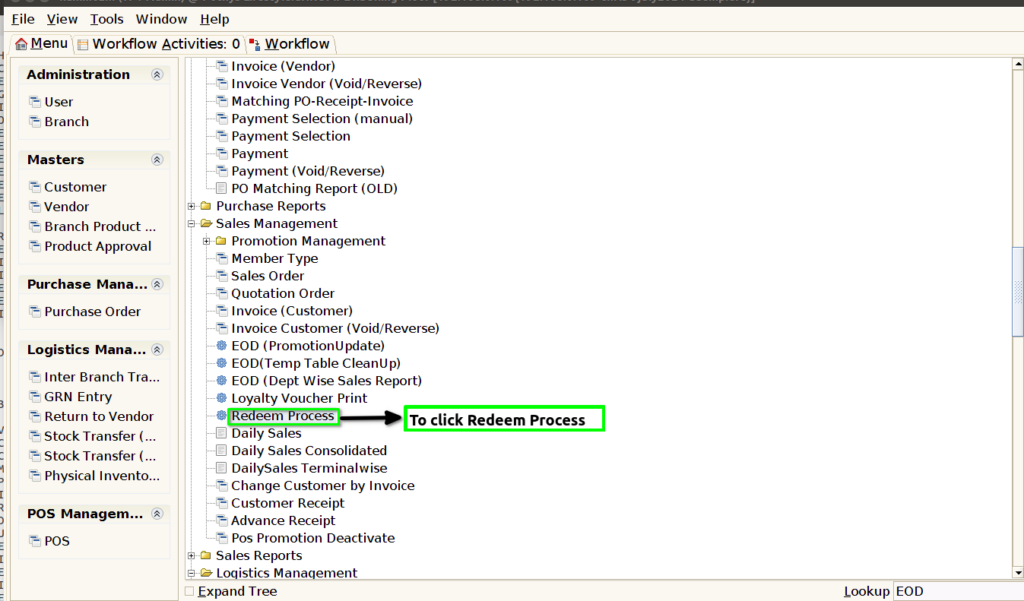
STEP 1: To select a Redeem process.
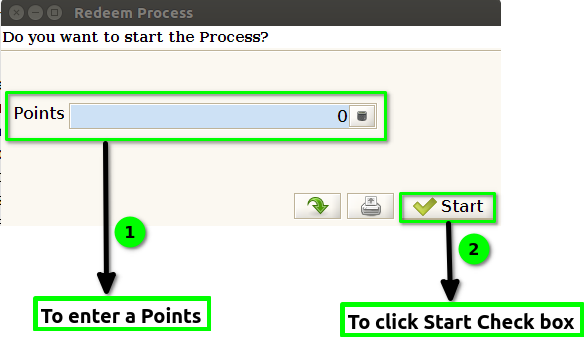
STEP 2:To enter the points and to click the start check box.To run the process.
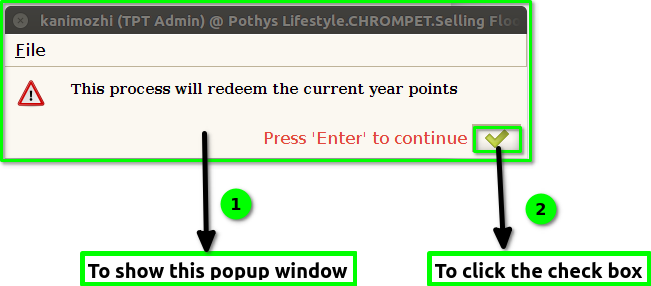
STEP 3:Once to run the process show the popup window will redeem the current year points and to click the check box.
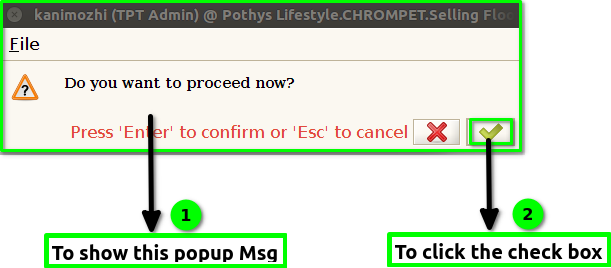
STEP 4: Once to run the process to show the popup msg Proceed now and then to click the check box.
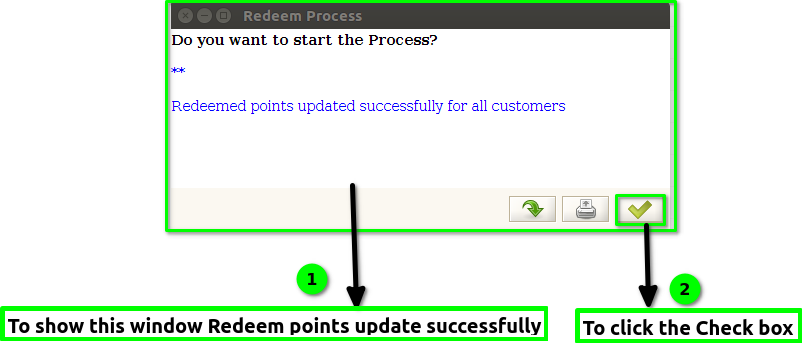
STEP 5: Once to run the process then show popup window Redeemed points will updated successfully.And to click the box.