How to create a Product Manufacturer in Adempiere Retail
A Manufacturer is the company or entity that produces or makes a product or merchandise. In business systems, the manufacturer is recorded to track product origin, quality, and brand.
User Access
Who Can Access
- Back Office
- Manager
- Admin
What User Can Do
- Add or update manufacturer details in the system
- Link each product/merchandise to its manufacturer
- Filter sales, stock, and purchase data by manufacturer
Pre-Requisite Activities
- Create manufacturer master
- Link manufacturer to relevant products or departments
Business Rules
- Each product should be assigned to only one manufacturer
- Manufacturer name must be unique and clearly identifiable
- Inactive manufacturers should not be linked to new products
- Manufacturer changes must be controlled and logged
User Interface
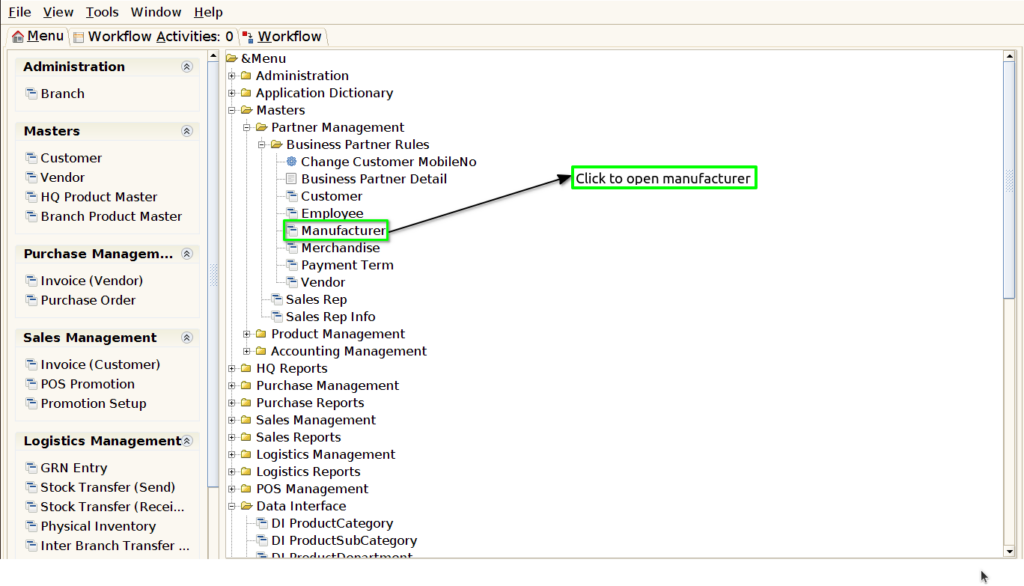
Step 1 : Select ‘manufacturer’ in Menu -> Master > Partner Management > Business partner rules > manufacturer or Search manufacturer in Lookup.
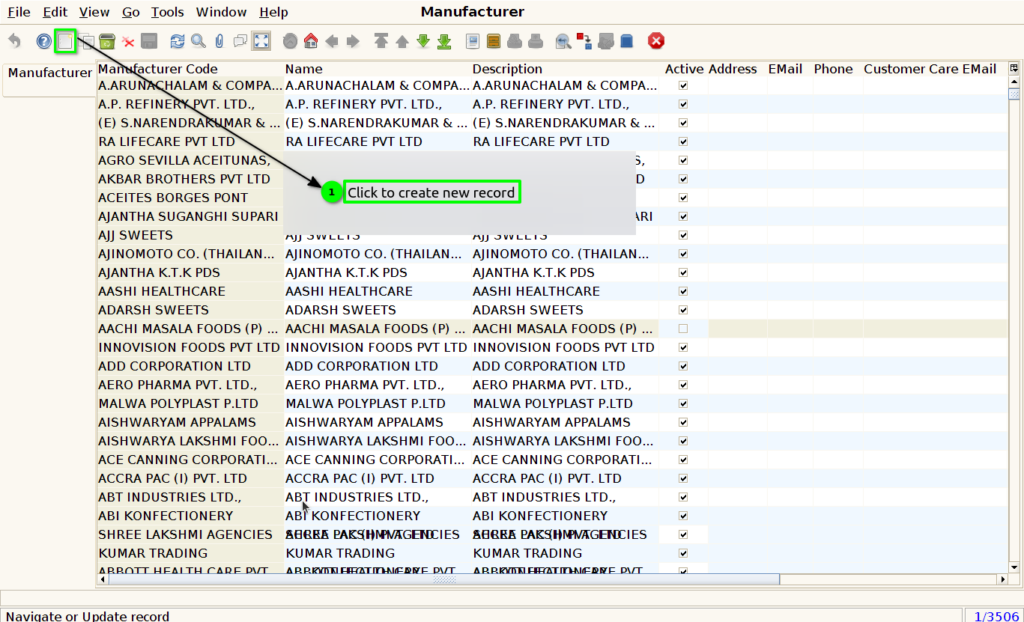
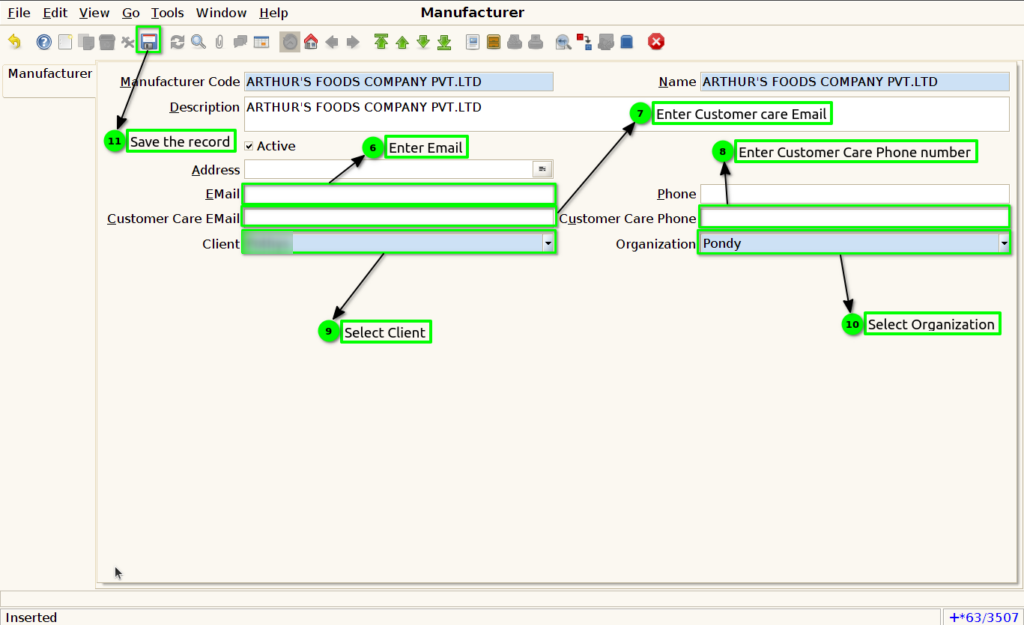
Step 2 : To create new manufacturer by following these steps.