How to generate Pick List in Adempiere Retail
A document or digital list that shows the items and quantities to be collected (picked) from inventory to fulfill a customer order or production request.
User Access
Who Can Access
- Back Office
- Cashier
- Purchase Manager
- Manager
- Admin
What User Can Do
- View Pick List
- Confirm Picking
- Print Pick List
- Edit Pick List (if allowed)
- Track Picking Status
Pre-Requisite Activities
- Order Confirmation
- Inventory Availability Check
- Assign Picking Personnel
- Prepare Picking Tools
Business Rules
- Pick List Generation
- Accurate Inventory Data
- Mandatory Picking Confirmation
- Partial Picking Handling
User Interface
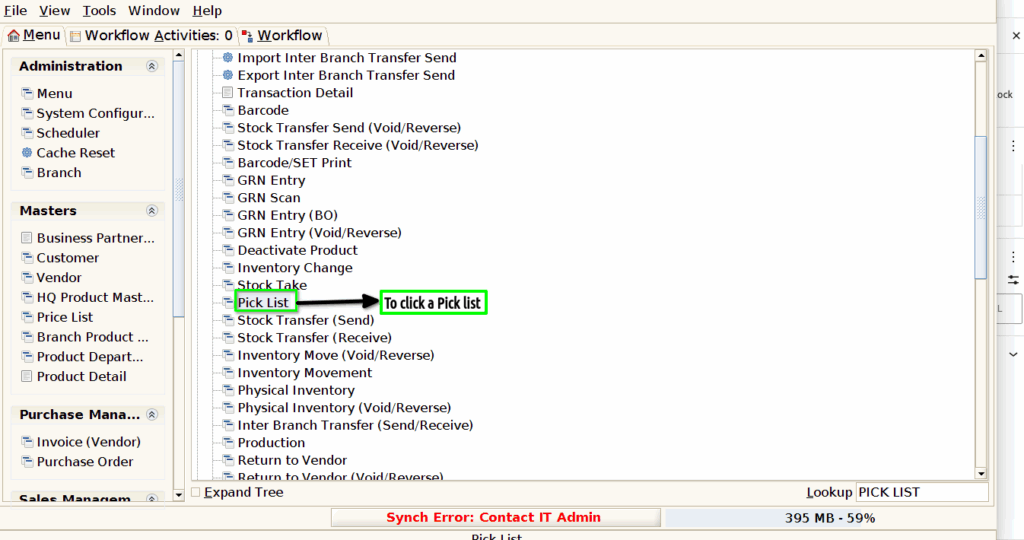
Step 1 : To Select a Branch in Menu.Then to click a Pick list.
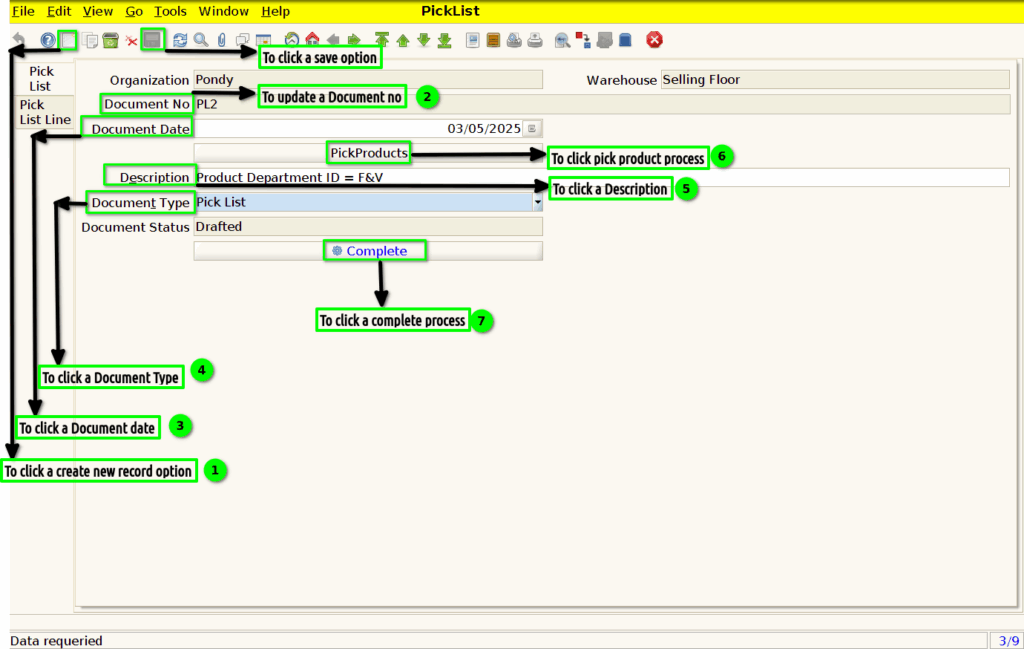
Step 2 :To click a create new record option and to enter the values for Document type,Pick Products and to update the document no,Document date,Description and to click the complete process then to show and update the document status.
Step 3 :Once to run the process and to enter the values for any of these parameters and then to click the load item to show the products for given particular data.Then to select the product and to enter the qty the to click the check box.
