How to do CRM API Setup in Adempiere Retail
CRM API Setup refers to configuring your system to connect and exchange data with a Customer Relationship Management (CRM) system using APIs. This integration helps sync customer data, customer points, points redemption between systems in real-time or scheduled intervals.
User Access
Who Can Access
- Admin
- Cashier
- Manager
- Back office
What User Can Do
- Configure API URL, authentication keys or tokens
- Sync customer details from POS/ERP to CRM
Pre-Requisite Activities
- Get CRM API credentials (base URL, token, client ID/secret)
- Finalize data fields to be synced (name, mobile, email, etc.)
- Confirm CRM’s API documentation and data format requirements
- Ensure the system has internet access and open firewall rules
Business Rules
- API connection must be authenticated and secure (e.g., token-based)
- Duplicate entries should be avoided by checking mobile/email
- Only active customers or updated records should be pushed
- All sync activities must be logged with timestamps and status
- Data integrity should be maintained during bi-directional sync
User Interface
Step 1 : Select ‘Branch’ in Menu Branch Configuration -> Branch or Search Branch in Lookup.

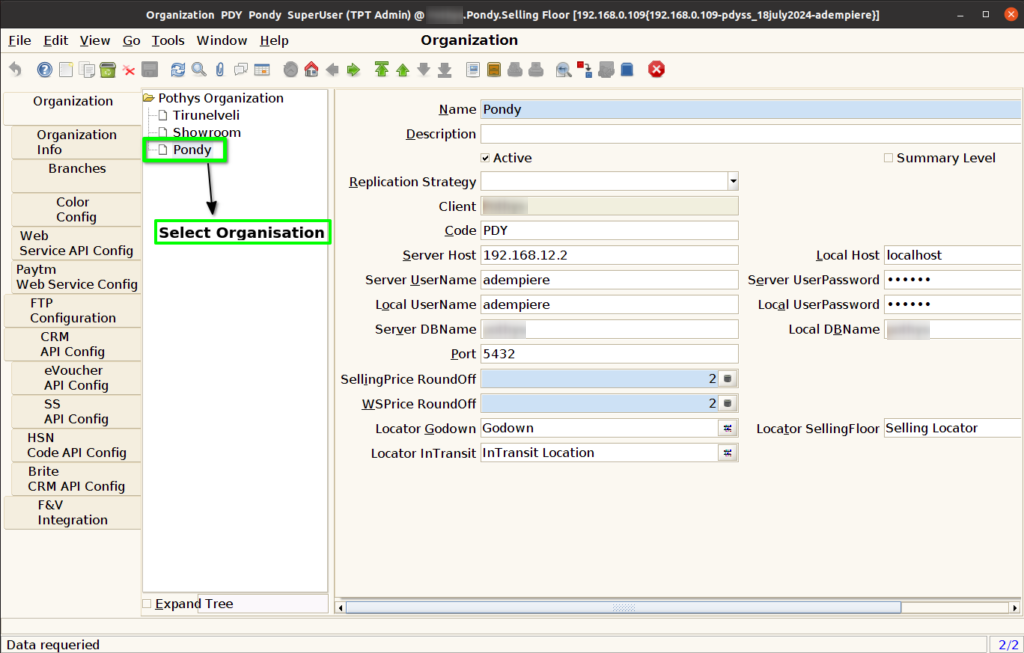
Step 2 : Select Organization.
Step 3 : Click CRM API Config Tab and Click New Button.
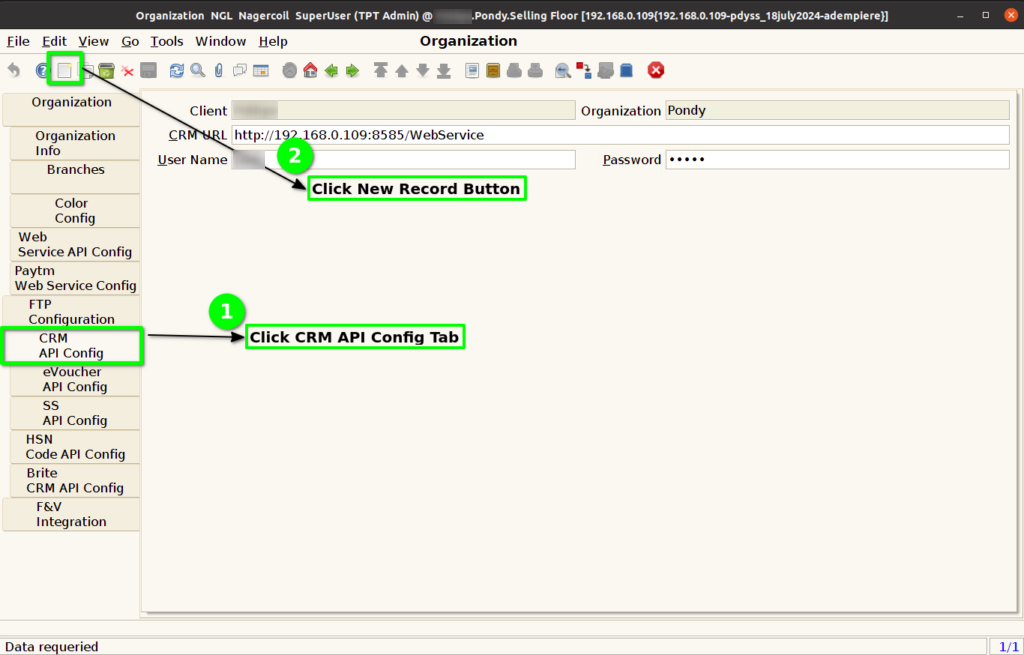
Step 4 : Enter Below Credentials for CRM API Config
- CRM URL
- User Name
- Password

Step 5 : Click to Save the Record.
