How to run Merge Customer Points in ADempiere Retail
Merge Customer Points refers to the process of combining loyalty or reward points from two or more customer accounts into a single account. This is typically used when duplicate customer entries exist in the system and need to be consolidated.
User Access
Who Can Access
- Back Office
- Manager
- Admin
What User Can Do
- Search and identify duplicate customer profiles
- Select the primary (retained) customer account
- Merge loyalty points from the secondary account(s) to the primary
Pre-Requisite Activities
- Identify duplicate customers using mobile/email/CRM ID
- Validate with CRM team or customer confirmation (if needed)
- Ensure no pending transactions are tied to the duplicate account
- Take a backup of customer point records before merging
Business Rules
- Points can only be merged between accounts with the same mobile number or verified identity
- Only admin or authorized users can perform point merges
- Merged points are non-reversible unless rollback is specifically configured
- A log must be maintained with details: who merged, when, and accounts involved
- Merge process should not impact active redemption or returns
User Interface
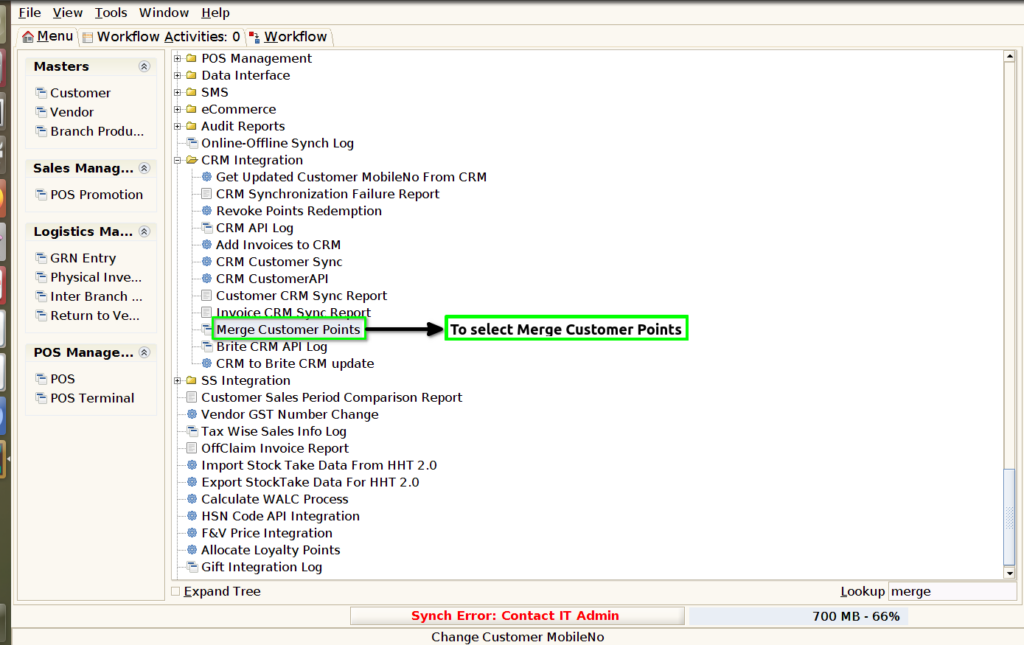
STEP 1: To select a Merge Customer points.
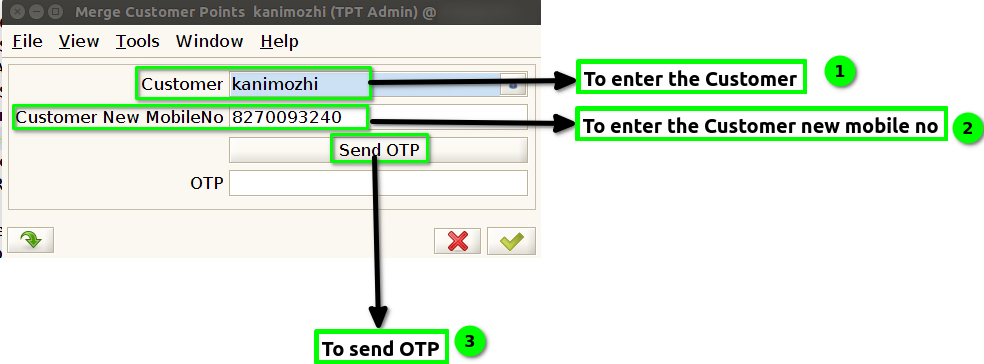
STEP 2: To open this Window.

STEP 3: To enter the Customer.To enter the customer new mobile no .To send OTP.
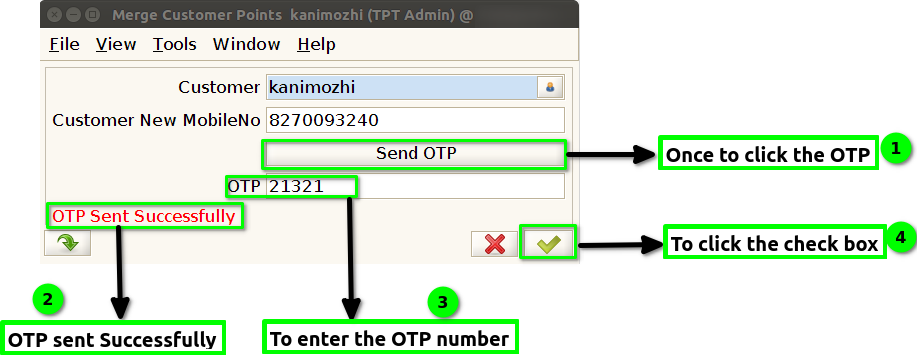
STEP 4: Once OTP send to show the screen OTP Sent Successfully and to enter the OTP .Then to Click the check box.