How to get Mobile Number Update from CRM in Adempiere Retail
This process allows your system to fetch the latest mobile number of a customer from the CRM using an API. It ensures that your local system always has the most up-to-date contact details for communication and record accuracy.
User Access
Who Can Access
- Admin
- Manager
- Cashier
What User Can Do
- Send a request to CRM with the customer’s unique ID (e.g., customer code or email)
- Retrieve the updated mobile number from the CRM response
- Automatically update the number in the local system
- Log the changes for audit purposes
Pre-Requisite Activities
- CRM API access with valid credentials (URL, token, etc.)
- Ensure customer data mapping is set up (e.g., unique customer ID)
- Enable API connectivity and test the endpoint
Business Rules
- Mobile number should only be updated if CRM data is newer or verified
- All updates must be logged with old and new values
- Only authorized systems/users can perform updates
- System must handle API failures gracefully (retry or alert)
- Customer record must exist in both systems to allow sync
- Changes should be visible in audit/history log
- No update if CRM returns blank or invalid mobile number
User Interface
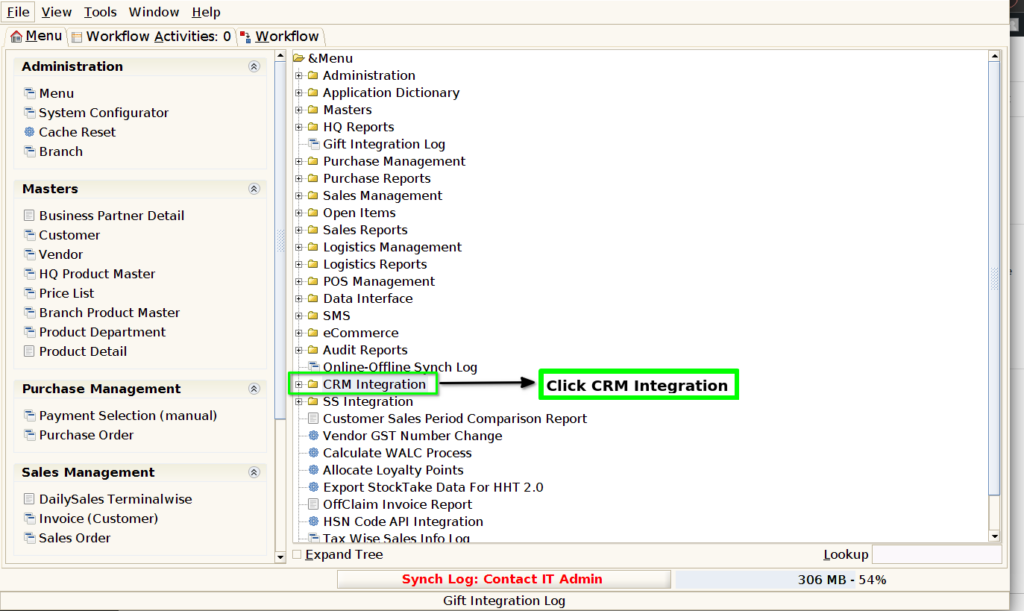
STEP 1: Click CRM Integration Folder.
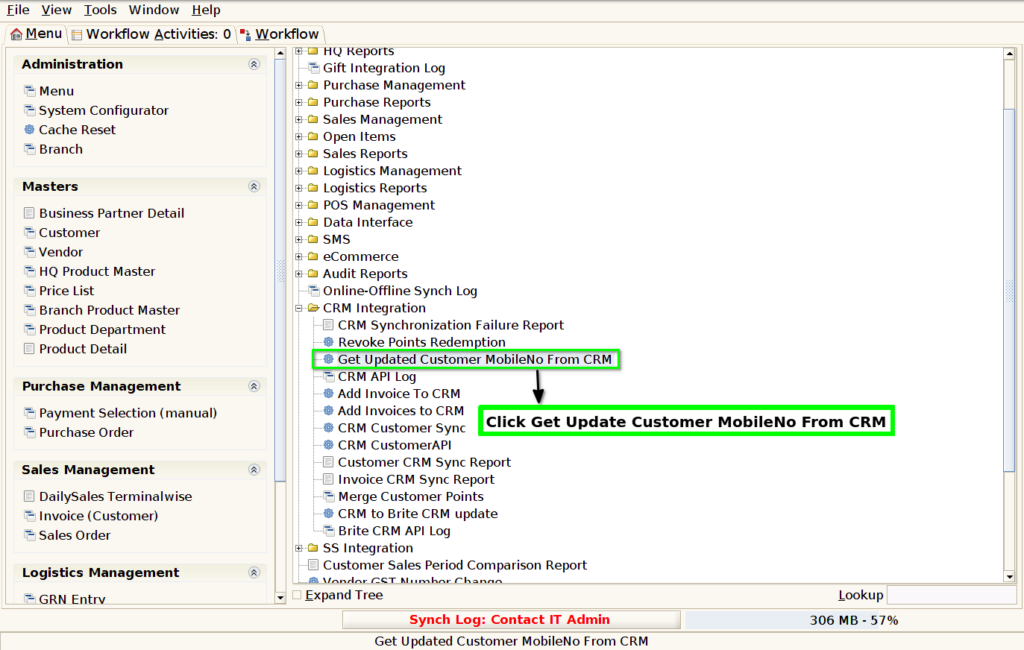
STEP 2: Click Get Updated Customer MobileNo From CRM.
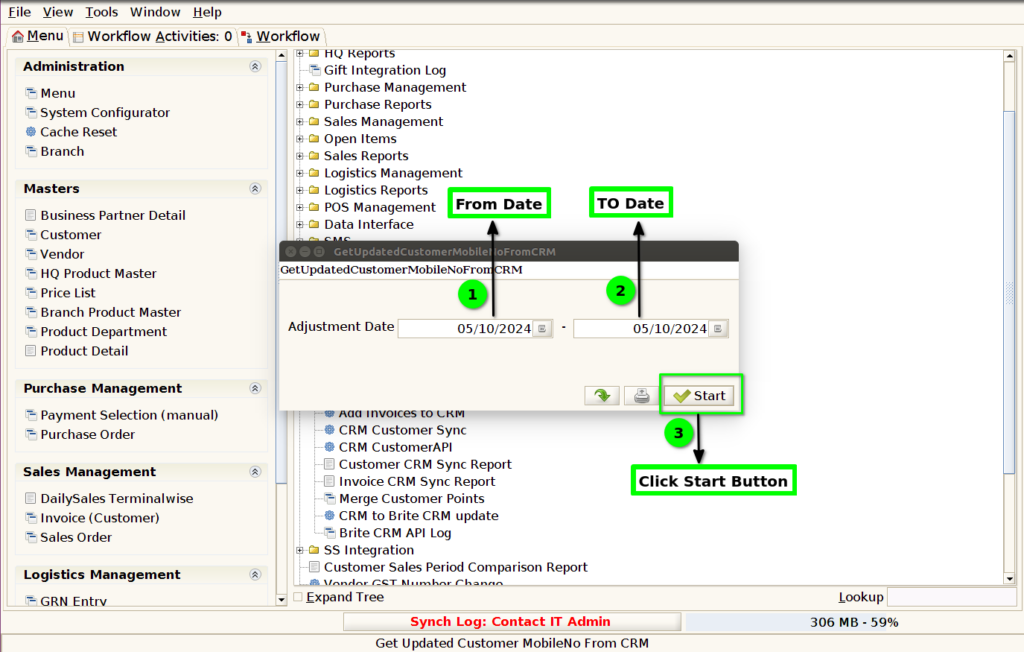
STEP 3: Select From Date and To Date Click the Start Button.