How to create Return to Vendor (Void/Reverse) document in Adempiere Retail
Sometimes, you may need to cancel or undo a vendor return.That’s when Void or Reverse is used.Vendor Return (Void/Reverse) means cancelling or undoing a goods return to supplier to correct errors and keep stock accurate.
Who Can Access
- Back Office
- Manager
- Admin
- Cashier
What User Can Do
- To show the void documents
- To show reversed documents
- Couldn’t edit,update,create a new documents.
Pre-Requisite Activities
- Check that goods are not yet picked up by the vendor
- Ensure no supplier credit note or invoice is created
- Verify stock status
- User Authorization
- Enter valid reason for reversal
Business Rules
- Return To Vendor must not be invoiced or credited
- Authorization is required
- Items must still be in Inventory
- Linked Transactions must be cleared
- Accounting and stock must be auto-adjusted.
USER INTERFACE
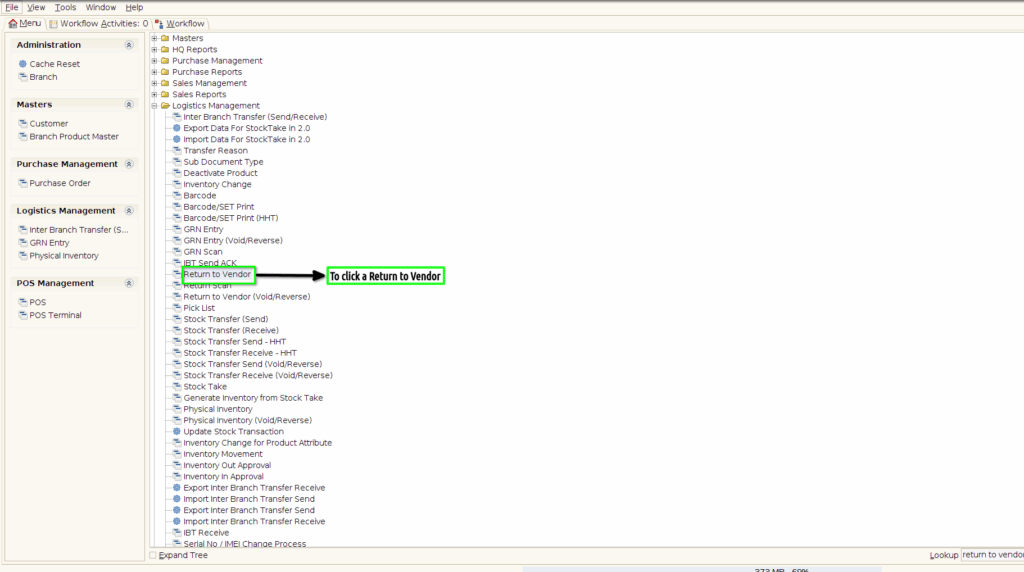
Step 1 : To click a menu and to select a modules and then to click a Return to Vendor.
Step 2 : Once to open the completed document and to click a close process.
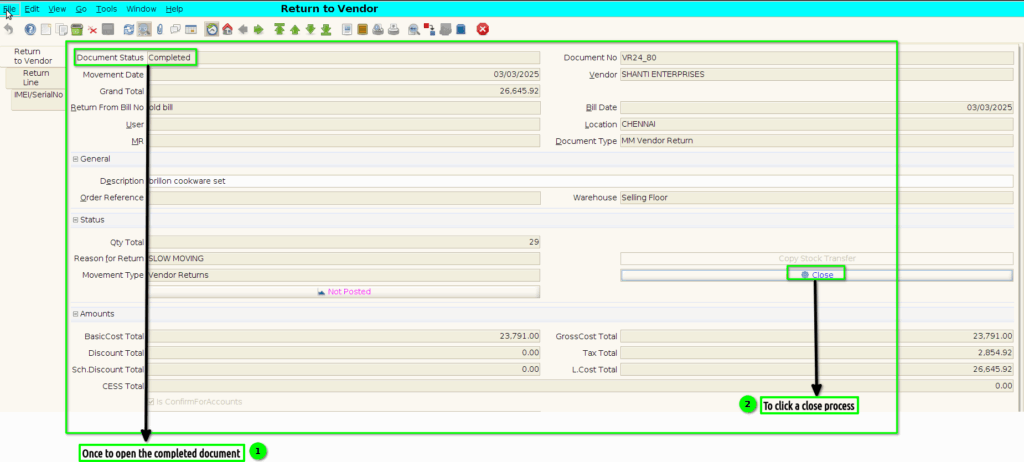
Step 3 : Then to select a Document Action->Void.Finally to click a check box.

Step 4 : Again once to open a drafted document,then to click a complete process.
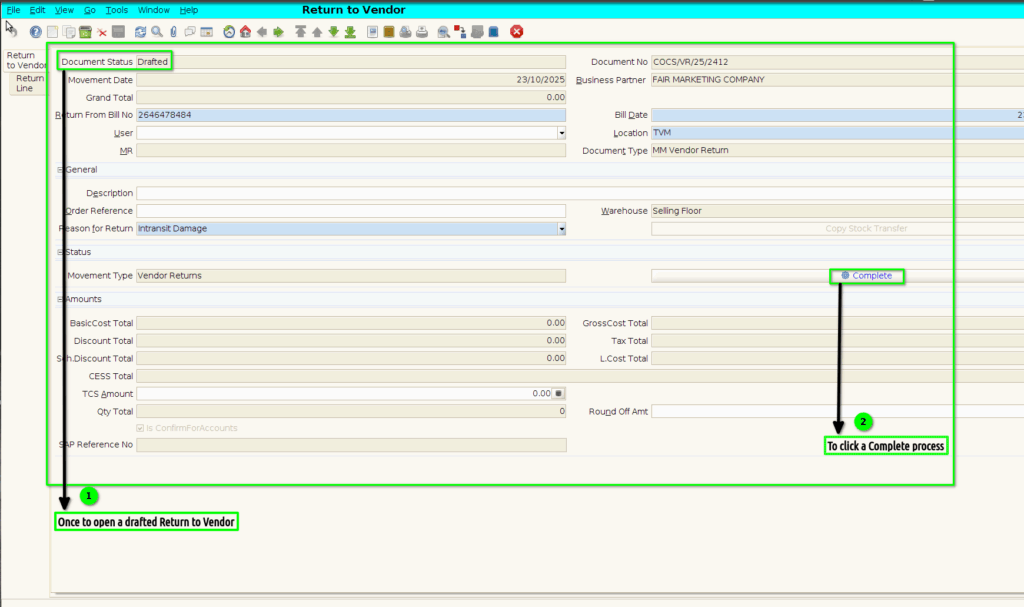
Step 5 : To select a document action->Void.Finally to click the check box.

Step 6 : Select ‘Return to Vendor(Void/Reverse) ’ in Menu -> Logistics management > Return to Vendor(Void/Reverse) or Search Return to Vendor(Void/Reverse)in Lookup.
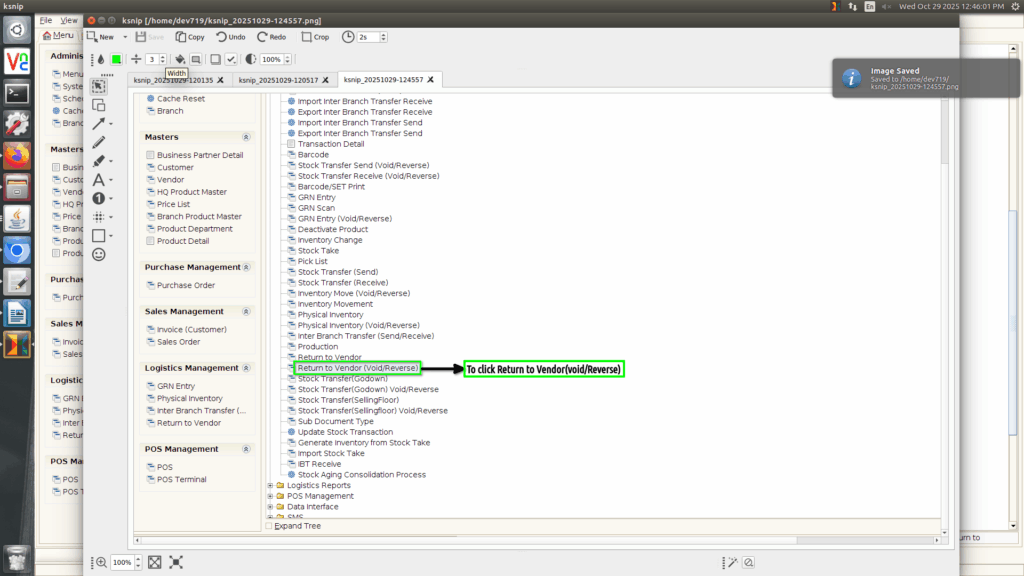
Step 7 :
Once to void the Return to Vendor in Return to Vendor screen and then to click a Return to Vendor (void/reverse)screen.Only to show the Return to Vendor document voided/Reversed status document details.Return to Vendor(Void/Reverse) screen couldn’t create,edit,update.
